
1. Úvod
Thank you for choosing the Intenso Twist Line Dual USB Flash Drive. This device offers a convenient and efficient solution for data storage and transfer between various devices. With its dual USB-A and USB-C connectors and USB 3.2 Gen 1 interface, it provides fast and versatile connectivity for your digital needs.
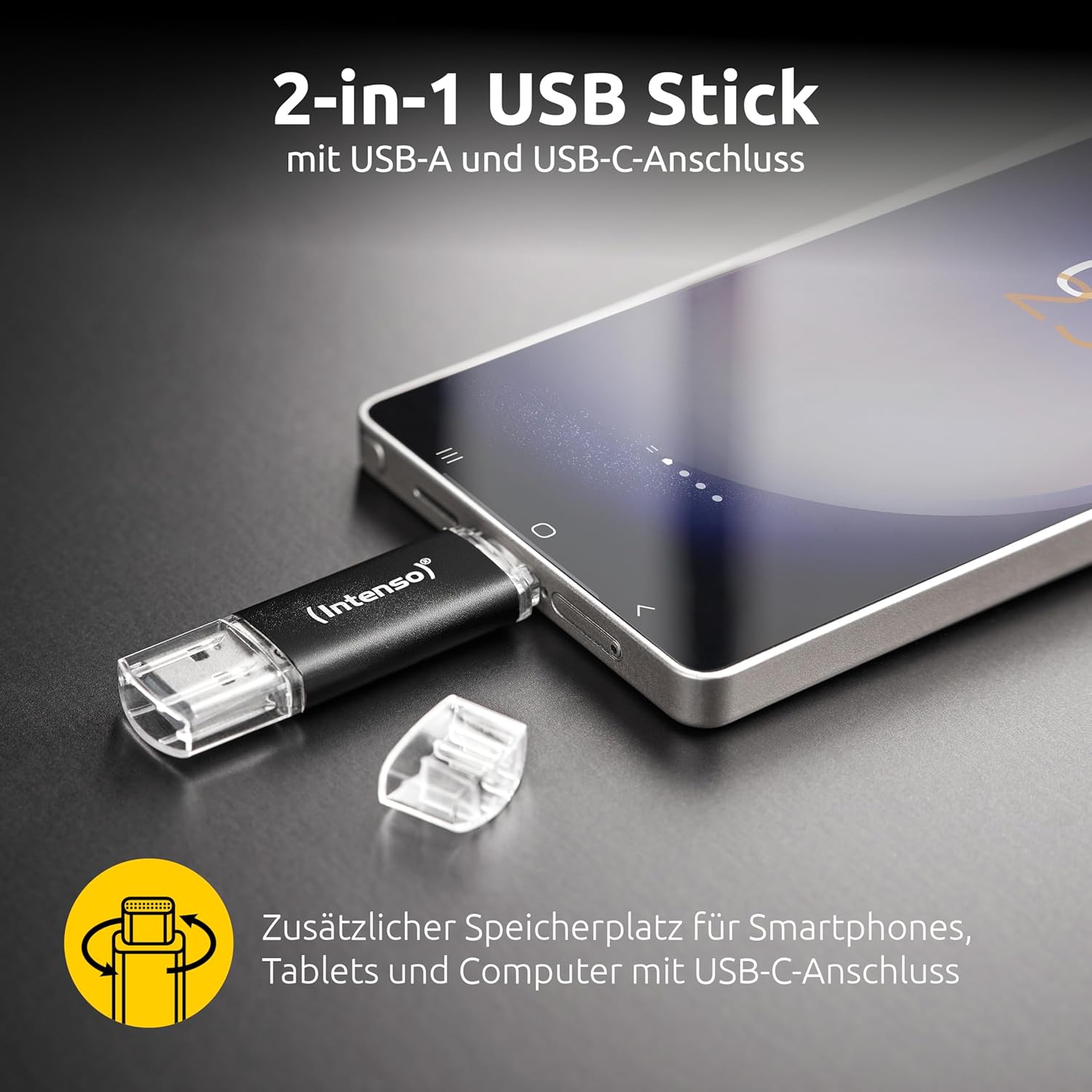
Figure 1: The Intenso Twist Line features both USB-A and USB-C connectors for versatile device compatibility.
2. Nastavení a kompatibilita
The Intenso Twist Line USB Flash Drive is designed for plug-and-play functionality, requiring no special drivers or software installation for basic use. It is compatible with a wide range of devices and operating systems.
2.1 Kompatibilita zařízení
- Zařízení USB-A: Computers, Smart TVs, Projectors, and other devices with a standard USB-A port.
- Zařízení s USB-C: Smartphones, Tablets, Laptops, and other host devices with a USB Type-C port that supports OTG (On-The-Go) functionality.
2.2 Kompatibilita systému
- Windows 10 nebo novější
- macOS 10.x or newer
- Android devices with USB-C and OTG support

Figure 2: Universal compatibility with various USB-A and USB-C devices.

Figure 3: The drive is compatible with Windows 10+ and macOS 10.x+ operating systems.
3. Návod k obsluze
3.1 Připojení disku
- Identify the correct connector (USB-A or USB-C) for your device.
- Gently twist the protective cap to expose the desired connector.
- Insert the connector firmly into the corresponding port on your computer, smartphone, or tablet.
- The device should automatically detect the flash drive. On computers, it will appear as a removable drive. On mobile devices, you may need to access a file aplikace pro manažery.
3.2 Převod Files
K převodu files, simply drag and drop them to or from the flash drive icon in your operating system's file explorer (Windows/macOS) or file manager app (Android).

Figure 4: The USB 3.2 Gen 1 interface enables fast data transfer rates up to 70 MB/s.
3.3 Bezpečné odstranění
Always safely eject the USB flash drive before physically removing it from your device to prevent data corruption. This can typically be done by right-clicking the drive icon and selecting 'Eject' (Windows) or dragging it to the Trash (macOS).
4. Údržba
Proper care ensures the longevity and reliability of your Intenso Twist Line USB Flash Drive.
- Fyzická ochrana: Always use the integrated twist mechanism to protect the unused connector from dust and damage.
- Čištění: Keep the connectors clean and free from debris. Use a soft, dry cloth if necessary. Avoid liquid cleaners.
- Teplota: Store the drive in a cool, dry place, away from extreme temperatures and direct sunlight.
- Záloha dat: Pravidelně zálohujte důležitá data uložená na flash disku na jiné paměťové médium.
5. Řešení problémů
5.1 Disk nebyl rozpoznán
- Zkontrolujte připojení: Ujistěte se, že je disk zcela zasunut do portu USB.
- Zkuste jiný port: Connect the drive to a different USB port on your device.
- Restartovat zařízení: Restart your computer, smartphone, or tablet.
- Zkontrolujte Správce zařízení (Windows): In Windows, open Device Manager to see if the drive is listed, even if it's not assigned a drive letter.
- Kontrola File Manager (Mobile): On mobile devices, ensure your file manager app has permissions to access external storage.
5.2 Pomalé přenosové rychlosti
- Port USB 3.2: Ensure you are connecting the drive to a USB 3.2 Gen 1 (or higher) port on your computer for optimal speeds. Older USB 2.0 ports will result in slower transfers.
- File Velikost/Typ: Přenos mnoha malých filemůže být pomalejší než přenos několika velkých files.
- Další USB zařízení: Disconnect other USB devices that might be consuming bandwidth.
- Formát disku: Ensure the drive is formatted appropriately for your operating system (e.g., exFAT for cross-platform compatibility).
5.3 Poškození dat
- Bezpečné vyhození: Před vyjmutím disku jej vždy bezpečně vyjměte.
- Přeformátovat: If data corruption persists, you may need to reformat the drive. Warning: This will erase all data on the drive. Zálohujte si všechny důležité files před pokračováním.
6. Specifikace
| Funkce | Detail |
|---|---|
| Značka | Intenso |
| Název modelu | Twist Line |
| Číslo modelu | 3539490 (W128271221) |
| Kapacita paměti | 64 GB |
| Hardwarové rozhraní | USB 3.2 Gen 1 |
| Technologie připojení | USB |
| Speciální funkce | Dual USB Connector (USB-A and USB-C) |
| Rychlost čtení | Až 70 XNUMX MB/s |
| Rychlost zápisu | Až 70 XNUMX MB/s |
| Kompatibilní zařízení | Smartphones, Tablets, Computers, Smart TVs, Projectors with USB-A or USB-C ports |
| Kompatibilní modely telefonů | Samsung, iPhone (with USB-C models), and other compatible Android devices |
| Barva | Dřevěné uhlí |
| Rozměry položky (D x Š x V) | 0.33" x 0.71" x 2.48" (přibližně 8.4 mm x 18 mm x 63 mm) |
| Hmotnost položky | 20 gramů |
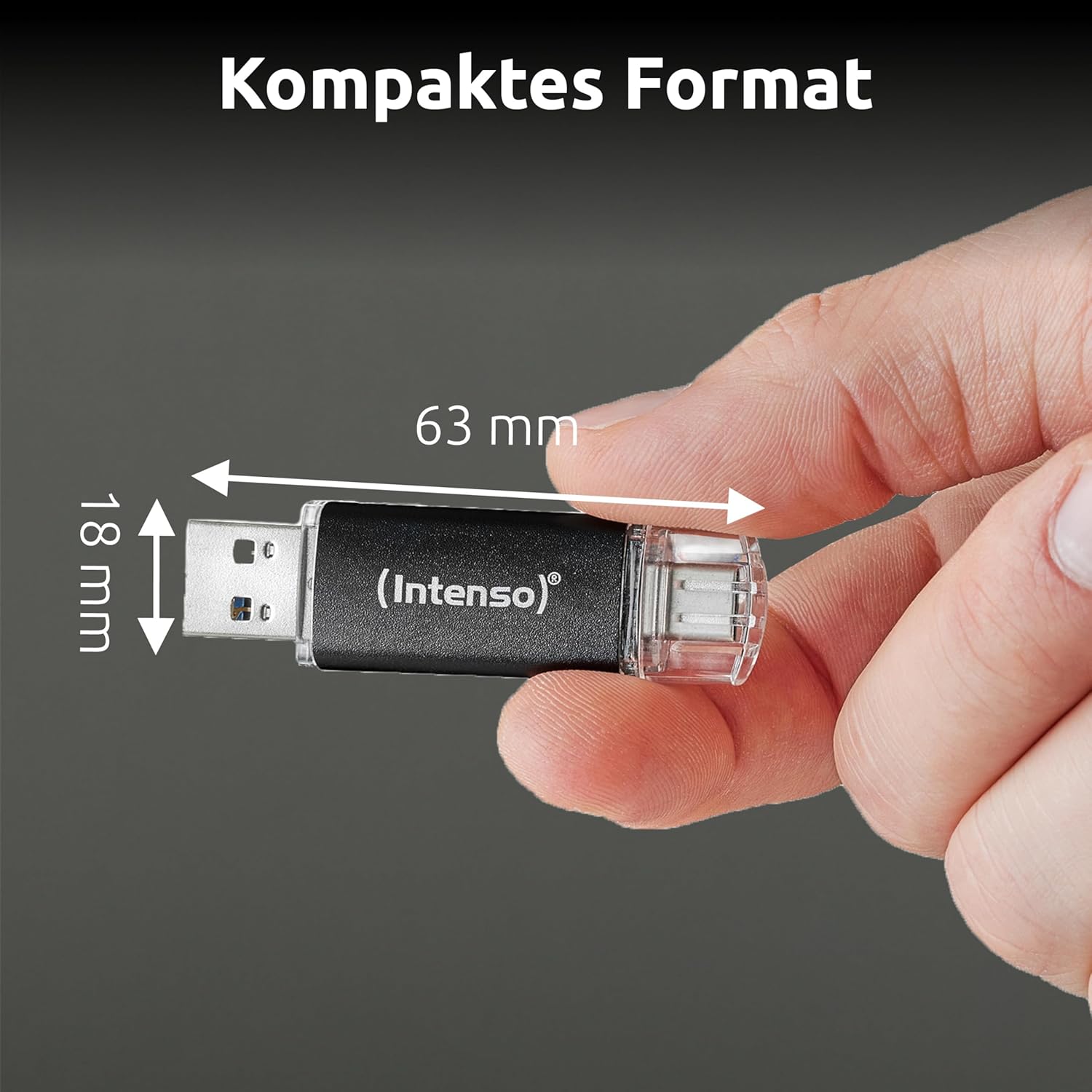
Obrázek 5: Kompaktní rozměry pro snadnou přenosnost.
7. Informace o záruce
Intenso products are developed and tested in Germany, adhering to high standards of quality, reliability, and security. For specific warranty terms and conditions, please refer to the warranty card included with your product or visit the official Intenso webUschovejte si doklad o koupi pro případné reklamace.

Figure 6: Intenso products are developed and tested in Germany for quality assurance.
8. Podpora
For further assistance, frequently asked questions, or to download the latest drivers (if applicable), please visit the official Intenso support webmísto:
You may also contact Intenso customer service directly through the contact information provided on their webmísto.