
USHINING M2302
USHINING 2g Senior Mobile Phone User Manual
Model: M2302
1. Úvod
Thank you for choosing the USHINING 2g Senior Mobile Phone. This device is specifically designed with ease of use in mind, featuring large buttons, a clear display, and essential functions to provide reliable communication for seniors. This manual will guide you through the setup, operation, and maintenance of your new phone.

The USHINING senior phone is designed for straightforward use by the elderly.
2. Bezpečnostní informace
Please read this section carefully before using your phone to ensure safe and proper operation. Keep this manual for future reference.
- Do not attempt to disassemble or modify the phone. This can cause damage and void the warranty.
- Use only original or approved batteries and chargers. Unapproved accessories may cause fire, explosion, or other hazards.
- Chraňte telefon před vodou a vlhkostí.
- Nevystavujte telefon extrémním teplotám.
- Do not use the phone while driving or in situations where it could distract you.
- Telefon a baterii zlikvidujte zodpovědně v souladu s místními předpisy.
3. Obsah balení
Zkontrolujte prosím balení, zda neobsahuje následující položky:
- USHINING 2g Senior Mobile Phone
- Nabíjecí dok
- Napájecí adaptér
- USB kabel
- Dobíjecí lithium-polymerová baterie
- Šňůrka
- Uživatelská příručka

The package includes the USHINING senior phone, a charging adapter, a USB cable, a charging dock, a lanyard, a battery, and the user manual.
4. Konec produktuview
Familiarize yourself with the phone's physical features and design.

The USHINING 2g Senior Mobile Phone, shown here in its dedicated charging dock, features a large display and clearly visible buttons, designed for ease of use.

Designed specifically for the elderly, the phone features large, easy-to-press buttons and large, clear fonts on the display for effortless dialing and navigation.
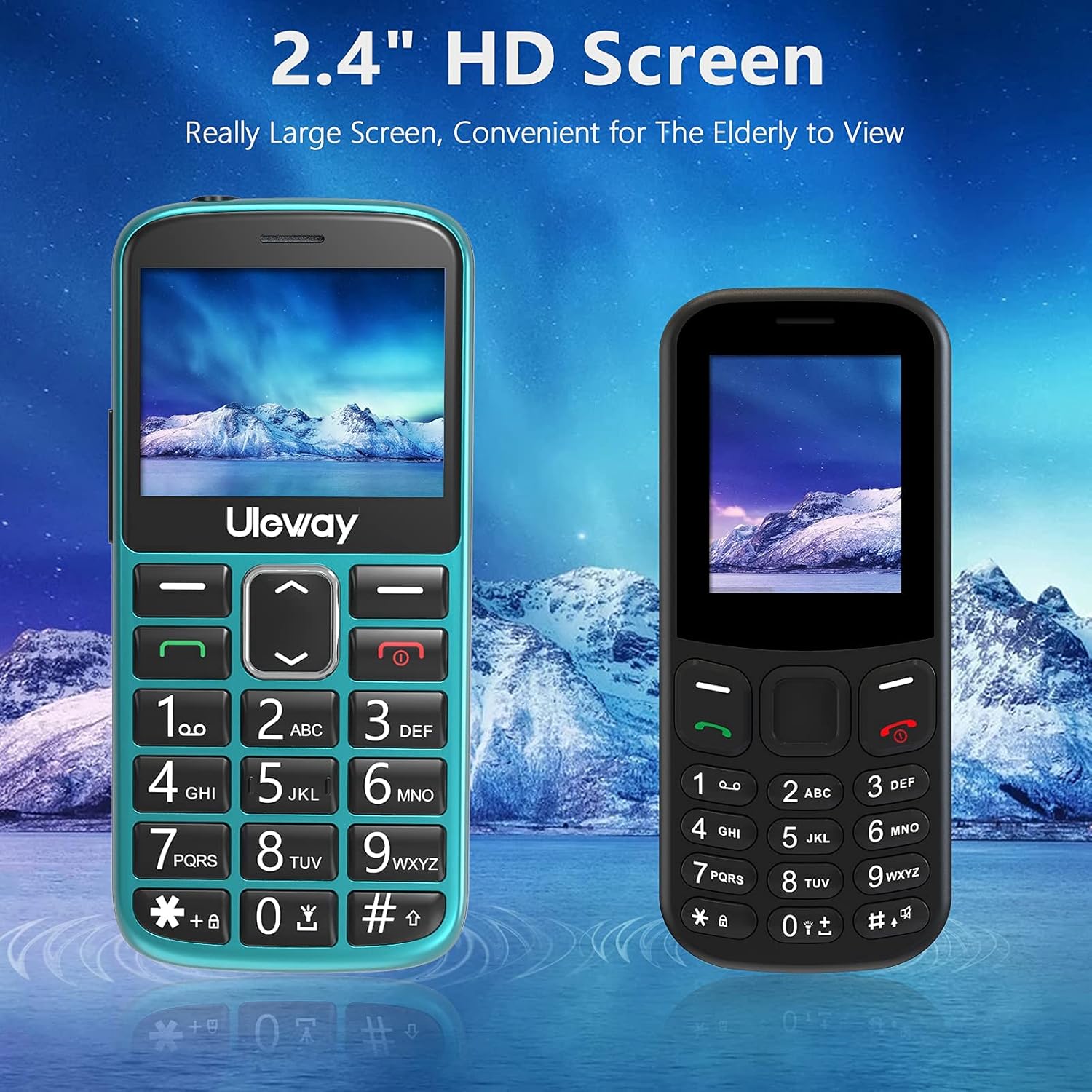
Equipped with a 2.4-inch HD screen, this phone offers a significantly larger and clearer display compared to standard smaller screens, enhancing readability for elderly users.

The phone offers high volume output and is Hearing Aid Compatible (HAC), ensuring clear communication for users with hearing aids.
5. Nastavení
5.1. Inserting SIM Cards and Micro SD Card
The phone supports dual standard SIM cards and one Micro SD card (up to 32GB). Ensure the phone is powered off before inserting or removing cards.
- Odstraňte zadní kryt telefonu.
- Opatrně vyjměte baterii.
- Insert the SIM cards into the designated SIM card slots (Card Slot 1 and Card Slot 2) with the gold contacts facing down.
- If desired, insert a Micro SD card into the Micro SD card slot.
- Znovu vložte baterii a nasaďte zpět zadní kryt.

The phone supports dual standard SIM cards and a Micro SD card (up to 32GB) for expanded storage. SIM and SD cards are not included.
5.2. Battery Installation and Initial Charging
Your phone comes with a rechargeable Lithium-Polymer battery. For optimal performance, fully charge the battery before first use.
- Ensure the battery is correctly installed as described in section 5.1.
- Connect the USB cable to the power adapter and then to the charging dock.
- Zapojte napájecí adaptér do elektrické zásuvky.
- Place the phone into the charging dock. The phone will indicate that it is charging.
- Allow the phone to charge until the battery indicator shows a full charge. This may take several hours for the first charge.
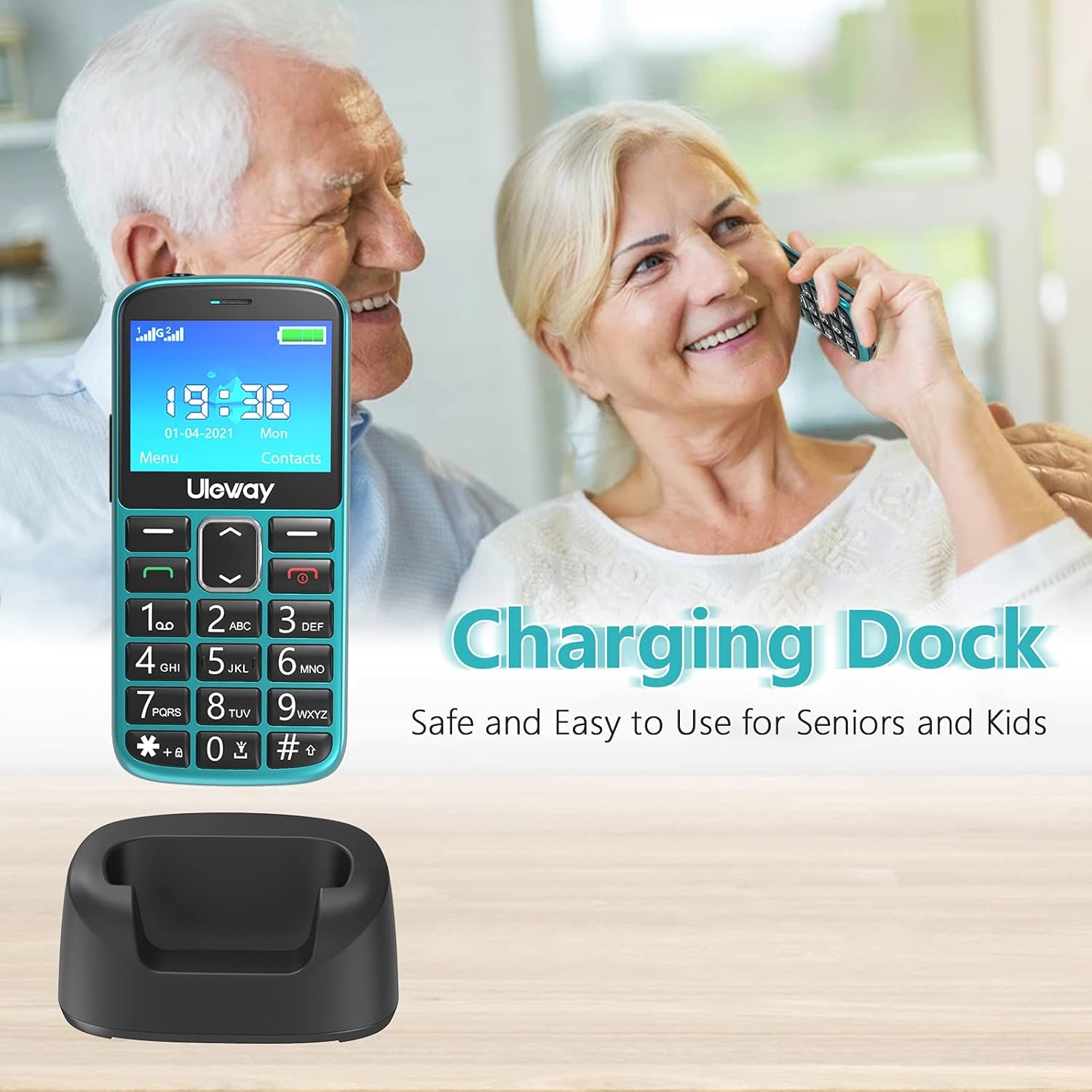
The included charging dock provides a stable and convenient way to charge the phone, making it easy for seniors to keep their device powered.

The USHINING senior phone is powered by a 1000 mAh large capacity battery, providing extended standby time and reliable performance.
6. Návod k obsluze
6.1. Zapnutí/vypnutí
- Zapnutí: Stiskněte a podržte červené tlačítko Ukončit hovor/Napájení (✖), dokud se obrazovka nerozsvítí.
- Vypnutí: Stiskněte a podržte červené tlačítko Ukončit hovor/Napájení (✖) until the power off options appear, then confirm.
6.2. Uskutečňování a přijímání hovorů
- Chcete-li zavolat: Dial the number using the large keypad buttons and press the green Call button (✓).
- Chcete-li přijmout hovor: Stiskněte zelené tlačítko Volat (✓) when the phone rings.
- Ukončení hovoru: Stiskněte červené tlačítko Ukončit hovor/Napájení (✖).
- Rychlé vytáčení: Long press a number key (2-9) to dial a pre-set contact.
6.3. Funkce nouzového volání SOS
The SOS button is located on the back of the phone and is designed for quick access to emergency contacts.
- Nastavení SOS kontaktů: Přejděte na Nastavení > Nastavení SOS to add up to 5 emergency contact numbers.
- Using SOS: In an emergency, press and hold the SOS button on the back of the phone for 3-5 seconds. The phone will automatically dial the pre-set emergency numbers in sequence until one is answered. It will also send an emergency SMS to these contacts.

The dedicated SOS button on the back of the phone allows for quick emergency calls to up to five pre-set contacts, including family members or medical professionals.
6.4. Svítilna
Telefon má pro větší pohodlí vestavěnou svítilnu.
- Zapnutí/vypnutí: Long press the '0' key on the keypad to activate or deactivate the flashlight.

A built-in highlight flashlight provides convenient illumination, activated by a dedicated button for easy access in low-light conditions.
6.5. Menu Navigation and Functions
Use the navigation keys (up, down, left, right) and the OK/Select button to navigate through the phone's menu.

The phone's user interface is designed for simplicity, featuring large icons for Contacts, Multimedia, Camera, My Files, Call Logs, Settings, Tools, and Alarm.
Mezi klíčové funkce patří:
- Kontakty: Store and manage phone numbers.
- Protokoly hovorů: View missed, dialed, and received calls.
- Zprávy: Send and receive SMS text messages.
- Fotoaparát: Pořizujte fotografie.
- Multimédia: Access FM radio, MP3 player, and video player.
- Nástroje: Includes features like Calculator, Calendar, and Alarm.
- Nastavení: Customize phone settings such as display, sound, and network.

Beyond basic calling, the phone includes useful features such as a camera, FM radio, calculator, Bluetooth connectivity, calendar, and an alarm clock.
6.6. Nastavení hlasitosti
During a call, use the dedicated volume buttons on the side of the phone to adjust the earpiece volume. Ringer volume can be adjusted in the Sound settings menu.
7. Údržba
- Čištění: K čištění povrchu telefonu používejte měkký, suchý hadřík. Nepoužívejte tekuté čisticí prostředky ani aerosoly.
- Péče o baterie: To prolong battery life, avoid fully discharging the battery frequently. Charge the phone regularly, especially if it will not be used for an extended period.
- Skladování: Telefon skladujte na chladném a suchém místě mimo dosah přímého slunečního záření a extrémních teplot.
8. Řešení problémů
If you encounter issues with your phone, please refer to the following common problems and solutions:
| Problém | Možné řešení |
|---|---|
| Telefon se nezapne | Ujistěte se, že je baterie správně vložena a nabitá. Zkuste telefon nabíjet alespoň 30 minut. |
| Nelze uskutečňovat ani přijímat hovory | Check if SIM card(s) are properly inserted. Ensure you have network signal. Contact your mobile carrier if the issue persists. |
| Špatná kvalita hovoru | Move to an area with better network coverage. Ensure the earpiece/speaker is not obstructed. Adjust call volume. |
| Baterie se rychle vybíjí | Snižte jas obrazovky. Zavřete nepoužívané aplikace. Omezte využití dat na pozadí. |
| Funkce SOS nefunguje | Verify that SOS contacts are correctly set up in the settings. Ensure the phone has network signal. |
9. Specifikace
| Funkce | Detail |
|---|---|
| Číslo modelu | M2302 |
| Operační systém | Nucleus OS |
| Velikost displeje | 2.4 palců (6.1 cm) |
| Kapacita baterie | 1000 mAh Lithium-Polymer |
| Doba hovoru | Přibližně 5 hodiny |
| Pohotovostní doba | Přibližně 240 hodiny |
| Interní úložiště | 32 GB (likely refers to max SD card support, as internal storage for feature phones is minimal) |
| Rozšiřitelné úložiště | Micro SD karta až 32GB |
| Network Technology | 2G (GSM) |
| Sloty pro SIM karty | Dual-SIM (Standard SIM) |
| Rozměry | 12 x 5.5 x 1.5 cm |
| Hmotnost | 260 gramů |
| Barva | Zelený |
10. Záruka a podpora
Your USHINING 2g Senior Mobile Phone is covered by a manufacturer's warranty. Please refer to the warranty card included in your package for specific terms and conditions. For technical support, troubleshooting assistance, or warranty claims, please contact USHINING customer service through the retailer where you purchased the product or visit the official USHINING webstránky pro kontaktní informace.
Ask a question about this manual
Ask about setup, troubleshooting, compatibility, parts, safety, or missing instructions. Manuals+ will review the question and use this page’s manual context to help answer it.