
1. Úvod
Thank you for choosing the COSTWAY 88-Key Digital Piano. This portable electronic keyboard is designed to provide an authentic piano playing experience with its weighted keys, versatile functions, and modern connectivity options. This manual will guide you through the setup, operation, maintenance, and troubleshooting of your new instrument, ensuring you get the most out of its features.
The COSTWAY 88-Key Digital Piano is suitable for both beginners and experienced players, offering a rich sound experience with its built-in speakers and the included sustain pedal. Enjoy the journey of music with your COSTWAY digital piano.

Obraz: A hand demonstrating the feel of the 88 weighted keys on the COSTWAY digital piano, highlighting the authentic playing experience.
2. Bezpečnostní pokyny
Please read and understand these safety instructions before using the product to prevent injury to yourself or others and damage to the instrument.
- Do not expose the instrument to direct sunlight, high temperatures, or excessive humidity.
- Avoid placing the instrument near heat sources such as radiators or stoves.
- Do not use the instrument near water or in damp prostředí.
- Keep the instrument away from strong magnetic fields.
- Používejte pouze dodaný napájecí adaptér a příslušenství.
- Nepokoušejte se přístroj rozebírat ani upravovat. Veškerý servis svěřte kvalifikovanému personálu.
- Uchovávejte mimo dosah malých dětí, abyste předešli nehodám.
- Ensure the instrument is placed on a stable, flat surface to prevent it from falling.
3. Obsah balení
Ověřte, zda jsou v balení obsaženy všechny níže uvedené položky:
- 88klávesová digitální klávesnice
- Carry Bag (Oxford cloth)
- Nabíječka
- Sustain pedál
- Návod k použití
4. Konec produktuview
4.1 Ovládací panel a zadní porty

Obraz: Detailní view of the COSTWAY 88-Key Digital Piano's control panel and rear connectivity ports. The control panel includes buttons for Power, Digital Display, Start/Stop, Chord, Metronome, Record, Sustain, Vibrato, Volume, Rhythm, Tone, Tempo, and Transpose. The rear panel features ports for Left Stereo Out, Right Stereo Out, Headphone, Microphone, Sustain Pedal, MP3 input, and USB.
4.2 Klíčové vlastnosti
- 88 vážených kláves: Provides an authentic piano playing feel with a 1:1 piano key ratio.
- Dva externí reproduktory: Delivers rich, stereo surround sound.
- Protiskluzové podložky na nohy: Ensures stability during play.
- Odolné tělo: Constructed with aluminum alloy for longevity.
- Deep Key Depth: Features 10mm key depth for enhanced playing experience.
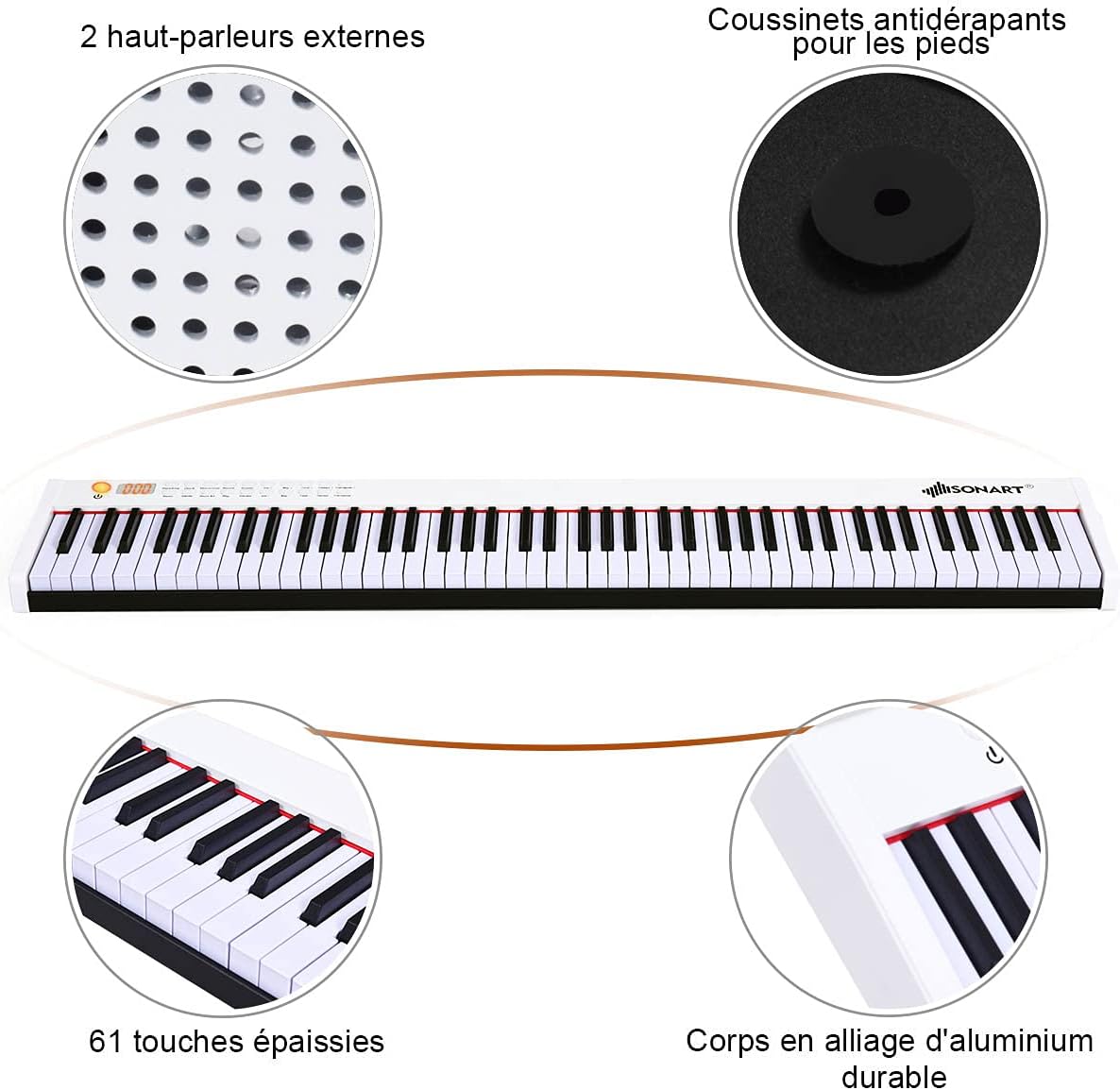
Obraz: Konecview of the COSTWAY digital piano, pointing out its two external speakers, anti-slip foot pads, and durable aluminum alloy body. Note: While the image indicates '61 thickened keys', this product features 88 weighted keys as per product specifications.

Obraz: A visual comparison demonstrating the 10mm key depth of the COSTWAY digital piano, which provides a more authentic and comfortable playing experience compared to shallower keys (7mm) found on other instruments.
5. Nastavení
5.1 Počáteční nabíjení
Before first use, fully charge the digital piano. The built-in 1750 mAh lithium-ion battery provides up to 12 hours of play time on a full charge, which typically takes 5 hours.
- Connect the charger to the piano's power input port.
- Zapojte nabíječku do standardní elektrické zásuvky.
- Kontrolka nabíjení bude ukazovat stav nabíjení.
- Po úplném nabití odpojte nabíječku.
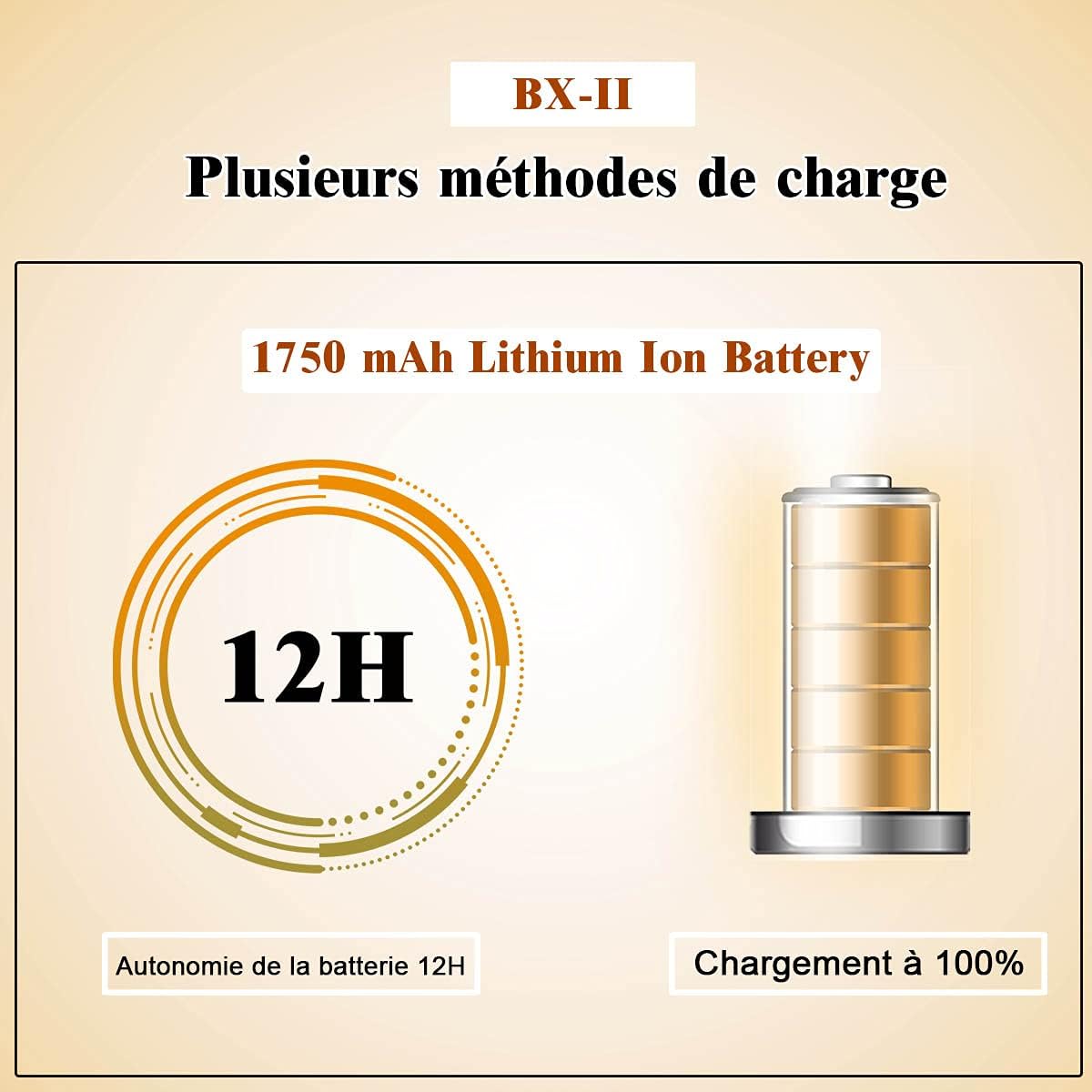
Obraz: A diagram illustrating the 1750 mAh Lithium Ion Battery, highlighting its 12-hour battery life and indicating a 100% charge status.
5.2 Připojení sustain pedálu
The included sustain pedal enhances your playing by allowing notes to ring out longer.
- Locate the 'SUSTAIN' port on the rear panel of the piano.
- Plug the sustain pedal cable into this port.
- Place the pedal on the floor in a comfortable position for playing.

Obraz: The sustain pedal, an essential accessory for the COSTWAY digital piano, used to prolong the sound of notes.
6. Návod k obsluze
6.1 Zapnutí/vypnutí
- Pro zapnutí stiskněte a podržte Moc button until the digital display illuminates.
- Chcete-li přístroj vypnout, stiskněte a podržte tlačítko Moc tlačítko znovu, dokud se displej nevypne.
6.2 Nastavení hlasitosti
- Použijte mirdXNUMX tlačítko pro zvýšení hlasitosti.
- Použijte Vol - tlačítko pro snížení hlasitosti.
6.3 Tone and Rhythm Selection
The piano offers 128 rhythms, 128 tones, and 20 demo songs for a comprehensive playing and learning experience.
- Stiskněte tlačítko Tón tlačítko, poté použijte Tone + or Tone - buttons to select from 128 different tones.
- Stiskněte tlačítko Rytmus tlačítko, poté použijte Rhythm + or Rhythm - buttons to select from 128 different rhythms.
- Stiskněte tlačítko Demo button to play through the 20 built-in demo songs.

Obraz: An infographic highlighting the key features of the COSTWAY digital piano, including 128 rhythms, 128 tones, 20 demo songs, Bluetooth connectivity, a teaching function, sound quality, and portable design.
6.4 Funkce metronomu
- Stiskněte tlačítko Metronom tlačítko pro aktivaci metronomu.
- Použijte Tempo + or Tempo - buttons to adjust the metronome tempo.
- Stiskněte tlačítko Metronom button again to deactivate it.
6.5 Funkce nahrávání
- Stiskněte tlačítko Záznam tlačítko pro spuštění nahrávání vašeho vystoupení.
- Stiskněte tlačítko Hrát tlačítko pro poslech nahraného vystoupení.
6.6 Vibrato Function
- Stiskněte tlačítko Vibrato button to add a vibrato effect to your sound.
- Stiskněte tlačítko Vibrato button again to turn off the effect.
6.7 Touch Response Adjustment
You can adjust the touch response of the keys to match your playing style.
- Stiskněte a podržte Transponovat + button to adjust the touch response (dynamics).
- The digital display will show the current touch response setting.

Obraz: This image demonstrates how to adjust the dynamic touch response of the piano, allowing players to customize the sensitivity of the keys to their playing style, from very soft (ppp) to very loud (fff).
6.8 Připojení Bluetooth
Connect your smartphone or tablet via Bluetooth to access learning apps and additional lessons.
- Ujistěte se, že je na vašem chytrém zařízení povoleno Bluetooth.
- Turn on the digital piano.
- Hledat available Bluetooth devices on your smart device and select the piano's name (e.g., 'COSTWAY Piano').
- Once paired, you can use compatible apps for interactive learning.
6.9 MIDI/USB Interface
The MIDI/USB interface allows connection to computers, iPads, and other smart devices for advanced music production or learning.
- Connect a USB cable from the piano's USB port to your computer or smart device.
- The piano will be recognized as a MIDI device.
- Use compatible music software or apps to record, compose, or learn.
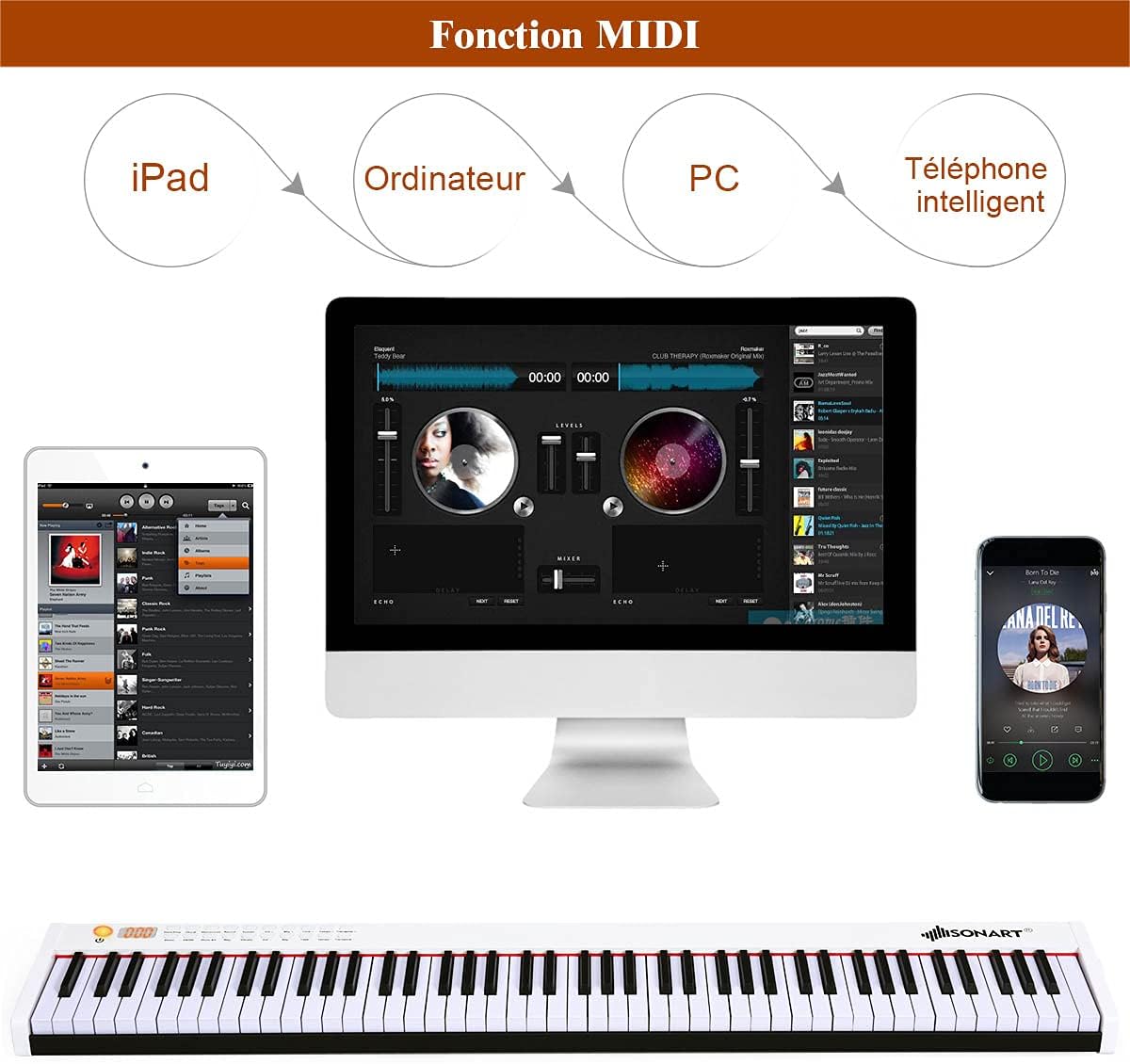
Obraz: This diagram illustrates the versatility of the MIDI function, showing how the COSTWAY digital piano can connect to various devices like iPads, computers, and smartphones for enhanced musical interaction and production.
7. Údržba
Proper care and maintenance will ensure the longevity and optimal performance of your digital piano.
- Čištění: K otření povrchu klavíru použijte měkký, suchý hadřík. V případě odolné nečistoty lehceampOtřete hadřík vodou s jemným čisticím prostředkem a poté ihned otřete dosucha. Nepoužívejte abrazivní čisticí prostředky ani rozpouštědla.
- Čištění klíčů: Jemně otřete klávesy měkkým, lehceamp hadříkem. Nepoužívejte nadměrnou vlhkost.
- Skladování: When not in use for extended periods, store the piano in its included carry bag in a cool, dry place, away from direct sunlight and extreme temperatures.
- Péče o baterie: To maintain battery health, avoid completely draining the battery frequently. If storing for a long time, charge the battery to about 50% every few months.
8. Řešení problémů
Pokud narazíte na nějaké problémy, podívejte se na následující běžné problémy a jejich řešení:
| Problém | Možná příčina | Řešení |
|---|---|---|
| Žádný zvuk | Volume is too low; Headphones are connected; Power issue. | Increase volume; Disconnect headphones; Check power connection/battery. |
| Klávesy nereagují | Instrument is off; Specific function mode is active. | Ensure piano is powered on; Check if in demo or record mode. |
| Bluetooth se nepřipojuje | Bluetooth není na zařízení povolen; Piano není v režimu párování; Rušení. | Enable Bluetooth on your device; Restart piano and device; Move closer to piano. |
| Sustain pedál nefunguje | Pedál není zcela zapojený; Vadný pedál. | Ensure pedal is securely connected; Test with another compatible pedal if available. |
| Krátká výdrž baterie | Baterie není plně nabitá; Stará baterie. | Ensure full charge (5 hours); Contact support if battery life significantly degrades. |
9. Specifikace
Detailed technical specifications for the COSTWAY 88-Key Digital Piano:

Obraz: A diagram illustrating the overall dimensions of the COSTWAY 88-Key Digital Piano (127 x 21.5 x 6.5 cm) and detailed key measurements, including key length, width, and height for both white and black keys.
| Funkce | Detail |
|---|---|
| Značka | COSTWAY |
| Název modelu | 88 Dotyky |
| Počet klíčů | 88 |
| Typ klíče | Vážené klávesy |
| Barva | Bílý |
| Rozměry produktu (D x Š x V) | 127 x 21.5 x 6.5 cm (50 x 8.5 x 2.6 palce) |
| Hmotnost položky | 7.97 kg (17.57 lb) |
| Materiál klávesnice | ABS, hliníková slitina |
| Materiál pouzdra | Oxford Cloth (for carry bag) |
| Zdroj napájení | Baterie (1750 mAh lithium-iontová) |
| Doba přehrávání (při plném nabití) | 12 hodin |
| Doba nabíjení | 5 hodin |
| Výstupní výkon | 500 MV |
| Vstupní napájení nabíječky | 220 V |
| Konektivita | Bluetooth, MIDI, USB |
| Speciální funkce | Bluetooth Function, MIDI Interface, Sustain Pedal, Built-in Speakers, Recording, Metronome, Vibrato, 128 Rhythms, 128 Tones, 20 Demos, Touch Response Adjustment |
| Úroveň dovedností | Začátečník |
| Popis věkového rozmezí | Dospělý |
| Země původu | Čína |

Obraz: A visual summary of additional technical details for the COSTWAY digital piano, covering materials, power specifications, battery performance, and net weight.
10. Záruka a podpora
For warranty information and customer support, please refer to the documentation provided at the time of purchase or contact COSTWAY customer service directly. Keep your purchase receipt as proof of purchase for any warranty claims.
If you have any questions or require assistance with your COSTWAY 88-Key Digital Piano, please do not hesitate to reach out to our support team.