
Tuitager 9S
Tuitager Bluetooth Headphones User Manual
Model: 9S
1. Úvod
Thank you for choosing Tuitager Bluetooth Headphones. These over-ear headphones are designed to provide a high-fidelity audio experience with deep bass and clear treble, featuring long battery life, multiple EQ modes, and versatile connectivity options. Please read this manual carefully before use to ensure proper operation and maintenance.

Image 1.1: Tuitager Bluetooth Headphones (Black)
2. Bezpečnostní informace
- Nevystavujte sluchátka extrémním teplotám, vlhkosti nebo korozivním látkám.
- Zabraňte pádu sluchátek na zem nebo jejich vystavení silným nárazům.
- Sluchátka nerozebírejte ani neupravujte. Zrušíte tak platnost záruky.
- Sluchátka čistěte měkkým, suchým hadříkem. Nepoužívejte tekuté čisticí prostředky.
- Dlouhodobý poslech při vysoké hlasitosti může způsobit poškození sluchu. Upravte hlasitost na bezpečnou úroveň.
3. Nastavení
3.1 Nabíjení sluchátek
Before first use, fully charge the headphones. Connect the provided USB-C charging cable to the Type-C charging port on the headphones and the other end to a compatible USB power source (e.g., computer USB port, wall adapter). The LED indicator will show charging status.
- Doba nabíjení: Přibližně 2 hodiny pro plné nabití.
- Battery Life: Up to 60 hours of playtime on a single charge.
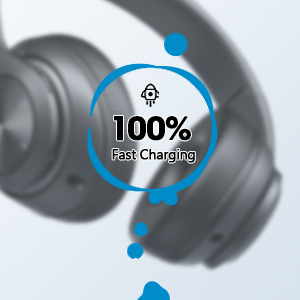
Image 3.1: Fast Charging Capability
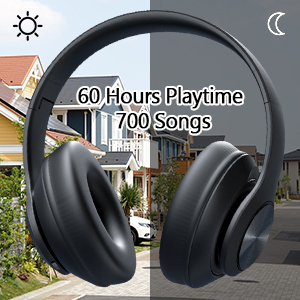
Image 3.2: Extended Playtime and Wired Option
3.2 Párování Bluetooth
- Ujistěte se, že jsou sluchátka plně nabitá.
- Press and hold the Power On/Off button until the LED indicator flashes, indicating pairing mode.
- Na svém zařízení (chytrý telefon, tablet, notebook) povolte Bluetooth a vyhledejte dostupná zařízení.
- Select "Tuitager 9S" (or similar name) from the list of devices.
- Po připojení přestane kontrolka LED blikat a zůstane svítit modře.
Sluchátka se po zapnutí automaticky pokusí znovu připojit k poslednímu spárovanému zařízení.
3.3 Wired Connection (3.5mm Aux)
For a wired connection, use the included 3.5mm audio cable. Plug one end into the 3.5mm Aux plug-in port on the headphones and the other end into your audio device's 3.5mm jack. The headphones will automatically switch to wired mode when the cable is connected.
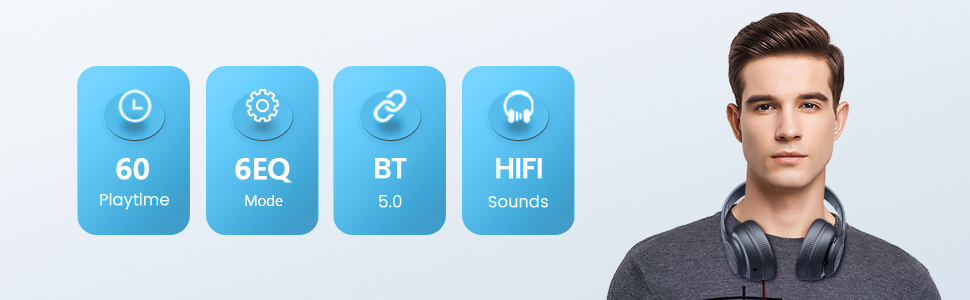
Image 3.3: Wide Compatibility and Usage (Wired & TF Card)
3.4 Použití TF karty
The headphones support TF (Micro SD) cards up to 32GB for direct music playback. Insert the TF card into the TF Card slot on the headphones. The headphones will automatically switch to TF card mode and begin playing audio files.
Note: TF card is not included.
4. Návod k obsluze
4.1 Funkce tlačítek

Image 4.1: Easy Operation Button Layout
| Tlačítko/Port | Funkce |
|---|---|
| Zapnutí/vypnutí | Press and hold to power on/off. Short press to play/pause (in Bluetooth mode). |
| Přehrát/Pozastavit/Odpovědět/Zavěsit | Krátkým stisknutím přehrajete/pozastavíte hudbu nebo přijmete/ukončíte hovory. Dlouhým stisknutím hovor odmítnete. |
| Předchozí skladba / snížení hlasitosti | Krátké stisknutí pro předchozí skladbu. Dlouhé stisknutí pro snížení hlasitosti. |
| Další stopa / zvýšení hlasitosti | Krátkým stisknutím přejdete na další skladbu. Dlouhým stisknutím zvýšíte hlasitost. |
| Tlačítko EQ | Short press to cycle through 6 EQ modes (Bass/Jazz/Voice/Rock/Pop/Classic). |
| Tlačítko režimu (M) | Short press to switch between Bluetooth Mode and FM Mode. |
| 3.5mm Aux Plug-in Port | Pro kabelové audio připojení. |
| Nabíjecí port typu C. | Pro nabíjení sluchátek. |
| TF Card Slot | For direct music playback from a TF (Micro SD) card. |
4.2 režimy EQ
The headphones feature 6 distinct EQ modes to optimize your listening experience:
- Bas: Enhanced low frequencies for powerful beats.
- Jazz: Vyvážený zvukový profesionálfile suitable for jazz music.
- Hlas: Clearer vocals, ideal for podcasts or audiobooks.
- Rock: Dynamic sound for rock music.
- Pop: Vibrant and energetic sound for pop music.
- Klasický: Rich and detailed sound for classical music.
Press the EQ button to cycle through these modes.
4.3 Volání
With the built-in microphone, you can make and receive calls when connected via Bluetooth:
- Přijmout/ukončit hovor: Krátce stiskněte tlačítko Přehrát/Pozastavit.
- Odmítnout hovor: Dlouze stiskněte tlačítko Přehrát/Pozastavit.
5. Údržba
- Udržujte sluchátka v čistotě otřením měkkým suchým hadříkem.
- Sluchátka skladujte na chladném a suchém místě mimo dosah přímého slunečního záření a extrémních teplot.
- When not in use, fold the headphones for compact storage and to protect them from damage.

Image 5.1: Ergonomic and Foldable Design for Comfort and Portability
6. Řešení problémů
| Problém | Řešení |
|---|---|
| Sluchátka se nezapnou. | Ensure the headphones are fully charged. Press and hold the Power button for a few seconds. |
| Nelze spárovat se zařízením. | Ensure headphones are in pairing mode (flashing LED). Turn off and on Bluetooth on your device. Move headphones closer to the device. Clear previous Bluetooth connections on your device. |
| Žádný zvuk. | Check volume levels on both headphones and connected device. Ensure headphones are properly paired or the 3.5mm cable is fully inserted. Try a different audio source. |
| Špatná kvalita zvuku. | Ensure there are no obstructions between headphones and device (in Bluetooth mode). Try a different EQ mode. Check audio source quality. |
| Přerušované připojení. | Move closer to the connected device. Avoid environments with strong Wi-Fi or other wireless interference. Ensure headphones are fully charged. |
7. Specifikace
- Název modelu: 9S
- Technologie připojení: Drátové, bezdrátové (Bluetooth)
- Technologie bezdrátové komunikace: Bluetooth 5.3
- Rozsah Bluetooth: Až 32 stop (10 metrů)
- Velikost ovladače zvuku: 40 milimetrů
- Životnost baterie: Až 60 hodin
- Doba nabíjení: Přibližně 2 hodin
- Jack pro sluchátka: Zásuvka 3.5 mm
- Materiál: Plast
- Hmotnost položky: 10.2 unce (cca 289 gramů)
- Typ ovládání: Ovládání hlasitosti, tlačítko
- Zahrnuté komponenty: Headphones, USB Charging Cable, 3.5mm Audio Cable, User Manual
8. Záruka a podpora
Tuitager products come with a standard manufacturer's warranty. For detailed warranty information, please refer to the warranty card included in your product packaging or visit the official Tuitager webmísto.
If you encounter any issues or have questions regarding your Tuitager Bluetooth Headphones, please contact our customer support team:
- Online podpora: Visit the Tuitager Store on Amazon: TuitagObchod
- Uživatelská příručka (PDF): A digital version of the user guide is available here: Stáhnout PDF
Ask a question about this manual
Ask about setup, troubleshooting, compatibility, parts, safety, or missing instructions. Manuals+ will review the question and use this page’s manual context to help answer it.