
Kensington K72327JP
Kensington SlimBlade Trackball K72327JP User Manual
Model: K72327JP
Zavedení
The Kensington SlimBlade Trackball is designed to provide a versatile and intuitive user experience. With its unique ball and four-button control system, it offers multiple modes for various tasks, from precise cursor control to media management. This manual will guide you through the setup, operation, and maintenance of your SlimBlade Trackball.
Vlastnosti produktu
- Prostorově úsporný design: No need to move the entire device like a traditional mouse, saving valuable desk space.
- Funkce více režimů: Features three distinct modes:
- Cursor Mode: Standard left/right click and vertical/horizontal scrolling.
- View režim: Enables 360° scrolling and zoom in/out for detailed viewIng.
- Režim médií: Allows for volume adjustment and track skipping for multimedia control.
- Ergonomický design: Designed to reduce wrist strain during long hours of use, promoting comfort.
- Advanced Trackball Technology: Offers an unparalleled user experience across diverse scenarios.
- Multi-Function Large Ball: Easy scrolling by simply rotating the large trackball.
- USB připojení: Connects via USB for reliable wired performance.
- Oboustranný design: Symmetrical design suitable for both left and right-handed users.
- Přizpůsobitelná tlačítka: Downloadable driver allows assignment of functions to the four buttons.
- Vlastnosti ovládání: DPI adjustment, navigation buttons, and scroll wheel functionality.
- 128-bit AES Encrypted Communication: Adopts 128-bit AES encrypted communication to maximize security and prevent hacking.
Nastavení
Setting up your Kensington SlimBlade Trackball is straightforward. Follow these steps to get started:
Systémové požadavky
Ensure your computer meets the following operating system requirements:
- Windows 7, Windows 8, Windows 8.1, Windows 10
- macOS 10.8, macOS 10.9, macOS 10.10, macOS X 10.11, macOS Sierra 10.12, macOS 10.14 or later
- Chrome OS 44 nebo novější

Image: Windows and macOS compatibility logos, indicating support for various operating systems.
Connecting the Trackball
The SlimBlade Trackball connects via a standard USB port.
- Vyhledejte v počítači volný port USB.
- Insert the USB connector of the SlimBlade Trackball into the USB port.
- The device is Plug & Play, meaning it should be recognized automatically by your operating system.

Image: A circular logo with "PLUG & PLAY" and a USB icon, indicating easy setup without additional drivers.
Installing KensingtonWorks Software (Optional but Recommended)
For full customization of the trackball's buttons and settings, download and install the KensingtonWorks software.
- Visit the official Kensington webweb (www.kensington.com) and navigate to the support section for the K72327JP model.
- Download the latest version of KensingtonWorks software compatible with your operating system.
- Dokončete instalaci podle pokynů na obrazovce.

Image: Screenshots of the KensingtonWorks software interface, showing options for customizing buttons, pointer speed, and scroll settings.
Operating the Trackball
The Kensington SlimBlade Trackball offers intuitive control through its large ball and four buttons. Its ambidextrous design ensures comfortable use for all users.
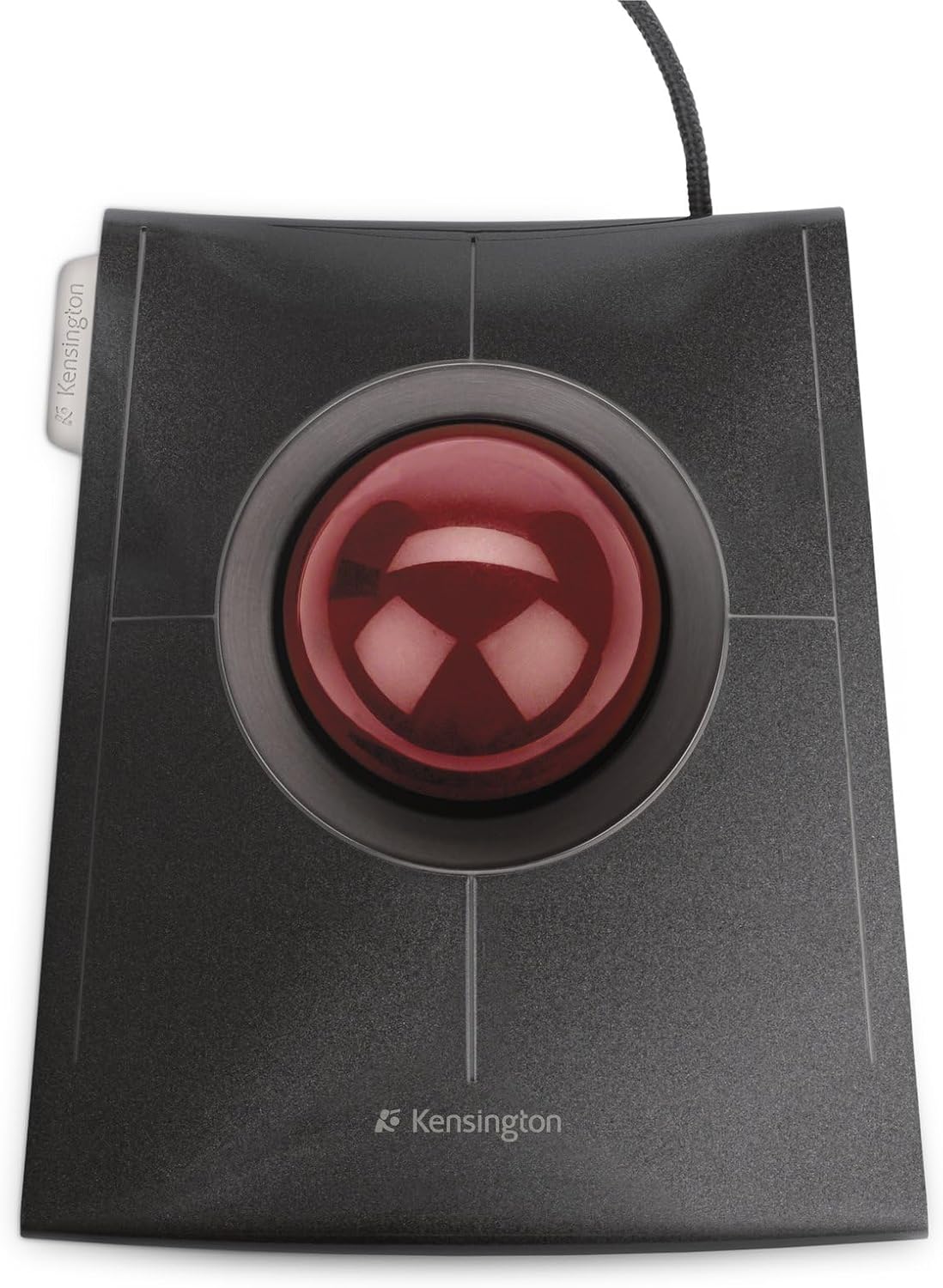
Obrázek: Shora dolů view of the Kensington SlimBlade Trackball, showcasing its large red trackball and four surrounding buttons.
Základní ovládací prvky
- Pohyb kurzoru: Rotate the large red trackball with your fingers or palm to move the cursor on the screen. The optical tracking technology ensures precise and accurate cursor control.
- kliknutím: The trackball features four primary buttons.

Obrázek: Nahoře view of the trackball with four buttons labeled 1, 2, 3, 4, and combined functions 5 (1+3) and 6 (2+4).
- Buttons 1, 2, 3, 4 can be assigned various functions using KensingtonWorks.
- By default, these buttons typically control left-click, right-click, and other common functions.
- Combined button presses (e.g., 1+3 or 2+4) can also be assigned unique functions, providing up to 6 customizable actions.
- Posouvání: The SlimBlade Trackball offers an innovative scrolling method.

Image: A hand demonstrating the twisting motion on the trackball to activate scrolling, with circular arrows indicating the twist direction.
- To scroll, twist the trackball horizontally. This allows for smooth navigation through web stránky a dokumenty.
- The trackball also supports vertical and 360-degree scrolling depending on the active mode.
Provozní režimy
The SlimBlade Trackball features three distinct operating modes, each optimized for different tasks:
| Režim | Popis | Klíčové funkce |
|---|---|---|
| Cursor Mode | Standard mouse functionality for everyday computing. | Left-click, Right-click, Vertical/Horizontal Scrolling. |
| View Režim | Ideal for navigating large documents, images, or maps. | 360° Scrolling, Zoom In/Out. |
| Režim médií | Control multimedia playback directly from your trackball. | Volume Adjustment, Track Forward/Backward. |
Switching between modes and assigning specific functions to buttons is done through the KensingtonWorks software. Refer to the software's help documentation for detailed instructions on customization.
Údržba
Proper maintenance ensures the longevity and optimal performance of your Kensington SlimBlade Trackball.
- Cleaning the Trackball: Over time, dust and debris can accumulate around the trackball, affecting its smoothness.
- Gently remove the trackball from its housing.
- Use a soft, lint-free cloth to wipe the surface of the ball.
- Clean the inside of the trackball housing, paying attention to the optical sensor and the small support bearings. A cotton swab can be useful for this.
- Vložte trackball zpět do jeho pouzdra.
- Generální úklid: Wipe the exterior of the trackball with a slightly damp, soft cloth. Avoid using harsh chemicals or abrasive cleaners.
- Skladování: When not in use for extended periods, store the trackball in a clean, dry environment away from direct sunlight and extreme temperatures.
Odstraňování problémů
If you encounter issues with your Kensington SlimBlade Trackball, try the following troubleshooting steps:
| Problém | Možná příčina | Řešení |
|---|---|---|
| Cursor does not move or moves erratically. |
|
|
| Buttons are unresponsive or perform incorrect actions. |
|
|
| Scrolling is not smooth or not working. |
|
|
If these steps do not resolve the issue, please contact Kensington customer support for further assistance.
Specifikace
| Funkce | Detail |
|---|---|
| Číslo modelu | K72327JP |
| Konektivita | Kabelové USB |
| Barva | Černý |
| Technologie sledování | Laser (Optical) |
| Rozměry (D x Š x V) | 15 x 13.3 x 6 cm (5.9 x 5.2 x 2.4 palce) |
| Hmotnost | 306 g (0.67 lb) |
| Kompatibilní OS | Windows 7/8/8.1/10, macOS 10.8-10.12, Chrome OS 44+ |
| Speciální funkce | Ergonomic Design, Ambidextrous, Customizable Buttons, Multi-Mode Operation |

Image: Diagram showing the dimensions of the Kensington SlimBlade Trackball, including length (150mm), width (133mm), height (60mm), and ball diameter (55mm).
Záruka a podpora
Your Kensington SlimBlade Trackball K72327JP comes with a comprehensive warranty and dedicated customer support.
- Záruka: This product is covered by a 5-year limited warranty. Please retain your proof of purchase for warranty claims. The warranty covers defects in materials and workmanship under normal use.
- Zákaznická podpora: For technical assistance, troubleshooting, or warranty inquiries, please visit the official Kensington support webnebo kontaktujte jejich tým zákaznických služeb.
- Online zdroje:
- Kensingtonský úředník Webmísto: www.kensington.com
- Product Support Page: Look for the K72327JP model on the support section for drivers, FAQs, and additional resources.
Ask a question about this manual
Ask about setup, troubleshooting, compatibility, parts, safety, or missing instructions. Manuals+ will review the question and use this page’s manual context to help answer it.