
1. Úvod
Thank you for choosing the XUNATA WiFi RGB LED Neon Strip Light. This product is designed to provide vibrant, customizable lighting for both indoor and outdoor environments, featuring WiFi connectivity for smart control and music synchronization. Please read this manual carefully before installation and operation to ensure proper use and longevity of your product.
2. Vlastnosti produktu
- Ovládání WiFi a aplikací: Seamlessly control your lighting via a smart application on your mobile device.
- Synchronizace hudby: Built-in microphone allows the lights to change color and pulsate in real-time with music rhythms.
- Vysoce kvalitní LED: Utilizes SMD 3535 LEDs (96 LEDs/M) for enhanced brightness and energy efficiency.
- Flexibilní a řezací design: The neon strip is flexible for various installations and can be cut every 30mm at designated marks.
- IP67 voděodolný: Suitable for both indoor and outdoor applications, offering protection against dust and water immersion.
- Živé RGB barvy: Offers a wide spectrum of Red, Green, and Blue colors, allowing for diverse lighting effects.
- Dlouhá životnost: Designed for durability with a lifespan exceeding 50,000 hours.
3. Obsah balení
Zkontrolujte prosím balíček, zda jsou všechny položky přítomny a v dobrém stavu:
- XUNATA WiFi RGB LED Neon Strip Light (29.5ft/9M)
- 12V 8A Power Adapter (CE Certified)
- 24tlačítkový dálkový ovladač
- Mini Controller Box
- 10 x 6mm Plastic Mounting Clips
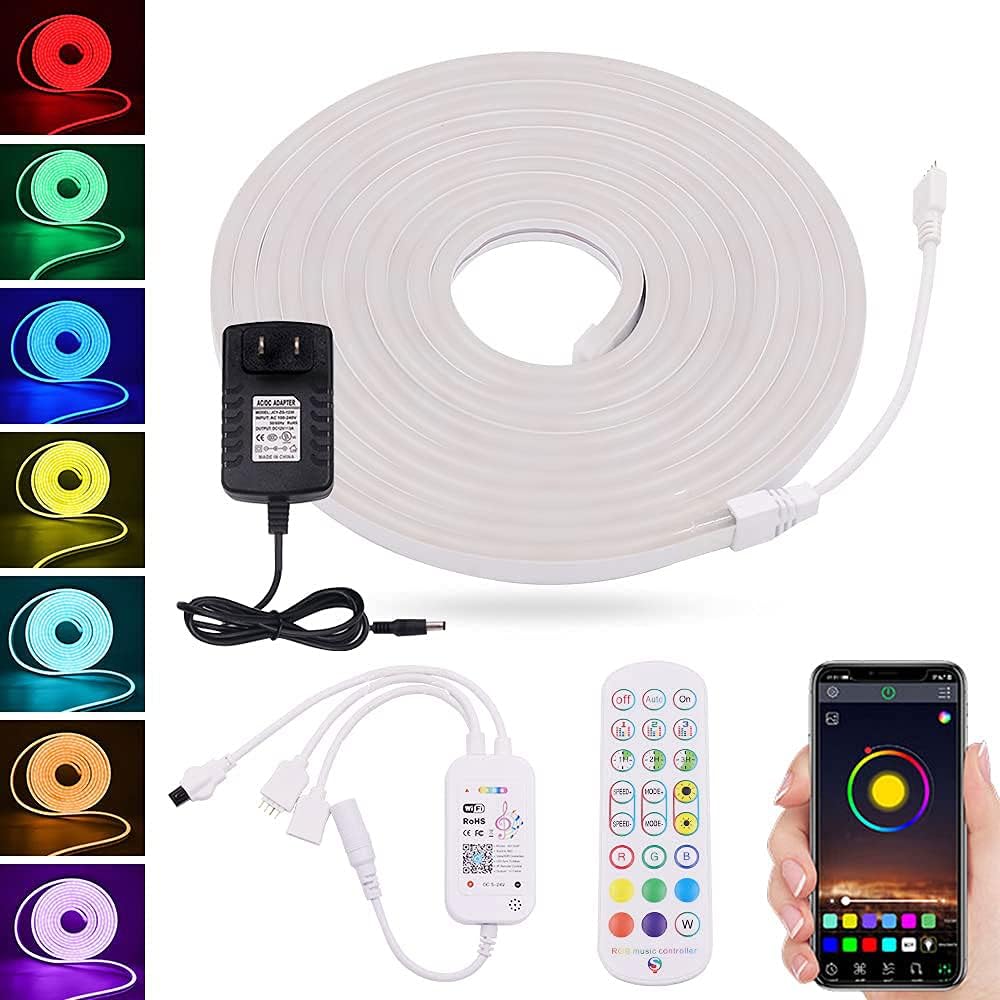
Obrázek 1: Konecview of the XUNATA WiFi RGB LED Neon Strip Light package contents, including the coiled light strip, power adapter, mini controller, 24-key remote control, and a smartphone displaying the control app interface.
4. Specifikace
| Atribut | Hodnota |
|---|---|
| Značka | XUNATA |
| Číslo modelu | dcf9e6fd-df89-4722-bc02-f9f36c9355af (WX300P) |
| Barva | RGB (červená, zelená, modrá) |
| Délka | 29.5 stop / 9 mil |
| Typ LED | SMD 3535 |
| LED hustota | 96 LED/M |
| svtage | 12 V (DC) |
| Wattage | 72 wattů |
| Voděodolnost | IP67 Vodotěsný |
| Kontrolní metoda | App (Wi-Fi), 24-Key Remote Control |
| Konektivita | Wi-Fi, infračervené |
| Materiál | Plast |
| Životnost | > 50,000 hodin |
5. Pokyny k nastavení
5.1 Plánování instalace
Before installation, plan the layout of your LED strip. Consider the desired length and path. Ensure the surface is clean, dry, and smooth for optimal adhesion (if using adhesive backing, though clips are provided).
5.2 Cutting the Strip (Optional)
If a shorter length is required, the LED strip can be cut. Locate the designated cutting marks, typically indicated by a scissor icon or copper pads, every 30mm along the strip. Use sharp scissors to cut precisely at these marks. Do not cut anywhere else, as this may damage the strip.

Obrázek 2: Detailní záběr view of the XUNATA LED neon strip showing the 30mm spacing and a pair of scissors indicating the precise cutting point. This illustrates where the strip can be safely trimmed.
5.3 Mounting the Strip
Use the provided plastic mounting clips to secure the LED strip in place. Space the clips evenly along the length of the strip to ensure a firm and straight installation. For outdoor use, ensure clips are securely fastened to withstand environmental conditions.
5.4 Připojení napájení
- Connect the end of the LED neon strip to the Mini Controller Box. Ensure the connectors are aligned correctly and securely fastened.
- Connect the Mini Controller Box to the 12V 8A Power Adapter.
- Zapojte napájecí adaptér do standardní elektrické zásuvky. Kontrolky by se měly rozsvítit.
5.5 Instalace aplikace a připojení k Wi-Fi
- Scan the QR code on the Mini Controller Box or refer to the packaging for the recommended smart app (e.g., Smart Life, Tuya Smart). Download and install the app on your smartphone.
- Zaregistrujte se nebo se přihlaste ke svému účtu v aplikaci.
- Ensure your phone is connected to a 2.4GHz WiFi network. (5GHz networks are not supported for initial pairing).
- In the app, select 'Add Device' or the '+' icon. Choose 'Lighting' or 'Strip Light' from the device list.
- Follow the on-screen instructions to put the device into pairing mode (usually by cycling power 3 times or holding a button on the controller). The light strip will typically flash rapidly when in pairing mode.
- Confirm the flashing indicator in the app and enter your WiFi network password.
- Wait for the device to connect. Once connected, you can rename the device and begin controlling it via the app.
6. Návod k obsluze
6.1 Using the 24-Key Remote Control
The included 24-key remote control provides basic functions for quick adjustments:
- Zapnuto/Vypnuto: Zapněte nebo vypněte světla.
- Výběr barvy: Direct buttons for Red, Green, Blue, White, and various mixed colors.
- Nastavení jasu: Zvyšte nebo snižte intenzitu světla.
- Výběr režimu: Cycle through pre-programmed dynamic modes (e.g., flash, fade, jump).
- DIY Buttons: Some remotes allow saving custom color settings.
6.2 Používání chytré aplikace
The smart app offers advanced control and customization options:
- Barevné kolo: Vyberte si libovolnou barvu z celého spektra.
- Jas a sytost: Jemné doladění intenzity světla a sytosti barev.
- Scénické režimy: Choose from various pre-set scenes (e.g., reading, party, relaxation) or create custom scenes.
- Funkce časovače: Naplánujte si zapínání/vypínání světel v konkrétní časy.
- Hudební režim: Activate the music synchronization feature. The built-in microphone in the controller will pick up ambient sound, and the lights will react to the rhythm.
- DIY přizpůsobení: Create and save your own dynamic lighting effects.
- Ovládání skupiny: Control multiple XUNATA smart lights simultaneously (if applicable).
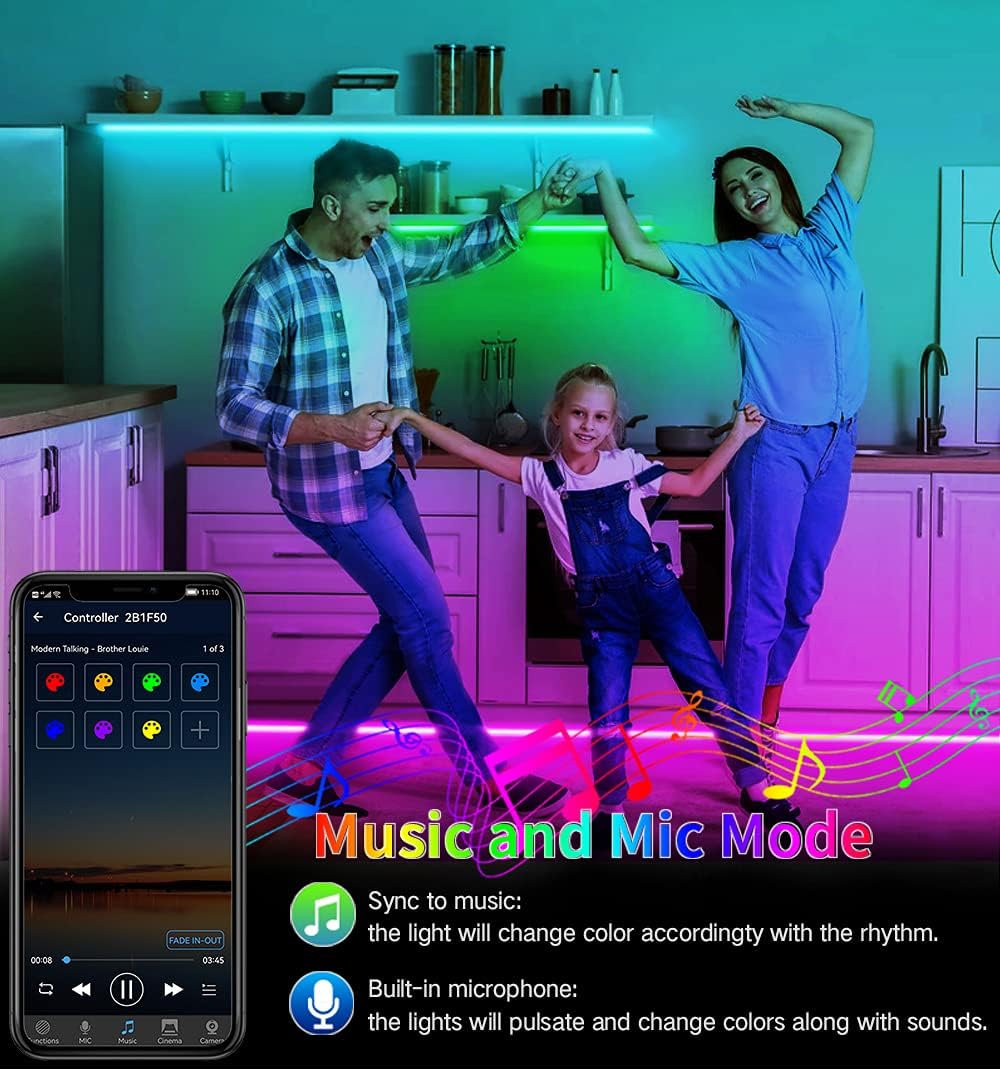
Image 3: A family enjoying the XUNATA LED neon strip light in 'Music and Mic Mode'. The lights, installed along the kitchen cabinets, are dynamically changing colors in sync with music, demonstrating the built-in microphone's functionality.
7. Údržba
- Čištění: LED pásek jemně otřete měkkým, suchým hadříkem, abyste odstranili prach. V případě odolných nečistot použijte lehceamp cloth can be used, ensuring the strip is unplugged and completely dry before re-powering.
- Skladování: If storing the strip for an extended period, coil it loosely and keep it in a cool, dry place away from direct sunlight and extreme temperatures.
- Inspekce: Periodically check the connections and the strip for any signs of damage, especially if used outdoors.
8. Řešení problémů
| Problém | Možná příčina | Řešení |
|---|---|---|
| Světla se nerozsvítí. | Žádné napájení, uvolněné připojení, vadný adaptér. | Zkontrolujte zásuvku a ujistěte se, že jsou všechna připojení bezpečná. Vyzkoušejte s jinou zásuvkou. |
| Dálkové ovládání nefunguje. | Vybitá baterie, dálkový ovladač není namířen na přijímač, překážka. | Replace remote battery. Ensure clear line of sight to the Mini Controller Box. |
| Nelze se připojit k Wi-Fi/aplikaci. | Incorrect WiFi password, 5GHz network, device not in pairing mode, too far from router. | Verify WiFi password. Ensure connection to 2.4GHz network. Re-enter pairing mode. Move closer to router. |
| Světla jsou slabá nebo blikají. | Nedostatečný výkon, poškozená část pásky. | Ensure power adapter is correctly rated. Inspect strip for physical damage. |
| Synchronizace hudby nefunguje. | Microphone obstructed, volume too low, mode not activated. | Ensure controller's microphone is clear. Increase music volume. Activate music mode in the app. |
9. Záruka a podpora
XUNATA products are manufactured with quality and performance in mind. For warranty information, technical support, or any inquiries regarding your product, please refer to the purchase platform or contact XUNATA customer service directly. Keep your purchase receipt as proof of purchase for warranty claims.
For further assistance, please visit the official XUNATA store or contact their support channels as provided at the time of purchase.