
ClokoWe 05531007-a9ae-412d-b783-ffc1dd45a1f1
Uživatelská příručka k mini projektoru
CLOKOWE Native 1080P HD 8500 LUX WiFi Movie Projector
Zavedení
Děkuji za nákupasing the CLOKOWE Mini Projector. This projector is designed to provide a high-quality visual experience with its native 1080P resolution, 8500 LUX brightness, and versatile connectivity options. It supports both 2.4G and 5G WiFi for seamless screen mirroring from iOS and Android devices. This manual will guide you through the setup, operation, and maintenance of your new projector.
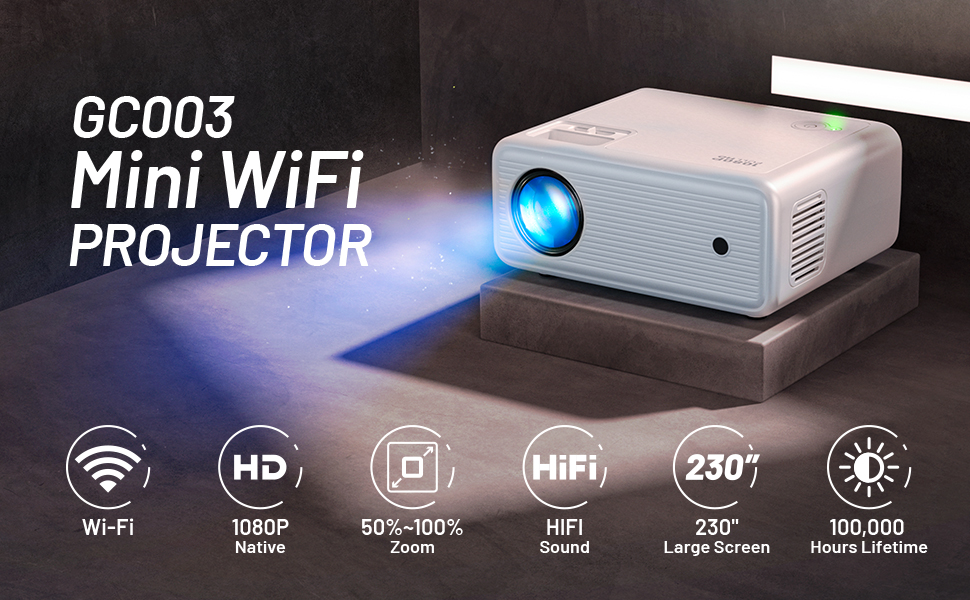
Image: The CLOKOWE Mini Projector showcasing its key features: 1080P Full HD, 2.4G+5G WiFi, and 8500 Lux brightness. A 100-inch projector screen is also included.
Obsah balení
Pečlivě zkontrolujte balení, abyste se ujistili, že jsou přítomny všechny položky:
- 1 x 1080P Projector
- 1 x kryt objektivu
- 1 x 100-inch Projector Screen
- 1 x napájecí kabel
- Kabel 1 x AV
- 1 x HDMI kabel
- 1 x Uživatelská příručka
- 1 x Cleaning Kits
- 1 x Adjustable Screw (1/4 inches)
- 1 x dálkové ovládání (baterie nejsou součástí balení)
Konec produktuview a funkce
The CLOKOWE Mini Projector offers a range of features for an immersive viewzkušenosti:
- Nativní rozlišení 1080P: Poskytuje ostrý a jasný obraz.
- 8500 LUX Brightness: Provides vibrant and bright projections.
- Dual-Band WiFi (2.4G+5G): Ensures stable and fast wireless screen mirroring.
- Velká velikost projekce: Supports screen sizes from 30 to 230 inches.
- Multimediální připojení: Equipped with USB and HDMI ports for various devices.
- Vestavěný stereofonní Hi-Fi reproduktor: Offers clear audio without external speakers.
- Silent Cooling System: Designed for efficient heat dissipation with minimal noise.
- Adjustable Focus and Keystone Correction: Manual adjustments for optimal image clarity and shape.
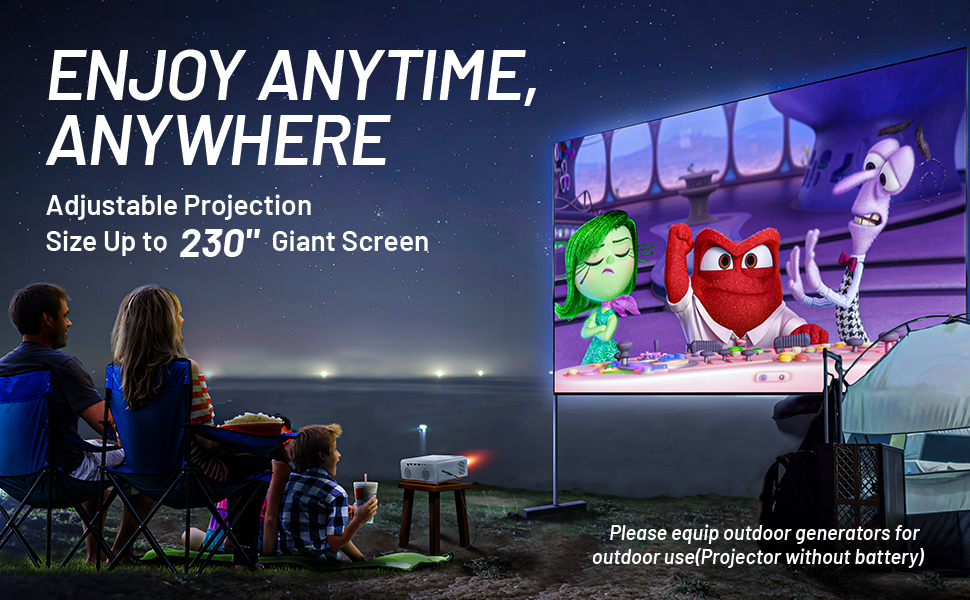
Image: A family enjoying a movie projected outdoors, demonstrating the large screen capability and portability of the CLOKOWE projector.
Průvodce nastavením
1. Placement and Power Connection
Place the projector on a stable, flat surface or mount it using the 1/4-inch screw hole on the bottom. Ensure there is adequate ventilation around the unit. Connect the power cable to the projector and then to a power outlet.
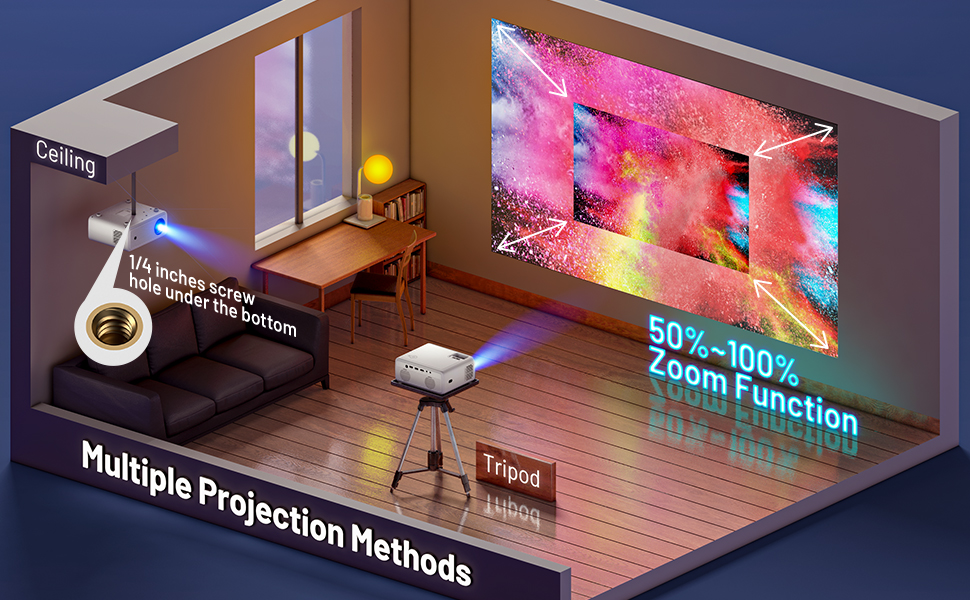
Image: Various projection methods for the CLOKOWE Mini Projector, including placement on a tripod and ceiling mounting, highlighting the 1/4-inch screw hole.
2. Zaostření a korekce lichoběžníkového zkreslení
After powering on, adjust the focus ring on the top of the projector until the image is clear. If the image appears trapezoidal, use the keystone correction dial to square the image. The projector supports manual ±15° keystone correction.
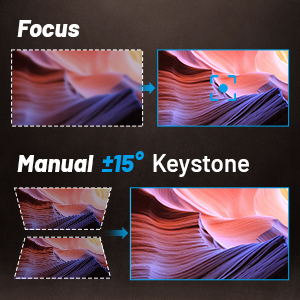
Image: Visual guide for adjusting focus and manual ±15° keystone correction on the projector.
3. Připojení zařízení
Projektor podporuje různé vstupní zdroje:
- HDMI: Connect laptops, PCs, TV sticks (Roku, Fire TV, Chromecast), gaming consoles (Xbox, PS4), and DVD players using an HDMI cable.
- USB: Plug in USB disks for direct media playback.
- AV: Pro starší zařízení použijte dodaný AV kabel.
- Externí reproduktory: Connect external speakers via the audio output port for enhanced sound.

Image: The projector's rear panel with labels for USB1, USB2, HDMI, AV, and audio ports, illustrating compatibility with laptops, Roku Stick, Fire TV, Chromecast, Xbox/PS4, USB Disk, Mobile Phone/iPad, DVD Player, and External Speakers.
4. Bezdrátová projekce (zrcadlení obrazovky)
The projector supports wireless screen mirroring for iOS and Android devices via 2.4G and 5G WiFi. Ensure your device and the projector are connected to the same WiFi network.
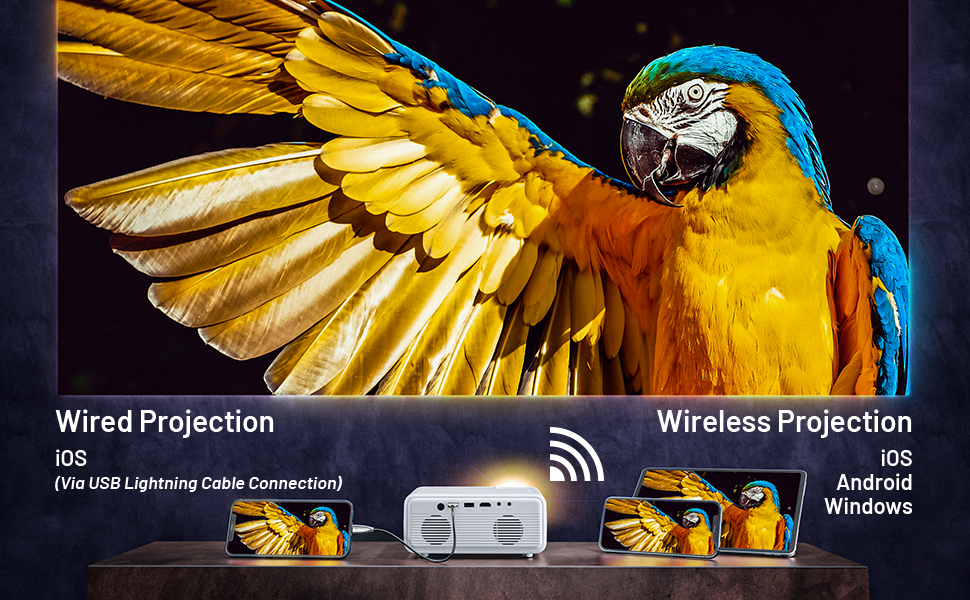
Image: A visual guide demonstrating both wired (via USB Lightning Cable) and wireless projection methods for iOS, Android, and Windows devices.
For detailed steps on wireless projection, refer to the on-screen instructions displayed when selecting the "Wireless Projection" input source.
Video: An official product video demonstrating the features and setup of the CLOKOWE GC003 Mini WiFi Projector, including its wireless projection capabilities.
Návod k obsluze
Zapnutí/vypnutí
Press the power button on the projector or the remote control to turn the unit on or off. The power indicator light will illuminate when the projector is active.
Navigace v nabídce
Use the arrow keys on the remote control or the projector's control panel to navigate through the on-screen menu. Press the "OK" or "Enter" button to confirm selections. The menu system is designed to be intuitive for easy access to settings.
Adjusting Projection Size
The projector features a zoom function that allows you to enlarge or shrink the projection size from 50% to 100% without moving the projector. Access this setting through the projector's menu.

Image: A visual representation of the projector's ability to create large screens up to 230 inches, with corresponding projection distances.
Údržba
Správná údržba zajistí dlouhou životnost a optimální výkon vašeho projektoru.
- Čištění objektivu: K jemnému otření čočky projektoru použijte dodanou čisticí sadu nebo měkký hadřík, který nepouští vlákna. Nepoužívejte abrazivní materiály ani agresivní chemikálie.
- Větrání: Ensure the projector's vents are not blocked to allow for proper airflow. The silent cooling system requires unobstructed vents to function effectively.
- Skladování: When not in use, store the projector in a cool, dry place, away from direct sunlight and excessive dust. Use the lens cover to protect the lens.
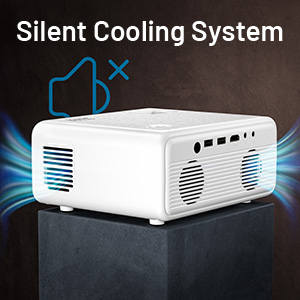
Obrázek: Detailní záběr view of the projector's silent cooling system, illustrating air circulation through the side vents.
Odstraňování problémů
If you encounter issues with your projector, refer to the common problems and solutions below:
| Problém | Možná příčina | Řešení |
|---|---|---|
| No image/No signal | Vybrán nesprávný vstupní zdroj; Uvolněné připojení kabelu; Zařízení není zapnuté. | Ensure the correct input source (HDMI, USB, etc.) is selected. Check all cable connections. Power on the connected device. |
| Rozmazaný obraz | Focus not adjusted; Incorrect keystone correction; Projector too close/far from screen. | Adjust the focus ring. Use keystone correction to square the image. Adjust projection distance. |
| Žádný zvuk | Volume too low/muted; Audio cable not connected; External speakers not working. | Increase volume on projector and source device. Check audio cable connections. Test with different audio output or external speakers. |
| Wireless projection issues | Not connected to same WiFi; Incorrect mirroring steps; Network interference. | Ensure both devices are on the same 2.4G or 5G WiFi network. Follow the specific screen mirroring instructions for your device (iOS/Android). Try restarting both devices. |
| Projektor se nezapíná | Power cable loose; Power outlet issue; Internal fault. | Check power cable connection. Try a different power outlet. If the issue persists, contact customer support. |
Specifikace
| Funkce | Detail |
|---|---|
| Rozměry produktu | 7.5 x 6.3 x 3.3 palce |
| Hmotnost položky | 3.78 libry |
| Rozlišení displeje | 1920 x 1080 (nativní 1080P) |
| Jas | 8500 luxů |
| Technologie připojení | USB, HDMI, WiFi (2.4G+5G) |
| Speciální funkce | Wireless, Portable, Built-In Wi-Fi, Built-in HiFi Stereo Speaker |
| Doporučená použití | Domácí kino |
| Číslo modelu položky | 05531007-a9ae-412d-b783-ffc1dd45a1f1 |
| Výrobce | CLOKOWE |
Záruka a podpora
For warranty information or technical support, please refer to the warranty card included in your package or contact CLOKOWE customer service directly. Keep your purchase receipt for warranty claims.
Kontaktní údaje na podporu obvykle najdete na oficiálních stránkách výrobce webwebu nebo prostřednictvím svého prodejce.
Ask a question about this manual
Ask about setup, troubleshooting, compatibility, parts, safety, or missing instructions. Manuals+ will review the question and use this page’s manual context to help answer it.