
1. Úvod
The Tronsmart Studio Metal Speaker is a portable Bluetooth speaker designed to deliver high-definition surround sound. Featuring 30W output, SoundPulse technology, and TuneConn for multi-speaker synchronization, it offers a versatile audio experience. Its durable metal construction and IPX4 water resistance make it suitable for various indoor and outdoor environments.

Image 1.1: The Tronsmart Studio Metal Speaker, showcasing its sleek design on a music sheet.
2. Obsah balení
Upon opening the Tronsmart Studio Metal Speaker package, you should find the following items:
- Tronsmart Studio Metal Speaker
- Nabíjecí kabel USB-C
- 3.5mm audio kabel AUX
- Uživatelská příručka
- Záruční list

Image 2.1: All items included in the Tronsmart Studio Metal Speaker retail package.
3. Konec produktuview
Seznamte se s ovládacími prvky a porty reproduktoru pro optimální používání.
3.1 Ovládací prvky na horním panelu

Image 3.1: Top panel of the speaker with control buttons.
- Vypínač: Stiskněte a podržte pro zapnutí/vypnutí.
- Snížit hlasitost (-): Snížit hlasitost.
- Tlačítko Přehrát/Pozastavit: Přehrát nebo pozastavit přehrávání zvuku.
- Tlačítko předchozí stopy: Přechod na předchozí skladbu.
- Tlačítko Next Track: Přejít na další skladbu.
- Tlačítko Bluetooth: Stisknutím vstoupíte do režimu párování Bluetooth.
- Tlačítko režimu: Switch between input modes (Bluetooth, AUX, Micro SD).
- SoundPulse Button: Activate/deactivate SoundPulse audio enhancement.
- Broadcast Mode Button: Initiate or join multi-speaker synchronization.
3.2 Side Ports

Image 3.2: Side panel of the speaker with various input ports.
- Nabíjecí port USB-C: Pro nabíjení reproduktoru.
- Vstupní port AUX: For wired audio connection using a 3.5mm cable.
- Slot pro kartu Micro SD: Pro přehrávání zvuku přímo z karty Micro SD.
4. Nastavení
4.1 Nabíjení reproduktoru
- Připojte dodaný nabíjecí kabel USB-C k portu USB-C reproduktoru.
- Druhý konec kabelu připojte ke kompatibilnímu napájecímu adaptéru USB (není součástí balení).
- Kontrolky nabíjení se rozsvítí, aby signalizovaly stav nabíjení.
- Once fully charged, the indicator lights will change or turn off.
4.2 Zapnutí/vypnutí
- To power on, press and hold the Power Button for approximately 2 seconds until you hear an audible prompt.
- To power off, press and hold the Power Button for approximately 2 seconds until you hear an audible prompt.
4.3 Párování Bluetooth
- Ensure the speaker is powered on and in Bluetooth mode (the Bluetooth indicator light will be blinking). If not, press the Mode Button to switch to Bluetooth mode.
- Na svém zařízení (chytrý telefon, tablet, notebook) povolte Bluetooth a vyhledejte dostupná zařízení.
- Select "Tronsmart Studio" from the list of devices.
- Po připojení se kontrolka Bluetooth rozsvítí nepřerušovaně a uslyšíte potvrzovací zvuk.
4.4 Připojení AUX
- Connect one end of the 3.5mm AUX audio cable to the speaker's AUX-in port.
- Druhý konec připojte k audio výstupnímu konektoru vašeho zařízení.
- The speaker will automatically switch to AUX mode, or you may need to press the Mode Button to select AUX.
4.5 Přehrávání z karty Micro SD
- Insert a Micro SD card (with audio files) do slotu pro kartu Micro SD na reproduktoru.
- The speaker will automatically switch to Micro SD mode and begin playing audio, or you may need to press the Mode Button to select Micro SD.
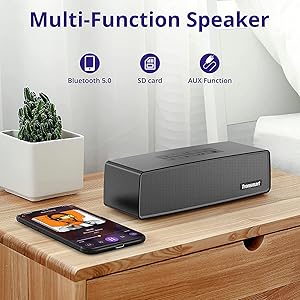
Image 4.1: The Tronsmart Studio speaker supports multiple input methods including Bluetooth, Micro SD, and AUX.
5. Návod k obsluze
5.1 Základní ovládání zvuku
- Nastavení hlasitosti: Stiskněte tlačítko pro zvýšení hlasitosti (+) nebo snížení hlasitosti (-).
- Přehrát/pozastavit: Stiskněte tlačítko Přehrát/Pozastavit.
- Další skladba: Press the Next Track Button.
- Předchozí skladba: Press the Previous Track Button.
5.2 SoundPulse Technology
Press the SoundPulse Button to activate or deactivate the SoundPulse audio enhancement. This technology is designed to provide a more dynamic and detailed sound experience with enhanced bass.

Image 5.1: SoundPulse technology enhances the audio output of the Tronsmart Studio speaker.
5.3 TuneConn (Multi-Speaker Synchronization)
The Tronsmart Studio speaker features patented TuneConn technology, allowing you to synchronize audio across 100+ compatible speakers for an immersive sound experience.
- Ensure all Tronsmart Studio speakers are powered on and in Bluetooth mode.
- Connect your device to one speaker via Bluetooth (this will be the primary speaker).
- On the primary speaker, press the Broadcast Mode Button. The indicator light will flash.
- On other Tronsmart Studio speakers (secondary speakers), press their Broadcast Mode Buttons. They will automatically search for and connect to the primary speaker.
- Once connected, all speakers will play synchronized audio.

Image 5.2: Multiple Tronsmart Studio speakers synchronized using TuneConn technology for a home theater setup.
5.4 Hlasový asistent
To activate your device's voice assistant (e.g., Siri, Google Assistant, Cortana), press and hold the Voice Assistant button (often indicated by a microphone icon) for 2 seconds. This feature works when the speaker is connected via Bluetooth to a compatible smartphone.
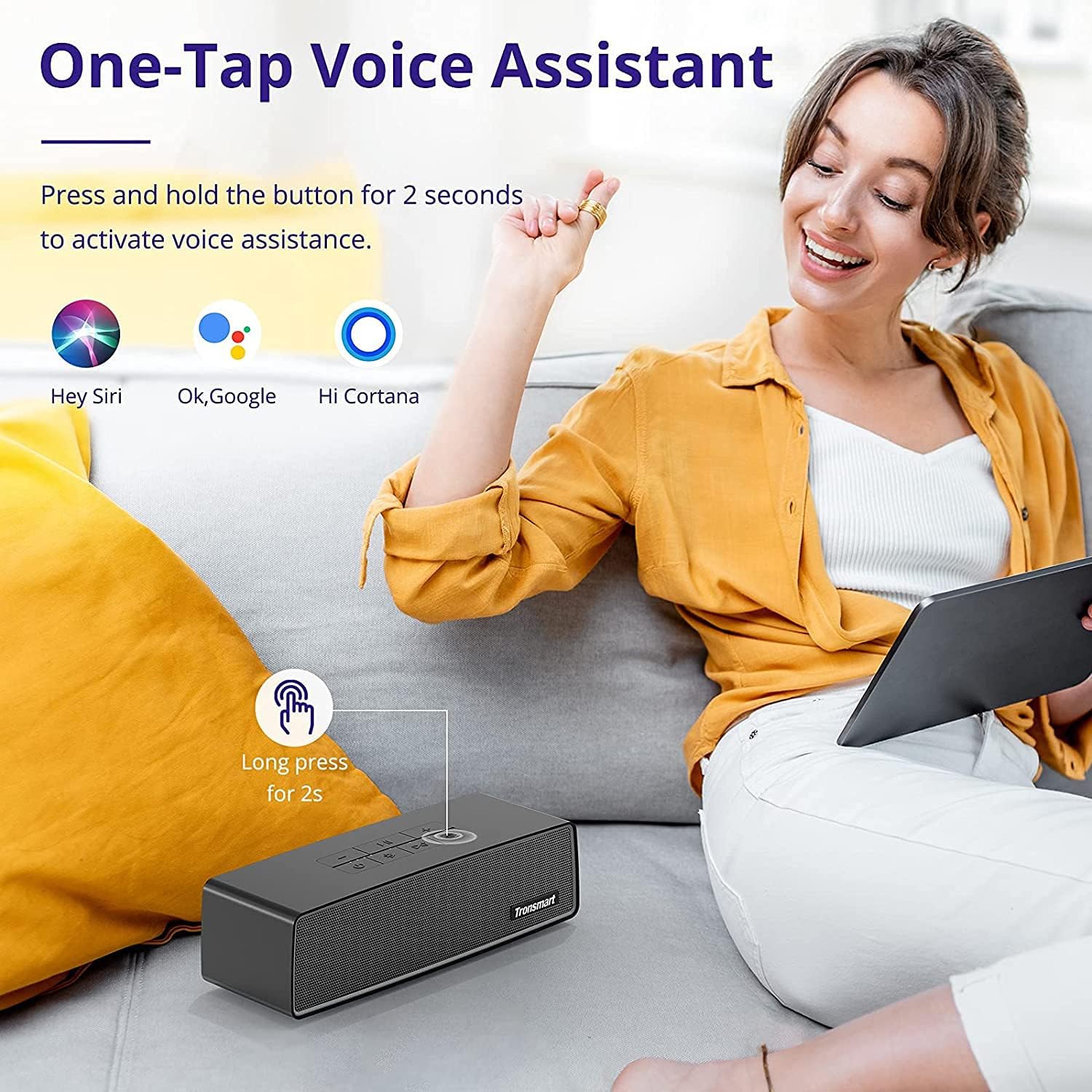
Image 5.3: Activating the voice assistant feature on the Tronsmart Studio speaker.
6. Nabíjení a baterie
The Tronsmart Studio speaker is equipped with a built-in 5000mAh battery, providing up to 15 hours of playtime on a single charge. Actual battery life may vary based on volume level, audio content, and usage of features like SoundPulse or TuneConn.

Image 6.1: The Tronsmart Studio speaker offers up to 15 hours of playtime.
7. Voděodolnost
The Tronsmart Studio speaker has an IPX4 water resistance rating. This means it is protected against splashing water from any direction. It is suitable for use in environments where it might encounter light splashes or rain, but it should not be submerged in water.

Image 7.1: The speaker's IPX4 rating provides protection against splashes.
8. Údržba
- Reproduktor čistěte měkkým, suchým hadříkem. Nepoužívejte abrazivní čisticí prostředky ani rozpouštědla.
- Nevystavujte reproduktor extrémním teplotám, přímému slunečnímu záření nebo vysoké vlhkosti.
- Pokud reproduktor delší dobu nepoužíváte, skladujte jej na chladném a suchém místě.
- Nepokoušejte se reproduktor rozebírat ani opravovat sami, jinak ztratíte platnost záruky.
9. Řešení problémů
| Problém | Možná příčina | Řešení |
|---|---|---|
| Reproduktor se nezapne. | Slabá baterie. | Plně nabijte reproduktor. |
| Nelze spárovat přes Bluetooth. | Reproduktor není v režimu párování; Bluetooth zařízení je vypnuté; zařízení je příliš daleko od reproduktoru. | Ensure speaker is in Bluetooth pairing mode. Turn device Bluetooth off/on. Move device closer to speaker. |
| Audio cuts out in AUX mode. | Loose cable connection; faulty cable. | Ensure 3.5mm cable is securely connected. Try a different AUX cable. |
| Buttons are hard to see. | Slabé světelné podmínky. | Operate the speaker in well-lit environments. |
| Výdrž baterie je kratší, než se očekávalo. | High volume usage; continuous use of SoundPulse/TuneConn. | Reduce volume. Limit continuous use of power-intensive features. |
10. Specifikace
| Funkce | Detail |
|---|---|
| Značka | Tronsmart |
| Číslo modelu | Tronsmart Studio US |
| Maximální výstupní výkon reproduktoru | 30 wattů |
| Technologie připojení | Bluetooth |
| Režim zvukového výstupu | Stereo, prostorový zvuk |
| Typ montáže | Volné stání |
| Typ reproduktoru | Prostorový zvuk |
| Další funkce | Přenosný |
| Typ ovladače | Tlačítko |
| Je voděodolný | Ano (IPX4) |
| Kontrolní metoda | App |
| Velikost reproduktoru | 7 centimetrů |
| Bezdrátová technologie | Bluetooth |
| Protokol připojení | Bluetooth |
| Typ zvukového ovladače | Dynamický ovladač |
| Počet zvukových kanálů | 2.1 |
| Kompatibilní zařízení | Notebook, chytrý telefon, tablet |
| Zdroj napájení | Napájení z baterie |
11. Oficiální video produktu
Video 11.1: Úředník u konceview of the Tronsmart Studio Portable Speaker, highlighting its features and design.
12. Záruka a podpora
The Tronsmart Studio Metal Speaker comes with a limited warranty. Please refer to the included Warranty Card in your package for specific terms and conditions, including warranty duration and coverage details. For further support, product registration, or to access updated drivers and firmware, please visit the official Tronsmart webnebo kontaktujte jejich zákaznický servis.
Pro více informací navštivte Obchod Tronsmart na Amazonu.