
Zavedení
Thank you for choosing the Bytech BYMSWR104BK 3 Button Gaming Mouse. This manual provides essential information for setting up, operating, and maintaining your new gaming mouse. Please read this manual thoroughly before use to ensure optimal performance and longevity of your device.
Vlastnosti
- Precision Mouse: Designed for accurate tracking and responsive control.
- Nastavitelné DPI: Customize sensitivity for various gaming and productivity needs.
- Three Responsive Buttons: Includes left-click, right-click, and scroll wheel/middle-click for efficient operation.
- Barevné podsvícení: Features multi-color LED lighting with 7 distinct color modes for an enhanced aesthetic experience.
- Ergonomický design: Shaped to fit comfortably in your palm, reducing fatigue during extended use.
Specifikace
| Značka | Bytech |
| Číslo modelu | BYMSWR104BK |
| Počet tlačítek | 3 |
| Rozlišení pohybu | 1,000 DPI |
| Barevné režimy | 7 Colors (Multi-color Backlight) |
| Délka kabelu | 5 stop |
| Hodnocení spínače | 1 milionů kliknutí |
| Hmotnost položky | 4.9 unce |
| Rozměry balení | 7.17 x 4.06 x 2.68 palce |
| Barva | Černý |
| Zdroj napájení | Elektrický kabel (USB) |
| Hardwarová platforma | PC |
Obsah balení
- 1 x Bytech BYMSWR104BK Wired Gaming Mouse
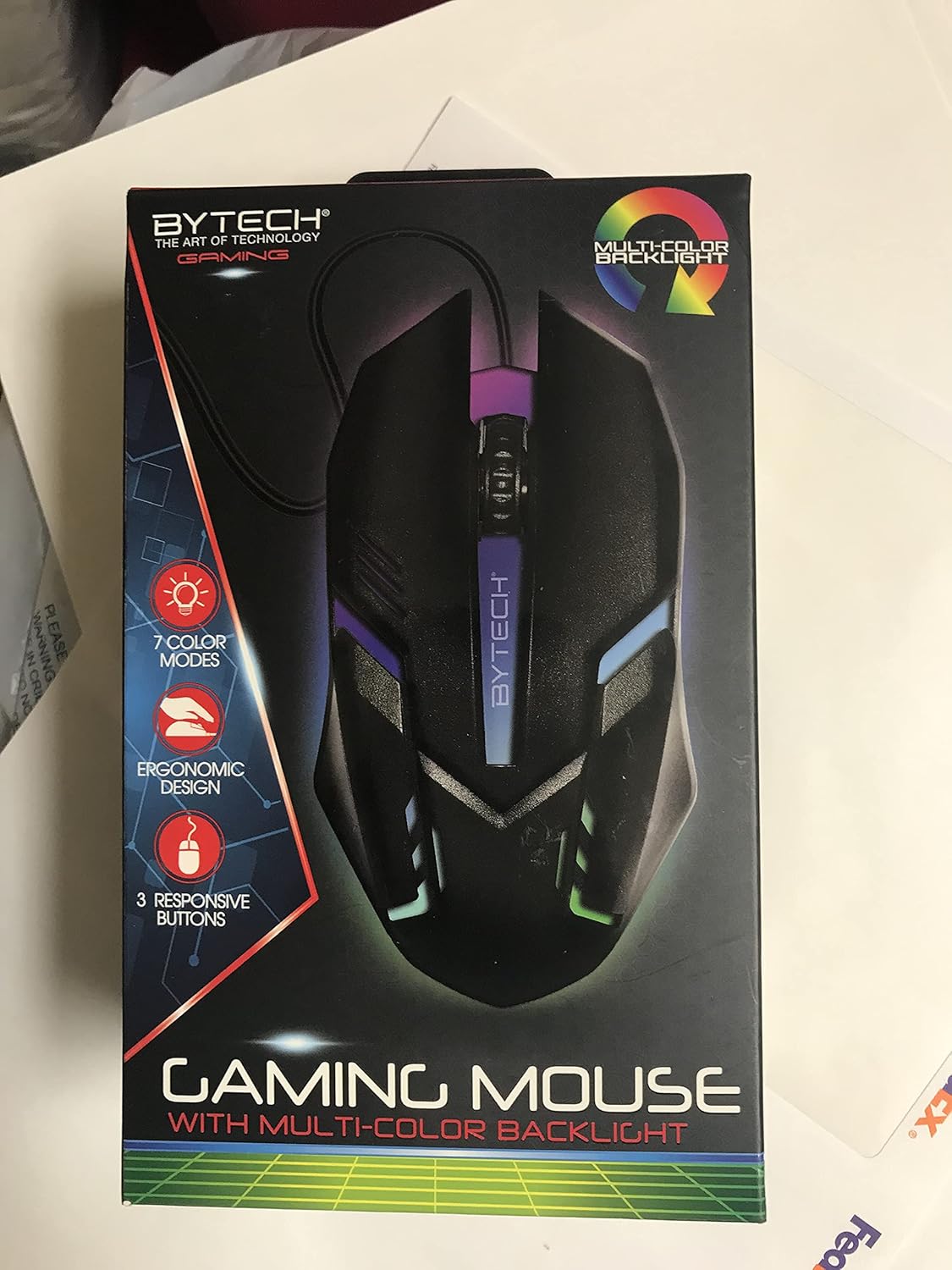
Obrázek: Přední strana view of the Bytech BYMSWR104BK Gaming Mouse in its retail packaging, highlighting its multi-color backlight and ergonomic design.
Nastavení
- Rozbalit: Carefully remove the gaming mouse from its packaging.
- Připojit: Locate an available USB port on your computer (PC, laptop, etc.). Insert the USB connector of the Bytech BYMSWR104BK Gaming Mouse firmly into the USB port.
- Instalace ovladače: The mouse is plug-and-play. Your operating system should automatically detect and install the necessary drivers. This process may take a few moments.
- Připraveno k použití: Once the drivers are installed, the mouse will be ready for immediate use. The multi-color backlight will illuminate.

Obrázek: Zadní view of the Bytech BYMSWR104BK Gaming Mouse retail packaging, detailing features, specifications, and universal compatibility.
Návod k obsluze
Základní operace
- Levé tlačítko: Primární funkce kliknutí, obvykle používaná pro výběr položek, otevírání files, or interacting with software.
- Pravé tlačítko: Secondary click function, usually opens context menus or provides additional options.
- Rolovací kolečko (prostřední tlačítko): Scroll up or down to navigate documents and web pages. Pressing the scroll wheel acts as a middle-click button, often used for opening links in new tabs or auto-scrolling.
Úprava DPI
The Bytech BYMSWR104BK Gaming Mouse features adjustable DPI settings. While specific buttons for DPI adjustment are not explicitly listed on the packaging, many gaming mice allow DPI changes through a dedicated button (often located near the scroll wheel) or through software. Refer to your computer's mouse settings or Bytech's official website for advanced customization options if available.
LED podsvícení
The mouse features a dynamic multi-color LED backlight with 7 different color modes. These lights will automatically cycle through the modes once the mouse is connected and powered on. There is no manual control for changing modes on the mouse itself.
Údržba
- Čištění: K otření povrchu myši použijte měkký, suchý hadřík. V případě odolné nečistoty lehceampOtřete hadřík vodou nebo jemným čisticím roztokem. Nepoužívejte agresivní chemikálie ani abrazivní materiály.
- Péče o senzor: Udržujte optický senzor na spodní straně myši čistý a bez prachu nebo nečistot, abyste zajistili přesné sledování.
- Správa kabelů: Abyste předešli poškození, vyhněte se ostrým ohybům nebo nadměrnému tahání za kabel USB.
- Skladování: Pokud myš nepoužíváte, skladujte ji v čistém a suchém prostředí mimo dosah extrémních teplot.

Obrázek: Boční view of the Bytech BYMSWR104BK Gaming Mouse retail packaging, showcasing the multi-color backlight effect.
Odstraňování problémů
| Problém | Možné řešení |
|---|---|
| Myš neodpovídá |
|
| Kurzor je nepravidelný nebo se nepohybuje plynule |
|
| LED podsvícení nefunguje |
|
Záruka a podpora
Záruka: This Bytech product comes with a 12-month warranty from the date of purchase. Please retain your proof of purchase for warranty claims.
Kontaktní údaje:
- Adresa: 2585 West 13th Street, Brooklyn, NY 11223, USA
- Webmísto: www.bytechintl.com
⚠ UPOZORNĚNÍ: Tento produkt vás může vystavit chemikáliím, včetně DEHP, o kterém je ve státě Kalifornie známo, že způsobuje rakovinu, vrozené vady nebo jiné reprodukční poškození. Pro více informací přejděte na www.P65Warnings.ca.gov.

Obrázek: Spodní část view of the Bytech BYMSWR104BK Gaming Mouse retail packaging, showing contact information, warranty details, and California Proposition 65 warning.