
1. Úvod
The ZKTeco LX50 is a compact and efficient fingerprint time attendance device designed for small to medium-sized businesses. It utilizes advanced biometric technology to accurately record employee attendance, providing a reliable solution for workforce management. This manual will guide you through the setup, operation, and maintenance of your LX50 device.
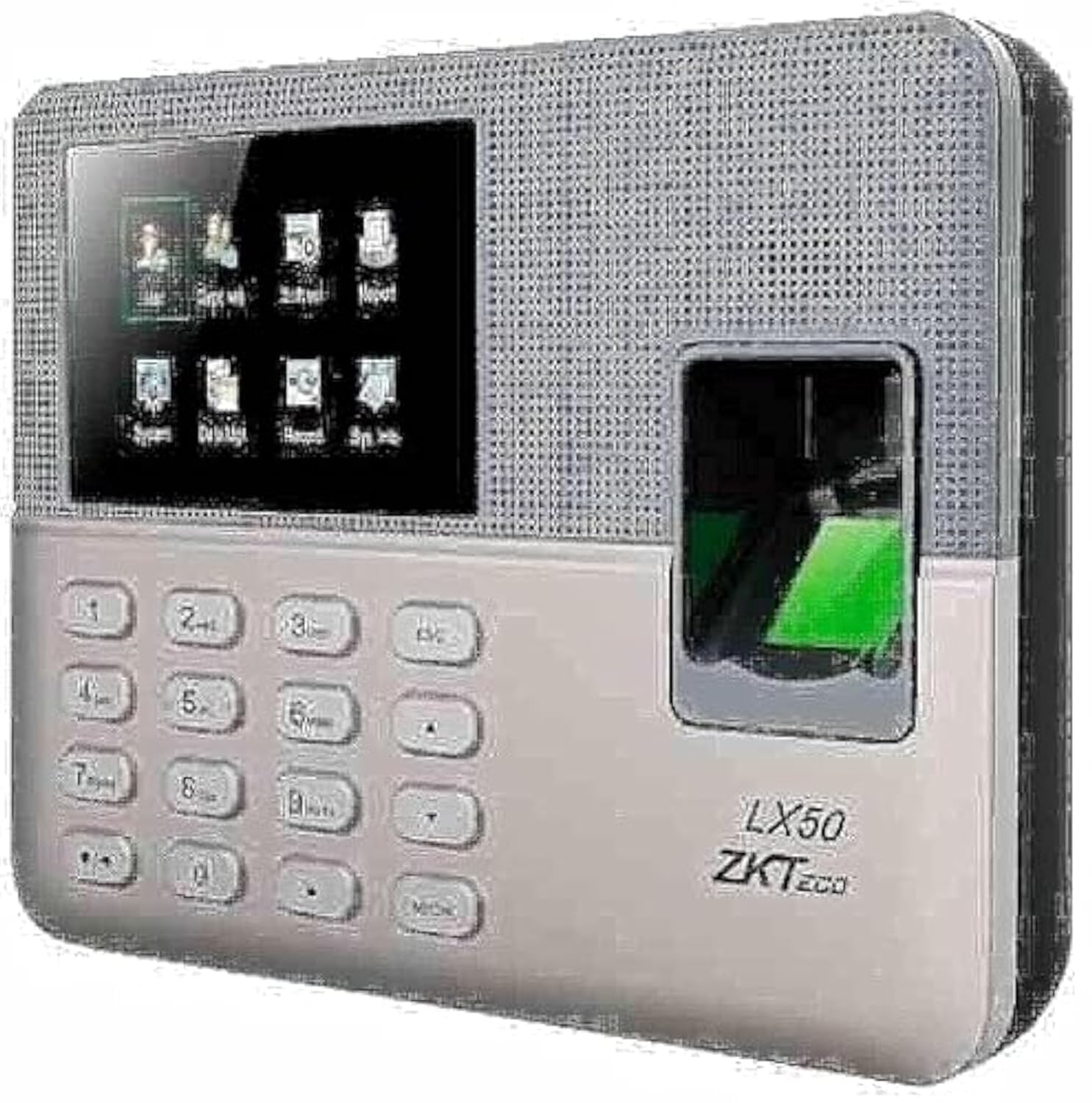
Figure 1: ZKTeco LX50 Fingerprint Time Attendance Device. This image shows the front view of the device, highlighting its compact design and fingerprint sensor.
2. Obsah balení
Než začnete, zkontrolujte prosím obsah balení, abyste se ujistili, že jsou přítomny všechny položky:
- ZKTeco LX50 Device
- Napájecí adaptér
- Montážní příslušenství (šrouby, hmoždinky)
- Rychlý průvodce
- USB kabel
3. Nastavení
3.1 Montáž zařízení
- Choose a suitable location for installation, ensuring it is easily accessible for users and protected from direct sunlight or moisture.
- Use the provided mounting template (if available) to mark the drilling points on the wall.
- Vyvrtejte otvory a vložte hmoždinky.
- Připevněte zařízení ke zdi pomocí dodaných šroubů.
3.2 Připojení napájení
Připojte napájecí adaptér ke vstupnímu portu zařízení a poté jej zapojte do standardní elektrické zásuvky. Zařízení se automaticky zapne.
3.3 Počáteční konfigurace
Upon first power-on, the device may prompt you to set the date, time, and administrator fingerprint. Follow the on-screen instructions.
- Setting Administrator: It is crucial to register at least one administrator fingerprint for device management.
- Datum a čas: Ensure the date and time are set correctly for accurate attendance records.
4. Návod k obsluze
4.1 Registrace uživatele
Registrace nového uživatele:
- Access the main menu using the administrator fingerprint or password.
- Přejděte na Správa uživatelů > Nový uživatel.
- Enter the user's 9-digit ID. The device supports T9 input for alphanumeric characters if needed.
- Register the user's fingerprint by placing their finger on the sensor multiple times as prompted.
- Save the user information. The device has a capacity for 500 users and 500 fingerprints.
4.2 Zaznamenávání docházky
Users can record their attendance by simply placing their registered finger on the fingerprint sensor. The device will confirm the successful punch with an audible and visual indicator.
- The device uses the ZKFinger VX 10.0 algorithm for fast and accurate fingerprint recognition.
- It can store up to 50,000 transaction records.
4.3 Data Download
Attendance data can be downloaded via the USB host port.
- Insert a USB flash drive into the device's USB port.
- Access the main menu using the administrator fingerprint or password.
- Přejděte na Správa dat > Stáhnout data o docházce.
- Select the desired date range and confirm the download.
- The data will be saved to the USB flash drive in a compatible format (e.g., Excel).
4.4 Plánované zvonění
The LX50 features a scheduled bell function. You can configure specific times for the device to sound an alarm, useful for marking shift changes or breaks.
- Vstupte do hlavní nabídky.
- Přejděte na Nastavení systému > Rozvrh zvonku.
- Set the desired times and days for the bell to ring.
5. Údržba
- Čištění: Regularly clean the fingerprint sensor and screen with a soft, dry cloth. Avoid using abrasive cleaners or liquids directly on the device.
- Záloha dat: Periodically download and back up attendance data to prevent loss.
- Aktualizace softwaru: Zkontrolujte výrobce webPro zajištění optimálního výkonu a zabezpečení vyhledejte dostupné aktualizace firmwaru na webu.
- Podmínky prostředí: Keep the device in a dry environment, away from extreme temperatures and direct sunlight.
6. Řešení problémů
- Zařízení se nezapíná:
Ujistěte se, že je napájecí adaptér bezpečně připojen k zařízení i k funkční elektrické zásuvce. Ověřte, zda je elektrická zásuvka funkční.
- Otisk prstu nebyl rozpoznán:
Ensure the finger is clean and dry. Place the finger flat on the sensor, covering the entire surface. If issues persist, re-register the fingerprint.
- Cannot download data to USB:
Ensure the USB flash drive is formatted correctly (FAT32 is recommended) and has sufficient free space. Try a different USB flash drive. Ensure you are performing the download operation from the administrator menu.
- Zařízení se nepřipojuje k síti:
The ZKTeco LX50 model primarily uses a USB host for data communication and does not support direct network (Ethernet/Wi-Fi) connectivity for data transfer. Data must be manually pulled via a USB flash drive.
7. Specifikace
| Funkce | Detail |
|---|---|
| Výrobce | ZKTeco |
| Značka | ZKTeco |
| Model | LX50 |
| Verze algoritmu | ZKFinger VX 10.0 |
| Uživatelská kapacita | 500 |
| Kapacita otisků prstů | 500 |
| Transakční kapacita | 50,000 |
| Sdělení | USB Host |
| Standardní funkce | Scheduled Bell, Self-Learning Report, 9-digit User Registration, T9 Input |
| Rozměry balení | 30.2 x 21.7 x 7.6 cm |
| Hmotnost položky | 680 g |
| Barva | Vícebarevná |
| Datum první dostupnosti | 27. července 2021 |
8. Záruka a podpora
The ZKTeco LX50 device comes with a standard manufacturer's warranty against defects in materials and workmanship. Please refer to the warranty card included in your package for specific terms and conditions, including the warranty period and coverage details.
For technical support, troubleshooting assistance, or warranty claims, please contact ZKTeco customer service or your local distributor. Contact information can typically be found on the manufacturer's official webmístě nebo na obalu produktu.
Důležité: Uschovejte si účtenku jako doklad o koupi pro účely záruky.