
Amazon Fire HD 8
Uživatelská příručka k tabletu Amazon Fire HD 8
Model: Fire HD 8 (2022 Release)
Zavedení
The Amazon Fire HD 8 tablet is designed for portable entertainment and productivity. Featuring an 8-inch HD display and a faster hexa-core processor, it offers an enhanced experience for reading, browsing, watching videos, and listening to music. This manual provides essential information for setting up, operating, maintaining, and troubleshooting your device.

Image: The Amazon Fire HD 8 tablet, highlighting its compact and portable design.
Nastavení
Co je v krabici
- Tablet Fire HD 8
- Kabel USB-C (2.0)
- 5W napájecí adaptér
- Rychlý průvodce
Počáteční nabití
Before first use, fully charge your Fire HD 8 tablet. Connect the USB-C cable to the tablet's USB-C port and the 5W power adapter to a wall outlet. A full charge takes approximately 5 hours with the included adapter. For faster charging, a 9W adapter (under 3 hours) or a 15W adapter with a USB-C to C cable (under 2.5 hours) can be purchased separately.
Zapnutí a počáteční nastavení
Press and hold the power button until the Amazon logo appears. Follow the on-screen prompts to select your language, connect to a Wi-Fi network, and register your device with your Amazon account. This process will guide you through setting up your device preferences.
Operating Your Fire HD 8 Tablet
Navigace a rozhraní
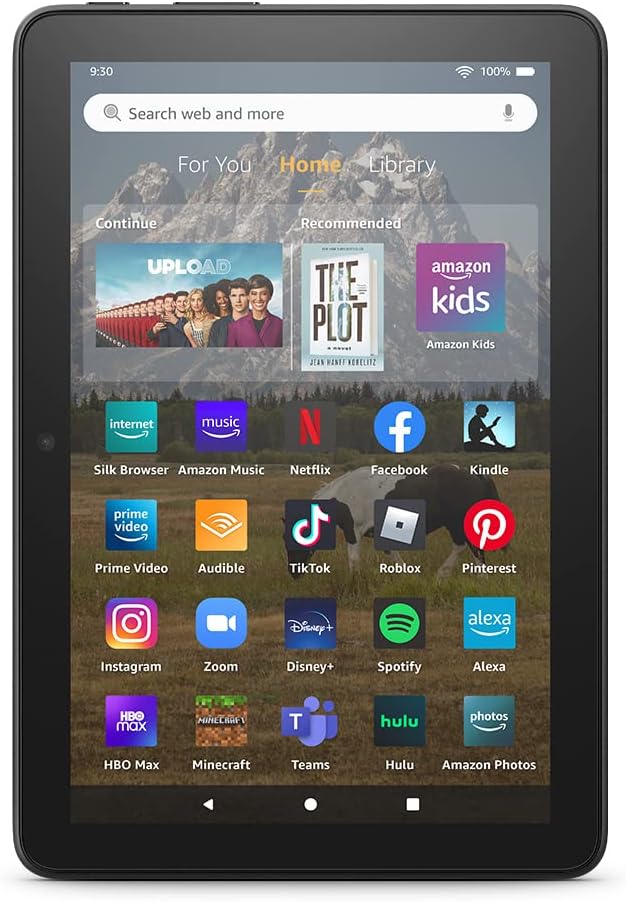
Image: The Fire HD 8 home screen, showing the intuitive Fire OS interface with quick access to apps and content.
The Fire HD 8 runs on Fire OS, providing a user-friendly interface. Swipe down from the top of the screen to access quick settings and notifications. The home screen features a "For You" section with personalized content, a "Home" tab for your apps, and a "Library" tab for quick access to recently viewed content like Kindle books or webstránky.
Entertainment and Apps
Stream or download your favorite shows and movies from services like Prime Video, Netflix, Disney+, and HBO. Access a wide range of apps through Amazon's Appstore, including Facebook, Hulu, Instagram, and TikTok. Note that Google Play is not supported, and some apps may require a subscription.
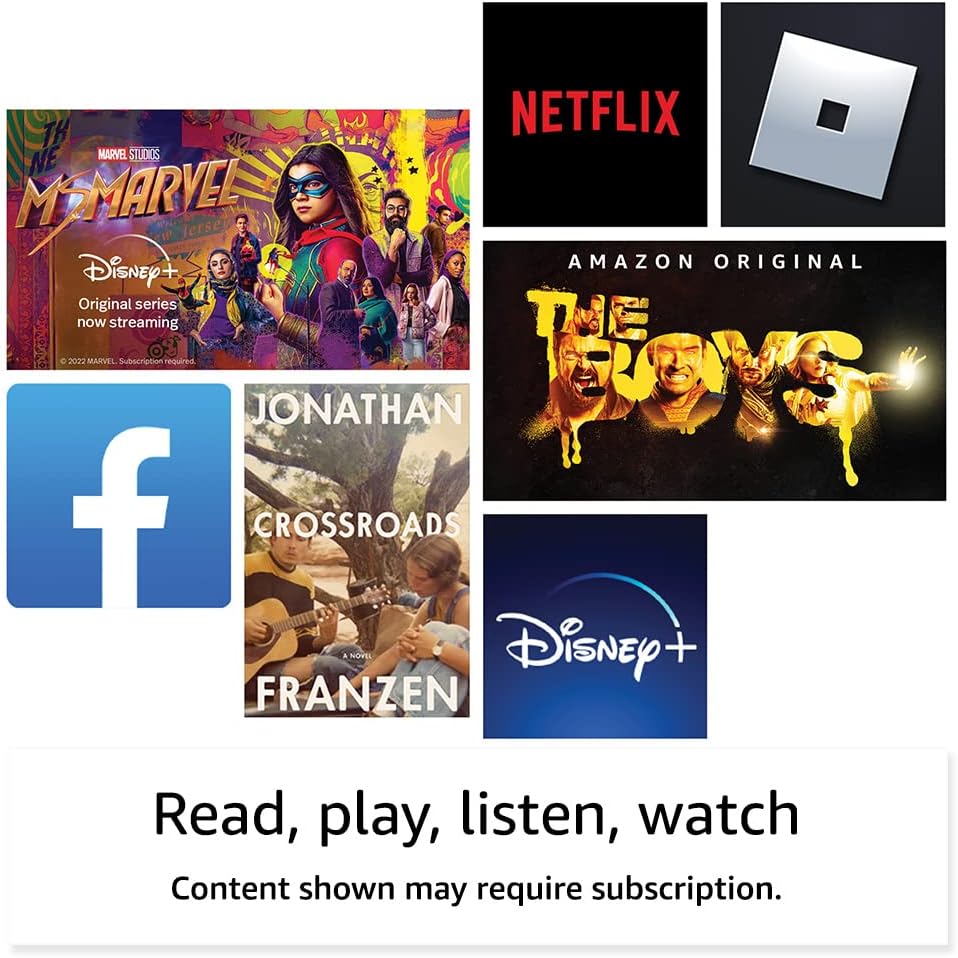
Obrázek: Přamples of popular streaming services and content accessible on the Fire HD 8 tablet.
Reading and Audio
Enjoy reading e-books with the vibrant 8-inch HD display. The tablet also features integrated speakers and a 3.5 mm stereo jack for audio. You can listen to music, podcasts, and Audible books.

Image: The Fire HD 8 tablet is ideal for reading e-books anywhere.

Image: Using Alexa to control audio playback on the Fire HD 8 tablet.
Integrace Alexa
Your Fire HD 8 tablet comes with Alexa built-in. Ask Alexa to play music, get news and weather updates, manage shopping lists, set reminders, and control smart home devices. You can also make video calls to friends and family using apps like Zoom.
Parental Controls with Amazon Kids
Amazon Kids offers easy-to-use parental controls, allowing you to manage content access and screen time. Subscribe to Amazon Kids+ for access to thousands of curated books, apps, games, videos, and Audible books suitable for children.

Image: The Fire HD 8 tablet is suitable for family use, especially with Amazon Kids features.
Údržba
Čištění vašeho tabletu
To clean your Fire HD 8 tablet, use a soft, lint-free cloth. For stubborn smudges, slightly damphadřík vodou. Nepoužívejte abrazivní čisticí prostředky, rozpouštědla ani aerosolové spreje přímo na zařízení.
Péče o baterie
The tablet offers up to 13 hours of battery life for mixed use. To prolong battery lifespan, avoid extreme temperatures and fully discharging the battery frequently. Charge the device using the provided adapter or a compatible USB-C charger.
Správa úložiště
Your Fire HD 8 comes with either 32 GB or 64 GB of internal storage. You can expand storage up to 1 TB using a microSD card. Regularly review a smažte nepotřebné files or apps to optimize performance. Some apps may require installation on internal storage.
Odstraňování problémů
Běžné problémy a řešení
| Problém | Řešení |
|---|---|
| Zařízení se nezapíná | Ensure the tablet is fully charged. Press and hold the power button for 20-30 seconds to perform a hard reset. |
| Problémy s připojením Wi-Fi | Zkontrolujte, zda je v nastavení povolena Wi-Fi. Restartujte router a tablet. Zapomeňte na síť a znovu se připojte. |
| Aplikace padá nebo zamrzávají | Close and reopen the app. Clear the app's cache in settings. Restart the tablet. Ensure sufficient storage space. |
| Pomalý výkon | Close unused apps. Clear cache and data for frequently used apps. Free up internal storage. Restart the device regularly. |
For more detailed troubleshooting or persistent issues, visit the Amazon Device Support webwebu nebo kontaktujte zákaznický servis Amazonu.
Specifikace

Image: Size comparison of various Amazon Fire tablet models, including the Fire HD 8.
| Funkce | Detail |
|---|---|
| Zobrazit | 8” high-definition touchscreen; 1280 x 800 resolution at 189 ppi, HD video playback, with IPS technology |
| Velikost | 7.94” x 5.40” x 0.37” (201.90mm x 137.34 mm x 9.60 mm) |
| Hmotnost | 11.88 unce (337 gramů) |
| CPU a RAM | Hexa-core 2.0 GHz with 2 GB of RAM |
| Skladování | 32 GB or 64 GB internal storage; microSD slot for up to 1 TB additional storage |
| Životnost baterie | Až 13 hodin smíšeného používání |
| Doba nabíjení | Under 5 hours (5W adapter); Under 3 hours (9W adapter); Under 2.5 hours (15W adapter) |
| Wi-Fi připojení | Dvoupásmové 802.11a/b/g/n/ac (Wi-Fi 6 není podporováno) |
| Porty | USB-C (2.0) connector, microSD slot |
| Zvuk | 3.5 mm stereo jack, integrated speakers |
| Kamery | 2 MP front-facing, 2 MP rear-facing with 720p HD video recording |
| Bluetooth | Vestavěný Bluetooth 5.2 |
| Generace | 12. generace - vydání 2022 |
Funkce usnadnění
The Fire HD 8 tablet includes various accessibility features to personalize the device for different needs. These can be found under Nastavení → Přístupnost.
- HlasView čtečka obrazovky: Umožňuje přístup uživatelům, kteří jsou nevidomí nebo zrakově postižení.
- Zvětšovací program obrazovky: Umožňuje uživatelům přibližovat/oddalovat a posouvat se po obrazovce.
- Klepnutím na Alexu: Provides access to Alexa via touch through on-screen tiles or a keyboard, including saving favorite actions.
- Přístup pomocí přepínačů: Enables access for users with motor impairments via compatible Bluetooth devices.
- Kindle Čtení nahlas: Alexa vám může nahlas číst knihy z Kindle.
- Additional features include settings for Closed Captioning, Font Size, Display Size, High Contrast Text, Color Inversion, Color Correction, and Convert Stereo to Mono audio.
Záruka a podpora
Informace o záruce
Your Fire HD 8 tablet comes with a 90-day limited warranty and service. Optional 1-year, 2-year, and 3-year extended warranties are available for U.S. customers and are sold separately. Use of the Fire HD 8 tablet is subject to Amazon's Conditions of Use and related terms.
Aktualizace zabezpečení softwaru
This device receives guaranteed software security updates for at least four years after it is last available for purchase as a new unit on Amazon websites. For information specific to your device, visit Spravujte svůj obsah a zařízení.
Zákaznická podpora
For further assistance, visit the Amazon support website or contact Amazon customer service directly. You can find more information and support resources at amazon.com/devicesupport.
Ask a question about this manual
Ask about setup, troubleshooting, compatibility, parts, safety, or missing instructions. Manuals+ will review the question and use this page’s manual context to help answer it.