
1. Úvod
This manual provides detailed instructions for the Symcode 2D Bluetooth Barcode Scanner. Please read this manual thoroughly before operating the device to ensure proper usage and to maximize its performance and lifespan. This scanner offers versatile connectivity options and robust design for various scanning environments.
2. Obsah balení
Ověřte, zda jsou v balení přítomny všechny položky:
- Symcode 2D Bluetooth Barcode Scanner
- Bezdrátový nabíjecí stojan
- USB kabel
- Uživatelská příručka (tento dokument)
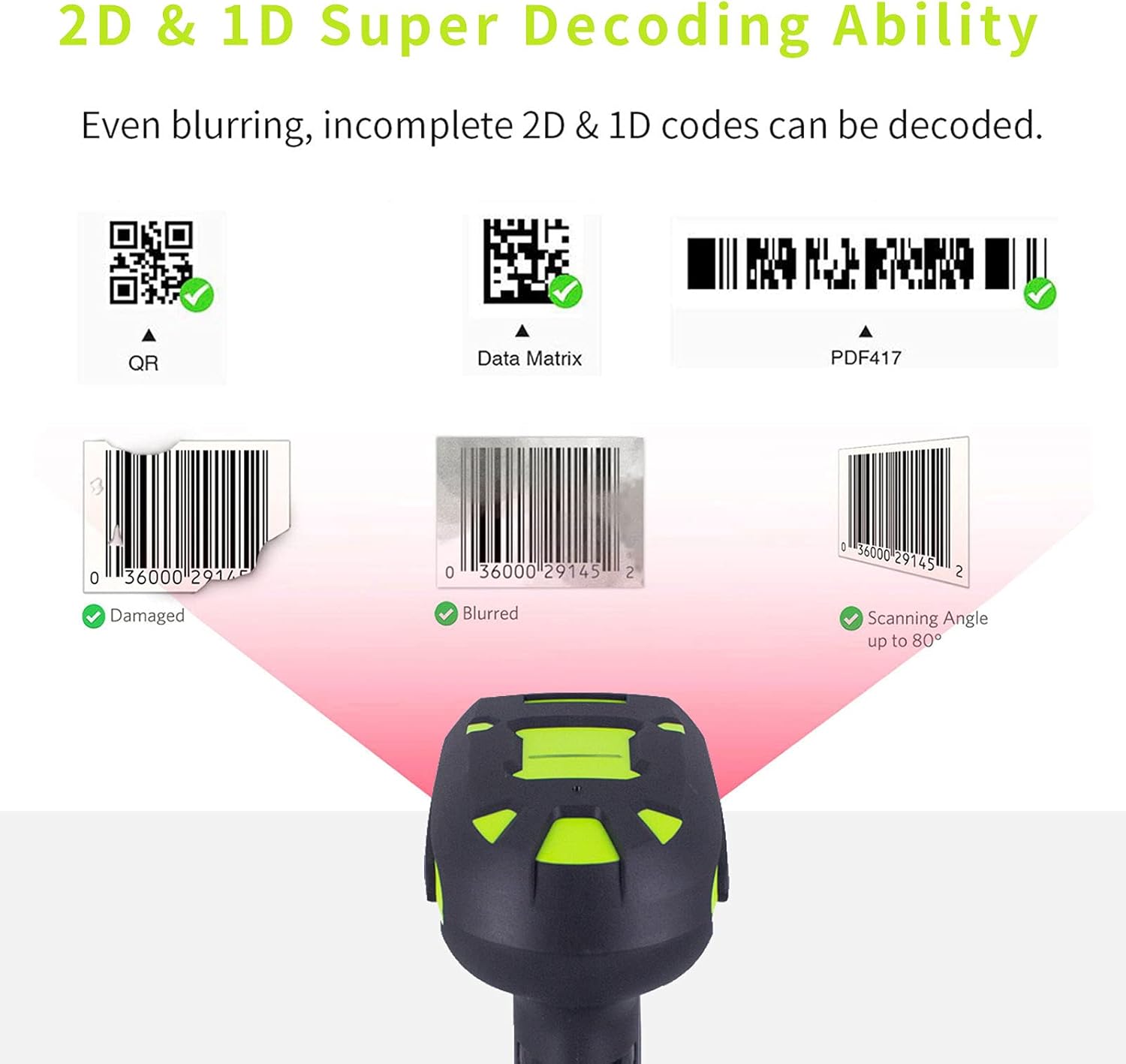
Image: The Symcode 2D Bluetooth Barcode Scanner with its wireless charging stand and included USB cable.
3. Konec produktuview
The Symcode 2D Bluetooth Barcode Scanner is designed for efficient and reliable barcode scanning. It features a comfortable grip, a scanning trigger, and indicator lights for status updates. The accompanying charging stand also functions as a receiver for 433MHz wireless communication.

Obrázek: Detailní přední strana view of the Symcode 2D Bluetooth Barcode Scanner, highlighting its ergonomic design.
4. Nastavení a připojení
4.1 Nabíjení skeneru
Before first use, fully charge the scanner. Place the scanner onto the wireless charging stand. The stand connects to a power source via the provided USB cable. A full charge takes approximately 4 hours.
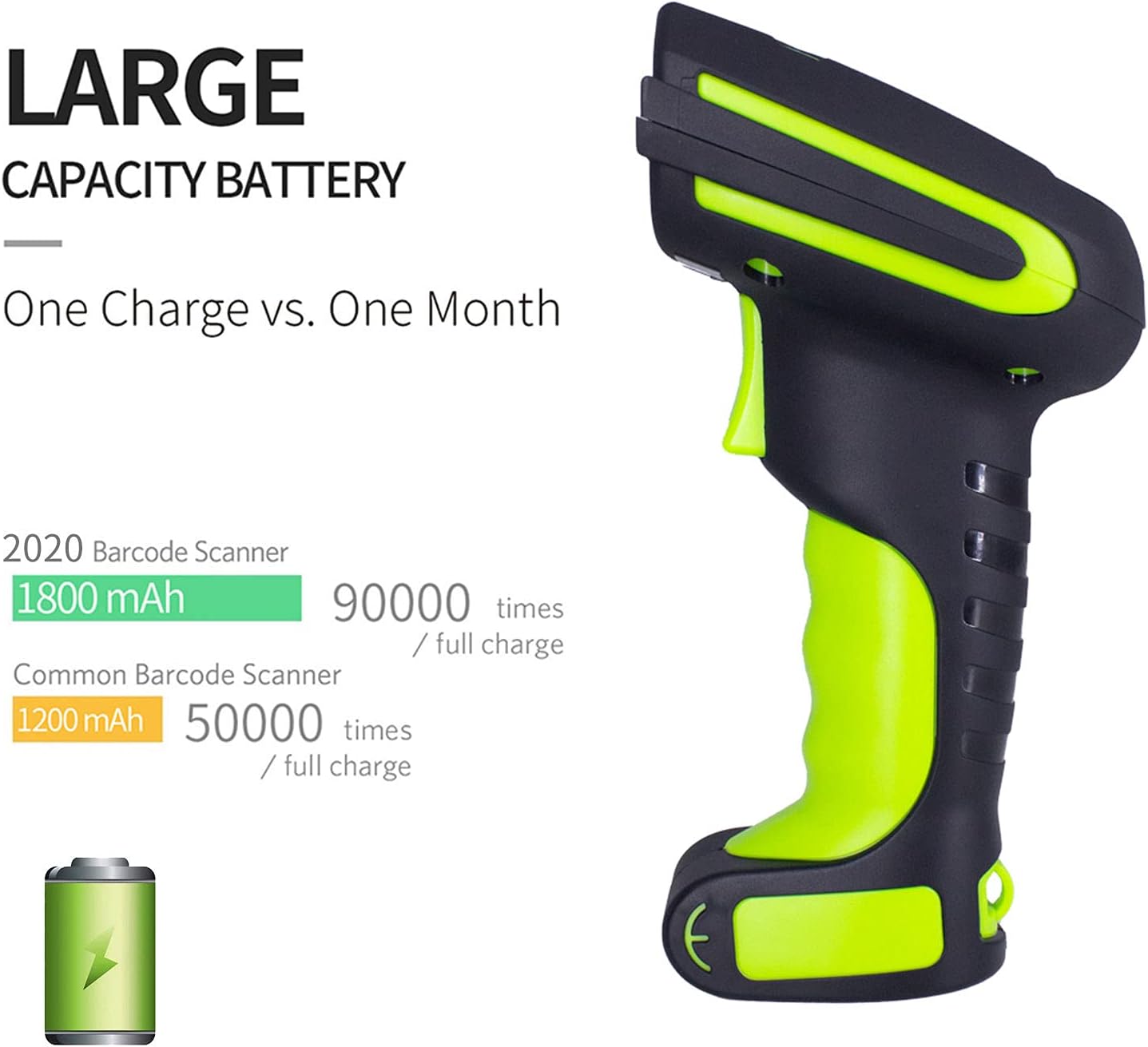
Image: Illustration comparing the large capacity battery of the Symcode scanner (1800 mAh, 90,000 scans) with a common barcode scanner (1200 mAh, 50,000 scans), emphasizing extended usage per charge.
4.2 Připojení skeneru
The scanner supports three connection modes: 433MHz Wireless, Bluetooth 4.1, and USB 2.0 Wired.
4.2.1 433MHz Wireless Connection
- Connect the charging stand to your computer via the USB cable. The stand acts as the 433MHz receiver.
- Turn on the scanner. It will automatically attempt to connect to the stand.
- Úspěšné připojení je indikováno specifickým zvukem nebo světelným vzorem na skeneru.
4.2.2 Připojení Bluetooth 4.1
- Ujistěte se, že je skener zapnutý.
- Scan the Bluetooth pairing barcode (refer to the quick start guide or specific programming barcodes for Bluetooth pairing).
- On your host device (smartphone, tablet, PC), search for Bluetooth devices and select the Symcode scanner.
- V případě potřeby potvrďte párování.
4.2.3 USB 2.0 Wired Connection
- Connect the scanner directly to your computer using the USB cable.
- The scanner will function as a wired device, and no additional pairing is required.
Video: Demonstrates the Symcode Wireless 2D Bluetooth Barcode Scanner with its stand, showcasinjeho design a základní funkčnost.
Video: Illustrates how the barcode scanner base can be adjusted between 90-degree and 45-degree angles for optimal positioning.
5. Provozní režimy
5.1 Režimy skenování
The scanner offers three primary scanning modes:
- Manuální spouštěcí režim: Press the trigger button to initiate each scan.
- Nepřetržitý režim: The scanner continuously emits a scanning beam, ideal for high-volume scanning without repeatedly pressing the trigger.
- Auto-sense Mode: The scanner automatically activates the scanning beam when a barcode is detected within its field of view, then deactivates after scanning.

Image: Visual representation of the three scanning modes: Manual Trigger, Continuous Scanning, and Automatic Sensing Mode, with corresponding QR codes for setting each mode.
5.2 Režimy nahrávání dat
Skener podporuje dva režimy nahrávání dat:
- Režim okamžitého nahrávání: Data is transmitted to your connected device immediately after each successful scan.
- Režim úložiště: Scanned barcode data is stored in the scanner's internal 16MB memory (capable of storing over 50,000 barcodes). Data can be uploaded to your device later by scanning a specific 'Upload Data' barcode from the user manual.

Image: Diagram illustrating the two data upload modes: Instant Upload Mode, where data is sent immediately, and Storage Mode, where data is saved internally for later batch upload.
6. Dekódovací schopnosti
The Symcode scanner is capable of decoding both 1D and 2D barcodes, including QR codes, Data Matrix, and PDF417. It can effectively read damaged, blurred, or partially obscured barcodes, and supports scanning at angles up to 80 degrees.

Obrázek: Přamples of various 1D and 2D barcodes (QR, Data Matrix, PDF417) that the scanner can decode, including damaged and blurred examples. Přample barcode data: 568754456745, 0036000291452.

Image: The scanner demonstrating its powerful decoding ability, capable of scanning damaged, blurred, and angled barcodes. Example barcode data: 0036000291452.
7. Connectivity and Transmission Distance
The scanner offers impressive transmission ranges for its wireless modes:
- 433MHz Wireless: Up to 4920 feet (1500 meters) in open air and up to 2625 feet (800 meters) indoors.
- Bluetooth: Up to 100 feet (30 meters) in open air.
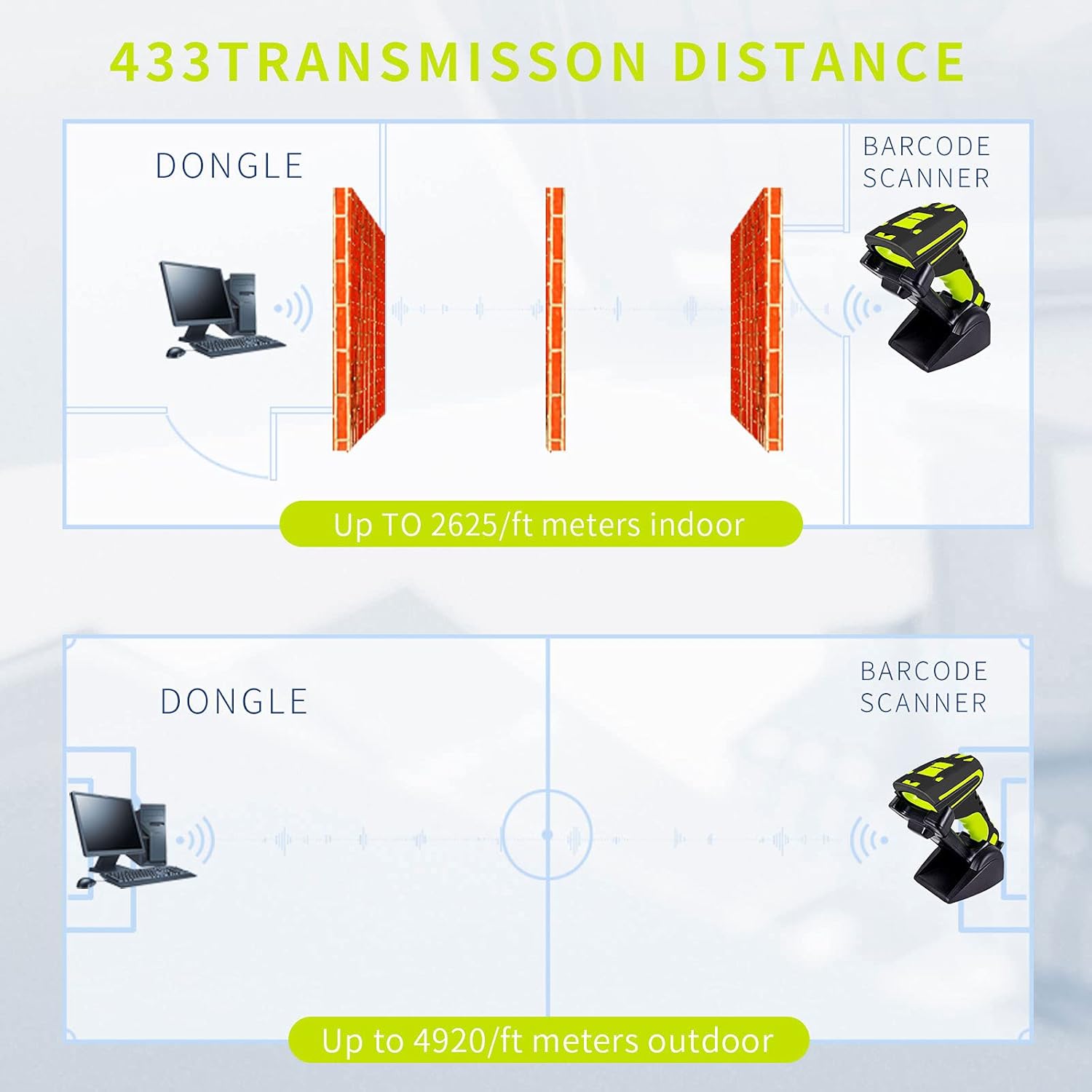
Image: Diagram illustrating the 433MHz transmission distance, showing up to 2625 feet indoors and 4920 feet outdoors, even with obstacles.
8. Trvanlivost a design
The Symcode scanner is built for industrial environments, featuring an IP67 rating for dust and water resistance. It can withstand being rinsed with tap water and even submerged for up to 30 minutes. Its robust construction allows it to endure repeated drops from 6 feet (1.8 meters) onto concrete floors.
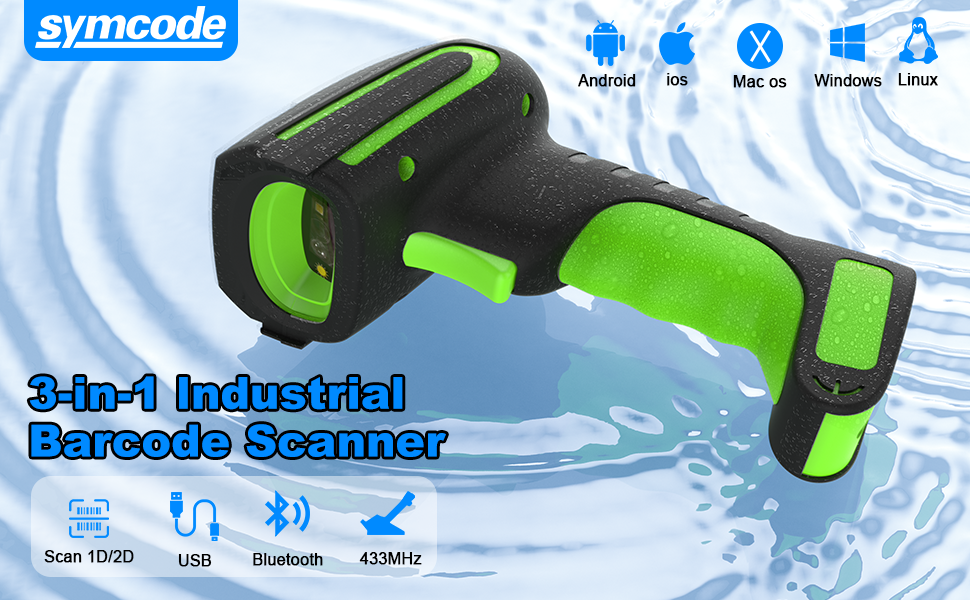
Image: Graphic highlighting the industrial-grade dustproof and waterproof design of the scanner, indicating its IP67 rating and ability to withstand drops.
9. Kompatibilita
The scanner is highly compatible with various operating systems and software:
- Operační systémy: Windows XP/7.0/8.0/Win 10, Windows Mobile, Android OS, iPhone/iPad (iOS).
- Software: Works with common applications such as QuickBooks, Word, Excel, and Novell.
10. Speciální funkce
- Editable Prefix/Suffix: Customize scanned data by adding prefixes or suffixes up to 32 digits.
- Hide Barcode Parts: Configure the scanner to hide specific portions of a scanned barcode.
- Vibrační upozornění: Receive a tactile vibration signal upon successful scanning, useful in noisy environments or when a silent operation is preferred. The buzzer can also be muted.
11. Specifikace
| Funkce | Specifikace |
|---|---|
| Značka | symkód |
| Model | B099KMT9D8 |
| Technologie připojení | Bluetooth, USB Cable, 433MHz Wireless |
| Kompatibilní zařízení | Smartphone, Tablet, PC (Windows, Android, iOS) |
| Zdroj napájení | Nabíjecí baterie |
| Typ baterie | 1 lithium-polymerová baterie (součástí balení) |
| Provozní svtage | 4 voltů |
| Transmission Distance (433MHz) | Up to 4920 ft (open air), 2625 ft (indoors) |
| Transmission Distance (Bluetooth) | Up to 100 ft (open air) |
| Hodnocení ochrany proti vniknutí (IP). | IP67 (prachotěsný, odolný proti stříkající vodě, vodotěsný) |
| Odolnost proti pádu | Withstands 6 ft (1.8m) drops to concrete |
| Kapacita úložiště | 16MB (50,000+ barcodes) |
| UPC | 719986640802 |
| GTIN | 719986640802 |
12. Řešení problémů
If you encounter issues with your Symcode barcode scanner, consider the following general steps:
- No Scan: Ensure the scanner is charged and powered on. Check if the scanning mode is correctly set (e.g., Manual Trigger mode requires pressing the button).
- Problémy s připojením: For wireless connections, ensure the receiver (charging stand for 433MHz) is properly connected to the host device. For Bluetooth, re-pair the device. For wired, ensure the USB cable is securely connected.
- Nesprávné údaje: Verify the scanner's configuration for prefix/suffix settings. Ensure the barcode is clean and undamaged.
- Zařízení nereaguje: Try restarting the scanner. If issues persist, consult the full user manual for specific programming barcodes to reset settings or contact customer support.
13. Záruka a podpora
The Symcode 2D Bluetooth Barcode Scanner comes with a 1-letá záruka. For technical support, warranty claims, or further assistance, please refer to the contact information provided with your product or visit the official Symcode webmísto.