
Zavedení
This manual provides essential information for the safe and efficient operation of your Arafuna 10.5 Inch Dual Screen Portable DVD Player. Please read these instructions thoroughly before using the device and retain them for future reference. This system is designed for in-car entertainment, offering a main player and a secondary monitor for simultaneous viewIng.
Obsah balení
Ověřte, zda jsou v balení obsaženy všechny níže uvedené položky:
- 1x Main DVD Player (10.5 Inch)
- 1x Slave Monitor (10.5 Inch)
- 2x montážní držáky
- 1x Dálkové ovládání
- 2x Headrest Straps
- Nabíječka do auta 1x
- 1x HDMI kabel
- Síťový adaptér 1x
- 1x DC Cable
- 1x RCA kabel

Obrázek 1: Included components in the Arafuna Dual Screen Portable DVD Player package.
Nastavení
1. Nasazení hráčů
The players can be mounted using either the provided mounting brackets or headrest straps.
- Using Mounting Brackets:
- Attach the base of the mounting bracket to the headrest posts.
- Tighten the fixing screws to secure the base.
- Insert the DVD player or monitor onto the bracket until it clicks into place.
- Použití popruhů opěrky hlavy:
- Securely fasten the headrest straps around the headrest and the back of the player/monitor.
- Ensure the player/monitor is stable and does not obstruct the driver's view.

Obrázek 2: Step-by-step installation guide for the headrest mounting bracket.
2. Connecting the Players
To enable dual-screen playback, connect the main DVD player to the slave monitor.
- Připojte dodané DC kabel from the DC OUT port on the main player to the DC IN port on the slave monitor.
- Připojte dodané HDMI kabel from the HDMI OUT port on the main player to the HDMI IN port on the slave monitor. This ensures high-quality video and audio transmission to the secondary screen.
3. Napájení systému
The system can be powered via the car charger, AC adapter, or its internal rechargeable battery.
- Nabíječka do auta: Plug the car charger into your vehicle's cigarette lighter socket and connect the other end to the DC IN port on the main player.
- AC adaptér: For home use, connect the AC adapter to a standard wall outlet and the DC IN port on the main player.
- Interní baterie: The main player features a 5000mAh rechargeable battery, providing extended playback time when external power is unavailable. Ensure the battery is charged before use.

Obrázek 3: Connection diagram for the dual screen system, showing power and signal flow.
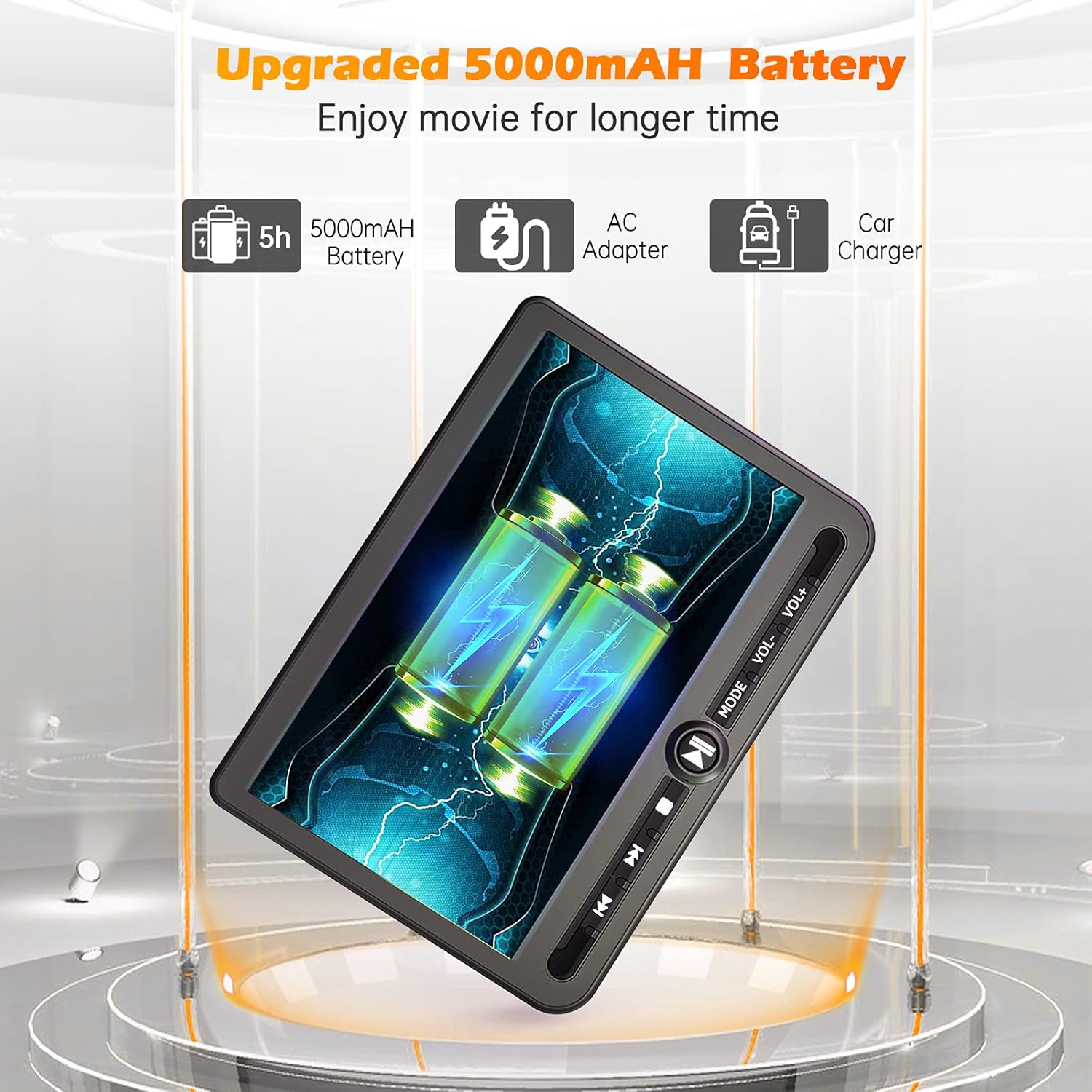
Obrázek 4: Power options including the 5000mAh battery, AC adapter, and car charger.
Návod k obsluze
1. Základní ovládací prvky
The main player features control buttons on the unit and can also be operated via the included remote control.
- Vypínač: Stisknutím zapnete / vypnete jednotku.
- Tlačítko Přehrát/Pozastavit: Spustí nebo pozastaví přehrávání.
- Tlačítko Stop: Zastaví přehrávání.
- Tlačítka Předchozí/Další: Přeskočí na předchozí nebo další skladbu/kapitolu.
- Tlačítka pro ovládání hlasitosti +/-: Nastavuje hlasitost zvuku.
- Tlačítko režimu: Switches between input sources (DVD, USB, SD).
2. Playing DVDs
- Insert a DVD disc into the main player's disc slot.
- The player will automatically detect the disc and begin playback. If not, press the 'Play' button or select 'DVD' mode.
- Use the control buttons or remote to navigate menus, play, pause, or stop.
3. Přehrávání z USB/SD karty
The player supports media playback from USB drives and SD cards.
- Vložte USB disk do USB portu nebo SD kartu do slotu pro SD kartu.
- Press the 'Mode' button to select 'USB' or 'SD' input.
- Procházejte svým files using the control buttons or remote and select the desired media to play.
4. Funkce poslední paměti
The player features a last memory function, which allows it to resume playback from where it was last stopped, even after being powered off.
5. Region Free & Multi-Format Support
This DVD player is region-free, allowing playback of DVDs from any region. It also supports multiple media formats from USB and SD cards.

Obrázek 5: Features including USB/TF card support, region-free playback, and last memory function.
6. Sync Screen to TV
You can connect the main DVD player to a larger TV screen using the provided RCA cable for a home viewzkušenosti.
- Connect one end of the RCA cable to the AV OUT port on the main DVD player.
- Connect the other end of the RCA cable to the corresponding AV IN ports on your television.
- Vyberte správný AV vstupní zdroj na vašem televizoru.

Obrázek 6: Connecting the portable DVD player to a TV using the RCA cable.
Údržba
1. Čištění
- Use a soft, dry cloth to clean the exterior of the players.
- Pro odolné skvrny lehce otřeteamphadřík vodou. Nepoužívejte agresivní chemikálie ani abrazivní čisticí prostředky.
- Do not spray cleaning solutions directly onto the screen or into any openings.
- K čištění čočky disku použijte specializovaný čisticí disk na čočky DVD.
2. Péče o baterie
- Chcete-li prodloužit životnost baterie, vyvarujte se častého úplného vybíjení.
- Charge the battery regularly, even if the device is not in use for extended periods.
- Přístroj skladujte na chladném a suchém místě mimo dosah přímého slunečního záření a extrémních teplot.
Odstraňování problémů
If you encounter issues with your Arafuna DVD player, refer to the following common problems and solutions:
| Problém | Možná příčina | Řešení |
|---|---|---|
| Přehrávač se nezapne. | No power supply; discharged battery; faulty power adapter/cable. | Ensure power cable is securely connected. Charge the battery using the AC adapter or car charger. Test with a different power source if available. |
| No picture or sound on slave monitor. | Loose or incorrect HDMI/DC cable connection. | Check that the HDMI and DC cables are securely connected between the main player and the slave monitor. Ensure they are connected to the correct IN/OUT ports. |
| DVD disc does not play or skips. | Disc is dirty, scratched, or inserted incorrectly; lens is dirty; incompatible disc format. | Clean the disc with a soft cloth. Ensure the disc is inserted correctly with the label side up. Use a lens cleaning disc. Try a different, known-good disc. |
| No sound from player. | Volume is too low or muted; headphones not properly connected; faulty audio settings. | Increase the volume. Check headphone connection. Ensure no mute function is active. |
| USB/SD karta nebyla rozpoznána. | Nesprávný file format; card/drive not properly inserted; corrupted media. | Zajistěte média files are in a supported format. Reinsert the USB drive or SD card. Try a different USB drive or SD card. |
Specifikace
| Funkce | Detail |
|---|---|
| Značka | Arafuna |
| Číslo modelu | DM-12 |
| Velikost obrazovky | 10.5 palce |
| Typ zobrazení | LCD |
| Technologie připojení | HDMI, USB |
| Podporované typy médií | DVD, USB, SD Card |
| Nabíjecí baterie | Yes (5000mAh Lithium-polymer) |
| UPC | 730096858222 |
Záruka
This Arafuna product is covered by a 1letá záruka výrobce od data nákupu. Tato záruka se vztahuje na vady materiálu a zpracování při běžném používání. Nevztahuje se na škody způsobené nesprávným použitím, nehodou, neoprávněnou úpravou nebo vnějšími vlivy.
Podpora
For technical assistance, warranty claims, or further inquiries regarding your Arafuna 10.5 Inch Dual Screen Portable DVD Player, please refer to the contact information provided with your purchase or visit the official Arafuna support webmísto.