
1. Bezpečnostní informace
Please read all safety instructions before using the product to ensure safe operation and prevent damage.
- Chraňte výrobek před vodou a vlhkostí.
- Nepokoušejte se produkt rozebírat ani upravovat. Mohlo by dojít ke zrušení záruky a poškození.
- Používejte pouze dodané nebo doporučené příslušenství.
- Pokud výrobek nepoužíváte, skladujte jej na chladném a suchém místě.
2. Obsah balení
Ověřte, zda jsou v balení přítomny všechny položky:
- KIWI design K2 Comfort Head Strap for Oculus/Meta Quest 2
- Uživatelská příručka (tento dokument)
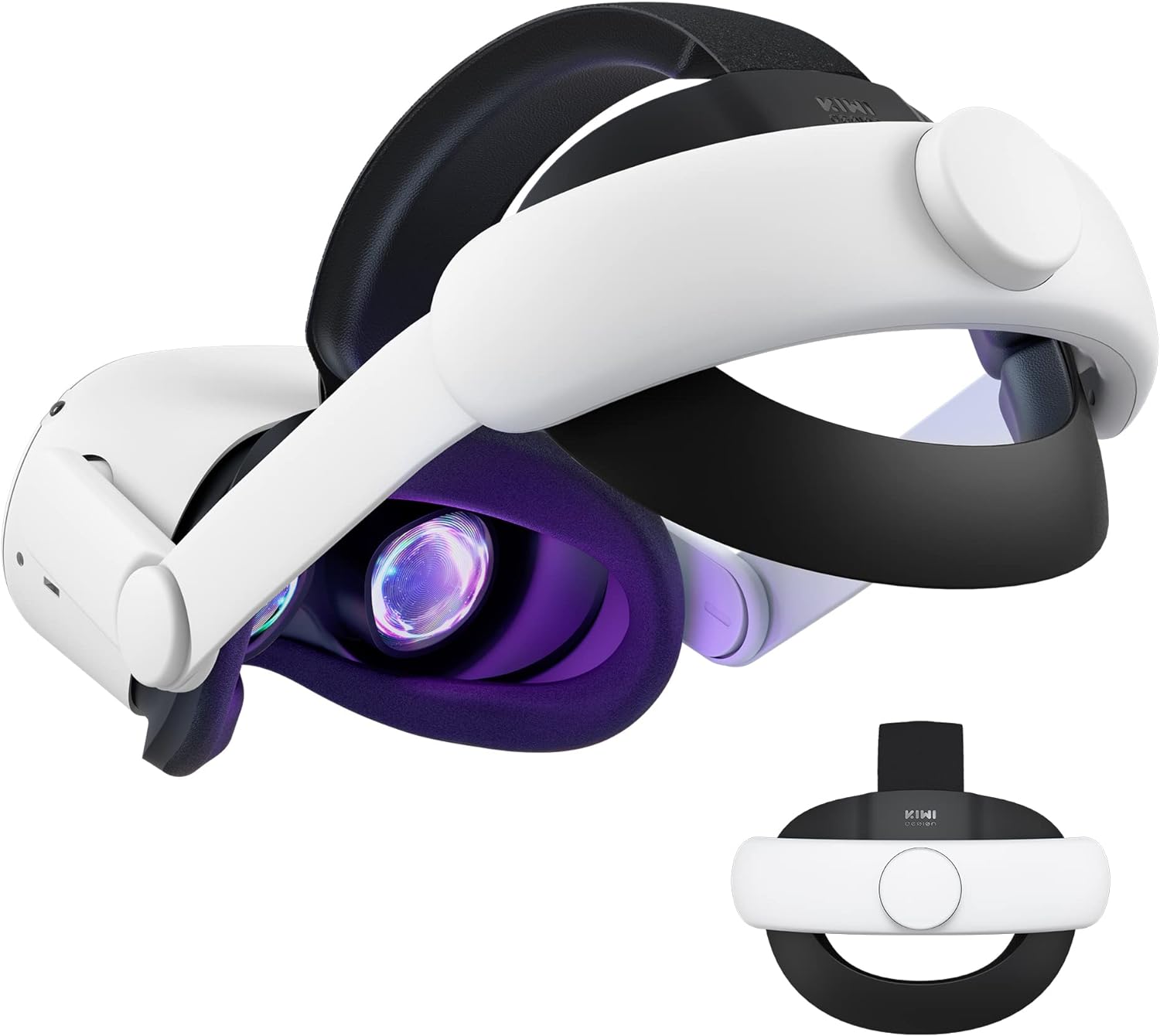
Image: The KIWI design K2 Comfort Head Strap, showing its main components and overall design.
3. Pokyny k nastavení
Follow these steps to attach the KIWI design K2 Comfort Head Strap to your Oculus/Meta Quest 2 headset:
- Prepare your Quest 2 headset: Gently remove the original head strap from your Oculus/Meta Quest 2 headset.
- Identify Left (L) and Right (R) sides: Locate the 'L' and 'R' signs on the KIWI design K2 Comfort Head Strap. These indicate the correct orientation for attachment.

Image: Step-by-step diagram illustrating the attachment of the head strap to the Quest 2 headset, highlighting the L/R indicators.
- Attach the side straps: Align the left side of the Comfort Head Strap with the left arm of the Quest 2 headset. Push firmly until you hear a "snap" sound, indicating a secure connection. Repeat for the right side.
Video: A demonstration of attaching the KIWI design head strap to the Quest 2 headset, showing the secure connection process.
- Adjust the top strap: Secure the top strap over the top of the Quest 2 headset. Ensure it is centered and provides even support.
4. Návod k obsluze
The KIWI design K2 Comfort Head Strap is designed for ease of use and enhanced comfort during VR sessions.
4.1 Úprava pro přizpůsobení
- Head Circumference Adjustment: Use the adjustment knob located at the back of the head strap to tighten or loosen the fit around your head. Turn clockwise to tighten and counter-clockwise to loosen. The strap supports head circumferences from 17.7 to 29.5 inches.

Image: Visual representation of the head strap's adjustable range, accommodating various head sizes.
- 52° Flippable Hinge: The head strap features a 52° adjustable hinge, allowing you to easily flip up the VR headset without fully removing the strap. This is useful for checking surroundings or for glasses wearers.

Image: A user demonstrating the convenient flip-up function of the headset with the KIWI design head strap.
4.2 Vylepšené funkce pro zvýšení komfortu
- Upgraded Cushions: The widened 46mm top strap pad and thickened 16mm head cushion reduce pressure and improve comfort during extended use. The soft PU leather surface is designed for easy cleaning.

Obrázek: Detail view of the head strap's cushions, highlighting their thickness and PU leather material for comfort.
- Improved Side Straps: The side straps are constructed from an upgraded polymer material, tested to withstand over 10,000 bends, ensuring durability and preventing breakage during active use.

Obrázek: A view of the robust side straps, emphasizing their flexibility and resistance to bending.
5. Údržba
Proper maintenance ensures the longevity and hygiene of your head strap:
- Čisticí polštáře: The PU leather cushions can be easily cleaned by wiping them with a wet towel and a microfiber cloth. This should be done regularly, especially after prolonged use.
- Skladování: When not in use, the head strap can be stored in the official Quest 2 carrying case or most other cases on the market.Poznámka: Detach the back bracket of the head strap before storing it in the official elite strap carrying case to ensure proper fit and prevent damage.

Image: Illustration of detaching the back bracket for compact storage in a carrying case.
6. Řešení problémů
Pokud narazíte na nějaké problémy, podívejte se na následující běžná řešení:
- Head strap feels loose: Ensure the adjustment knob at the back is tightened sufficiently. Adjust until a snug but comfortable fit is achieved.
- Obtížnost při připojování/odpojování: Ensure you are aligning the L/R indicators correctly and applying firm, even pressure until you hear a click. To detach, gently pull the side arms away from the headset.
- Nepohodlí během používání: Re-adjust the top strap and the back knob to redistribute pressure. Ensure the cushions are properly positioned.
7. Specifikace
| Funkce | Detail |
|---|---|
| Rozměry produktu | 8.66 x 2.36 x 8.66 palce |
| Hmotnost položky | 12.3 unce |
| Číslo modelu | Q31-2.1 |
| Značka | KIWI design |
| Kompatibilní zařízení | Oculus/Meta Quest 2 |
| Speciální funkce | 52° Flippable hinge, All-round cushion wrapped, Enlarged head support, Robust side straps |
| Head Circumference Range | 17.7-29.5 palců |
| Materiál polštáře | Soft PU Leather |
8. Záruka a podpora
For warranty information or technical support, please visit the official KIWI design website or contact their customer service directly. Refer to the packaging for specific contact details.
Note: This product is not for Meta Quest 3/3S.