
RENAISSER Raphael 520C
Uživatelská příručka k stylusu RENAISSER Raphael 520C
Comprehensive guide for setting up, operating, and maintaining your RENAISSER Raphael 520C Stylus Pen.
1. Úvod
The RENAISSER Raphael 520C is a high-precision stylus pen designed for Microsoft Surface devices and other compatible touchscreens. It offers an exceptional writing and drawing experience with advanced features like 4096 levels of pressure sensitivity, tilt support, and palm rejection. Its durable aluminum body and efficient USB-C charging make it an ideal tool for professionals and creatives alike.

This manual provides detailed instructions to help you get the most out of your Raphael 520C stylus, from initial setup to advanced usage and troubleshooting.
2. Obsah balení
Upon opening your RENAISSER Raphael 520C package, please ensure all components are present:
- RENAISSER Raphael 520C Stylus Pen (1)
- Replacement Stylus Tips (2) - Includes HB-type and 2H-type for varied writing feel.
- Uživatelská příručka (tento dokument)

3. Vlastnosti a komponenty produktu
The Raphael 520C stylus is engineered for optimal performance and user comfort. Key features include:
- Nabíjení USB-C: Rychlé a pohodlné nabíjení.
- 4096 Pressure Sensitivity: Provides precise control for drawing and writing.
- Citlivost náklonu: Allows for shading effects, similar to a traditional pencil.
- Odmítnutí dlaně: Prevents unintended marks when resting your hand on the screen.
- Magnetický nástavec: Securely attaches to compatible Surface devices.
- Ergonomický design: Lightweight (14 grams) and streamlined for comfortable extended use.
- Odolný materiál: Constructed from premium aluminum alloy.
The stylus incorporates MPP 2.0 Technology, offering significant improvements over older stylus designs:

4. Nastavení a nabíjení
4.1 Počáteční nabíjení
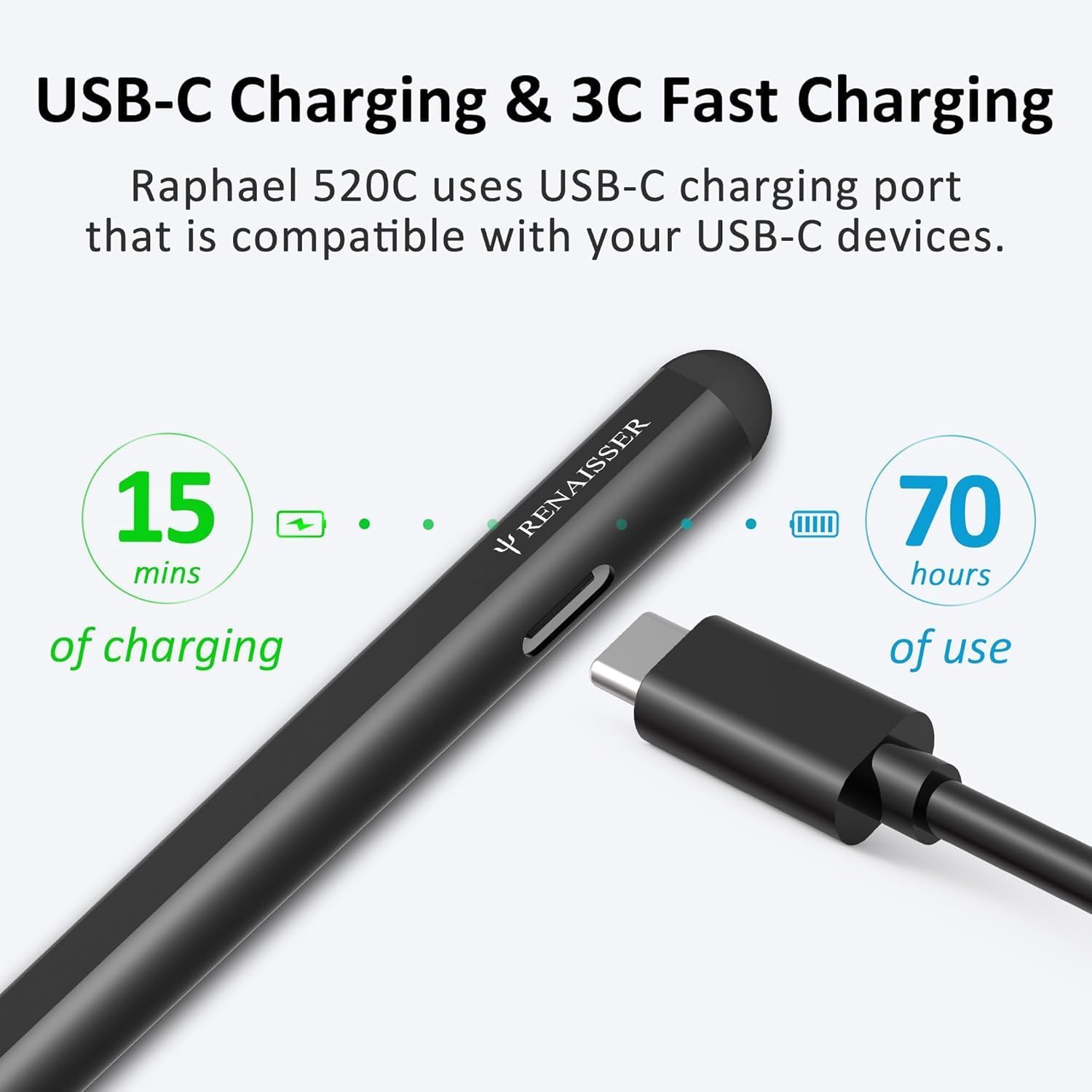
Before first use, it is recommended to fully charge your Raphael 520C stylus. The stylus features a USB-C charging port for quick and efficient power delivery.
- Connect the USB-C cable to the charging port on the side of the stylus.
- Connect the other end of the cable to a compatible USB-C power adapter or port.
- A 20-minute charge provides approximately 50 hours of use. A full 1-hour charge can last for over 100 hours.

The design ensures the charging port remains accessible even when magnetically attached to your Surface device.

4.2 Párování a připojení
The Raphael 520C stylus does not require Bluetooth pairing. Simply turn on the pen, and it will automatically connect to compatible devices within range.
- Press the power button on the stylus to turn it on.
- The stylus is ready for use when the indicator light is active.
5. Návod k obsluze
5.1 Základní použití
Use the Raphael 520C stylus just like a traditional pen on your compatible touchscreen device. The pen's tip interacts directly with the screen for precise input.
5.2 Pressure and Tilt Sensitivity
The stylus supports 4096 levels of pressure sensitivity, allowing for varying line thickness and opacity based on how hard you press. Tilt sensitivity enables shading effects by tilting the stylus, similar to using a pencil. Compatibility with tilt sensitivity may vary depending on the application and specific pen brushes used.
5.3 Odmítnutí dlaně
With palm rejection, you can comfortably rest your hand on the screen while writing or drawing without causing unintended marks or interference.
5.4 Funkce tlačítek
The Raphael 520C features two functional buttons:
- Tlačítko pravého tlačítka myši: Typically located near the tip, this button functions as a right-click, opening context menus or performing specific actions within applications.
- Tlačítko Vymazat: Located above the right-click button, this button activates the erase function in drawing or note-taking applications.
5.5 Magnetické uchycení
The Raphael 520C is equipped with built-in magnets, allowing it to securely attach to the left side of compatible Surface Pro, Go, and Book devices. This provides convenient storage and prevents loss.

6. Kompatibilita
The RENAISSER Raphael 520C Stylus Pen is compatible with a wide range of Microsoft Surface devices and other select touchscreen computers. Please refer to the list below for confirmed compatibility:
- Surface Pro 11/10/9/8/7+/7/6/5/4
- Surface Duo/Duo 2
- Surface Pro X
- Surface Go/Go 2/Go 3
- Surface Book/Book 2/Book 3
- Surface Studio 1st Gen, Surface Studio 2, Surface Studio 2+
- Surface Laptop 1/Laptop 2/Laptop 3/Laptop 4/Laptop 5/Laptop 6
- Surface Laptop Studio
- Kobo Libra Colour, Kobo Sage, Kobo Elipsa, Kobo Elipsa 2E
Poznámka: The Raphael 520C is ne compatible with Surface Laptop Go, Surface Laptop Go 2, or other touchscreen computers not explicitly listed above.
7. Údržba
7.1 Osvědčené postupy pro nabíjení
- Charge the stylus using a standard USB-C cable and a compatible power source.
- Avoid overcharging by disconnecting the stylus once fully charged.
- If the stylus will not be used for an extended period, charge it periodically to maintain battery health. The smart power management feature will automatically turn off the pen after 10 minutes of non-use to conserve battery.
7.2 Výměna hrotů pera
The Raphael 520C comes with original quality HB-type and 2H-type pen tips, providing different writing sensations. Over time, pen tips may wear down and require replacement. To replace a tip:
- Gently pull the old tip straight out from the stylus.
- Insert a new tip firmly into the stylus until it clicks into place.
7.3 Čištění
To clean your stylus, wipe it gently with a soft, dry, lint-free cloth. Do not use abrasive cleaners or immerse the stylus in liquid.
8. Řešení problémů
| Problém | Možná příčina | Řešení |
|---|---|---|
| Stylus not responding or inconsistent writing. | Low battery; Incompatibility with device/application; Software glitch. | Charge the stylus fully. Verify your device is listed in the compatibility section. Restart your device and the application. Ensure the pen tip is securely inserted. |
| Tlačítka nefungují. | Application specific settings; Software glitch. | Check application settings for stylus button customization. Restart the application or device. |
| Magnetic attachment not working. | Incorrect attachment side; Non-compatible device. | Ensure you are attaching to the left side of compatible Surface devices. Confirm your device model is compatible with magnetic attachment. |
| Pen turns off automatically too quickly. | Smart power management feature. | This is normal behavior; the pen turns off after 10 minutes of non-use to save battery. Press the power button to reactivate. |
9. Specifikace
| Funkce | Detail |
|---|---|
| Číslo modelu | Raphael 520C |
| Rozměry (D x Š x V) | 5.88 x 0.36 x 0.34 palce (149.35 x 9.14 x 8.64 mm) |
| Hmotnost položky | 0.494 unce (14 gramů) |
| Materiál | Hliník |
| Citlivost na tlak | 4096 úrovní |
| Citlivost naklonění | Podporováno |
| Nabíjecí port | USB-C |
| Doba nabíjení | Přibližně 1 hodina pro plné nabití |
| Životnost baterie | Up to 100+ hours on a full charge (50 hours for 20 min charge) |
| Typ baterie | Lithium-iontový polymer |
| Funkce automatického vypnutí | Po 10 minutách nepoužívání |
10. Záruka a podpora
RENAISSER products are manufactured to high quality standards. For information regarding warranty coverage, technical support, or service inquiries, please refer to the warranty card included with your product or visit the official RENAISSER webmísto. Uschovejte si doklad o koupi pro případ záručních reklamací.
For further assistance, you may contact RENAISSER customer support through their official channels.
Ask a question about this manual
Ask about setup, troubleshooting, compatibility, parts, safety, or missing instructions. Manuals+ will review the question and use this page’s manual context to help answer it.