
1. Úvod
Děkuji za nákupasing the EARISE D61 Plus Bluetooth Speaker. This manual provides important information regarding the safe operation, setup, and maintenance of your device. Please read it thoroughly before use and retain it for future reference.

Image 1.1: The EARISE D61 Plus Bluetooth Speaker, showcasing its portable design and integrated RGB lighting.
2. Důležité bezpečnostní informace
- Nevystavujte reproduktor vodě ani nadměrné vlhkosti, protože není vodotěsný.
- Vyhněte se extrémním teplotám, přímému slunečnímu záření nebo zdrojům tepla.
- Do not disassemble, repair, or modify the device. Refer all servicing to qualified personnel.
- Používejte pouze určený nabíjecí kabel a napájecí adaptér.
- Udržujte reproduktor mimo dosah dětí a domácích zvířat.
- Nepoužívejte reproduktor na příliš vysokou hlasitost po delší dobu, abyste předešli poškození sluchu.
3. Obsah balení
Zkontrolujte prosím balení, zda neobsahuje následující položky:
- EARISE D61 Plus Bluetooth Speaker
- USB nabíjecí kabel
- Uživatelská příručka (tento dokument)
Pokud některé položky chybí nebo jsou poškozené, kontaktujte prosím zákaznickou podporu.
4. Konec produktuview
Seznamte se s komponenty a ovládacími prvky reproduktoru.
Obrázek 4.1: Přední strana view of the EARISE D61 Plus speaker, highlighting the control panel and speaker grille.
4.1 Ovládací panel a porty

Image 4.2: Diagram illustrating the various input options and features of the speaker, including USB, TF card, AUX, Microphone, Bluetooth, and FM radio.
- MODE/LIGHT Button: Short press to switch between input modes (Bluetooth, AUX, USB, TF, FM). Long press to change light effects.
- M-/V- Button: Short press for previous track (in music modes) or previous station (in FM mode). Long press to decrease volume.
- MSCAN/TWS Button: Short press to Play/Pause (in music modes) or auto-scan FM stations (in FM mode). Long press to activate TWS pairing.
- M+/V+ Button: Short press for next track (in music modes) or next station (in FM mode). Long press to increase volume.
- USB port: Pro přehrávání z USB flash disku.
- Slot na kartu TF: Pro přehrávání z karet TF (MicroSD).
- Vstup AUX: Pro připojení externích audio zařízení pomocí 3.5mm audio kabelu.
- Vstup MIC: Pro připojení mikrofonu.
- Nabíjecí port: Pro nabíjení interní baterie reproduktoru.
5. Nastavení
5.1 Nabíjení reproduktoru
Before first use, fully charge the speaker. Connect the provided USB charging cable to the speaker's charging port and the other end to a USB power adapter (not included) or a computer's USB port. The charging indicator will illuminate during charging and turn off when fully charged.

Image 5.1: Visual representation of the speaker being charged, indicating battery status.
5.2 Zapnutí/vypnutí
Press and hold the Power button (often integrated with the MODE button or a separate switch, refer to physical device for exact location) to turn the speaker ON or OFF. A sound prompt will indicate the power status.
5.3 Párování Bluetooth
- Ensure the speaker is powered on and in Bluetooth mode (indicated by a voice prompt or flashing LED). If not, short press the MODE/LIGHT button to switch to Bluetooth mode.
- Povolte Bluetooth na svém mobilním zařízení (chytrém telefonu, tabletu atd.).
- Hledat available Bluetooth devices. You should see "EARISE D61 Plus" in the list.
- Select "EARISE D61 Plus" to connect. Once paired, a confirmation sound will be heard.
- The speaker will automatically reconnect to the last paired device when in Bluetooth mode, if the device is within range and Bluetooth is enabled.
5.4 Párování TWS (True Wireless Stereo)
To achieve stereo sound, you can pair two EARISE D61 Plus speakers together.

Image 5.2: Illustration of two EARISE D61 Plus speakers connected via TWS for a stereo audio experience, controlled by a single smartphone.
- Ensure both EARISE D61 Plus speakers are powered on and in Bluetooth mode, but not yet connected to any device.
- On one of the speakers (this will be the primary speaker), long press the MSCAN/TWS button. You will hear a prompt indicating TWS pairing mode.
- Dva reproduktory se automaticky vyhledají a propojí. Úspěšné spárování TWS bude signalizováno potvrzovacím zvukem.
- Once paired, the primary speaker will be ready for Bluetooth connection to your mobile device. Follow the steps in "5.3 Bluetooth Pairing" to connect your device to the primary speaker.
- Zvuk se nyní bude přehrávat stereo přes oba reproduktory.
- To disconnect TWS, long press the MSCAN/TWS button on either speaker.
6. Návod k obsluze
6.1 Výběr režimu
Krátce stiskněte REŽIM/SVĚTLO button to cycle through available input modes: Bluetooth, AUX, USB, TF Card, FM Radio.
6.2 Audio Playback (Bluetooth, USB, TF Card, AUX)
- Přehrát/pozastavit: Krátce stiskněte MSCAN/TWS tlačítko.
- Další skladba: Krátce stiskněte M+/V+ tlačítko.
- Předchozí skladba: Krátce stiskněte M-/V- tlačítko.
- Zvýšit hlasitost: Dlouze stiskněte M+/V+ tlačítko.
- Snížit hlasitost: Dlouze stiskněte M-/V- tlačítko.
6.3 Provoz FM rádia
- Přepněte do režimu FM pomocí REŽIM/SVĚTLO tlačítko.
- Krátce stiskněte MSCAN/TWS button to automatically scan and save available FM stations. The speaker will play the first saved station.
- Krátký stisk M+/V+ or M-/V- pro navigaci mezi uloženými stanicemi.
6.4 Světelné efekty RGB
The speaker features dynamic RGB lighting. Long press the REŽIM/SVĚTLO button to cycle through different light modes or turn the lights off.
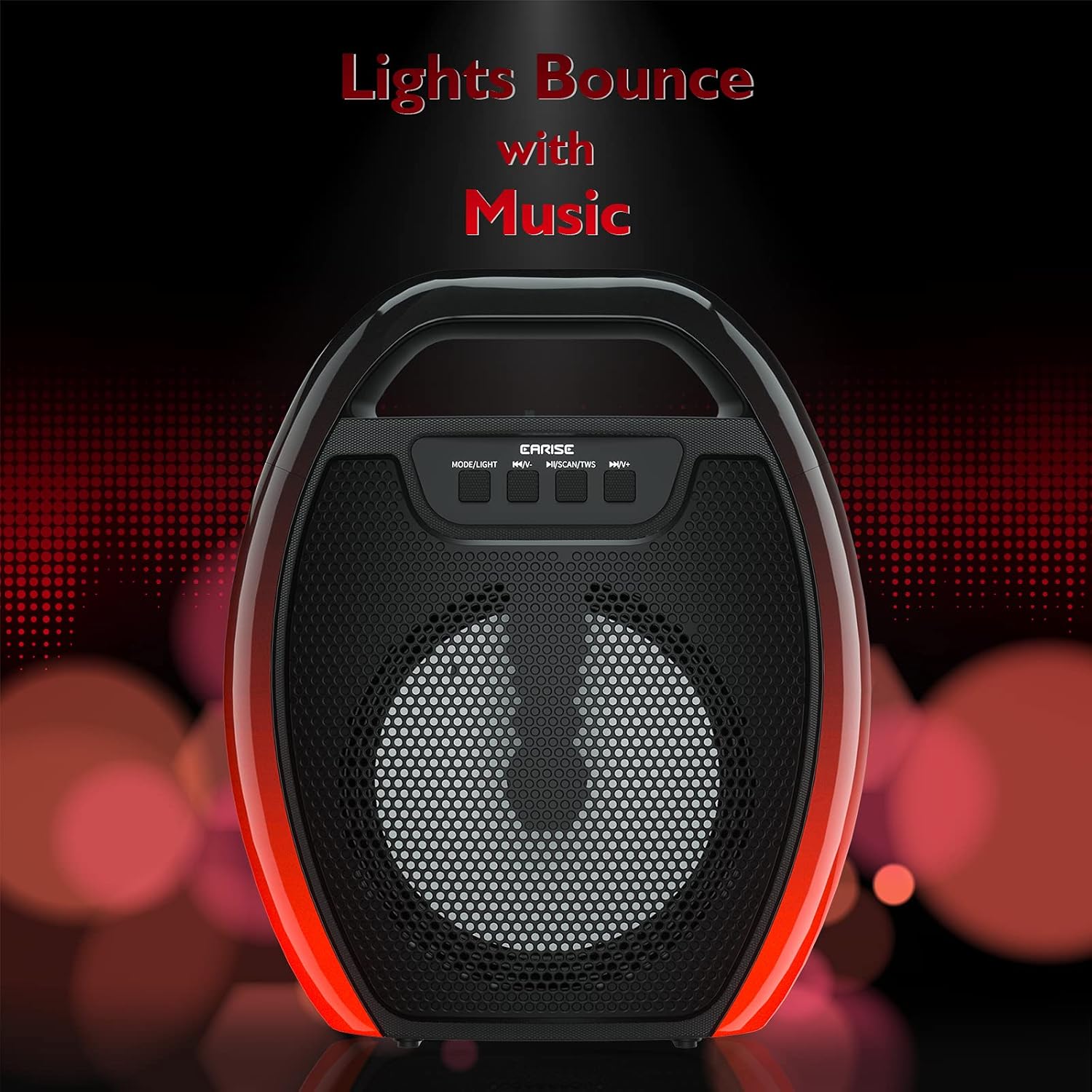
Image 6.1: The speaker displaying its light effects, which can synchronize with music playback.
6.5 Vstup pro mikrofon
Connect a wired microphone (not included) to the MIC input port for karaoke or public address functions. Adjust the microphone volume using the connected microphone's controls or the speaker's main volume controls.
7. Údržba
- Čištění: Use a soft, dry cloth to clean the speaker. Do not use liquid cleaners or aerosols.
- Skladování: Reproduktor skladujte na chladném a suchém místě mimo dosah přímého slunečního záření a extrémních teplot.
- Péče o baterie: To prolong battery life, fully charge the speaker before long periods of inactivity and recharge it at least once every three months. Avoid completely draining the battery frequently.
8. Řešení problémů
| Problém | Možná příčina | Řešení |
|---|---|---|
| Reproduktor se nezapne. | Slabá baterie; Tlačítko napájení nebylo správně stisknuto. | Nabijte reproduktor; Stiskněte a několik sekund podržte tlačítko napájení. |
| Nelze spárovat přes Bluetooth. | Reproduktor není v režimu párování; Bluetooth zařízení je vypnutý; Reproduktor je příliš daleko od zařízení; Již je připojen k jinému zařízení. | Ensure speaker is in Bluetooth pairing mode; Turn on Bluetooth on your device; Move device closer to speaker; Disconnect from other devices. |
| Žádný zvuk. | Příliš nízká hlasitost; Nesprávný vstupní režim; Zařízení nepřehrává zvuk. | Increase speaker and device volume; Switch to correct input mode (Bluetooth, AUX, etc.); Ensure audio is playing on your device. |
| Párování TWS selhalo. | Speakers too far apart; One speaker already paired to a device; Not in TWS pairing mode. | Ensure speakers are close; Disconnect both speakers from any devices; Long press MSCAN/TWS on one speaker to initiate TWS pairing. |
| RGB světla nefungují. | Světla zhasnutá; Porucha. | Long press MODE/LIGHT button to cycle through light modes; If issue persists, contact support. |
9. Specifikace
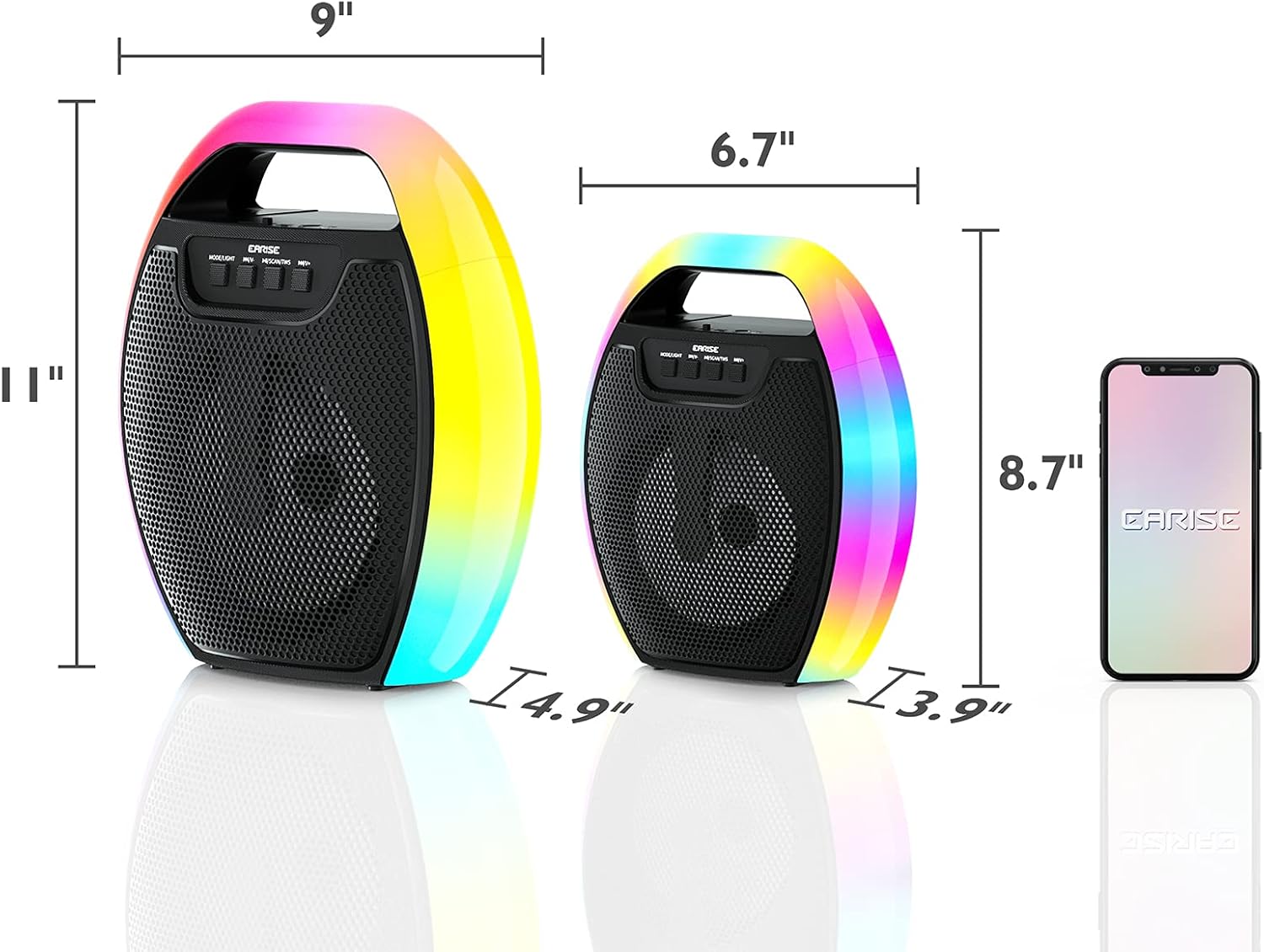
Image 9.1: Product dimensions of the EARISE D61 Plus speaker.
| Funkce | Detail |
|---|---|
| Název modelu | D61 Plus |
| Značka | EARISE |
| Technologie připojení | Bluetooth, Auxiliary (3.5mm), USB, TF Card, FM Radio |
| Režim zvukového výstupu | Stereo (s TWS) |
| Typ reproduktoru | Přenosný venkovní reproduktor |
| Velikost reproduktoru | 4 palce |
| Zdroj napájení | Napájení z baterie |
| Životnost baterie | Up to 12 Hours (actual playtime varies with volume and light usage) |
| Vodotěsný | Žádný |
| Rozměry produktu | 9 x 5 x 11 palce (D x Š x V) |
| Hmotnost položky | 2.28 libry |
| Speciální funkce | RGB Lights, TWS Pairing, Portable |
10. Záruka a podpora
EARISE products are designed and manufactured to the highest quality standards. For information regarding warranty coverage, technical support, or service inquiries, please refer to the warranty card included with your purchase or visit the official EARISE webmísto.
Uschovejte si prosím doklad o koupi pro uplatnění záruky.