
1. Úvod
Thank you for choosing the i-box MiniGlow Alarm Clock Radio. This device combines a large LED display with dimmable brightness, dual alarms, a night light function, a USB charging port, FM radio, and a modern textile finish. Its compact design makes it ideal for bedside tables. This manual provides detailed instructions for setup, operation, and maintenance to ensure optimal performance and longevity of your device.
Před použitím si pečlivě přečtěte tento návod a uschovejte jej pro budoucí použití.
2. Obsah balení
- i-box MiniGlow Alarm Clock Radio
- Napájecí adaptér
- Knoflíková baterie CR2025 (předinstalovaná pro záložní napájení)
- Uživatelská příručka
3. Zařízení skončiloview
Familiarize yourself with the main components and controls of your i-box MiniGlow.

Obraz: Přední view of the i-box MiniGlow Alarm Clock Radio, showing the large LED display and top controls. This image provides a general overview vzhledu produktu.
Ovládací prvky a porty:
- LED displej: Zobrazuje čas, stav budíku a rádiovou frekvenci.
- Horní tlačítka: For setting time, alarms, radio, night light, and sound modes.
- Knoflík hlasitosti/ladění: Adjusts volume and tunes FM radio frequencies.
- USB nabíjecí port: Located on the side/back for charging external devices.
- Příkon: Pro připojení napájecího adaptéru.
4. Nastavení
4.1 Připojení napájení
- Connect the provided power adapter to the DC input port on the back of the i-box MiniGlow.
- Zapojte adaptér do standardní zásuvky. Displej se rozsvítí.
4.2 Záložní baterie
The device includes a pre-installed CR2025 button cell battery to maintain time and alarm settings during a power outage. No action is required for initial setup regarding this battery.
4.3 Nastavení času
- Stiskněte a podržte Nastavení času button (usually marked with a clock icon) until the hour digits flash.
- Použijte +/- buttons or the tuning knob to adjust the hour.
- Stiskněte tlačítko Nastavení času button again to confirm the hour, and the minute digits will flash.
- Použijte +/- buttons or the tuning knob to adjust the minutes.
- Stiskněte tlačítko Nastavení času button one last time to save the time.
5. Návod k obsluze
5.1 Setting Alarms (Dual Alarm Feature)
The i-box MiniGlow supports two independent alarms.
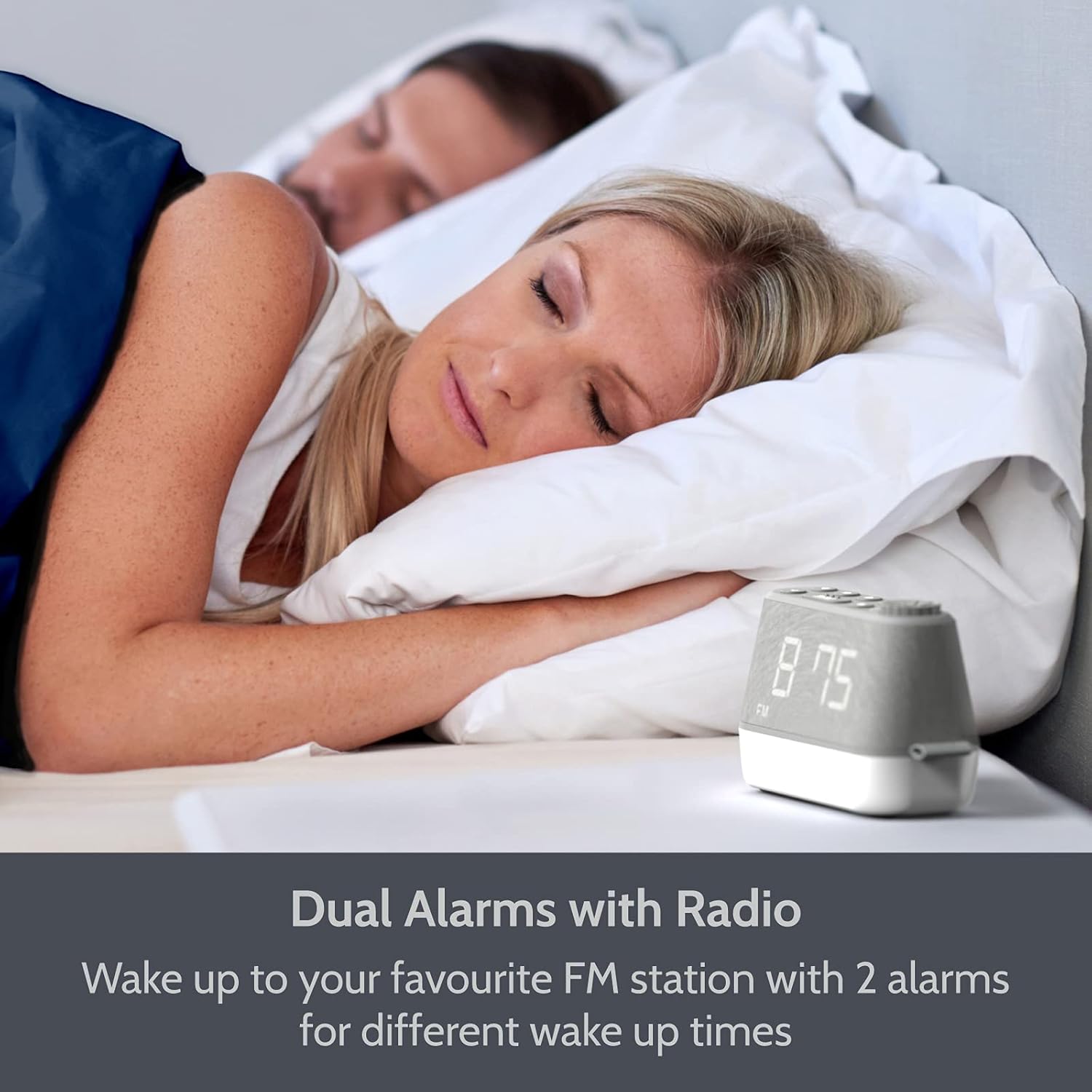
Obraz: The i-box MiniGlow on a bedside table, illustrating its dual alarm capability for different wake-up times. This image highlights the convenience of setting two separate alarms.
- Stiskněte a podržte Poplach 1 or Poplach 2 tlačítko , dokud nezačne blikat čas budíku.
- Použijte +/- buttons or the tuning knob to set the desired hour. Press the alarm button again to confirm.
- Použijte +/- buttons or the tuning knob to set the desired minutes. Press the alarm button again to confirm.
- Select the alarm source (Buzzer, FM Radio, or White Noise/Nature Sound) using the +/- buttons. Press the alarm button again to confirm.
- To activate/deactivate an alarm, short press the corresponding Poplach 1 or Poplach 2 tlačítko. Na displeji se zobrazí/zmizí ikona alarmu.
5.2 Provoz FM rádia
Enjoy your favorite FM radio stations with up to 10 presets.

Obraz: The i-box MiniGlow displaying an FM radio frequency, indicating its radio functionality. This image shows the device in a typical bedroom setting.
- Stiskněte tlačítko FM tlačítko pro zapnutí rádia.
- Automatické skenování: Stiskněte a podržte FM tlačítko pro automatické prohledávání a ukládání dostupných stanic.
- Ruční ladění: Use the tuning knob to manually adjust the frequency.
- Ukládání předvoleb: Během poslechu stanice stiskněte a podržte Přednastaveno button (e.g., P1-P10) until the preset number flashes. Use the +/- vyberte číslo předvolby a poté stiskněte tlačítko Přednastaveno znovu tlačítko pro uložení.
- Vyvolání předvoleb: Krátce stiskněte Přednastaveno tlačítko pro procházení uložených stanic.
- Časovač vypnutí: Během přehrávání rádia stiskněte tlačítko Spát button repeatedly to set a sleep timer (e.g., 15, 30, 60, 90 minutes). The radio will turn off automatically after the set time.
5.3 Night Light and RGB Mood Lighting
The integrated night light offers adjustable brightness and multiple color options.

Obraz: Multiple i-box MiniGlow units displaying different RGB mood lighting colors. This image demonstrates the range of color options available for the night light.
- Stiskněte tlačítko Světlo tlačítko pro zapnutí nočního světla.
- Stiskněte tlačítko Světlo button repeatedly to cycle through 6 different RGB colors or a continuous color cycle.
- To select a static color during the color cycle, press the Světlo button when the desired color is displayed.
- Chcete-li upravit jas nočního světla, použijte Stmívač button (if available) or refer to the specific light control buttons.
- To turn off the night light, continue pressing the Světlo tlačítko, dokud se nevypne.
5.4 White Noise and Natural Sounds
Choose from 6 relaxing white noise and natural sound tracks to aid sleep.

Obraz: The i-box MiniGlow on a bedside table with a purple night light, suggesting its white noise and natural sounds feature for peaceful sleep. This image shows the device in a nighttime setting.
- Stiskněte tlačítko Zvuk button (often marked with a musical note or wave icon) to activate the white noise/natural sound mode.
- Stiskněte tlačítko Zvuk button repeatedly to cycle through the 6 available sound tracks.
- Upravte hlasitost pomocí Objem knoflík.
- To turn off the sound, press the Zvuk button until it stops, or use the Moc tlačítko.
5.5 USB nabíjecí port
Charge your smartphone or smartwatch conveniently.

Obraz: The i-box MiniGlow on a bedside table with a smartphone connected to its built-in USB charging port. This image demonstrates the convenience of charging devices directly from the alarm clock.
Connect your device's USB charging cable to the USB output port on the i-box MiniGlow. The device will begin charging automatically. Ensure your i-box MiniGlow is connected to a power source for this function to work.
5.6 Stmívač displeje
Adjust the brightness of the LED time display for comfortable viewza jakýchkoli světelných podmínek.
- Stiskněte tlačítko Stmívač button (often marked with a sun icon) repeatedly to cycle through different brightness levels (e.g., High, Medium, Low, Off).
- Select the desired brightness level.
6. Údržba
6.1 Čištění
- Před čištěním zařízení vždy odpojte ze zásuvky.
- K otření vnějších povrchů použijte měkký, suchý hadřík.
- Nepoužívejte tekuté čisticí prostředky, abrazivní čisticí prostředky ani spreje, protože by mohly poškodit povrchovou úpravu nebo vnitřní součásti.
6.2 Battery Replacement (Backup Battery)
The CR2025 backup battery typically lasts for several years. If you notice that time and alarm settings are lost after a power outagnapř. může být nutné vyměnit záložní baterii.
- Unplug the device from the main power supply.
- Vyhledejte přihrádku na baterie na spodní straně jednotky.
- Open the compartment and carefully remove the old CR2025 battery.
- Vložte novou baterii CR2025 se správnou polaritou (+ stranou nahoru).
- Close the battery compartment and reconnect the device to power.
7. Řešení problémů
| Problém | Možná příčina | Řešení |
|---|---|---|
| Zařízení se nezapne. | Napájecí adaptér není připojen nebo je vadný. | Ensure the power adapter is securely connected to the device and a working wall outlet. Try a different outlet. |
| Alarm se nespustí. | Budík není aktivován nebo je hlasitost příliš nízká. | Check if the alarm icon is displayed. Increase alarm volume. Verify alarm time is set correctly. |
| Špatný příjem FM rádia. | Slabý signál nebo není vysunutá anténa. | Extend the FM antenna fully. Reposition the device for better reception. Perform an auto-scan again. |
| Nabíjení přes USB nefunguje. | Device not powered or cable faulty. | Ensure the i-box MiniGlow is connected to main power. Try a different USB cable or device. |
| Ztráta času/nastavení po výpadku napájenítage. | Záložní baterie je vybitá. | Replace the CR2025 backup battery as described in Section 6.2. |
8. Specifikace
| Funkce | Detail |
|---|---|
| Značka | i-box |
| Číslo modelu | 79287PI/18 |
| Barva | Šedá |
| Typ zobrazení | Digitální LED |
| Speciální funkce | Dual Alarm, Large Dimmable Display, FM Radio, Night Light, White Noise/Nature Sounds, USB Charging Port |
| Zdroj napájení | Elektrický kabel |
| Záložní baterie | 1 x CR2025 (součástí balení) |
| Typ montáže | Stolní deska |
| Materiál rámu | Akrylonitrilbutadienstyren (ABS) |
| Výrobce | Philex Electronic Ltd. |
9. Záruka a podpora
The i-box MiniGlow Alarm Clock Radio comes with a 12-month limited warranty. Please retain your proof of purchase for warranty claims.
For technical support, troubleshooting assistance, or warranty inquiries, please refer to the contact information provided in your product packaging or visit the official i-box webmísto.
Online zdroje: Pro další podporu a časté dotazy navštivte prosím i-box Brand Store.