
1. Úvod
This manual provides comprehensive instructions for the assembly, operation, and maintenance of your FLEXISPOT EN2 Electric Height Adjustable Standing Desk. Please read this manual thoroughly before assembly and use to ensure safe and efficient operation.
The FLEXISPOT EN2 desk features a spacious one-piece desktop, an electric height adjustment system with memory presets, and a removable clamp power strip for convenient device charging and cable management. It is designed to support a dynamic work environment, allowing seamless transitions between sitting and standing positions.
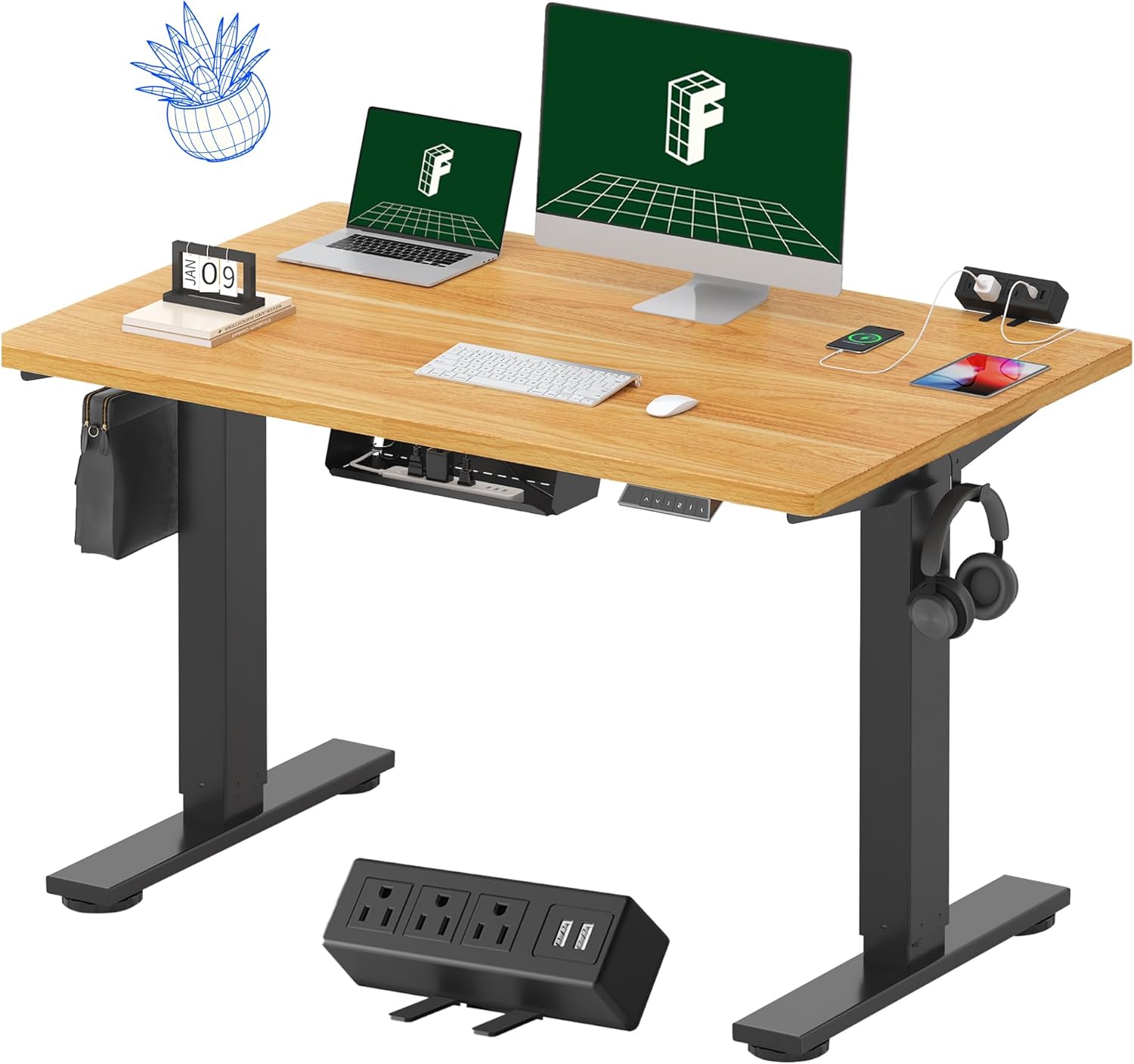
Image 1.1: FLEXISPOT EN2 Standing Desk with Maple Top and Black Frame, showcasing a typical setup with monitors, a laptop, and a clamp napájecí proužek.
2. Bezpečnostní informace
VAROVÁNÍ: Nedodržení těchto bezpečnostních pokynů může vést ke zranění nebo poškození produktu.
- Vždy pečlivě dodržujte montážní návod.
- An electric drill (not included) may be required for assembly.
- Ujistěte se, že je stůl řádně ukotvený, aby se nepřevrátil.
- Nepřekračujte doporučenou maximální hmotnost 80 kg (176 liber).
- Keep the work surface clear of items that could fall and cause injury during height adjustments.
- Always unplug the desk before performing any maintenance or making adjustments to the frame or electrical components.
- Během provozu držte děti a domácí zvířata v dostatečné vzdálenosti od stolu.
3. Obsah balení
Your FLEXISPOT EN2 Standing Desk will arrive in two separate packages, which may be shipped separately. Please ensure you have received both packages and all components before beginning assembly.

Image 3.1: Illustration showing the desk components arriving in two separate packages: one for the desktop and one for the desk frame.
Zahrnuté komponenty:
- One-piece desktop (48" x 30" Maple Top)
- Electric height-adjustable frame (Black)
- 6-button digital controller with 4 memory presets
- Removable clamp power strip (3 AC outlets, 2 USB charging ports)
- Cable management device
- Assembly hardware and tools (excluding electric drill)
4. Nastavení a montáž
Assembly typically requires two people and an electric drill (not included). Follow the detailed instructions provided in the separate assembly guide included with your product. The process involves attaching the legs to the desktop and connecting the control panel and motor.
Montážní tipy:
- Všechny součásti rozložte na měkký, čistý povrch, abyste zabránili poškrábání.
- Ujistěte se, že všechny šrouby jsou bezpečně utažené, ale nepřetahujte je.
- Properly route all cables using the provided cable management solutions to avoid interference with desk movement.
Video 4.1: Official FLEXISPOT Standing Desk Frame Installation Guide. This video demonstrates the step-by-step process of assembling the desk frame and attaching it to the desktop.
5. Návod k obsluze
5.1 Digitální ovládací panel
The desk is operated using a 6-button digital controller, typically mounted on the underside of the desktop. It features up/down arrows, an LED display for height, and four programmable memory presets.

Image 5.1: Digital control panel with LED display showing current height, up/down arrows, and four numbered memory preset buttons.
5.2 Nastavení výšky
- Stiskněte a podržte Šipka nahoru (^) tlačítko pro zvednutí stolu.
- Stiskněte a podržte Šipka dolů (v) tlačítko pro spuštění stolu.
- The desk adjusts smoothly from 28.1 inches (71.4 cm) to 45.7 inches (116.1 cm).
- The motor operates quietly at less than 50 dB.
5.3 Nastavení předvoleb paměti
The controller allows you to save up to four preferred height settings for quick adjustments.
- Nastavte stůl do požadované výšky pomocí šipek nahoru/dolů.
- Stiskněte tlačítko Paměť (M) button. The LED display will flash.
- Do 3 sekund stiskněte jedno z očíslovaných tlačítek předvoleb (1, 2, 3 nebo 4) pro uložení aktuální výšky do dané předvolby.
- Chcete-li vyvolat uloženou výšku, jednoduše stiskněte odpovídající očíslované tlačítko předvolby. Stůl se automaticky přesune do uložené polohy.
Video 5.2: FlexiSpot Brand Store video demonstrating the desk's height adjustment and memory preset functions.
6. Vlastnosti
6.1 One-Piece Desktop
The desk features a spacious, single-piece desktop made of FSC-Certified wood. This design provides a smooth, seamless work surface, enhancing stability and aesthetics compared to multi-piece desktops.

Image 6.1: Visual comparison highlighting the smooth surface of a single-piece desktop against the visible seams of a two-piece desktop.
6.2 Removable Clamp Power Strip
A desktop-mounted power strip is included, featuring 3 AC outlets (125V/12A) and 2 USB charging ports (5V/2A). This allows for convenient charging of electronic devices directly from your desk. The power strip can be clipped to the back or side of your desk.

Image 6.2: Close-up of the removable clamp power strip, detailing its 3 AC outlets and 2 USB-A ports, and how it attaches to the desk edge.
6.3 Správa kabelů
The desk includes a cable management device to help organize and tidy up your workspace, preventing cables from dangling and interfering with desk movement.

Image 6.3: Illustration demonstrating effective cable management with an under-desk tray, showing a tidy setup compared to unmanaged cables.
7. Údržba
- Pravidelně kontrolujte všechny šrouby a spoje, abyste se ujistili, že jsou pevné.
- Očistěte povrch pracovní plochy měkkým,amp tkanina. Vyhněte se abrazivním čisticím prostředkům, které mohou poškodit povrch.
- Udržujte motor a elektrické součásti bez prachu a vlhkosti.
- Do not place hot items directly on the desktop without protective coasters.
8. Řešení problémů
8.1 Desk Not Moving or Displaying Error Code (e.g., "r5t")
If your desk is not responding or the LED display shows an error code like "r5t", a system reset may be required.
- Odpojte stůl ze zásuvky.
- Počkejte alespoň 10–15 sekund.
- Zapojte stůl zpět do elektrické zásuvky.
- Press and hold the "Down Arrow (v)" button until the desk reaches its lowest position and then slightly rises. This indicates a successful reset.
- Pokud problém přetrvává, kontaktujte zákaznickou podporu.
8.2 Desk Wobbling at Higher Heights
While the desk is designed for stability, minor wobbling can occur at maximum heights. Ensure the adjustable feet on the leg bases are properly leveled to compensate for uneven flooring.
9. Specifikace
| Funkce | Specifikace |
|---|---|
| Značka | FLEXISPOT |
| Model | EN2 |
| Materiál pro stolní počítače | FSC-Certified Maple Wood |
| Rozměry pracovní plochy | 48 cm (Š) x 30 cm (H) |
| Tloušťka plochy | 1 palců |
| Materiál rámu | Industrial-grade Alloy Steel (Black) |
| Rozsah nastavení výšky | 28.1" až 45.7" (71.4 cm až 116.1 cm) |
| Hladina hluku motoru | < 50 dB |
| Hmotnostní kapacita | 176 lb (80 kg) |
| Ovládací panel | 6-button digital controller with 4 memory presets |
| Zásuvka napájení | 3 AC outlets (125V/12A), 2 USB charging ports (5V/2A) |
| Montáž Vyžadována | Yes (electric drill recommended) |
10. Záruka a podpora
10.1 Informace o záruce
- 5-letá záruka: Zahrnuje rámy, motory a další mechanická zařízení.
- 2-letá záruka: Zahrnuje ovladače, spínače a elektroniku.
Uschovejte si prosím doklad o koupi pro případné reklamace. Záruka se vztahuje na vady materiálu a zpracování při běžném používání.
10.2 Zákaznická podpora
For any questions, troubleshooting assistance, or warranty claims, please contact FLEXISPOT customer support through their official webwebu nebo prodejce, kde jste produkt zakoupili.