
Zavedení
The HP 125 Wired Mouse is designed for reliable and efficient computer navigation. Featuring optical tracking and a USB connection, it provides smooth and precise cursor control for various computing tasks. This manual provides instructions for setup, operation, maintenance, and troubleshooting.
Mezi klíčové vlastnosti patří:
- Dependable and responsive feedback for maximum reliability.
- USB host interface for efficient data transfer.
- Easy connectivity via USB interface.
- Optical movement detection for smooth, precise, and dependable cursor control.
Obsah balení
Ověřte, zda balení obsahuje následující položky:
- Kabelová myš HP 125
- Uživatelská dokumentace (tato příručka)
Nastavení
The HP 125 Wired Mouse is a plug-and-play device, requiring no additional software installation for basic functionality.
- Připojte kabel USB: Locate an available USB port on your computer. Insert the USB connector of the HP 125 Wired Mouse into the USB port.
- Rozpoznávání systému: Your operating system (e.g., Windows, macOS, Linux) will automatically detect and install the necessary drivers for the mouse. This process typically takes a few seconds.
- Začněte používat: Once the system recognizes the mouse, the cursor will become active, and you can begin using the mouse immediately.

Obrázek 1: Shora dolů view of the HP 125 Wired Mouse, showing the scroll wheel and HP logo. This image illustrates the general design of the mouse.
Ovládání myši
The HP 125 Wired Mouse features standard controls for intuitive navigation.
- Levé tlačítko: Používá se k výběru položek, otevírání filea provádění příkazů.
- Pravé tlačítko: Used for accessing context-sensitive menus and additional options.
- Rolovací kolečko: Používá se k procházení dokumentů a web pages vertically. The scroll wheel can also function as a middle button when pressed.
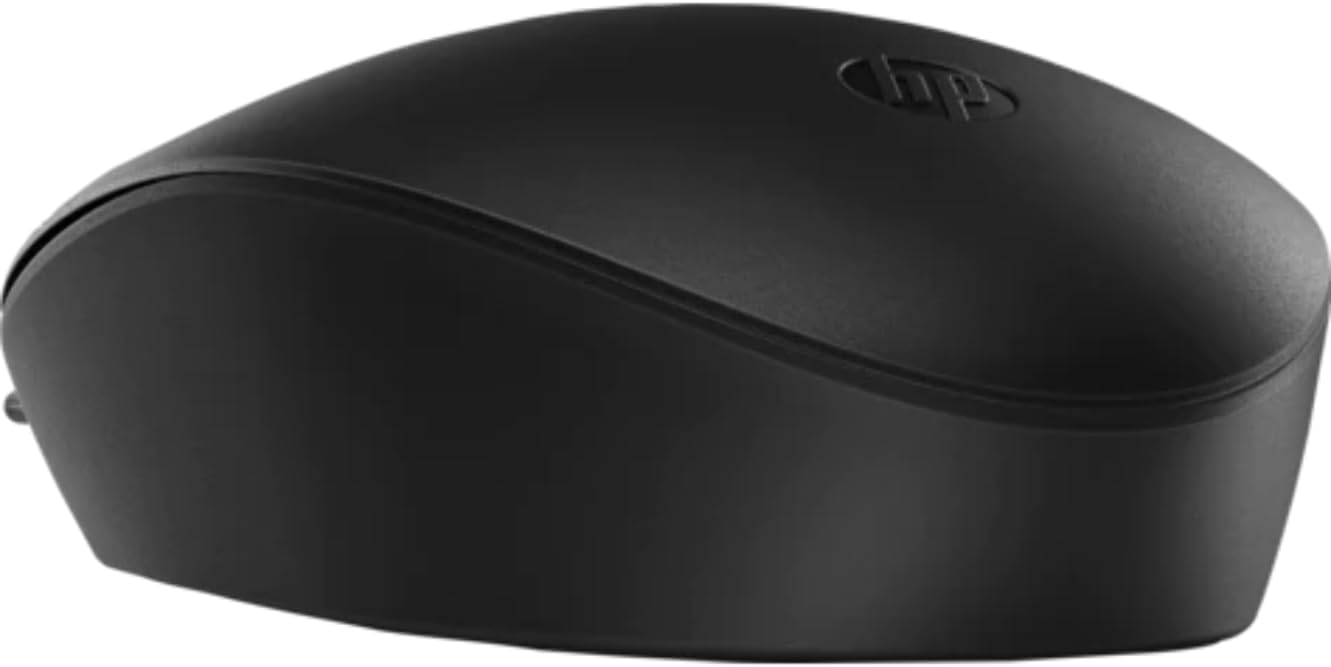
Obrázek 2: Boční strana view of the HP 125 Wired Mouse, highlighting its ergonomic contour. This image provides a perspective of the mouse's shape.
Údržba
Proper maintenance ensures the longevity and optimal performance of your HP 125 Wired Mouse.
- Čištění: Použijte měkký hadřík, který nepouští vlákna dampPovrch myši otřete vodou nebo jemným čisticím roztokem. Nepoužívejte agresivní chemikálie ani abrazivní materiály.
- Optický senzor: Periodically check the optical sensor on the underside of the mouse for dust or debris. Clean gently with a cotton swab if necessary.
- Péče o kabely: Abyste předešli vnitřnímu poškození, vyhněte se ostrému ohýbání nebo kroucení kabelu USB.
Odstraňování problémů
If you encounter issues with your HP 125 Wired Mouse, refer to the following common solutions:
| Problém | Možná příčina | Řešení |
|---|---|---|
| Myš neodpovídá | Volné USB připojení, vadný USB port, problém s ovladačem. |
|
| Pohyb kurzoru je nepravidelný nebo trhaný | Dirty optical sensor, unsuitable surface, software interference. |
|
| Tlačítka nebo rolovací kolečko nefungují | Problém se softwarem, fyzické poškození. |
|
Specifikace
The following are the technical specifications for the HP 125 Wired Mouse:
- Značka: HP
- Model: 125
- Technologie připojení: USB (kabelové)
- Technologie detekce pohybu: Optický
- DPI (body na palec): 1200 dpi
- Barva: Černý
- Hmotnost položky: 0.45 unce (přibližně 12.76 gramů)
- Rozměry produktu (DxŠxV): 2.5 x 1.4 x 0.1 palce (přibližně 6.35 x 3.56 x 0.25 cm)
- Kompatibilita operačního systému: Windows 10 (32-bit), Windows 10 x64 (and generally compatible with other modern operating systems supporting USB mice)
- Výrobce: Společnost HP Inc.
- Datum první dostupnosti: 28. května 2021
Záruka a podpora
For warranty information, technical support, or to access additional resources, please visit the official HP support website or refer to the warranty card included with your product packaging.
Více informací a podporu naleznete na Obchod HP na Amazonu.
Oficiální videa produktů
Pro tento model nebyla od prodejce poskytnuta žádná oficiální produktová videa.