
1. Úvod
Děkuji za nákupasing the Ledwood Drop 400 Wireless LED Speaker. This manual provides essential information for setting up, operating, and maintaining your speaker. Please read it carefully before use to ensure proper functionality and to maximize your listening experience.
2. Bezpečnostní informace
- Nevystavujte reproduktor vodě, vlhkosti ani extrémním teplotám.
- Vyvarujte se pádu reproduktoru nebo jej nevystavujte silným nárazům.
- Nepokoušejte se reproduktor rozebírat ani opravovat sami. Kontaktujte kvalifikovaný servisní personál.
- Uchovávejte reproduktor mimo dosah zdrojů tepla a přímého slunečního záření.
- K nabíjení používejte pouze dodaný napájecí adaptér.
- Reproduktor čistěte měkkým, suchým hadříkem. Nepoužívejte abrazivní čisticí prostředky.
3. Obsah balení
Zkontrolujte prosím, zda jsou v balení přítomny všechny položky:
- 1 x Ledwood Drop 400 Wireless LED Speaker
- 1 x napájecí adaptér
- 1 x 3.5mm AUX Input Cable
- 1 x Dálkové ovládání
- 1 x drátový mikrofon
- 1 x Uživatelská příručka (tento dokument)
4. Konec produktuview
The Ledwood Drop 400 is a powerful wireless speaker featuring dynamic LED lighting and multiple connectivity options.
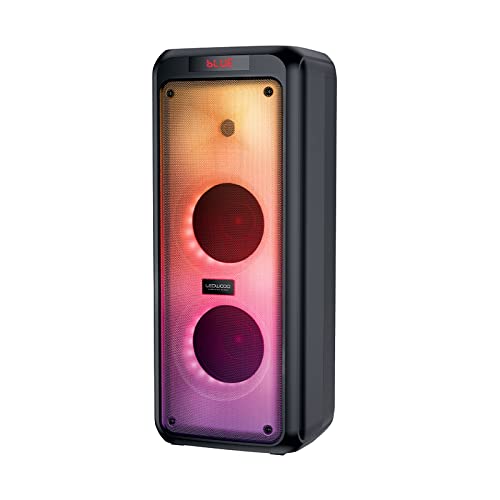
Obrázek 4.1: Přední strana view of the Ledwood Drop 400 speaker, showcasing its LED light panel.
Ovládací panel a porty

Figure 4.2: Top control panel with input ports and function buttons.
The top panel includes controls for power, volume, mode selection, playback, and inputs for USB, SD card, AUX, and two microphones. A digital display indicates the current mode or status.
5. Nastavení
5.1 Nabíjení reproduktoru
- Connect the provided power adapter to the DC IN port on the speaker.
- Připojte adaptér do standardní zásuvky.
- The charging indicator will illuminate. The speaker is fully charged when the indicator changes color or turns off (refer to the speaker's display for specific indications).
- Plné nabití poskytuje přibližně 6 hodin přehrávání.
5.2 Zapnutí/vypnutí
- To power on, press and hold the Power button on the control panel or remote control.
- Chcete-li zařízení vypnout, znovu stiskněte a podržte tlačítko napájení.
6. Návod k obsluze
6.1 Párování Bluetooth
- Power on the Ledwood Drop 400 speaker. It will automatically enter Bluetooth pairing mode, indicated by a flashing 'BLUE' on the display and an audible prompt.
- Povolte Bluetooth na svém smartphonu, tabletu nebo jiném zařízení s podporou Bluetooth.
- Hledat available devices and select "Ledwood Drop 400" from the list.
- Once connected, the speaker will provide an audible confirmation, and 'BLUE' on the display will stop flashing.
- Nyní můžete přehrávat zvuk ze zařízení přes reproduktor.
6.2 Přehrávání z USB/SD karty
- Insert a USB flash drive or an SD card (pre-loaded with MP3 audio files) into the respective port on the speaker's control panel.
- The speaker will automatically switch to USB or SD card mode and begin playing the audio files.
- Use the Play/Pause, Next Track, and Previous Track buttons on the speaker or remote control to manage playback.
6.3 Vstup AUX
- Connect one end of the supplied 3.5mm AUX cable to the AUX IN port on the speaker.
- Druhý konec připojte ke konektoru pro sluchátka nebo audio výstupu externího audio zařízení.
- Press the Mode button on the speaker or remote control until 'AUX' is displayed.
- Přehrávejte zvuk z externího zařízení. Hlasitost lze ovládat jak přes reproduktor, tak i přes externí zařízení.
6.4 FM rádio
- Press the Mode button on the speaker or remote control until 'FM' is displayed.
- Pro automatické prohledávání a ukládání dostupných FM stanic stiskněte a podržte tlačítko Přehrát/Pozastavit. Reproduktor automaticky prohledá a uloží stanice.
- Use the Next Track and Previous Track buttons to navigate through the saved stations.
6.5 Použití mikrofonu
- Connect the wired microphone (or another compatible microphone) to one of the MIC IN ports on the speaker.
- Adjust the microphone volume using the dedicated MIC VOL knob on the control panel.
- The microphone can be used in any audio mode (Bluetooth, USB, SD, AUX, FM).
6.6 LED světelných režimů
The Ledwood Drop 400 features dynamic LED lighting with 4 different modes.
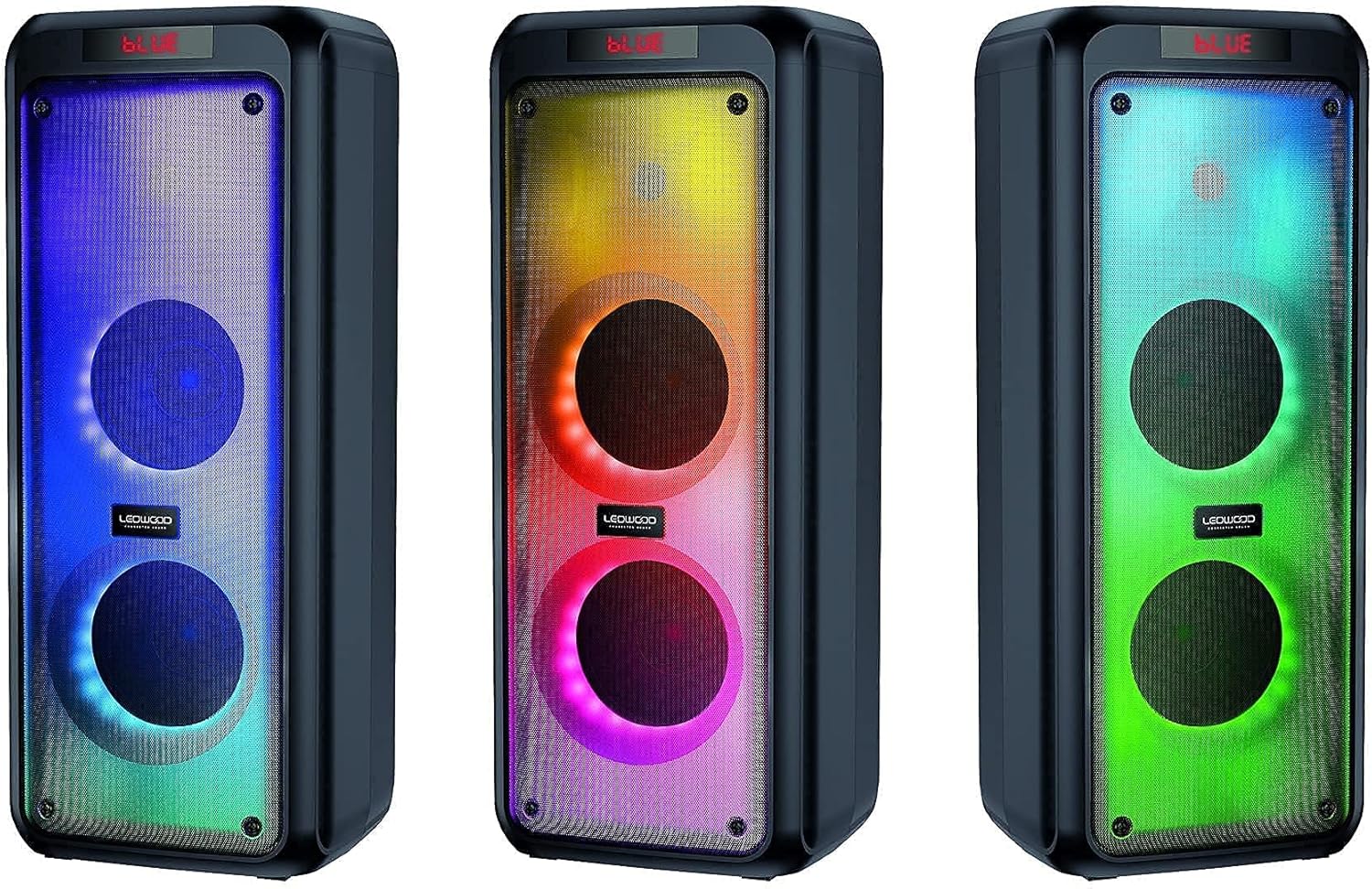
Obrázek 6.1: Přamples of the speaker's LED light modes.
- Press the LED button on the control panel or remote control to cycle through the available light modes.
- Press the LED button again to turn off the lights.
6.7 Funkce True Wireless Stereo (TWS)
The TWS function allows you to pair two Ledwood Drop 400 speakers together for a stereo sound experience.
- Ensure both Ledwood Drop 400 speakers are powered on and in Bluetooth mode, but not connected to any device.
- On one of the speakers (this will be the primary speaker), press and hold the TWS button (if available) or a designated pairing button (refer to specific button labels on your speaker).
- Primární reproduktor vyhledá sekundární reproduktor. Po připojení oba reproduktory vydají zvukové potvrzení.
- Nyní připojte zařízení Bluetooth k primárnímu reproduktoru, jak je popsáno v části 6.1. Zvuk bude přehráván stereofonně z obou reproduktorů.
7. Údržba
7.1 Čištění
- Před čištěním vždy reproduktor vypněte a odpojte ze zásuvky.
- K otření vnějších povrchů použijte měkký, suchý hadřík, který nepouští vlákna.
- Nepoužívejte tekuté čisticí prostředky, aerosoly ani rozpouštědla.
7.2 Skladování
- Reproduktor skladujte na chladném a suchém místě mimo dosah přímého slunečního záření a extrémních teplot.
- Pokud baterii skladujete delší dobu, pravidelně ji nabíjejte (např. každé 3 měsíce), aby byla zachována její životnost.
8. Řešení problémů
| Problém | Možná příčina | Řešení |
|---|---|---|
| Reproduktor se nezapne. | Baterie je vybitá. Napájecí adaptér není připojen. | Nabijte reproduktor pomocí dodaného napájecího adaptéru. Ujistěte se, že je adaptér bezpečně připojen k reproduktoru i k funkční zásuvce. |
| Z reproduktoru není slyšet žádný zvuk. | Volume too low. Incorrect mode selected. Device not connected. | Increase speaker volume and source device volume. Ensure the correct input mode (Bluetooth, AUX, USB, SD, FM) is selected. Re-pair Bluetooth device or check cable connections. |
| Zařízení Bluetooth se nemůže připojit. | Reproduktor není v režimu párování. Zařízení je příliš daleko. Rušení. | Ensure speaker is in Bluetooth pairing mode (flashing 'BLUE'). Move device closer to the speaker. Turn off other Bluetooth devices to reduce interference. Try restarting both devices. |
| Příjem FM rádia je špatný. | Weak signal. Speaker position. | Reposition the speaker to improve reception. Extend any external antenna if available. |
| Mikrofon nefunguje. | Microphone not connected properly. MIC VOL too low. | Ensure microphone is fully inserted into the MIC IN port. Increase the MIC VOL knob. |
9. Specifikace
- Značka: Ledwood
- Model: Pokles 400
- Technologie připojení: Bluetooth, USB
- Speciální vlastnosti: FM Radio, LED Light Effects
- Doporučená použití: For computer, For smartphone or tablet
- Kompatibilní zařízení: Notebook, Smartphone
- Barva: Černý
- Způsob ovládání: Dálkové ovládání
- Zdroj napájení: Elektrický kabel
- Průměrná životnost baterie: 6 hodin
- Výkon: 400 W (40 W RMS)
- Rozměry: 24 x 25 x 64 cm (přibližně)
- ASIN: B0972SSC4J
10. Záruka a podpora
For warranty information or technical support, please refer to the warranty card included with your product or contact Ledwood customer service directly. Contact details can typically be found on the official Ledwood webmístě nebo na obalu produktu.