
1. Úvod
The ThinkScan SR6 is a professional OBD2 diagnostic scanner designed for comprehensive vehicle system analysis and maintenance. It supports diagnostics for six major vehicle systems: Anti-lock Braking System (ABS), Supplemental Restraint System (SRS), Body Control Module (BCM), Tire Pressure Monitoring System (TPMS), Engine Control Module (ECM), and Transmission Control Module (TCM). Additionally, it offers five essential reset functions: Electronic Parking Brake (EPB) Reset, Tire Pressure Monitoring System (TPMS) Reset, Oil Light Reset, Steering Angle Sensor (SAS) Reset, and Throttle Body Adjustment (TBA).
This manual provides detailed instructions on how to set up, operate, and maintain your ThinkScan SR6 device to ensure accurate and efficient vehicle diagnostics.
Co je v krabici
- ThinkScan SR6 Diagnostic Tool (with integrated OBD2 cable)
- USB nabíjecí/datový kabel
- Uživatelská příručka
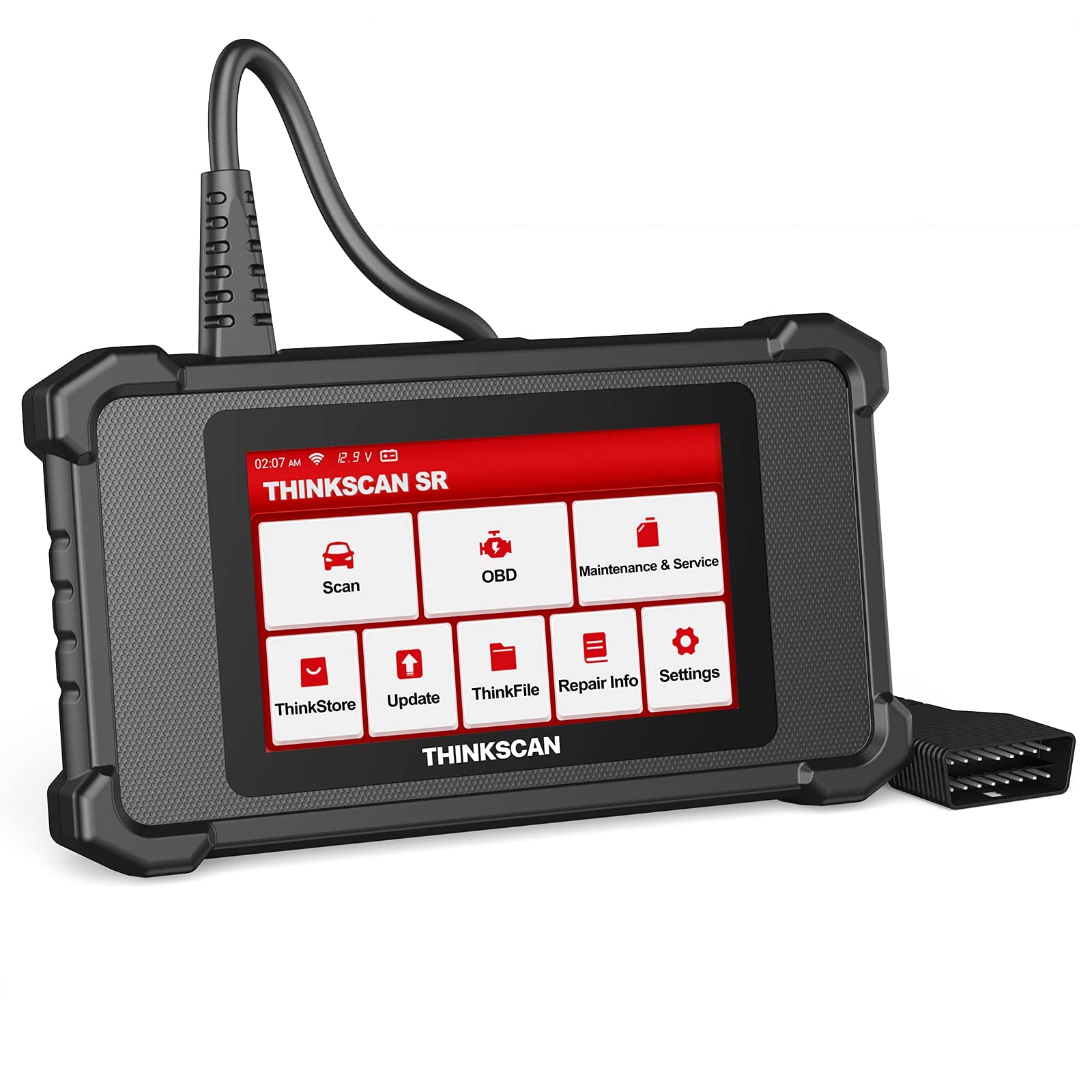
Image: ThinkScan SR6 OBD2 Scanner device and its packaging.
Video: Overview of the ThinkScan SR6 Scan Tool, demonstrating its unboxing and initial features. This video highlights the device's physical components and basic interface.
2. Nastavení
2.1 Připojení k vašemu vozidlu
- Vyhledejte 16pinový datový konektor (DLC) vozidla. Obvykle se nachází pod palubní deskou na straně řidiče.
- Ujistěte se, že je zapalování vozidla v poloze VYPNUTO.
- Plug the ThinkScan SR6's integrated OBD2 cable into the vehicle's DLC. Ensure a secure connection.
- Turn the vehicle's ignition to the ON position (engine can be off or running, depending on the diagnostic task). The device will power on automatically.
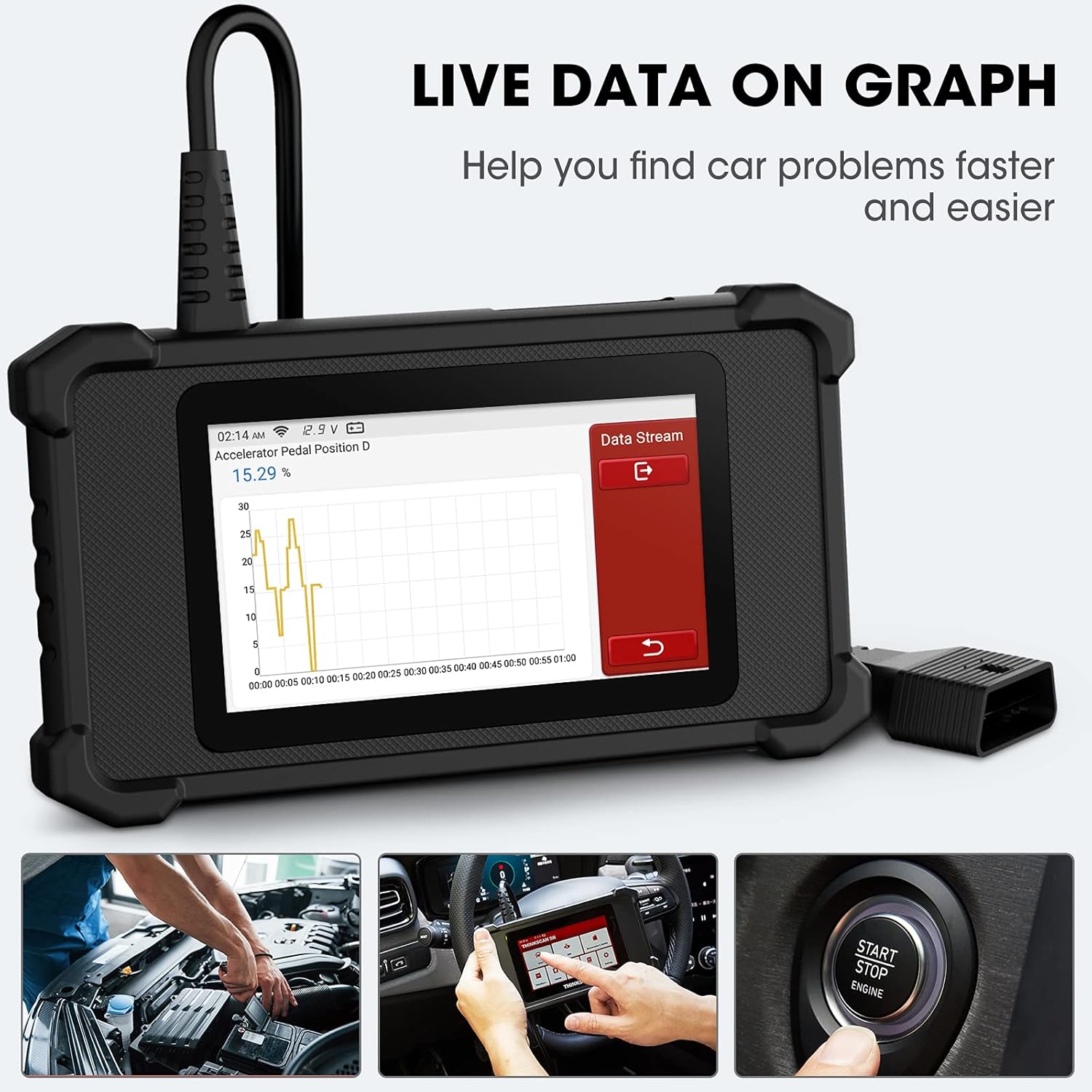
Image: The ThinkScan SR6 device connected to a vehicle's OBD2 port, ready for operation.
2.2 Počáteční konfigurace zařízení
- Upon first use, the device may prompt you to select a language. Follow the on-screen instructions.
- Connect the device to a Wi-Fi network for software updates. Navigate to Nastavení > Wi-Fi a vyberte svou síť.
- Perform a software update to ensure you have the latest vehicle coverage and diagnostic functions. Go to Aktualizovat v hlavním menu.
3. Provoz
3.1 Diagnostika systému
The ThinkScan SR6 supports comprehensive diagnostics for six key vehicle systems. From the main menu, select Skenovat začít.
- Systém ABS: Diagnoses issues related to the anti-lock braking system.
- Systém SRS: Checks the supplemental restraint system (airbags).
- BCM System: Analyzes the body control module for electrical and body-related faults.
- TPMS System: Monitors tire pressure and related sensor issues.
- ECM System: Diagnoses engine control module faults.
- TCM System: Checks the transmission control module for transmission-related problems.

Image: Visual representation of the six major vehicle systems supported for diagnostics by the ThinkScan SR6.
3.2 Plné funkce OBD2
Access standard OBD2 functions by selecting OBD from the main menu. These functions are crucial for emissions-related diagnostics and general engine health checks.
- Číst kódy: Načítá diagnostické chybové kódy (DTC) z počítače vozidla.
- Vymazat kódy: Vymaže kódy DTC a zhasne kontrolku motoru (MIL).
- Freeze Frame: Zobrazuje snímek provozních podmínek vozidla v době, kdy došlo k závadě související s emisemi.
- Živá data: Shows real-time data streams from various sensors and components.
- Připravenost I/M: Kontroluje připravenost systémů pro monitorování emisí.
- Test senzoru O2: Načte výsledky testů monitorování senzoru O2.
- Informace o vozidle: Displays vehicle identification information (VIN, CID, CVN).
- Test systému EVAP: Zahájí test systému regulace emisí způsobených odpařováním.
- Test palubního monitoru: Načítá výsledky testů palubní diagnostiky.
- Test součásti: Allows testing of specific vehicle components.
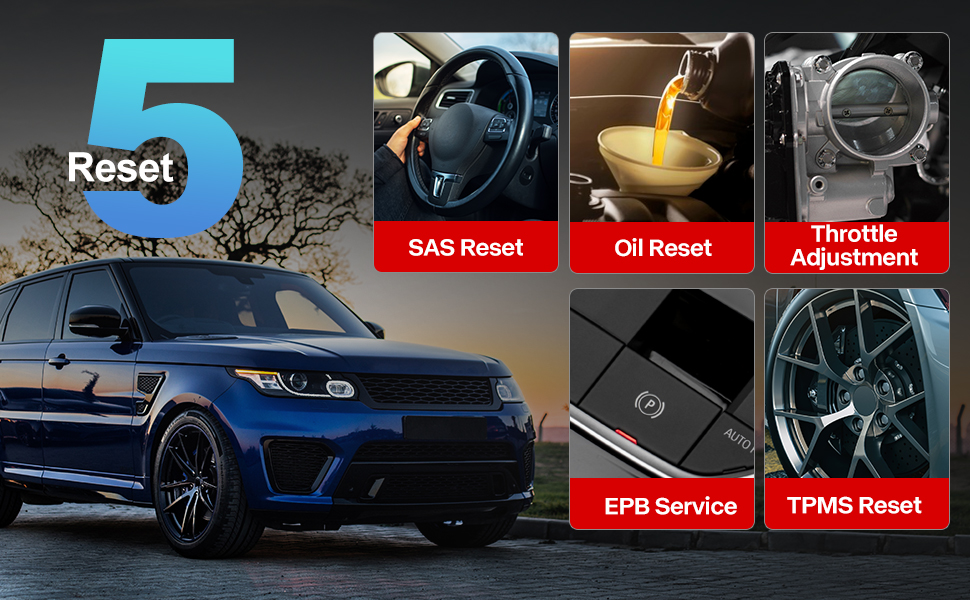
Image: A visual guide to the comprehensive OBD2 functions available on the ThinkScan SR6, including code reading, live data, and vehicle information retrieval.
3.3 DTC Lookup Function
When a Diagnostic Trouble Code (DTC) is retrieved, the ThinkScan SR6 can help you understand its meaning. Navigate to Informace o opravě > Knihovna chybových kódů OBD to input the code and receive a detailed description.
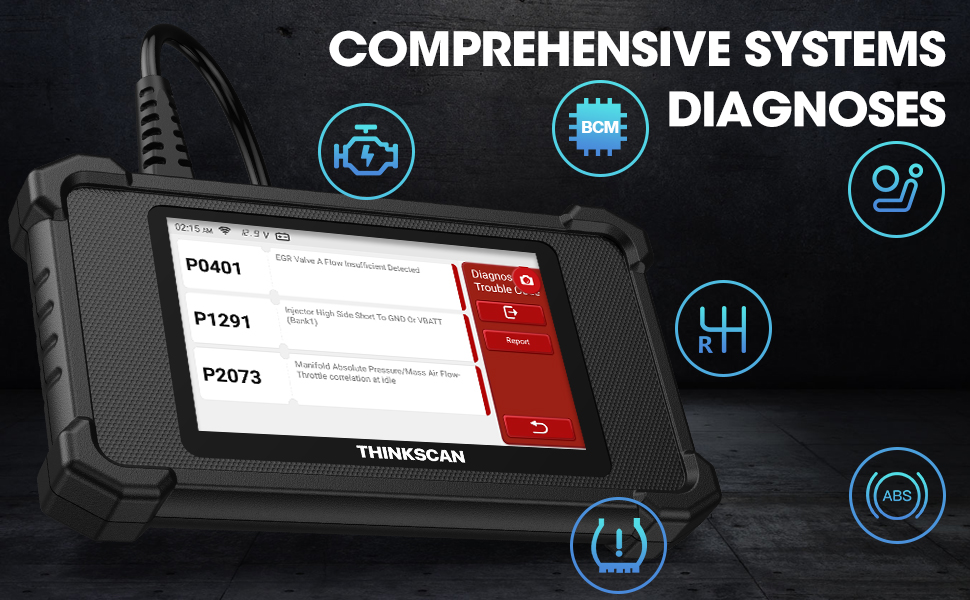
Image: The DTC Lookup function displaying fault codes and their corresponding meanings, aiding in quick diagnosis.
3.4 Live Data Graph
The Live Data function allows you to view real-time sensor data in a graphical format, making it easier to identify anomalies and diagnose intermittent problems. Select OBD > Živá data pro přístup k této funkci.
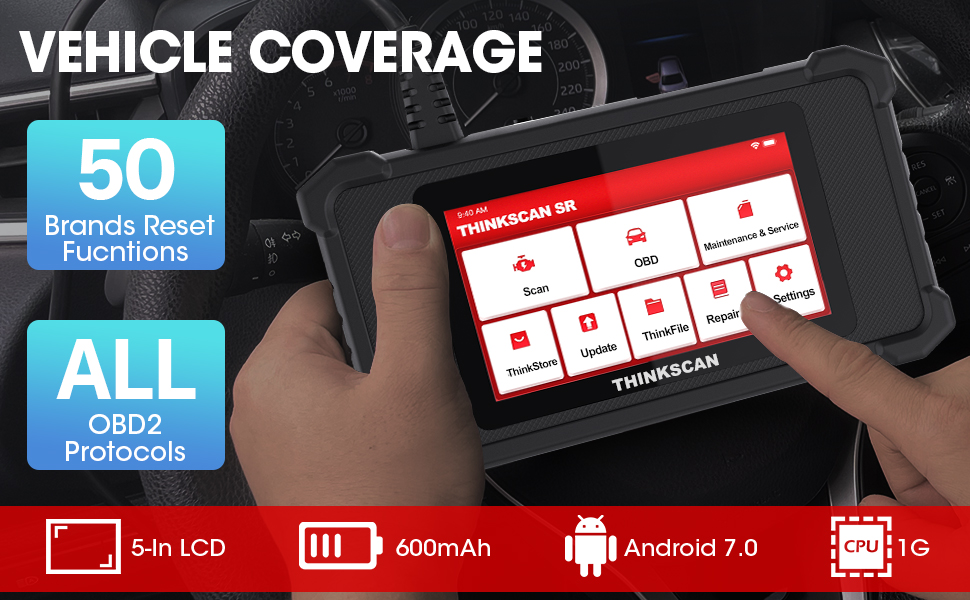
Image: The ThinkScan SR6 displaying live vehicle data in a graphical format, illustrating real-time sensor readings for diagnostic purposes.
4. Maintenance & Service Functions
The ThinkScan SR6 provides five commonly used reset functions to assist with vehicle maintenance. Access these by selecting Údržba a servis z hlavní nabídky.
- Reset kontrolky oleje: Resetuje kontrolku údržby oleje po výměně oleje.
- Služba EPB: Resetuje systém elektronické parkovací brzdy po výměně brzdových destiček.
- Reset SAS: Kalibruje snímač úhlu řízení po opravách systému řízení.
- Resetování TPMS: Resets the tire pressure monitoring system after tire rotation or sensor replacement.
- TBA (Throttle Body Adjustment): Znovu naučí polohu škrticí klapky.

Image: An illustration of the five free reset functions offered by the ThinkScan SR6, including throttle adjustment and various system resets.
4.1 Aktualizace softwaru
Regular software updates are essential to ensure your ThinkScan SR6 has the latest vehicle models, diagnostic functions, and bug fixes. The device supports Wi-Fi updates for convenience.
- Ujistěte se, že je zařízení připojeno ke stabilní síti Wi-Fi.
- Z hlavní nabídky vyberte Aktualizovat.
- Postupujte podle pokynů na obrazovce a stáhněte a nainstalujte dostupné aktualizace.

Image: A comparison highlighting the ThinkScan SR6's features, including its 5-inch touch screen, Android 7.0 OS, and one-click Wi-Fi update capability.
5. Řešení problémů
If you encounter issues with your ThinkScan SR6, consider the following common solutions:
- Zařízení se nezapíná: Ensure the OBD2 cable is securely connected to the vehicle's DLC and the vehicle's ignition is ON. Check the vehicle's battery voltage.
- Connection errors: Verify the OBD2 cable connection. Try connecting to a different vehicle (if available) to rule out vehicle-specific issues. Ensure Wi-Fi is stable for updates.
- Diagnostická funkce nefunguje: Ensure the vehicle model and year are supported for the specific function. Perform a software update.
- Understanding fault codes: Použijte Knihovna chybových kódů OBD pod Informace o opravě to look up DTC meanings.
For more detailed troubleshooting or specific repair information, the device includes a Informace o opravě section with a fault code library, coverage list, and video tutorials. You can also connect the device to Wi-Fi and use the Video option to search for relevant repair guides.
6. Specifikace
| Funkce | Detail |
|---|---|
| Značka | thinkcar |
| Číslo modelu | TKSR6 |
| Velikost obrazovky | 5 palce |
| Operační systém | Android 7.0 |
| Zdroj napájení | Napájení z baterie |
| Hmotnost položky | 1 libry |
| Rozměry produktu | 4.13 x 8.07 x 1.18 palce |
| Baterie | Vyžadovány 1 lithium -polymerové baterie (součástí balení) |
| Pokrytí vozidla | US-based vehicles after 1996, EU-based vehicles after 2000, Asia-based vehicles after 2008 |
7. Záruka a podpora
For technical assistance, warranty information, or any inquiries regarding your ThinkScan SR6 device, please contact thinkcar customer support. The manufacturer provides 7*24 hours support.
E-mail: jushi@thinkcar.com
Please refer to the official thinkcar website or the included warranty card for detailed warranty terms and conditions.