
Zavedení
This manual provides detailed instructions for the setup, operation, and maintenance of your Edifier G1000 USB Computer Speakers. Please read this manual thoroughly before using the product to ensure proper function and longevity.
Obrázek: Přední strana view of the Edifier G1000 USB Computer Speakers, showcasing their compact design and integrated lighting.
Nastavení
Follow these steps to set up your Edifier G1000 speakers:
- Rozbalení: Carefully remove all components from the packaging. Ensure you have both speakers and the wired control module.
- Umístění: Position the speakers on your desktop, ensuring they are stable and facing towards your listening area. The compact design allows for flexible placement.
- Připojení napájení: Connect the USB cable from the speakers to an available USB port on your computer or a USB power adapter (not included). The speakers are USB-powered.
- Možnosti připojení zvuku:
- USB audio: If your computer supports USB audio, connect the USB cable directly to your computer. The speakers will function as a USB sound card.
- 3.5mm AUX vstup: For devices with a 3.5mm audio output, connect the included 3.5mm AUX cable from your device to the AUX input on the wired control module.
- Bluetooth párování: For wireless audio, ensure the speakers are powered on. Press the input selection button on the wired control module until the indicator light turns blue. On your device, search for "Edifier G1000" in the Bluetooth settings and pair.

Image: Diagram illustrating the various connectivity options for the Edifier G1000 speakers, including USB and 3.5mm AUX cables connected to a laptop.

Image: Close-up of the Edifier G1000 wired control module, showing the volume knob, input mode button, and RGB light switch.
Operace
The Edifier G1000 speakers are controlled via the wired control module:
- Zapnutí/vypnutí: Long press the Lightening Effect Switch Button on the wired control module to turn the speakers on or off.
- Ovládání hlasitosti: Rotate the Vol. Knob on the wired control module clockwise to increase volume and counter-clockwise to decrease volume.
- Výběr vstupu: Short press the Input Mode button to cycle through available input sources:
- Blue Indicator: Bluetooth Mode
- Green Indicator: AUX Mode
- Red Indicator: USB Sound Adapter Mode
- Zvukové režimy: Long press the Mode/Sound Effect Switch button to toggle between Music Mode and Gaming Mode. These modes optimize audio output for different content types.
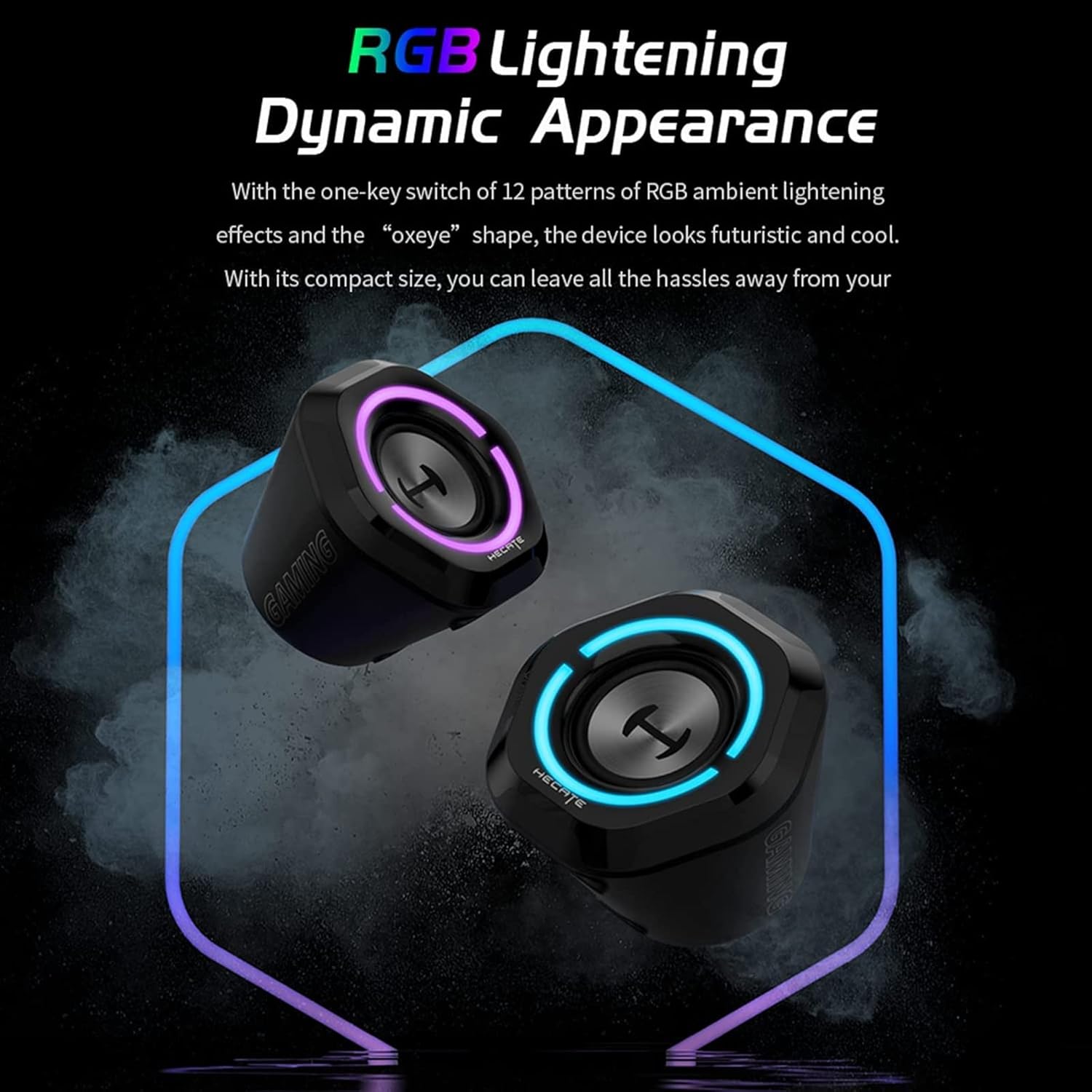
- RGB světelné efekty: Short press the Lightening Effect Switch Button to cycle through 12 different RGB ambient lighting effects.

Image: The Edifier G1000 speakers displaying dynamic RGB lighting effects, highlighting their aesthetic appeal.
Poznámka: While the product specifications mention "App" as a control method, the primary control is through the wired module as described above.
Údržba
To ensure the longevity and optimal performance of your Edifier G1000 speakers, follow these maintenance guidelines:
- Čištění: Use a soft, dry cloth to wipe the speaker surfaces. Avoid using abrasive cleaners, solvents, or sprays directly on the speakers.
- Odstranění prachu: Regularly dust the speaker grilles and vents to prevent accumulation, which can affect sound quality and internal components.
- Skladování: Pokud reproduktory delší dobu nepoužíváte, skladujte je na chladném a suchém místě mimo dosah přímého slunečního záření a extrémních teplot.
- Vyhněte se tekutinám: Do not expose the speakers to water or other liquids. The product is not waterproof.
Odstraňování problémů
If you encounter issues with your Edifier G1000 speakers, refer to the following common problems and solutions:
| Problém | Možná příčina | Řešení |
|---|---|---|
| Žádný zvuk z reproduktorů |
|
|
| Párování Bluetooth se nezdařilo |
|
|
| RGB lights not working or blinking unexpectedly |
|
|
| Nízká hlasitost výstupu |
|
|
Specifikace
Key technical specifications for the Edifier G1000 speakers:
| Funkce | Detail |
|---|---|
| Název modelu | G1000 |
| Typ reproduktoru | Počítačové reproduktory |
| Materiál | Plast |
| Technologie připojení | Bluetooth 5.3, USB, 3.5mm AUX |
| Maximální výstupní výkon reproduktoru | 10 wattů |
| Režim zvukového výstupu | Stereo |
| Konfigurace kanálů prostorového zvuku | 2.0 (Note: Product description states 2.1, but these are 2.0 stereo speakers.) |
| Kontrolní metoda | Wired Control Module (App also mentioned in specifications) |
| Kompatibilní zařízení | Laptop, Personal Computer, Phones, Television |
| Rozměry produktu (D x Š x V) | 9.8"H x 5.9"Š x 6.1"V (přibližně 24.9 cmH x 15 cmŠ x 15.5 cmV) |
| Hmotnost položky | 0.97 kilogramů (2.14 liber) |
| Zdroj napájení | Elektrický kabel (napájený přes USB) |
| RGB osvětlení | 12 different light effects |
| Zvukové režimy | Gaming and Music optimized |

Image: Diagram showing the dimensions of a single Edifier G1000 speaker.
Informace o záruce
The Edifier G1000 speakers come with a Omezená záruka. Specific terms and duration may vary by region and retailer. Please retain your proof of purchase for warranty claims.
For detailed warranty information, please refer to the official Edifier webwebu nebo kontaktujte zákaznickou podporu.
Optional extended protection plans may be available for purchase from retailers:
- Dvouletý ochranný plán
- Dvouletý ochranný plán
- Kompletní ochrana (měsíční tarif)
These protection plans are separate from the manufacturer's limited warranty and offer additional coverage as specified by the plan provider.
Zákaznická podpora
For further assistance, technical support, or warranty inquiries, please contact Edifier customer service:
- Webmísto: Visit the official Edifier webweb s nejčastějšími dotazy, zdroji podpory a kontaktními informacemi.
- E-mail/Telefon: Refer to the contact details provided on the Edifier webwebu nebo obalu vašeho produktu.
When contacting support, please have your product model (G1000) and proof of purchase readily available.