
Zavedení
The Topeak HeadLux 100 is a compact and efficient USB rechargeable bike light designed to enhance visibility and safety during cycling. Featuring two super bright 0.5W white LEDs, it provides up to 100 lumens of illumination. Its versatile mounting system allows for easy attachment to various handlebar types, and the direct USB plug simplifies charging without the need for additional cables. Built with an engineering-grade polymer and an IPX6 waterproof rating, this light is designed for reliable performance in diverse weather conditions.
Konec produktuview
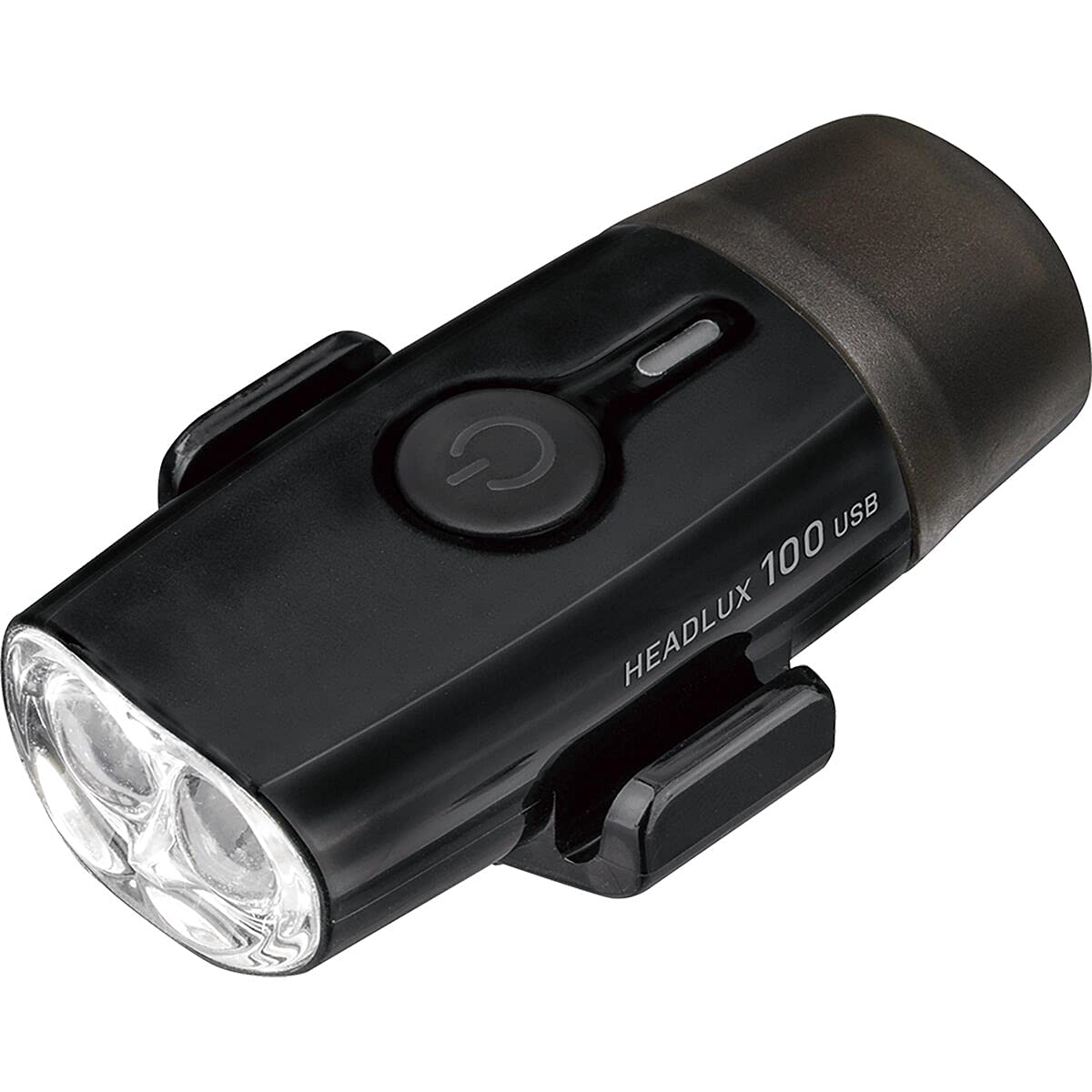
Obraz: Přední view of the Topeak HeadLux 100 USB Rechargeable Bike Light, showing the power button and dual LED lenses.
Klíčové vlastnosti:
- Pohodlné USB nabíjení: Direct USB port plug for easy, cable-free charging.
- High-Performance Lighting: Provides up to 100 lumens with two super bright 0.5W white LEDs.
- Více režimů osvětlení: Offers 3 modes: High (1.5 hr), Middle (3.3 hr), and Blinking (40 hr) for various riding conditions.
- Všestranná montáž: Silicone strap fits integrated bar/stem combos, and aero or round handlebars, allowing easy attachment and removal.
- Odolný a voděodolný: Made from engineering-grade polymer with an IPX6 waterproof rating for reliable performance in all weather conditions.
Nastavení a instalace
The Topeak HeadLux 100 offers flexible mounting options for both handlebars and helmets.
Montáž na řídítka:

Obraz: The HeadLux 100 light shown with its flexible silicone mounting band.
- Identify the hooks and grooves on the light body.
- Take the included round silicone band and place a section into one of the grooves at the bottom of the light.
- Stretch and wrap the remaining part of the band over the light and fasten it with the side hooks.
- Wrap the band around your handlebar (aero or round) and ensure the band double stacks in the hooks for increased holding force.
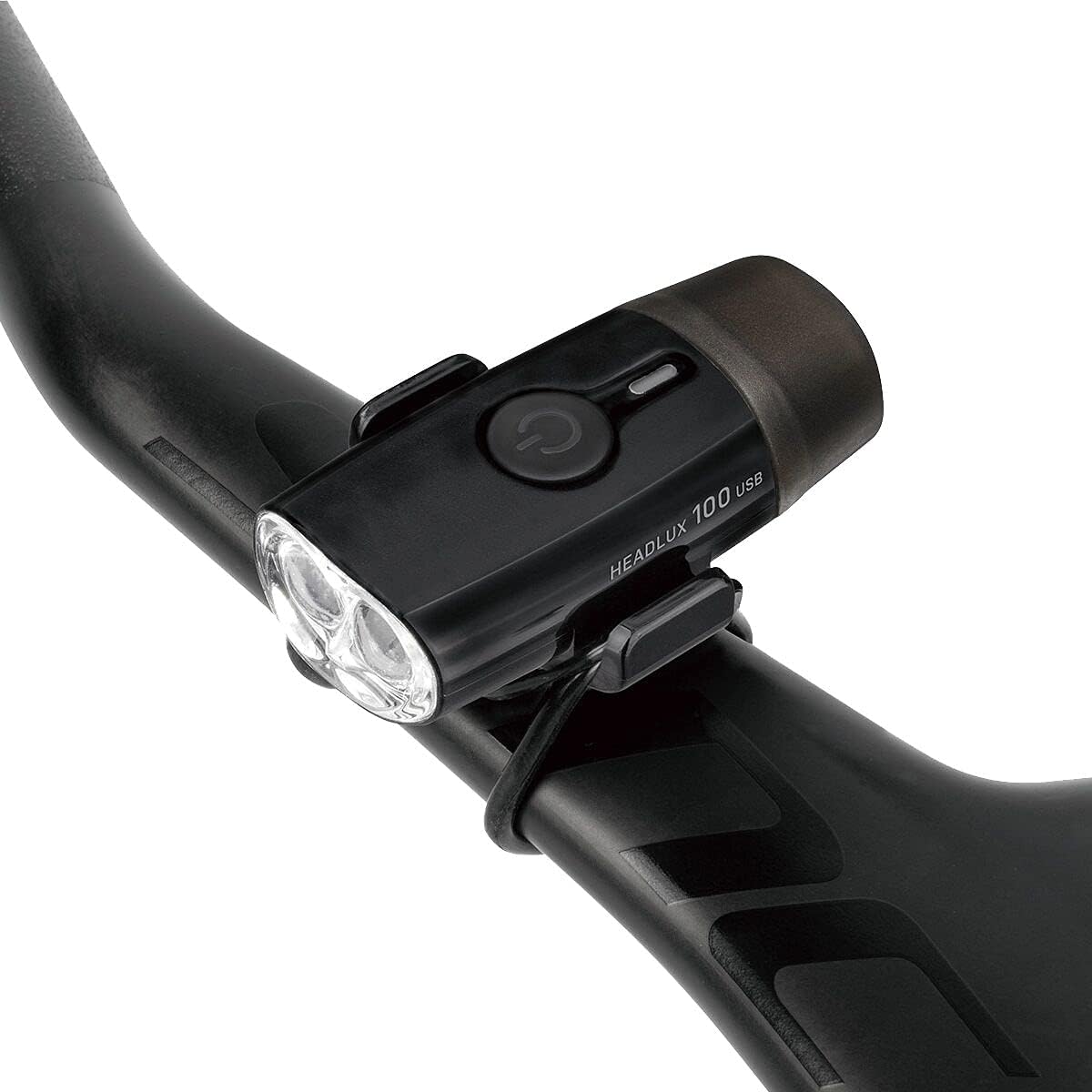
Obraz: The HeadLux 100 light securely mounted on a bicycle's aero handlebar.
Mounting on Helmet:
For helmet mounting, use the double-ring rubber strap provided.

Obraz: The HeadLux 100 light attached to the top of a bicycle helmet using the rubber strap.
- Attach one ring of the double-ring rubber strap to one of the hooks on the light.
- Run the strap through a suitable vent or opening on your helmet.
- Secure the other ring of the strap to the remaining hook on the light, ensuring a snug fit.
Video instalace:
Video: Official Topeak guide demonstrating how to mount HeadLux lights on handlebars and helmets.
Operace
Zapnutí/vypnutí:
- Zhasnout světlo ON, stiskněte a podržte tlačítko napájení přibližně 1 sekundu.
- Zhasnout světlo VYPNUTO, stiskněte a podržte tlačítko napájení přibližně 1 sekundu.
Změna režimů:
Once the light is on, short press the power button to cycle through the available lighting modes:
- High (1.5 hours runtime)
- Middle (3.3 hours runtime)
- Blinking (40 hours runtime)
Nabíjení baterie:
The HeadLux 100 features a convenient direct USB plug for charging.

Obraz: The HeadLux 100 light with its protective cap removed, revealing the integrated USB charging plug.
- Remove the protective cap from the end of the light to expose the USB plug.
- Plug the light directly into any standard USB port (e.g., computer, wall adapter, power bank).
- An indicator light will show the charging status (e.g., red for charging, green for fully charged).
- Once fully charged, remove the light from the USB port and replace the protective cap to maintain its waterproof integrity.
Údržba
- Čištění: Otřete tělo světla měkkým hadříkemamp hadříkem. Nepoužívejte agresivní chemikálie nebo abrazivní čisticí prostředky, protože by mohly poškodit casing nebo objektiv.
- Nabíjení: For optimal battery life, charge the light regularly, especially after extended use or if it has been stored for a long period.
- Skladování: Store the light in a cool, dry place away from direct sunlight when not in use. Ensure the protective USB cap is securely in place.
- Kontrola řemínku: Periodically check the silicone mounting strap for any signs of wear, cracks, or damage. Replace if necessary to ensure secure attachment.
Odstraňování problémů
- Světlo se nerozsvítí: Ensure the battery is charged. Connect to a USB power source and check the charging indicator. If the light still does not turn on after charging, contact customer support.
- Světlo se nenabíjí: Verify the USB port is functional. Try a different USB port or power source. Ensure the light is fully inserted into the USB port. If the issue persists, the battery or charging circuit may be faulty; contact customer support.
- Blikání nebo tlumení světla: This usually indicates a low battery. Recharge the light immediately.
- Padání světla během jízdy: Ensure the silicone mounting strap is correctly installed and double-stacked in the hooks for maximum grip. Check the strap for damage and replace if worn.
Specifikace
| Funkce | Detail |
|---|---|
| Číslo modelu | 65002096 |
| Světelný výkon | 100 XNUMX lumenů |
| Světelný zdroj | 2 x 0.5W bílé LED diody |
| Baterie | Dobíjecí přes USB |
| Doba běhu (vysoká) | 1.5 hodin |
| Run Time (Middle) | 3.3 hodin |
| Run Time (Blinking) | 40 hodin |
| Materiál | Engineering-grade Polymer |
| Voděodolnost | IPX6 |
| Typ montáže | Držák na řídítka (silikonový pásek) |
| Hmotnost | 32 gramů |
| Barva | Černý |
Záruka a podpora
The Topeak HeadLux 100 USB Rechargeable Bike Light comes with a 1letá záruka výrobce od data nákupu. Tato záruka se vztahuje na vady materiálu a zpracování při běžném používání.
For warranty claims, technical support, or any questions regarding your product, please contact Topeak customer service through their official webnebo prodejce, u kterého byl produkt zakoupen. Uschovejte si prosím doklad o koupi pro ověření záruky.