
1. Úvod
This manual provides detailed instructions for the proper installation, operation, and maintenance of your Xprinter XP-N160II thermal receipt printer. Please read this manual thoroughly before using the printer to ensure optimal performance and to prevent damage.
2. Konec produktuview
2.1 Klíčové vlastnosti
- Značka: Xprinter
- Barva: Černá
- Printer Type: Receipt Thermal Printer
- Číslo modelu: N160
- Technologie připojení: USB
- Printer Output: Monochrome
- Print Media: Labels
- Maximum Black and White Print Resolution: 203 dpi
2.2 Součásti tiskárny
Familiarize yourself with the various parts of your Xprinter XP-N160II printer:
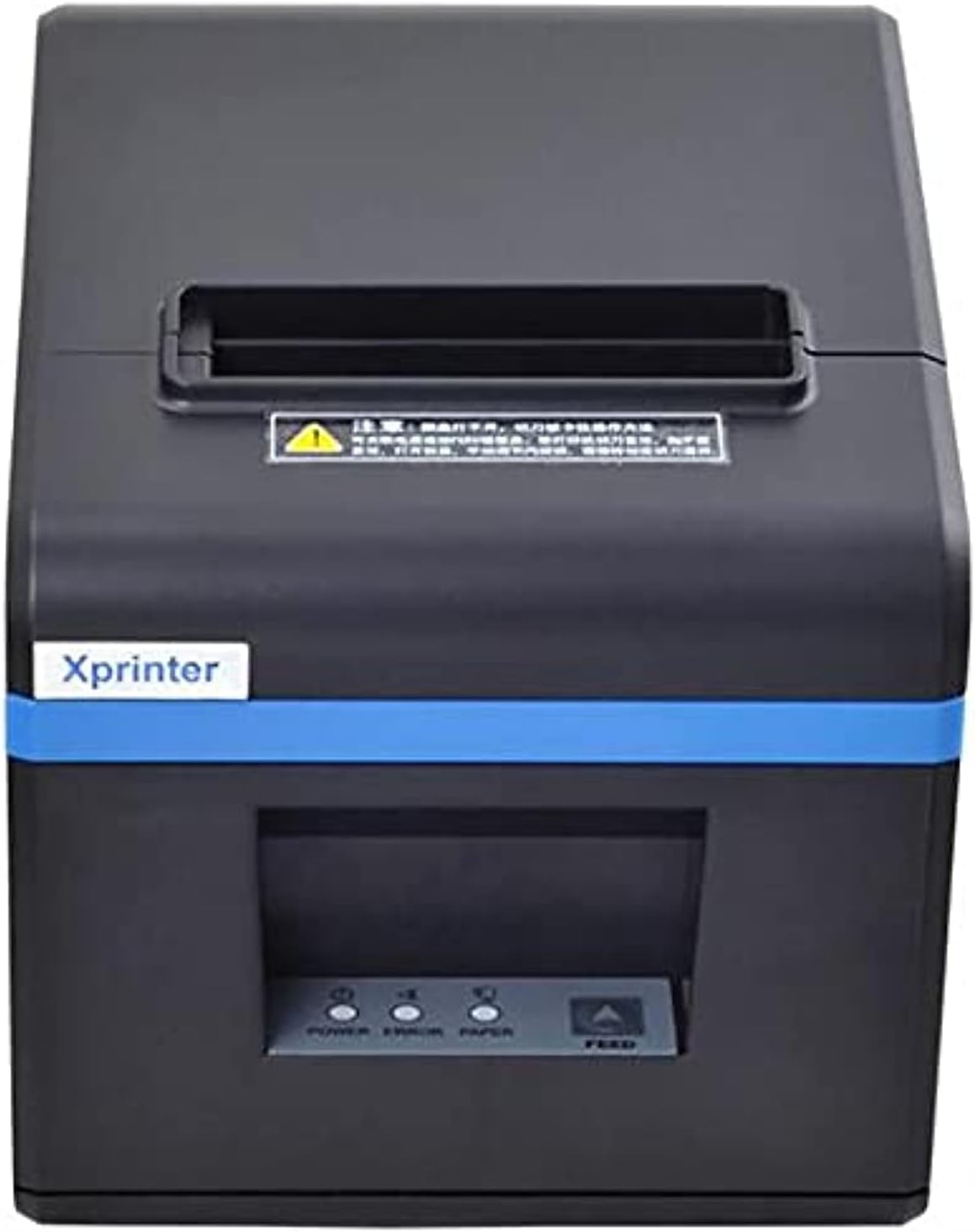
Obrázek 1: Přední view of the Xprinter XP-N160II thermal receipt printer, showing the paper output slot, control panel with indicator lights (POWER, ERROR, PAPER), and FEED button.
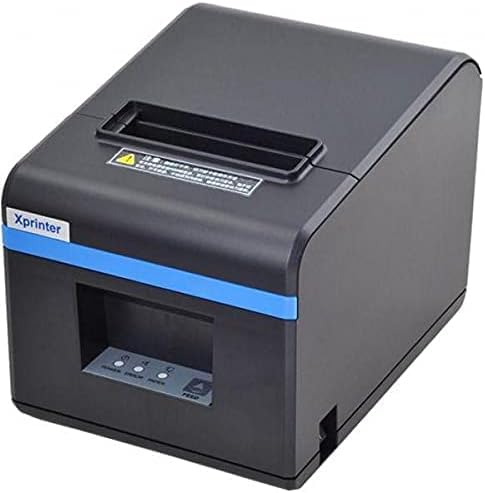
Obrázek 2: Zkosená přední strana view of the Xprinter XP-N160II, highlighting its compact design and the Xprinter branding on the front.
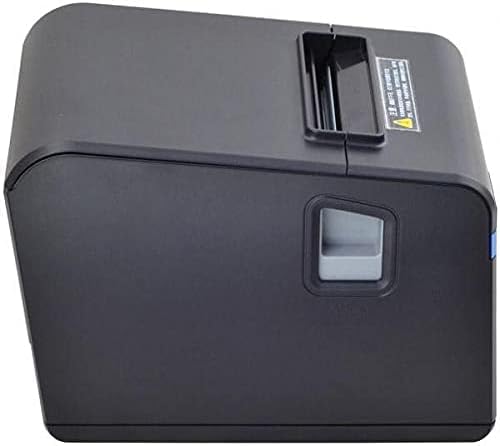
Obrázek 3: Strana view of the Xprinter XP-N160II, illustrating the paper cover release lever for easy paper roll replacement.

Obrázek 4: Zadní view of the Xprinter XP-N160II, displaying the power input port, USB port, and an additional port (likely for cash drawer connection).
3. Pokyny k nastavení
- Rozbalení: Opatrně vyjměte tiskárnu z obalu. Veškerý obalový materiál si uschovejte pro budoucí přepravu nebo skladování.
- Připojte napájení: Connect the power adapter to the printer's power input port (refer to Figure 4) and then plug the power cord into a suitable electrical outlet.
- Připojení datového kabelu: Connect the USB cable from the printer's USB port (refer to Figure 4) to your computer or point-of-sale system.
- Vložení role papíru:
- Press the paper cover release lever (refer to Figure 3) to open the printer cover.
- Insert a new thermal paper roll into the compartment, ensuring the paper feeds from the bottom and the leading edge extends slightly out of the printer.
- Pevně zavřete kryt tiskárny, dokud nezacvakne na místo.
- Nainstalujte ovladače: Insert the driver CD (if included) into your computer or download the latest drivers from the official Xprinter webwebu. Dokončete instalaci ovladače podle pokynů na obrazovce.
- Zapnutí: Press the power button on the printer. The POWER indicator light should illuminate.
4. Návod k obsluze
- Self-Test Print: To perform a self-test, turn off the printer. While holding down the FEED button, turn the printer back on. Release the FEED button once the printer starts printing. This will print a configuration page, confirming basic functionality.
- Printing from Application: Ensure the printer is connected and drivers are installed. In your application (e.g., POS software, word processor), select the Xprinter XP-N160II as your default printer and initiate the print command.
- Feeding Paper Manually: Press the FEED button on the front panel to advance the paper by a small amount. Hold the FEED button down to continuously feed paper.
5. Údržba
- Čištění tiskové hlavy: Regularly clean the thermal print head with an alcohol swab or a specialized print head cleaning pen. Ensure the printer is turned off and cooled down before cleaning.
- Čištění tiskového válce: Použijte měkký, damp cloth to wipe the platen roller (the rubber roller that feeds the paper) to remove any paper dust or debris.
- Výměna role papíru: Replace the paper roll when the PAPER indicator light illuminates or when the red line appears on the paper, indicating the end of the roll is near. Follow the steps outlined in Section 3.4.
- Generální úklid: Keep the printer exterior clean by wiping it with a soft, dry cloth. Avoid using harsh chemicals or abrasive cleaners.
6. Řešení problémů
| Problém | Možná příčina | Řešení |
|---|---|---|
| Tiskárna se nezapne | Žádný zdroj napájení; vadný napájecí adaptér | Zkontrolujte připojení napájecího kabelu; ujistěte se, že zásuvka je funkční; pokud je k dispozici, zkuste jiný napájecí adaptér. |
| No paper feeding / PAPER light on | Paper roll empty or incorrectly loaded | Replace paper roll or re-load correctly (refer to Section 3.4). |
| Print output is blank or faded | Paper loaded incorrectly (upside down); print head dirty or damaged | Ensure thermal paper is loaded with the thermal side facing the print head; clean the print head (refer to Section 5). |
| Počítač nerozpoznává tiskárnu | USB cable disconnected; drivers not installed or corrupted | Check USB cable connection; re-install printer drivers (refer to Section 3.5). |
| Kontrolka CHYBA svítí | Paper jam; print head overheating; cover open | Clear any paper jams; allow printer to cool down; ensure printer cover is closed properly. |
7. Specifikace
| Funkce | Detail |
|---|---|
| Název značky | Xprinter |
| Název modelu | N160 |
| Barva | Černý |
| Technologie tiskáren | Tepelný |
| Technologie připojení | USB |
| Tiskový výstup | Monochromatický |
| Tisková média | Štítky |
| Maximální rozlišení černobílého tisku | 203 dpi |
| Maximální kapacita listů | 50 (referring to individual labels or a roll capacity equivalent) |
| Rozměry balení | 33 x 21.4 x 18.3 cm |
| Hmotnost položky | 1.62 kg |
| Výrobce | Xprinter |
| Datum první dostupnosti | 1. června 2021 |
8. Bezpečnostní informace
- Nevystavujte tiskárnu vodě ani vysoké vlhkosti.
- Neumísťujte tiskárnu na přímé sluneční světlo ani do blízkosti zdrojů tepla.
- Používejte pouze napájecí adaptér dodaný s tiskárnou.
- Nepokoušejte se tiskárnu rozebírat ani opravovat sami. Obraťte se na kvalifikovaný servisní personál.
- Uchovávejte mimo dosah dětí.
- Během provozu zajistěte dostatečné větrání kolem tiskárny.
9. Záruka a podpora
The Xprinter XP-N160II thermal receipt printer comes with a standard manufacturer's warranty. For specific warranty terms and conditions, please refer to the documentation included with your purchase or contact Xprinter customer support directly. For technical assistance or service inquiries, please visit the official Xprinter webnebo se obraťte na jejich autorizovaná servisní střediska.