
Zavedení
Thank you for choosing the Cellularline CORE True Wireless Bluetooth Earphones. These earphones are designed to provide a seamless audio experience with advanced features such as a charging case with an LED display, touch controls, and automatic pairing. This manual will guide you through the setup, operation, and maintenance of your new earphones.
Co je v krabici
- Cellularline CORE True Wireless Bluetooth Earphones (Left and Right)
- Nabíjecí pouzdro s LED displejem
- Nabíjecí kabel USB-C
- Uživatelská příručka
Konec produktuview
The Cellularline CORE earphones feature a compact design and a charging case with an integrated LED display to show the remaining battery percentage. They offer up to 16 hours of total play time with the charging case.

Image: Cellularline CORE True Wireless Bluetooth Earphones and Charging Case. The earphones are white and sit in an open white charging case.

Image: A close-up of the Cellularline CORE charging case with an LED display showing '100', indicating full battery. The earphones are inside the case.
The LED display on the charging case provides real-time battery status, ensuring you are always aware of the remaining charge.
Nastavení
1. Nabíjení sluchátek a pouzdra
- Vložte obě sluchátka do nabíjecího pouzdra. Ujistěte se, že jsou správně usazena ve svých příslušných slotech.
- Connect the provided USB-C cable to the charging port on the case and plug the other end into a USB power adapter (not included) or a computer's USB port.
- LED displej na nabíjecím pouzdře zobrazí aktuální procentuální stav baterietage during charging. A full charge typically takes approximately 4 hours for the case and earphones.
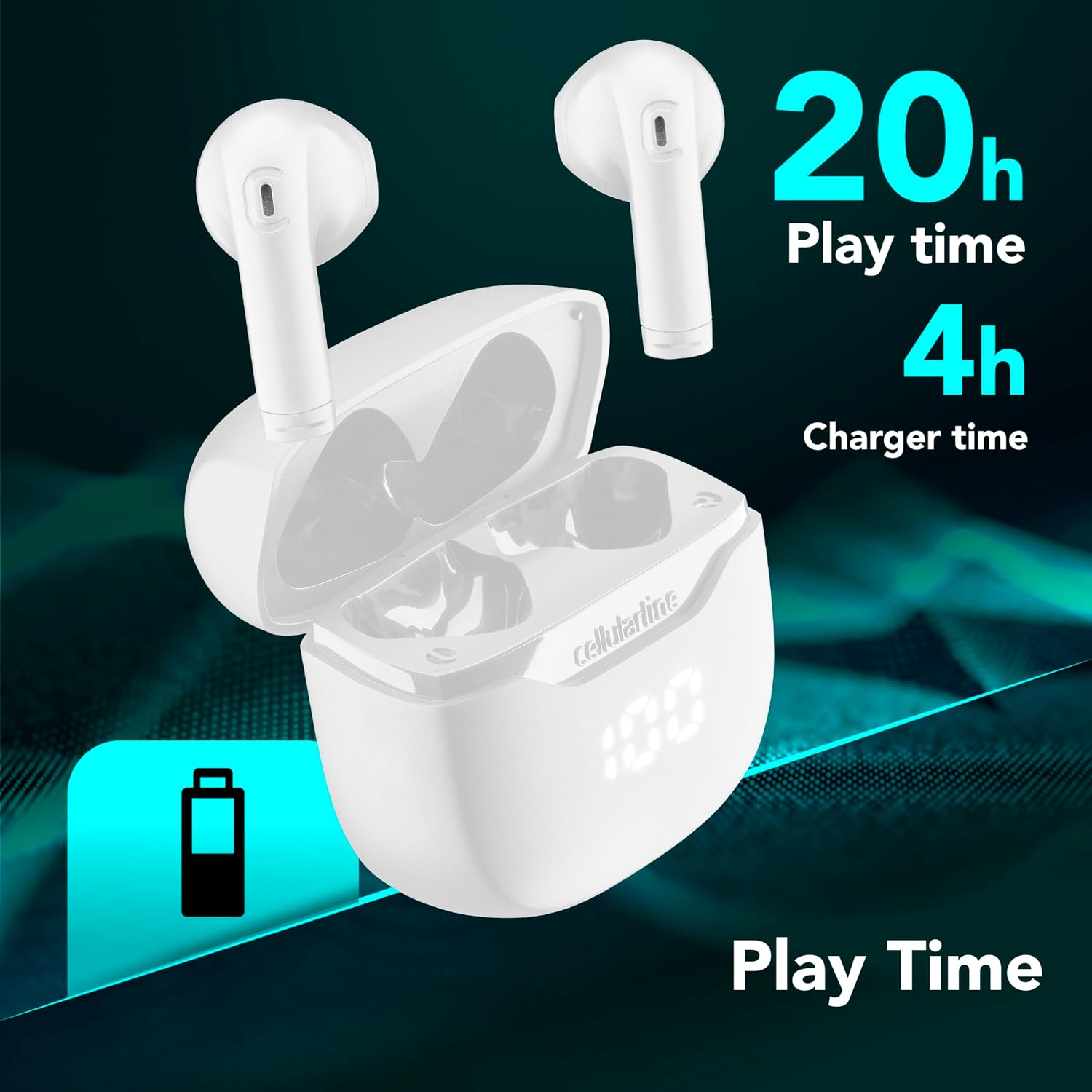
Image: The Cellularline CORE earphones and charging case, highlighting 20 hours of total play time and 4 hours of charging time for the case.
2. Initial Pairing (Autopairing)
- Ujistěte se, že jsou sluchátka nabitá.
- Otevřete nabíjecí pouzdro. Sluchátka se automaticky zapnou a přejdou do režimu párování.
- Na smartphonu nebo zařízení s podporou Bluetooth přejděte do nastavení Bluetooth.
- Hledat available devices and select "Cellularline CORE" from the list.
- Once connected, you will hear an audible confirmation, and the earphones are ready for use.

Image: Cellularline CORE earphones and charging case next to a smartphone displaying a music application, with a Bluetooth icon indicating successful pairing.
The Autopairing function ensures that once paired, the earphones will automatically connect to your last paired device when removed from the case.
Návod k obsluze
Dotykové ovládání
The Cellularline CORE earphones feature intuitive touch controls on each earbud for managing calls, music, and voice assistant functions.
| Funkce | Akce |
|---|---|
| Přehrát/Pozastavit hudbu | Jediným klepnutím na kterékoli sluchátko |
| Další stopa | Dvojité poklepání na pravé sluchátko |
| Předchozí stopa | Dvojité poklepání na levé sluchátko |
| Přijmout/ukončit hovor | Jediným klepnutím na kterékoli sluchátko |
| Odmítnout hovor | Stiskněte a podržte jedno ze sluchátek po dobu 2 sekund |
| Aktivujte hlasového asistenta | Trojité klepnutí na kterékoli sluchátko |
| Zvýšení hlasitosti | Stiskněte a podržte pravé sluchátko |
| Snížit hlasitost | Stiskněte a podržte levé sluchátko |
Double Master Function
The Double Master function allows you to use either the left or right earbud independently for calls. Simply remove one earbud from the case, and it will automatically connect. You can answer calls by tapping the active earbud.
Údržba
Čištění
- Sluchátka a nabíjecí pouzdro pravidelně čistěte měkkým, suchým hadříkem, který nepouští vlákna.
- Nepoužívejte abrazivní čisticí prostředky, rozpouštědla ani aerosolové spreje.
- Pro zajištění správného nabíjení se ujistěte, že nabíjecí kontakty na sluchátkách i pouzdře jsou čisté a bez nečistot.
Skladování
- Pokud sluchátka nepoužíváte, uložte je do nabíjecího pouzdra, aby byla chráněna a zůstávala nabitá.
- Přístroj skladujte na chladném a suchém místě, mimo dosah extrémních teplot a přímého slunečního záření.

Image: A hand placing the compact Cellularline CORE charging case into the pocket of a pair of jeans, demonstrating its portable size.
Odstraňování problémů
| Problém | Možné řešení |
|---|---|
| Sluchátka se nezapínají. | Ensure the earphones and charging case are fully charged. Place earphones in the case and close it, then open it again. |
| Earphones do not pair with device. | Make sure Bluetooth is enabled on your device. Forget the device in your Bluetooth settings and try pairing again. Ensure earphones are in pairing mode (LED indicator blinking). |
| Funguje jen jedno sluchátko. | Place both earphones back into the charging case, close the lid, wait a few seconds, then open it again. This should re-sync them. If the issue persists, try resetting the earphones (refer to manufacturer's webkonkrétní pokyny k resetování, pokud nejsou v manuálu). |
| Nízká hlasitost nebo špatná kvalita zvuku. | Adjust the volume on both your device and the earphones. Ensure the earphones are clean and properly seated in your ears. Check for any obstructions in the earbud speakers. |
| LED displej nabíjecího pouzdra nefunguje. | Ensure the charging cable is securely connected and the power source is active. If the issue persists, contact customer support. |
Specifikace
- Název modelu: BTCORETWSW
- Značka: celulární linka
- Barva: Bílý
- Umístění uší: Do ucha
- Form Factor: Do ucha
- Technologie připojení: Bezdrátový
- Bezdrátová technologie: Bluetooth
- Verze Bluetooth: 5.0
- Impedance: 16 Ohmy
- Kontrola hluku: Zvuková izolace
- Frekvenční odezva: 20 Hz - 20,000 XNUMX Hz
- Citlivost: 100 dB
- Typ ovládání: Dotek
- Typ ovladače: Dynamický ovladač
- Materiál: Plast
- Průměrná životnost baterie: 16 hodin (s nabíjecím pouzdrem)
- Úroveň odolnosti proti vodě: Waterproof (Note: Refer to product packaging for specific IP rating if available)
- Vlastnosti: True Wireless Technology, Automatic Pairing, Touch Controls, LED Display
- Kompatibilní zařízení: Zařízení s podporou Bluetooth
- Země původu: Čína
Informace o záruce
The Cellularline CORE True Wireless Bluetooth Earphones come with a 2letá záruka výrobce od data nákupu. Tato záruka se vztahuje na vady materiálu a zpracování při běžném používání. Nevztahuje se na škody způsobené nesprávným použitím, nehodami, neoprávněnými úpravami nebo běžným opotřebením.
Please retain your proof of purchase for warranty claims. For detailed warranty terms and conditions, please visit the official Cellularline webwebu nebo kontaktujte zákaznickou podporu.
Podpora
For further assistance, technical support, or warranty inquiries, please contact Cellularline customer service through their official webmísto:
Webmísto: www.cellularline.com
You may also find FAQs and additional support resources on their webmísto.