
MARK ADLER Manager 2.0
Návod k obsluze kancelářské židle MARK ADLER Manager 2.0
Model: Manager 2.0
1. Úvod
Thank you for choosing the MARK ADLER Manager 2.0 Office Chair. This manual provides essential information for the safe assembly, operation, and maintenance of your new office chair. Please read these instructions carefully before use and retain them for future reference.
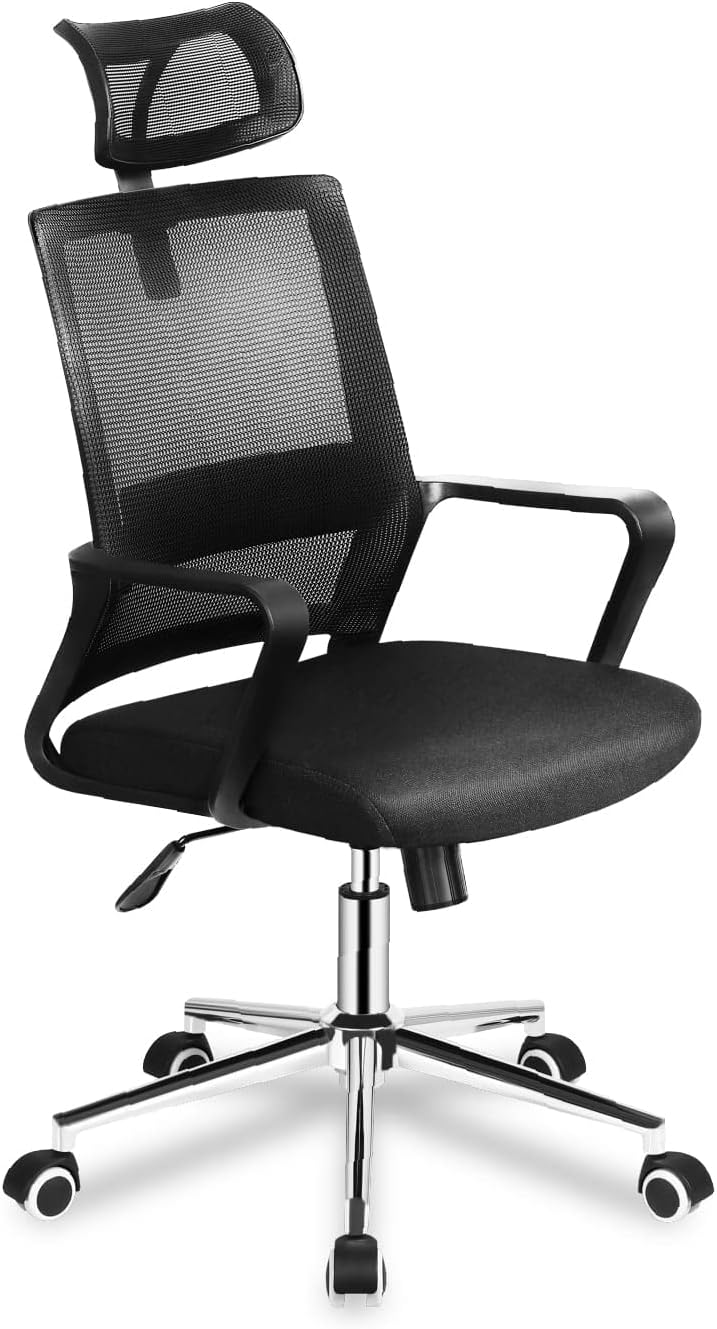
Image 1.1: The MARK ADLER Manager 2.0 Office Chair in black, showcasing its mesh backrest, padded seat, and adjustable features.
2. Bezpečnostní informace
Pro zajištění bezpečného provozu a prevenci zranění nebo poškození dodržujte prosím následující bezpečnostní pokyny:
- Židli vždy sestavte podle přiloženého návodu.
- Nestůjte na židli.
- Nepoužívejte židli, pokud některé její části chybí nebo jsou poškozené.
- Během montáže držte děti v dostatečné vzdálenosti od židle. Malé části mohou představovat nebezpečí udušení.
- Ensure all screws and bolts are tightened securely before use. Re-tighten periodically.
- Do not exceed the maximum weight capacity (consult product packaging if available).
- Use the chair on a level surface.
3. Obsah balení
Před montáží zkontrolujte, zda jsou všechny součásti přítomny a nepoškozené. Pokud některé součásti chybí nebo jsou poškozené, kontaktujte zákaznickou podporu.
Mezi typické komponenty patří:
- Backrest with headrest
- Sedací polštář
- Područky (2)
- plynový zvedací válec
- Hvězdná základna
- Pojezdová kola (5)
- Mechanism (tilt/height control)
- Hardware (screws, washers, Allen key)
4. Montážní návod
Follow these steps to assemble your MARK ADLER Manager 2.0 Office Chair. It is recommended to assemble the chair on a soft, clean surface to prevent scratches.
- Připevnění koleček k základně: Insert the five caster wheels into the holes at the end of each leg of the star base until they click securely into place.
- Vložte plynový zvedák: Umístěte plynový zvedací válec do středového otvoru hvězdicové základny.
- Připevnění mechanismu k sedadlu: Align the mechanism with the pre-drilled holes on the underside of the seat cushion. Ensure the front of the mechanism faces the front of the seat. Secure with screws.
- Připevnění loketních opěrek k sedadlu: Attach the armrests to the sides of the seat cushion using the provided screws. Do not overtighten initially.
- Připevnění opěradla k sedáku/loketním opěrkám: Connect the backrest to the seat and/or armrests using the designated screws. Once all connections are made, tighten all screws securely.
- Připojení sestavy sedadla k plynovému zvedáku: Opatrně umístěte sestavené sedadlo na plynový zvedací válec a ujistěte se, že je vystředěné a stabilní.
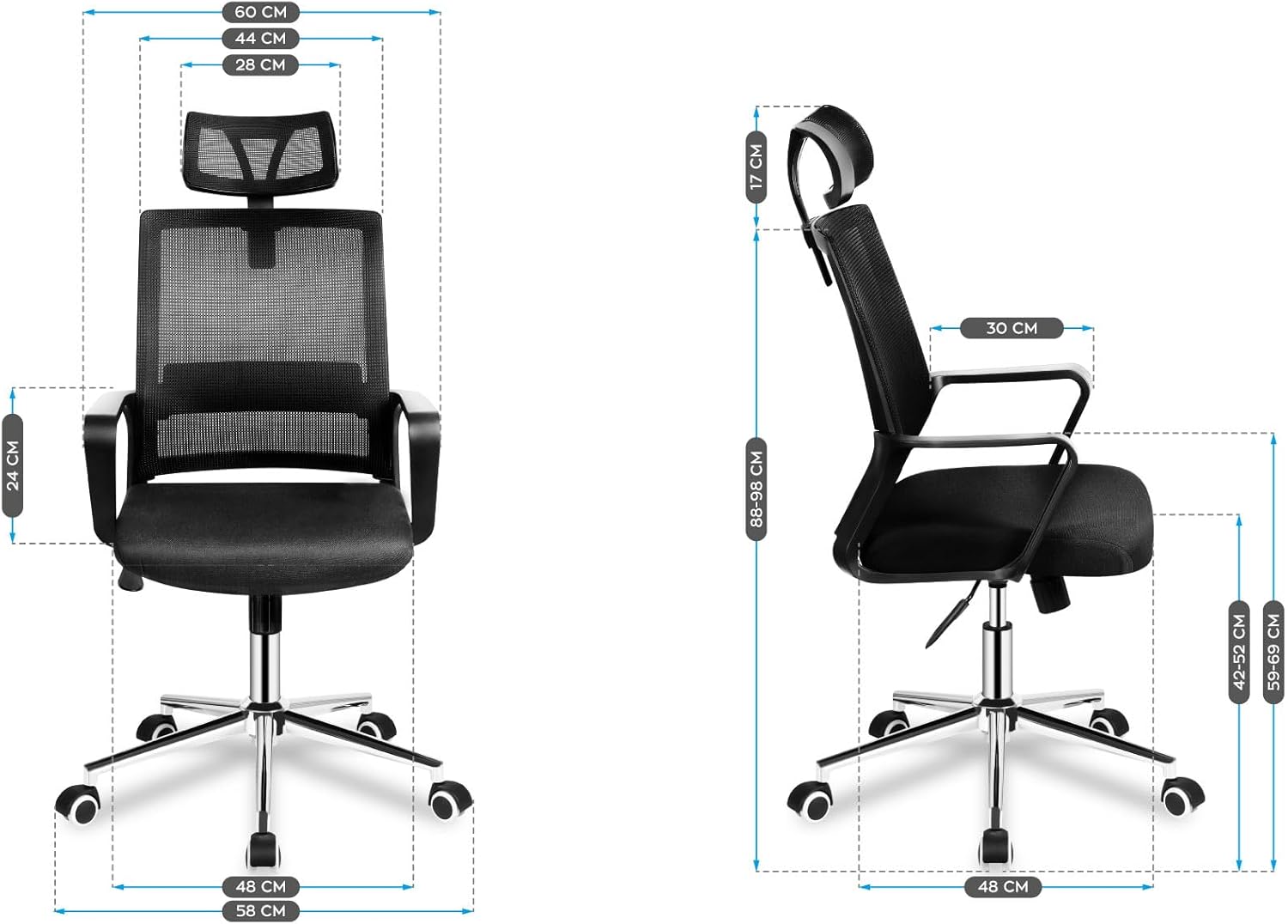
Obrázek 4.1: Přední a boční strana view diagrams illustrating the dimensions of the assembled chair, including height, width, and depth measurements.
5. Návod k obsluze
Your MARK ADLER Manager 2.0 Office Chair features several adjustable components designed for ergonomic comfort.
5.1. Nastavení výšky sedadla
To adjust the seat height, locate the lever on the right side beneath the seat. While seated, pull the lever up to lower the seat. To raise the seat, stand up slightly and pull the lever up. Release the lever at the desired height.
5.2. Tilt Mechanism and Lock
The chair features a TILT PLUS mechanism. To recline the backrest, pull the lever on the left side (or the same lever as height, depending on model) outwards. Lean back to the desired angle. To lock the recline position, push the lever inwards. To unlock and return to an upright position, pull the lever outwards again and lean forward slightly.
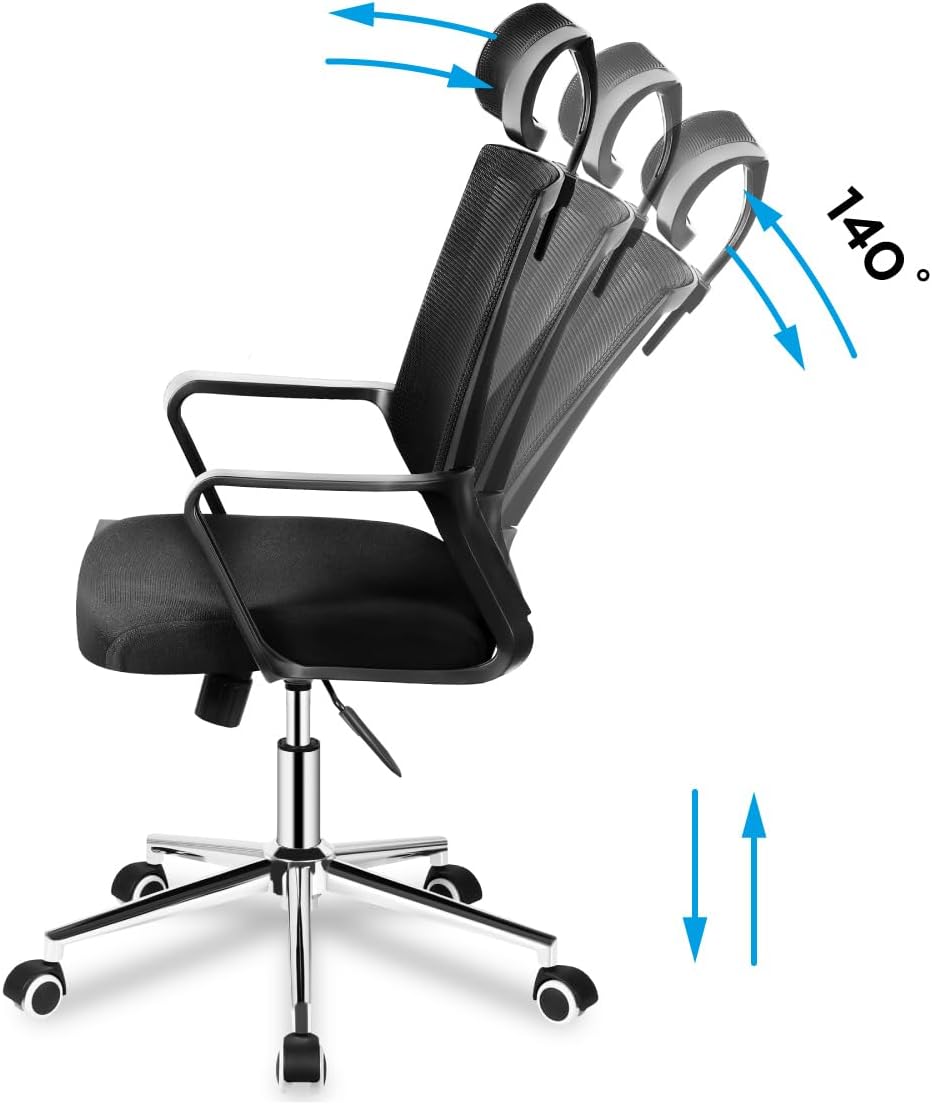
Image 5.1: Illustration demonstrating the chair's recline function up to 140 degrees and vertical height adjustment.
5.3. Nastavení opěrky hlavy
The headrest can be adjusted vertically to support your neck and head. Gently push or pull the headrest up or down to find your optimal position.

Image 5.2: Detail showing the vertical adjustment capability of the mesh headrest, indicated by up and down arrows.
5.4. Nastavení bederní opěrky
The chair features adjustable lumbar support to provide comfort to your lower back. Locate the lumbar support mechanism on the backrest and adjust it vertically to align with the natural curve of your spine.

Image 5.3: Detail illustrating the vertical adjustment of the lumbar support system on the chair's mesh backrest.
5.5. Područky
The armrests are designed for comfort and support. While not explicitly stated as adjustable in the product details, they are ergonomically shaped.

Obrázek 5.4: Detailní záběr view of the chair's fixed, ergonomically shaped armrest.
5.6. Pojezdová kola
The chair is equipped with durable caster wheels for smooth movement across various floor surfaces.
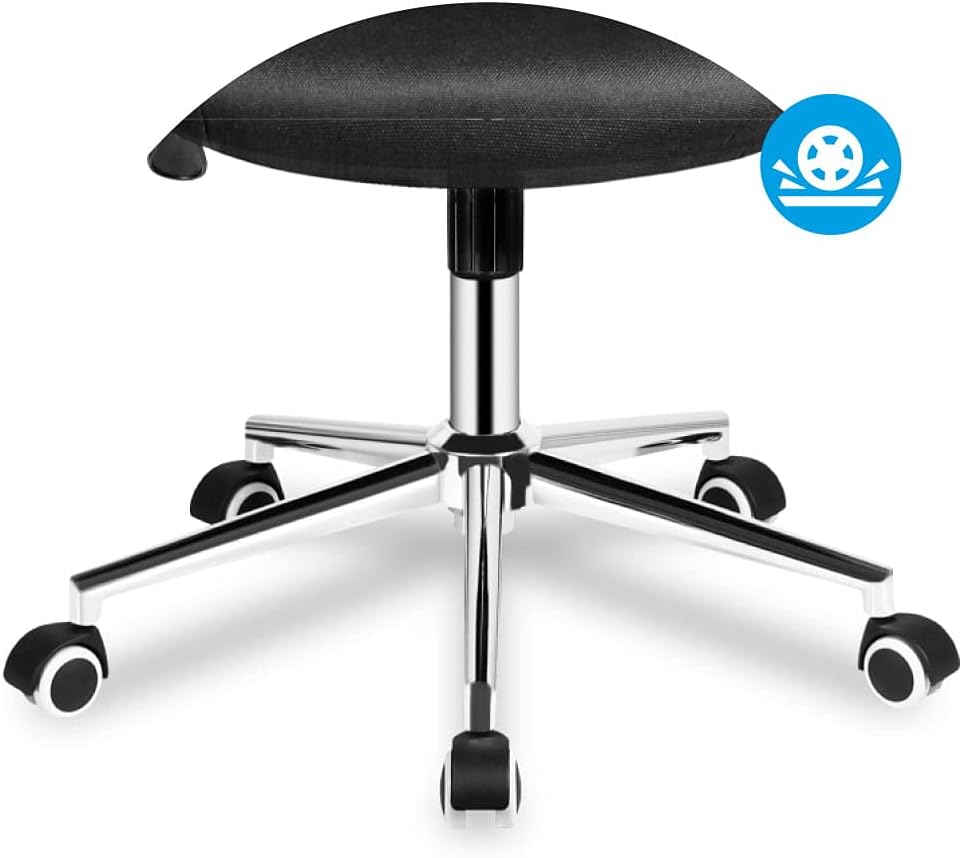
Image 5.5: Detail of the chair's five-star base with smooth-rolling caster wheels.
6. Údržba
Regular maintenance will prolong the life and appearance of your office chair.
- Čištění: Vyčistěte židli reklamouamp cloth. Avoid harsh chemicals or abrasive cleaners that may damage the material.
- Inspekce: Periodically check all screws and bolts to ensure they are tight. Re-tighten as necessary.
- Stěhování: When moving the chair, lift it rather than dragging it to prevent damage to the base or floor.
7. Řešení problémů
Pokud narazíte na problémy s vaší židlí, podívejte se na následující běžné problémy a jejich řešení:
| Problém | Možná příčina | Řešení |
|---|---|---|
| Židle se kymácí nebo je nestabilní. | Uvolněné šrouby nebo nerovná montáž. | Zkontrolujte a utáhněte všechny montážní šrouby. Ujistěte se, že židle stojí na rovném povrchu. |
| Nastavení výšky sedadla nefunguje. | Gas lift cylinder not properly installed or damaged. | Ensure the gas lift is fully inserted into the base and mechanism. If still not working, the gas lift may need replacement. |
| Opěradlo se nedá sklopit ani zaaretovat. | Tilt mechanism is locked or damaged. | Ensure the tilt lock lever is disengaged. Check for any obstructions in the mechanism. |
| Caster wheels not rolling smoothly. | Nečistoty v kolech nebo poškozená kolečka. | Clean any hair or debris from the wheels. Replace damaged casters if necessary. |
8. Specifikace
| Funkce | Detail |
|---|---|
| Značka | MARK ADLER |
| Model | Manager 2.0 (MA-Manager 2.1) |
| Barva | Černý |
| Materiál | Nylon (Mesh backrest, Foam seat) |
| Materiál rámu | Kov |
| Rozměry produktu (D x Š x V) | 48P x 58l x 115H centimeters (Note: Other specifications list 15 x 127 x 77 cm, likely package dimensions) |
| Hmotnost položky | 10.3 kg |
| Speciální funkce | Armrest, Ergonomic, Rolling, Adjustable Headrest, Adjustable Lumbar Support, Tilt Plus Mechanism |
| Pokyny pro péči | Čistěte s reklamouamp tkanina |
9. Záruka a podpora
Specific warranty information is not provided in the product details. For warranty claims or technical support, please contact the retailer or MARK ADLER customer service directly. Keep your purchase receipt as proof of purchase.
For further assistance, please refer to the contact information provided with your purchase or visit the official MARK ADLER webmísto.
Ask a question about this manual
Ask about setup, troubleshooting, compatibility, parts, safety, or missing instructions. Manuals+ will review the question and use this page’s manual context to help answer it.