
EuroFone S2 Black
EuroFone S2 Motorcycle Bluetooth Headset User Manual
Model: S2 Black
1. Úvod
The EuroFone S2 Motorcycle Bluetooth Headset is designed to provide seamless communication and entertainment for motorcycle riders. Featuring Bluetooth 5.1 technology, it offers stable connections, clear audio, and a range of functions including rider-to-rider intercom, hands-free calling, music playback, and FM radio. Its robust IP67 waterproof and dustproof design ensures reliable performance in various weather conditions.
2. Klíčové vlastnosti
- 2-Rider Full Duplex Intercom: Communicate with a riding partner up to 800 meters away.
- IP67 vodotěsný a prachotěsný: Designed to withstand rain, dust, snow, and low temperatures.
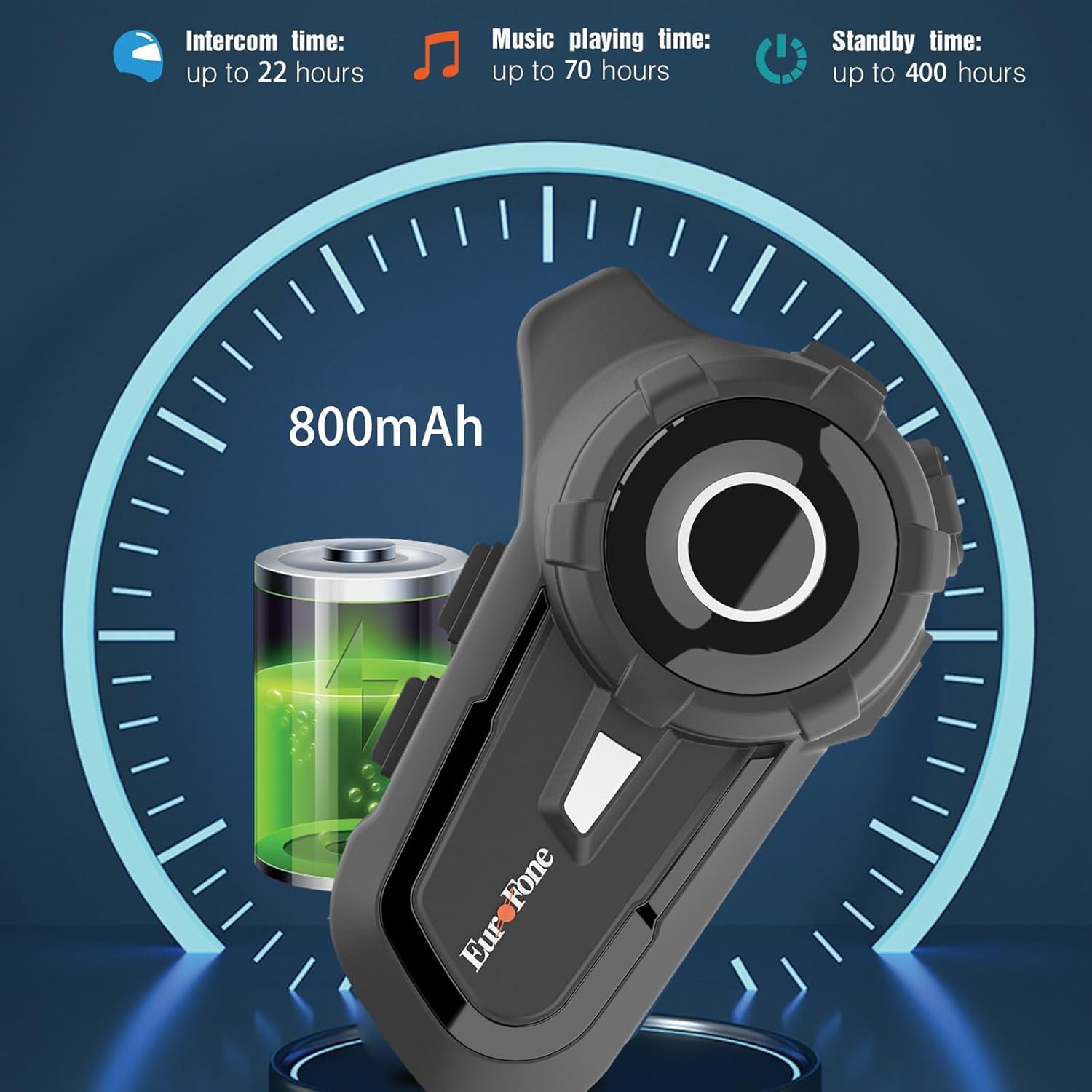
- Dlouhá výdrž baterie: 800 mAh battery provides up to 20 hours of working time and 18 months standby.
- Auto Answer & Voice Control: Automatically answers calls in 10 seconds and supports voice assistant/Siri.
- Noise Reduction & Hi-Fi Stereo Sound: CVC advanced noise cancellation for clear audio and high-fidelity sound quality.
- Bluetooth 5.1: Zajišťuje stabilní a efektivní bezdrátové připojení.
- FM rádio: Vestavěné FM rádio pro zábavu na cestách.
- Pozice GPS: Can connect to GPS devices for navigation.
3. Obsah balení
Ověřte, zda jsou v balení přítomny všechny položky:
- EuroFone S2 Bluetooth Headset Unit
- Hard Microphone (Boom Mic)
- Soft Microphone (Wired Mic)
- Sada reproduktorů
- Nabíjecí kabel USB typu C.
- Montáž Clamp
- Podložky na suchý zip pro reproduktory
- Uživatelská příručka

4. Nastavení a instalace
4.1 Nabíjení zařízení
Before first use, fully charge the EuroFone S2 headset. Connect the provided USB Type-C cable to the charging port on the unit and to a USB power source. The indicator light will show charging status. A full charge takes approximately 2.5 hours.

4.2 Installing into Helmet
Follow these steps to install the headset into your motorcycle helmet:
- Příprava helmy: Carefully remove the internal padding of your helmet to access the ear pockets and inner shell.
- Připojení reproduktorů: Use the provided velcro pads to attach the speakers inside the helmet's ear pockets. Ensure they are positioned directly over your ears for optimal sound quality. Route the speaker wires neatly under the lining.
- Instalace mikrofonu: Choose either the hard boom microphone (for open-face/modular helmets) or the soft wired microphone (for full-face helmets). Attach the microphone to the helmet lining near your mouth using the adhesive base. Route the microphone cable along with the speaker wires.
- Montáž hlavní jednotky: Secure the main headset unit to the side of the helmet using the mounting clamp. Tighten the screws to ensure a firm attachment.
- Připojit kabely: Plug the speaker and microphone cables into the corresponding ports on the main headset unit. Ensure connections are secure.
- Znovu sestavte helmu: Carefully reinsert the helmet's internal padding, ensuring all wires are tucked away and do not interfere with comfort or safety.

5. Návod k obsluze
5.1 Ovládací prvky Overview
The EuroFone S2 features intuitive controls for easy operation:
| Řízení | Funkce |
|---|---|
| Tlačítko zapnutí / vypnutí | Zapnutí/vypnutí |
| Multifunkční klíč | Play/Pause music, Answer/End calls, Activate voice assistant |
| Knob (Jog Dial) | Rotate clockwise for Volume Up, Counter-clockwise for Volume Down. Short press rotate for Next/Previous track. |
| Tlačítko FM | Activate/Deactivate FM Radio |
| Talkback Key (Intercom Button) | Initiate/End intercom communication |
| Charging Port & K-wire Interface | For charging and connecting external devices. |
| Telefon Jack | For wired audio connection (if applicable). |

5.2 Párování Bluetooth (telefon)
To pair your EuroFone S2 headset with your mobile phone:
- Zkontrolujte, zda je náhlavní souprava vypnutá.
- Současně stiskněte a podržte Tlačítko interkomu a Multifunkční tlačítko for approximately 5 seconds until you hear a "di di" voice prompt indicating factory settings restoration. Release the buttons.
- Turn on the power button until you hear a voice prompt. The indicator light will flash blue and red, indicating pairing mode.
- V mobilním telefonu přejděte do nastavení Bluetooth a vyhledejte dostupná zařízení.
- Select "S2" from the list of Bluetooth devices.
- Once paired, the headset will confirm with a voice prompt, and the indicator light will show a steady blue light or slow flashes.
5.3 Intercom Pairing (Two Units)
To pair two EuroFone S2 units for intercom communication:
- Ensure both headsets are powered off.
- On the first headset, turn on the power button and press and hold the Tlačítko interkomu for approximately 5 seconds until the indicator flashes with a quick blue light. You will hear a "pairing mode" voice prompt.
- On the second headset, turn on the power button and press and hold the Tlačítko interkomu for approximately 5 seconds until the indicator flashes with a quick blue light. You will also hear a "pairing mode" voice prompt.
- Wait for a few seconds. The two headsets will automatically pair with each other. The indicator lights will change to a steady blue or slow flashes once connected.
5.4 Reconnecting Intercom
If the intercom connection is lost or you wish to re-establish it:
- Short click the Multifunkční tlačítko on either headset to hear the prompt "end intercom".
- Dvakrát klikněte na Tlačítko interkomu on any one of the headsets.
- Poté klikněte na Multifunkční tlačítko. You will hear the "start intercom" voice prompt again, indicating the connection is re-established.
5.5 Přehrávání hudby
After pairing with your phone, you can control music playback:
- Přehrát/pozastavit: Klikněte na Multifunkční tlačítko přehrávání nebo pozastavení hudby.
- Ovládání hlasitosti: Otočte Jog Dial clockwise to increase volume, counter-clockwise to decrease volume.
- Další / předchozí skladba: Short press and rotate the Jog Dial counter-clockwise to play the next song. Short press and rotate clockwise to play the previous song.
5.6 Telefonní hovory
Správa telefonních hovorů v režimu handsfree:
- Přijmout hovor: The headset will automatically answer incoming calls after 10 seconds. You can also click the Multifunkční tlačítko to answer immediately.
- Ukončit hovor: Klikněte na Multifunkční tlačítko to end an ongoing call.
- Odmítnout hovor: Stiskněte a podržte Multifunkční tlačítko po dobu 2 sekund odmítnout příchozí hovor.
- Hlasový asistent/Siri: Stiskněte tlačítko Multifunkční tlačítko twice to activate your phone's voice assistant (Siri, Google Assistant, etc.).
5.7 FM rádio
Použití vestavěného FM rádia:
- Zapnutí/vypnutí FM: Klikněte na Tlačítko FM to activate or deactivate the FM radio.
- Skenovací stanice: While FM is on, press and hold the Tlačítko FM to automatically scan and save available stations.
- Přestupní stanice: Otočte Jog Dial to switch between saved FM stations.
6. Údržba a péče
- Čištění: Otřete náhlavní soupravu měkkým hadříkemamp tkanina. Nepoužívejte agresivní chemikálie nebo abrazivní čisticí prostředky.
- Vystavení vodě: Přestože je zařízení vodotěsné s krytím IP67, vyvarujte se delšího ponoření. Pokud se zařízení nenabíjí, ujistěte se, že je kryt nabíjecího portu bezpečně uzavřen.
- Skladování: Sluchátka skladujte na chladném a suchém místě mimo dosah přímého slunečního záření a extrémních teplot.
- Péče o baterie: Pro optimální výdrž baterie zařízení pravidelně nabíjejte, i když jej nepoužíváte často. Nevystavujte baterii úplnému vybíjení po delší dobu.
7. Řešení problémů
| Problém | Možná příčina | Řešení |
|---|---|---|
| Zařízení se nezapne. | Slabá baterie. | Zařízení plně nabijte. |
| Nelze spárovat s telefonem. | Headset not in pairing mode; phone Bluetooth off; previously paired device interfering. | Ensure headset is in pairing mode (flashing blue/red). Turn phone Bluetooth off/on. Forget previous pairings on phone. Perform factory reset on headset. |
| Interkom se nepřipojuje. | Headsets not in intercom pairing mode; out of range. | Ensure both headsets are in intercom pairing mode. Move closer to each other. Re-initiate intercom connection as per section 5.4. |
| Žádný zvuk nebo nízká hlasitost. | Volume too low; speakers not positioned correctly; loose connections. | Increase volume using the Jog Dial. Adjust speaker position in helmet. Check all cable connections. |
| Špatná kvalita zvuku/šum. | Microphone not positioned correctly; excessive wind noise; interference. | Adjust microphone position. Ensure microphone foam cover is in place. Reduce speed if wind noise is excessive. |
8. Specifikace
| Funkce | Detail |
|---|---|
| Název modelu | S2 černá |
| Verze Bluetooth | 5.1 |
| Rozsah interkomu | Up to 800 meters (2-riders) |
| Kapacita baterie | 800 XNUMX mAh |
| Doba nabíjení | 2.5 hodiny |
| Working Time (Intercom) | Až 22 hodin |
| Working Time (Music) | Až 70 hodin |
| Pohotovostní doba | Až 18 měsíců |
| Úroveň odolnosti proti vodě | IP67 Waterproof & Dustfree |
| Kontrola hluku | Aktivní potlačení hluku (CVC) |
| Rozměry | 3.35 x 2.17 x 0.98 palce |
| Hmotnost položky | 12.7 unce |
| Výrobce | Shenzhen Goldstar Electronics Co., Ltd |
9. Záruka a podpora
For warranty information and technical support, please refer to the official EuroFone webnebo se obraťte přímo na jejich zákaznický servis. Uschovejte si účtenku jako doklad o koupi pro případné reklamace.
Můžete navštívit EuroFone Store on Amazon pro více informací o produktu a zdroje podpory.
Ask a question about this manual
Ask about setup, troubleshooting, compatibility, parts, safety, or missing instructions. Manuals+ will review the question and use this page’s manual context to help answer it.