
1. Úvod
This manual provides detailed instructions for the Superbcco BTH001 Wireless Bluetooth Keyboard. This keyboard features a retro typewriter style with 100 keys and round keycaps, designed for universal compatibility across multiple Bluetooth-enabled devices. It supports connection to up to three devices simultaneously, allowing for easy switching between them. Please read this manual thoroughly to ensure proper setup and operation.

Image 1.1: The Superbcco BTH001 Wireless Bluetooth Keyboard, showcasing its retro design and round keycaps.
2. Obsah balení
Ověřte, zda jsou v balení přítomny všechny položky:
- 1 x Superbcco BTH001 Wireless Bluetooth Keyboard
- 1 x Uživatelská příručka (tento dokument)
- 2 x AAA baterie
- 1 x Cleaning Brush (may vary by package)
3. Nastavení
3.1. Instalace baterie
- Vyhledejte přihrádku na baterie na spodní straně klávesnice.
- Otevřete kryt bateriového prostoru.
- Vložte dvě baterie AAA a dbejte na správnou polaritu (+/-).
- Bezpečně zavřete kryt bateriového prostoru.
Video 3.1: Demonstration of battery installation and general keyboard overview.
3.2. Řízení spotřeby
The keyboard features an automatic power management system to conserve battery life. It will enter sleep mode after 10 minutes of inactivity. To wake the keyboard, press any key.

Image 3.2: The keyboard's auto-sleep mode for energy saving, indicating up to 3 months of battery life.
4. Návod k obsluze
4.1. Bluetooth Pairing and Multi-Device Switching
The Superbcco BTH001 keyboard can connect to up to three Bluetooth-enabled devices simultaneously and allows for easy switching between them.
- Vyberte kanál: Identify the desired Bluetooth channel (BT1, BT2, or BT3) on the keyboard.
- Vstupte do režimu párování: Stiskněte a podržte FN + BT1 (for Channel 1), FN + BT2 (for Channel 2), or FN + BT3 (for Channel 3) keys for 3-5 seconds. The corresponding indicator light on the keyboard will flash blue quickly, indicating it is in pairing mode.
- Povolte Bluetooth na svém zařízení: V počítači, tabletu nebo smartphonu přejděte do nastavení Bluetooth.
- Hledat Zařízení: Select "Add Bluetooth or other device" and choose "Bluetooth".
- Připojit: Locate and select "Superbcco Keyboard" (or similar name) from the list of available devices. Follow any on-screen prompts to complete the pairing process. The indicator light on the keyboard will stop flashing once connected.
- Spínací zařízení: Chcete-li přepínat mezi spárovanými zařízeními, jednoduše stiskněte BT1, BT2nebo BT3 key for 1 second. The indicator light will flash blue slowly, confirming the channel switch.

Image 4.1: Instructions for pairing and switching between three Bluetooth devices.
4.2. Univerzální kompatibilita
The keyboard is compatible with a wide range of Bluetooth-enabled operating systems and devices, including:
- Windows 8.0 a vyšší
- Mac OS 10 a vyšší
- Android 4.3 a vyšší
- Chrome OS
- iOS (iPhone, iPad)
- Smart TV
- Laptops and computers with Bluetooth capability
If your PC lacks built-in Bluetooth, a USB Bluetooth adapter can be used (not included).
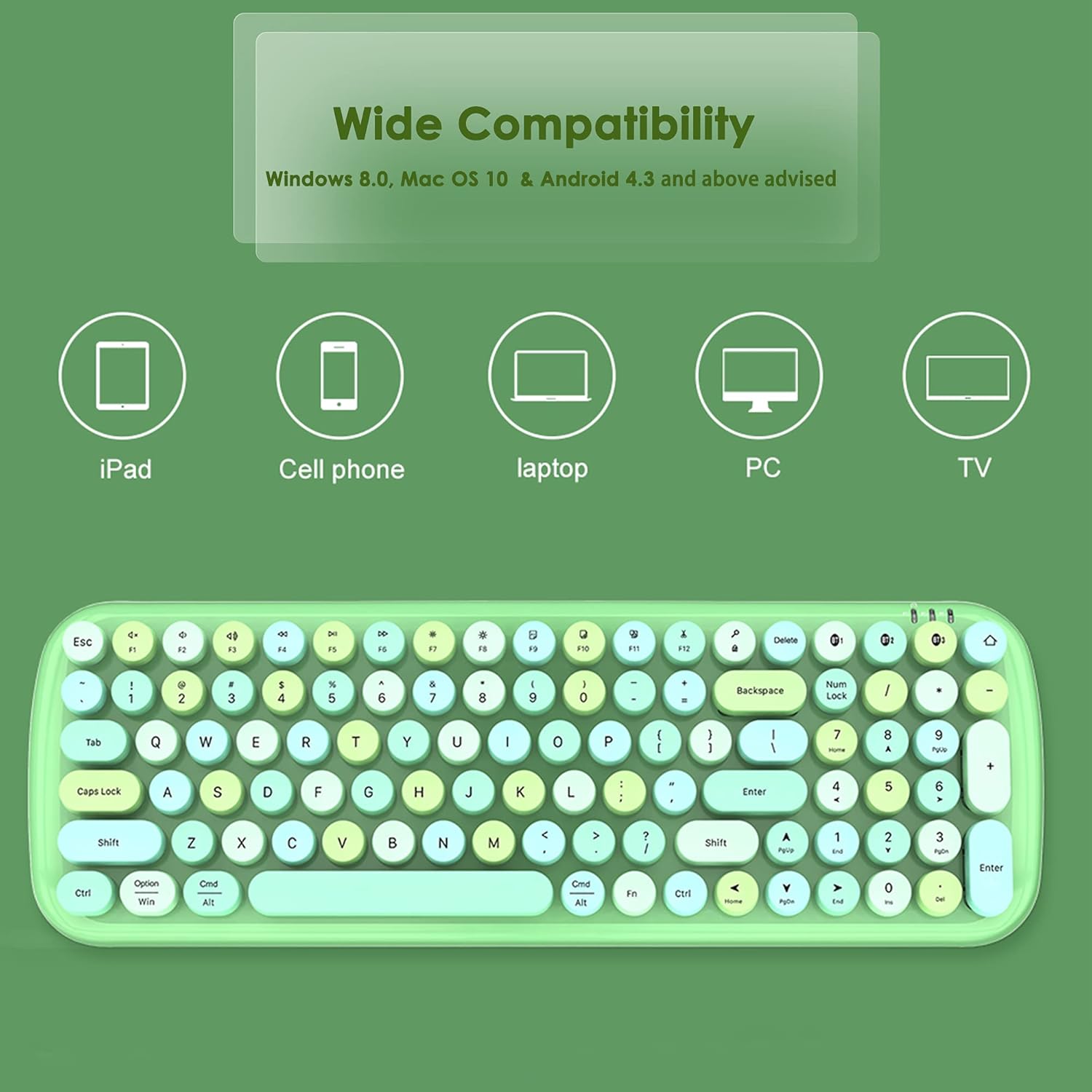
Image 4.2: Visual representation of the keyboard's wide compatibility with various devices.
4.3. Multimedia Hot Keys
The keyboard includes dedicated multimedia and function keys for enhanced productivity. These keys are typically accessed by pressing the FN klávesu v kombinaci s odpovídající funkční klávesou.
| Kombinace kláves | Funkce |
|---|---|
| FN + F1 | domovská stránka |
| FN + F2 | Předchozí stopa |
| FN + F3 | Další stopa |
| FN + F4 | Přehrát/Pozastavit |
| FN + F5 | Ztlumit |
| FN + F6 | Hlasitost - |
| FN + F7 | Hlasitost + |
| FN + F8 | Computer Brightness - |
| FN + F9 | Computer Brightness + |
| FN + F10 | Choose (e.g., select all) |
| FN + F11 | Střih |
| FN + F12 | Pasta |

Obrázek 4.3: Konecview of the multimedia hot keys and their functions.
5. Údržba
5.1. Čištění
To maintain optimal performance and appearance, regularly clean your keyboard. Use the provided cleaning brush (if included) or a soft, dry cloth to remove dust and debris from between the keys and on the surface. For stubborn dirt, a slightly damp Lze použít hadřík a ujistit se, že se do klávesnice nedostane žádná tekutina.
5.2. Výměna baterie
The keyboard's battery LED indicators will alert you when battery replacement is needed. Replace the two AAA batteries as described in Section 3.1. Battery life is approximately 3 months under typical usage conditions.
6. Řešení problémů
6.1. Keyboard Not Connecting or Pairing
- Ensure the keyboard has fresh batteries and is powered on (wake from sleep mode by pressing any key).
- Ověřte, zda je na vašem zařízení povoleno Bluetooth.
- Make sure the keyboard is within the 33ft (10m) connectivity range of your device.
- Repeat the pairing process as described in Section 4.1.
- If connecting to a PC without built-in Bluetooth, ensure a functional USB Bluetooth adapter is installed.
- Try restarting both the keyboard (by removing and reinserting batteries) and your device.
6.2. Keys Sticking or Unresponsive
- Clean around the affected keys using a cleaning brush or compressed air to remove any debris.
- Ujistěte se, že jsou klávesy správně usazeny.
- Pokud problém přetrvává, kontaktujte zákaznickou podporu.
6.3. Function Keys (F1-F12) Not Working as Expected (e.g., on Mac)
- Some operating systems (like macOS) may have default function key behaviors that override the keyboard's intended multimedia functions. Check your device's system settings for keyboard or function key preferences and adjust them as needed.
- Ujistěte se, že stisknete tlačítko FN key in combination with the desired function key for multimedia controls.
7. Specifikace
| Funkce | Detail |
|---|---|
| Číslo modelu | 001 BTH |
| Značka | Superbcco |
| Technologie připojení | Bluetooth 5.1 |
| Popis klávesnice | Membrane, 100-Key |
| Styl kláves | Retro Round Keycaps |
| Podpora více zařízení | Až 3 zařízení současně |
| Bezdrátové Dosah | Až 33 stop (10 metrů) |
| Zdroj napájení | 2 x AAA baterie |
| Výdrž baterie (přibližně) | 3 měsíců |
| Rozměry produktu | 15.39" D x 5.31" Š x 1.54" V (39.1 x 13.5 x 3.9 cm) |
| Hmotnost položky | 1.19 libry (0.54 kg) |
| Materiál | Plast |
| Barva | Růžový |
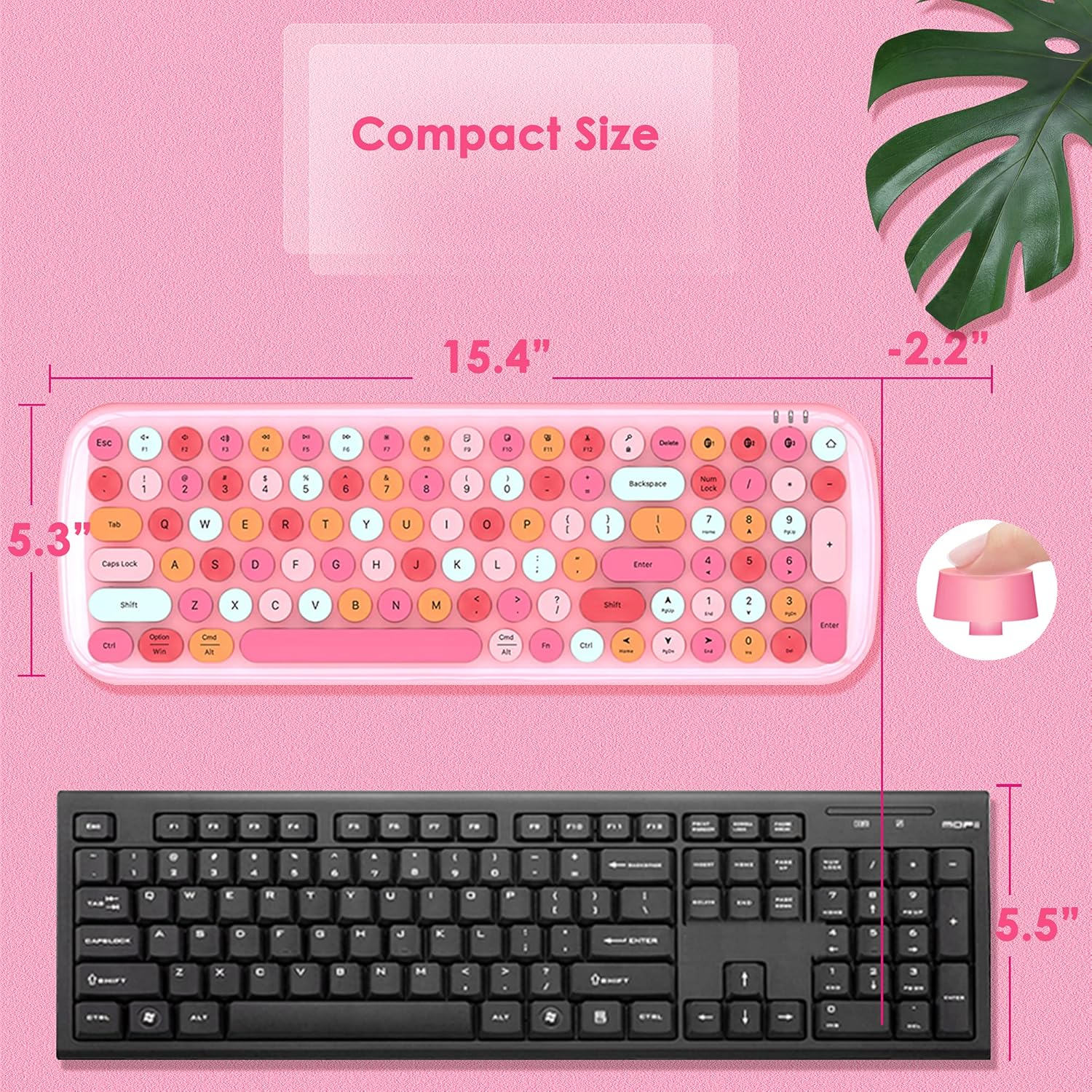
Image 7.1: Dimensions of the Superbcco BTH001 keyboard compared to a standard keyboard.
8. Záruka a zákaznická podpora
The Superbcco BTH001 Wireless Bluetooth Keyboard comes with a Záruka 24 měsíců od data nákupu. Tato záruka se vztahuje na výrobní vady a zajišťuje, že váš výrobek při běžném používání neobsahuje vady materiálu a zpracování.
For any questions, issues, or warranty claims, please do not hesitate to contact our customer service team. We aim to provide a quick response within 12 hours.
Kontaktní údaje: Please refer to the contact details provided on the product packaging or the seller's information on the purchase platform.