
1. Úvod
Thank you for choosing the Ledwood Capella Wireless Bluetooth 5.2 Stereo Earphones. This manual provides essential information for the proper setup, operation, and maintenance of your new earphones. Please read it carefully before use and retain it for future reference.
Obsah balení:
- 1 x CAPELLA In-Ear Headphones
- 1 x nabíjecí pouzdro
- 1 x USB-C kabel
- 2 x Pairs of Silicone Earbuds

Image: Ledwood Capella earphones and charging case. The white earphones are shown next to their matching white charging case, which has a USB-C port visible.
2. Nastavení
2.1 Nabíjení sluchátek a pouzdra
Před prvním použitím se ujistěte, že jsou nabíjecí pouzdro i sluchátka plně nabité.
- Place the earphones into the charging case. Ensure they are correctly seated to make contact with the charging pins.
- Připojte dodaný kabel USB-C k nabíjecímu portu na pouzdře a druhý konec k napájecímu zdroji USB (např. síťový adaptér, USB port počítače).
- The LED indicator on the case will show the charging status. Once fully charged, the indicator will change or turn off.
- A full charge typically takes approximately 1 hour. The case provides up to 9 hours of total battery life (3 charges of 3 hours each for the earphones).
2.2 Párování se zařízením Bluetooth
To connect your Ledwood Capella earphones to your smartphone or other Bluetooth-enabled device:
- Ujistěte se, že jsou sluchátka nabitá.
- Otevřete nabíjecí pouzdro. Sluchátka se automaticky přepnou do režimu párování, což bude signalizováno blikající LED diodou na sluchátkách.
- Na svém zařízení přejděte do nastavení Bluetooth a povolte Bluetooth.
- Hledat available devices. You should see "Ledwood Capella" or a similar name appear in the list.
- Select "Ledwood Capella" to connect. Once connected, the LED indicator on the earphones will stop flashing.
- Sluchátka se po vyjmutí z pouzdra automaticky znovu připojí k poslednímu spárovanému zařízení, pokud je na zařízení povoleno Bluetooth.
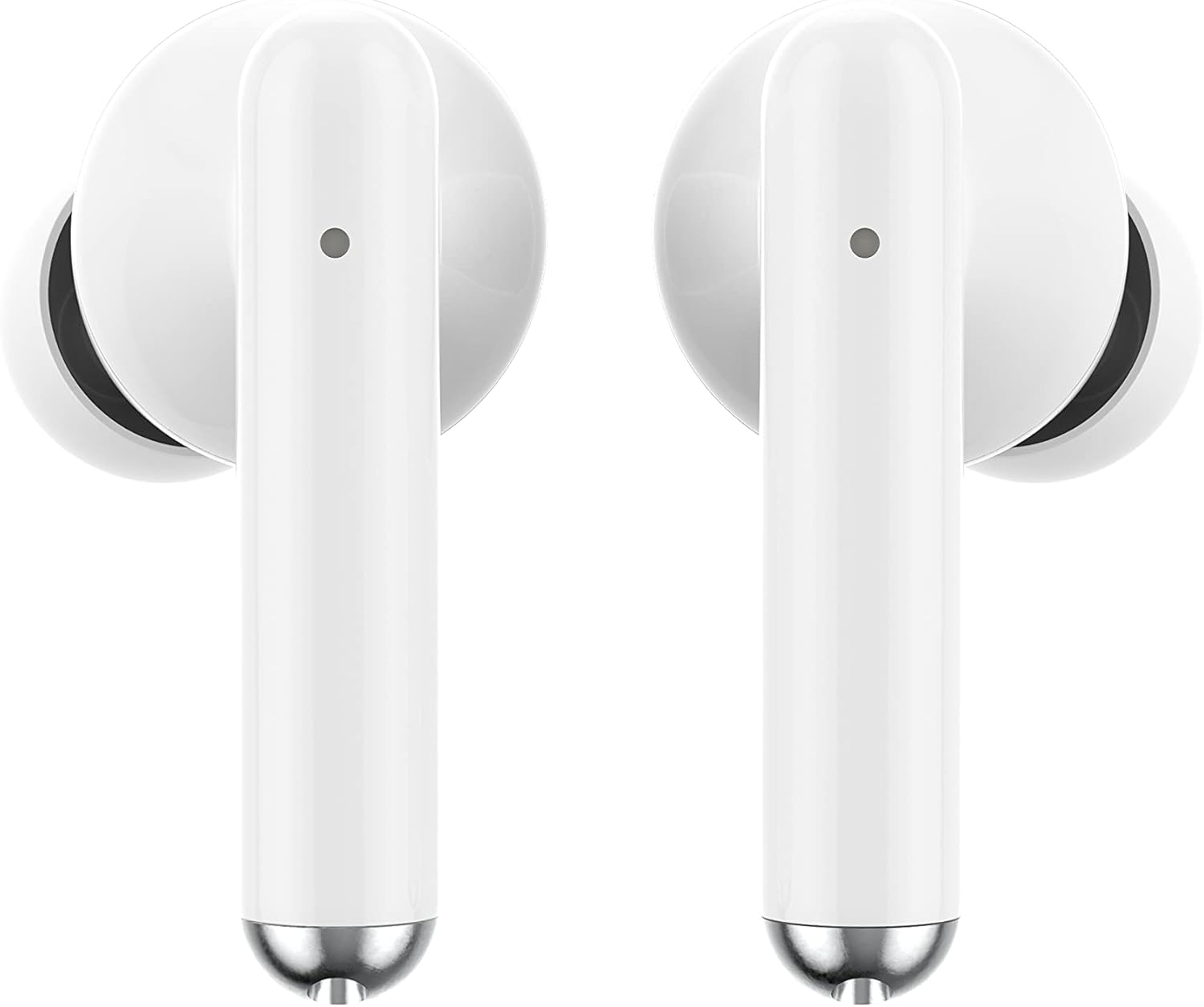
Obrázek: Detail view of the Ledwood Capella earphones. The white earbuds feature a sleek design with a small microphone hole visible on the stem.
3. Ovládání sluchátek
The Ledwood Capella earphones feature sensitive touch controls for easy management of your audio and calls.
3.1 Dotykové ovládání
The touch-sensitive area is located on the outer surface of each earphone stem. Refer to the diagram below for typical touch control functions:
- Jedno klepnutí: Přehrát/Pozastavit hudbu, Přijmout/Ukončit hovor.
- Dvojité klepnutí (levé sluchátko): Předchozí skladba.
- Dvojité klepnutí (pravé sluchátko): Další skladba.
- Triple Tap (Left Earphone): Snížit hlasitost.
- Triple Tap (Right Earphone): Zvyšte hlasitost.
- Dlouhé stisknutí (2 sekundy): Activate Voice Assistant, Reject call.
3.2 Hlasový asistent
The Capella earphones are compatible with major voice assistants (e.g., Siri, Google Assistant). To activate your device's voice assistant, perform a long press (2 seconds) on either earphone's touch control area. You can then issue commands through the earphone's microphone.
3.3 Super Bass Technology
The earphones are equipped with Super Bass technology, utilizing highly flexible polymer membranes to reproduce deep and rich bass sounds for an enhanced audio experience.
4. Údržba
4.1 Čištění
Pro udržení optimálního výkonu a hygieny:
- Sluchátka a nabíjecí pouzdro pravidelně čistěte měkkým, suchým hadříkem, který nepouští vlákna.
- Nepoužívejte abrazivní čisticí prostředky, alkohol ani chemická rozpouštědla.
- Jemně odstraňte veškerý ušní maz nebo nečistoty z ušních nástavců a mřížky reproduktoru pomocí malého měkkého kartáčku nebo vatového tamponu.
- Ensure the charging contacts on both the earphones and case are clean and dry.
4.2 Skladování
Pokud sluchátka nepoužíváte, uložte je do nabíjecího pouzdra, abyste je chránili před prachem, poškozením a udrželi je nabité.
5. Řešení problémů
If you encounter issues with your Ledwood Capella earphones, try the following solutions:
- Sluchátka se nespárují:
- Ujistěte se, že jsou obě sluchátka nabitá.
- Vypněte a zapněte Bluetooth na vašem zařízení.
- Forget "Ledwood Capella" from your device's Bluetooth list and attempt to pair again.
- Place earphones back in the case, close it, wait a few seconds, then open it again to re-enter pairing mode.
- Žádný zvuk nebo nízká hlasitost:
- Zkontrolujte úroveň hlasitosti na zařízení i ve sluchátkách.
- Ujistěte se, že máte sluchátka správně nasazená v uších.
- Vyčistěte mřížku reproduktoru sluchátek od nečistot.
- Problémy s nabíjením:
- Ověřte, zda je kabel USB-C bezpečně připojen k pouzdru i ke zdroji napájení.
- Zkuste jiný kabel USB-C nebo napájecí adaptér.
- Ujistěte se, že nabíjecí kontakty na sluchátkách a pouzdře jsou čisté.
- Earphones disconnecting frequently:
- Ujistěte se, že se nacházíte v dosahu 10 metrů od vašeho zařízení Bluetooth.
- Vyhněte se překážkám mezi sluchátky a zařízením, které by mohly rušit signál.
- Ujistěte se, že v blízkosti nejsou žádné jiné silné bezdrátové signály, které by mohly způsobovat rušení.
6. Specifikace
| Funkce | Specifikace |
|---|---|
| Název modelu | Capella |
| Číslo modelu | LD-T06 |
| Bezdrátová komunikace | Bluetooth 5.2 |
| Rozsah | Až 10 metrů |
| Výdrž baterie (sluchátka) | Cca. 3 hodiny na jedno nabití |
| Výdrž baterie (s nabíjecím pouzdrem) | Up to 9 hours (3 x 3 hours) |
| Doba nabíjení | Přibl. 1 hodina |
| Typ nabíjení | USB-C |
| Hlasové ovládání | Ano |
| Citlivý dotek | Ano |
| Materiál | Silikon (náušníky) |
7. Záruka a podpora
7.1 Informace o záruce
Your Ledwood Capella earphones are covered by a manufacturer's warranty against defects in materials and workmanship. Please refer to the warranty card included in your package or contact your retailer for specific warranty terms and conditions.
7.2 Zákaznická podpora
For further assistance, technical support, or inquiries regarding your Ledwood Capella earphones, please contact the retailer where you purchased the product or visit the official Ledwood webstránky pro kontaktní informace podpory.