
1. Úvod
Thank you for choosing the Mitzu MCS-9956 Bluetooth Car Stereo. This manual provides essential information for the proper installation, operation, and maintenance of your new car stereo. Please read this manual thoroughly before using the product to ensure safe and optimal performance. Keep this manual for future reference.
The MCS-9956 features Bluetooth connectivity for hands-free calls and audio streaming, USB and SD card playback for MP3 files, an AUX input, and an LCD display with a pre-set equalizer and digital clock.
2. Bezpečnostní informace
- Instalace: Ensure professional installation to prevent damage to the unit or your vehicle. Incorrect wiring can cause fire or electrical shock.
- Napájení: Připojujte přístroj pouze k 12V stejnosměrnému napájení se záporným uzemněním.
- Úroveň hlasitosti: Avoid operating the unit at excessively high volume levels for extended periods to prevent hearing damage and to maintain awareness of traffic conditions.
- Čištění: K čištění používejte měkký, suchý hadřík. Nepoužívejte abrazivní čisticí prostředky nebo rozpouštědla.
- vlhkost: Chraňte jednotku před vodou a nadměrnou vlhkostí.
- Obsluha během jízdy: Do not operate complex functions or watch videos while driving. Distraction can lead to accidents.
3. Konec produktuview
3.1 Front Panel and Remote Control
The front panel provides access to all primary controls, including power, volume, mode selection, and media playback. The included remote control offers convenient access to these functions from a distance.

Obrázek 3.1: Přední view of the Mitzu MCS-9956 car stereo showing the main unit with its LCD display, control knob, buttons, USB, SD, and AUX ports, alongside the included remote control.
- Tlačítko napájení / režimu: Press to turn on/off, short press to change mode (Radio, USB, SD, AUX, Bluetooth).
- Knoflík hlasitosti: Rotate to adjust volume. Press to access audio settings (EQ, Bass, Treble, Balance, Fader).
- Zobrazit: LCD screen showing current status, time, track information, etc.
- USB port: Connect USB flash drives for MP3 playback.
- SD Card Slot (TF): Insert Micro SD cards for MP3 playback.
- Vstup AUX: 3.5mm jack pro připojení externích audio zařízení.
- Mikrofon (MIC): Vestavěný mikrofon pro hands-free volání.
- Band/APS Button: In radio mode, press to select radio band (FM1, FM2, FM3). Long press for automatic station scan.
- Tlačítko ztlumení: Ztlumí zvukový výstup.
- Navigation Buttons (<< / >>): Skip tracks, fast forward/rewind, tune radio stations.
- Přednastavená tlačítka (1–6): Store and recall radio stations. In media mode, these can also function as play/pause, repeat, random, and folder navigation.
3.2 Připojení zadního panelu
The rear panel houses all necessary wiring connections for power, speakers, and external ampzáchranáři.
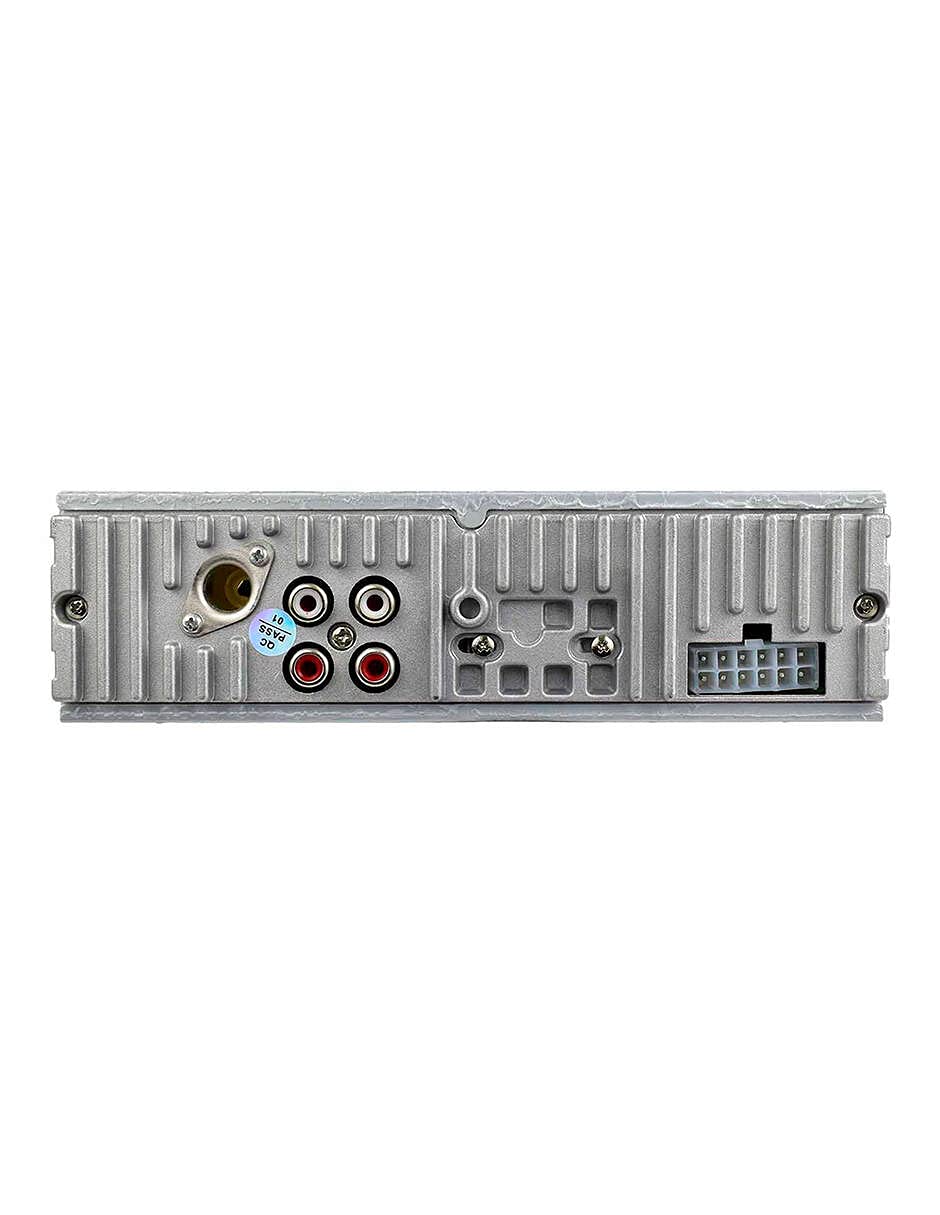
Obrázek 3.2: Zadní view of the Mitzu MCS-9956 car stereo, displaying the antenna input, RCA audio outputs, and the multi-pin wiring harness connector.
- Anténní vstup: Zde připojte anténu autorádia vašeho auta.
- Audio výstupy RCA: Pro připojení externích amplifiers (Front Left/Right, Rear Left/Right).
- Konektor kabelového svazku: Connects to the included wiring harness for power, ground, and speaker connections.
3.3 Strana View
Strana view illustrates the mounting points and heat dissipation design of the unit.
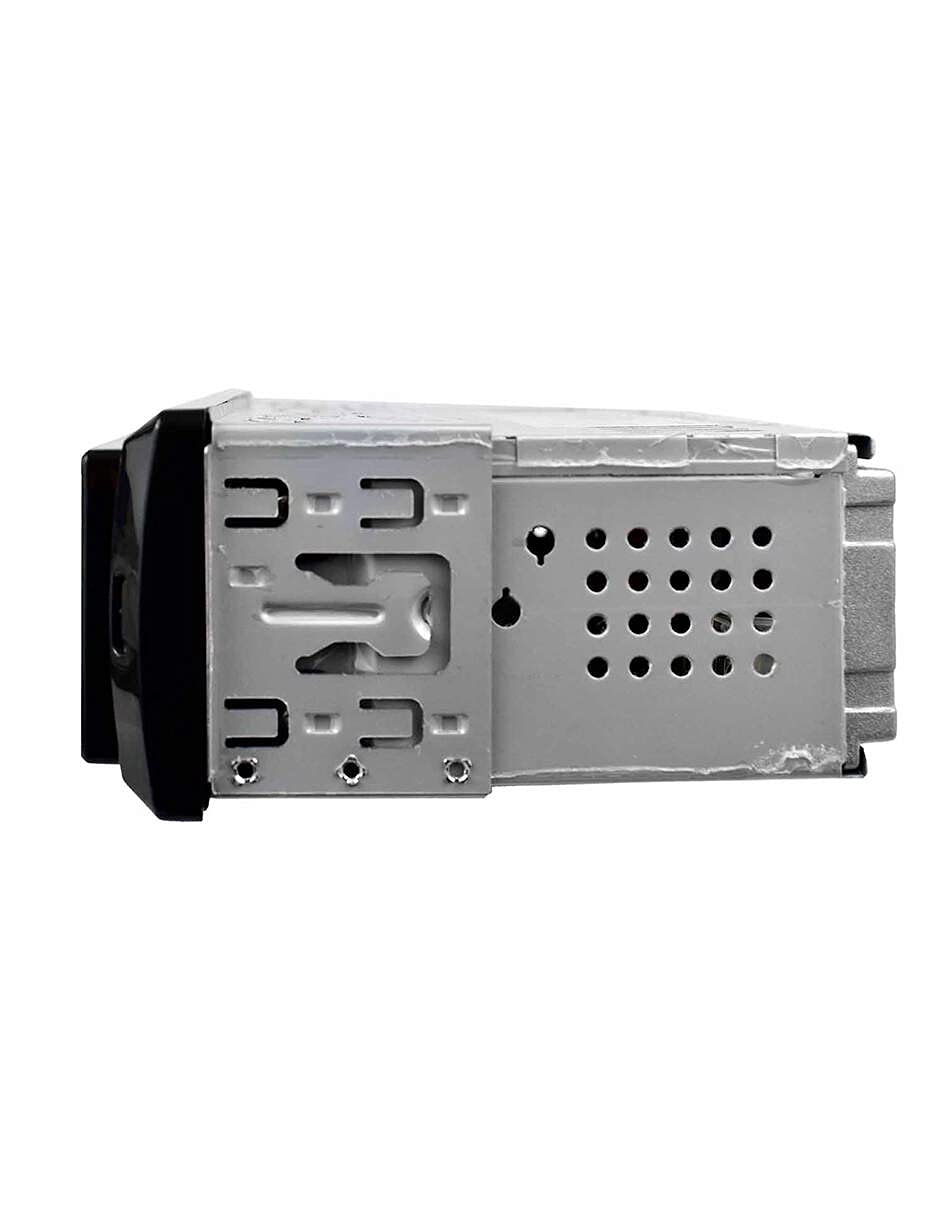
Obrázek 3.3: Strana view of the Mitzu MCS-9956 car stereo, highlighting the mounting brackets and ventilation holes for heat management.
4. Nastavení
4.1 Instalace
Professional installation is highly recommended. Incorrect wiring can damage the unit or your vehicle's electrical system. Refer to your vehicle's service manual for specific dashboard removal and wiring instructions.
- Odpojit baterii: Před nastartováním odpojte záporný pól autobaterie, abyste předešli elektrickému zkratu.
- Montáž: Install the car stereo into the dashboard opening using the provided mounting sleeve and brackets. Secure it firmly.
- Připojení kabeláže:
- Moc: Connect the yellow wire (constant 12V) to a constant 12V power source, the red wire (accessory 12V) to a switched 12V source (ignition), and the black wire (ground) to a good chassis ground point.
- Řečníci: Connect the speaker wires according to the color codes (e.g., White/White-Black for Front Left, Gray/Gray-Black for Front Right, Green/Green-Black for Rear Left, Purple/Purple-Black for Rear Right). Ensure correct polarity.
- Anténa: Connect the car's radio antenna cable to the antenna input on the rear of the unit.
- RCA Outputs (Optional): Pokud používáte externí amplifiers, connect RCA cables from the unit's RCA outputs to the ampvstupy od lifiera.
- Znovu připojte baterii: Once all connections are secure, reconnect the car battery.
4.2 Počáteční zapnutí
After installation, turn on your vehicle's ignition. Press the Napájení/režim button on the unit. The LCD display should illuminate. If not, check all wiring connections.
5. Návod k obsluze
5.1 Základní funkce
- Zapnutí/vypnutí: Stiskněte tlačítko Napájení/režim button to turn the unit on. Long press to turn off.
- Výběr režimu: Krátce stiskněte Napájení/režim button to cycle through available modes: Radio (FM), USB, SD, AUX, Bluetooth.
- Ovládání hlasitosti: Otočte Ovladač hlasitosti ve směru hodinových ručiček pro zvýšení hlasitosti, proti směru hodinových ručiček pro snížení.
- Ztlumit: Stiskněte tlačítko Ztlumit button to silence the audio. Press again to restore.
5.2 Provoz rádia
- Vyberte pásmo: V režimu Rádio stiskněte tlačítko BAND/APS tlačítko pro přepínání mezi pásmy FM1, FM2 a FM3.
- Ruční ladění: Krátce stiskněte Navigation Buttons (<< / >>) to fine-tune frequencies.
- Automatické skenování: Dlouze stiskněte Navigation Buttons (<< / >>) to automatically search for the next strong station.
- Auto Store (APS): Dlouze stiskněte BAND/APS tlačítko pro automatické prohledávání a ukládání nejsilnějších stanic do paměti předvoleb.
- Přednastavené stanice: Krátké stisknutí tlačítek předvoleb (1-6) to recall stored stations. To store a station, tune to the desired frequency, then long press one of the preset buttons (1-6) until you hear a beep.
5.3 Provoz Bluetooth
Zařízení podporuje Bluetooth pro handsfree volání a streamování hudby.
- Párování:
- Ensure the car stereo is in Bluetooth mode (select via Režim button). The display will show "BT".
- Na svém mobilním zařízení povolte Bluetooth a vyhledejte dostupná zařízení.
- Select "Mitzu MCS-9956" (or similar name) from the list. If prompted for a PIN, enter "0000".
- Once paired, the display will show "CONNECTED" or a Bluetooth icon.
- Hands-free volání:
- Přijmout hovor: Stiskněte tlačítko SEL button (or green call button on remote) to answer an incoming call.
- Ukončit hovor: Stiskněte tlačítko SEL button (or red call button on remote) to end a call.
- Vytáčení čísla: Dial from your phone; audio will automatically transfer to the car stereo.
- Bluetooth Audio Streaming (A2DP):
- Once paired, play music on your mobile device. Audio will stream wirelessly to the car stereo.
- Použijte Navigation Buttons (<< / >>) přeskakovat skladby.
- Použijte SEL button (or Play/Pause on remote) to play or pause.
5.4 Přehrávání z USB/SD karty
Insert a USB flash drive into the USB port or a Micro SD card into the TF slot. The unit will automatically switch to USB/SD mode and begin playing MP3 files.
- Přehrát/pozastavit: Stiskněte tlačítko 1/PAU button (or Play/Pause on remote).
- Další / předchozí skladba: Krátce stiskněte Navigation Buttons (<< / >>).
- Rychlé převíjení vpřed/vzad: Dlouze stiskněte Navigation Buttons (<< / >>).
- Opakovat: Stiskněte tlačítko 2 / INT button (or RPT on remote) to cycle through repeat modes (Repeat One, Repeat All).
- Náhodné přehrávání: Stiskněte tlačítko 3 / RDM button (or RDM on remote) to enable/disable random playback.
- Navigace ve složkách: Použijte -DIR a +DIR tlačítka pro navigaci mezi složkami.
5.5 Vstup AUX
Connect an external audio device (e.g., smartphone, MP3 player) to the 3.5mm AUX input jack on the front panel using an audio cable. Switch the unit to AUX mode using the Režim button. Audio will play through the car speakers. Control playback from the connected device.
5.6 Audio Settings (EQ, Bass, Treble)
Stiskněte tlačítko Ovladač hlasitosti to cycle through audio settings:
- EQ (ekvalizér): Select from pre-set equalizer modes (e.g., POP, ROCK, CLASS, JAZZ, FLAT).
- BASY/VÝŠKY: Upravte úroveň basů a výšek.
- BALANCE (BAL): Adjust audio balance between left and right speakers.
- FADER (FAD): Adjust audio balance between front and rear speakers.
Otočte Ovladač hlasitosti to change the value of the selected setting.
5.7 Nastavení hodin
Stiskněte tlačítko CLK button (or CLK on remote) to display the time. Long press the CLK pro vstup do režimu nastavení hodin. Pomocí Navigation Buttons (<< / >>) to adjust hours and minutes, and the Ovladač hlasitosti to confirm and move between hour/minute settings. Press CLK znovu k výstupu.
6. Údržba
- Čištění jednotky: Use a soft, dry cloth to wipe the front panel. Do not use harsh chemicals, solvents, or abrasive cleaners, as they may damage the finish or display.
- USB/SD Card Care: Ensure USB drives and SD cards are clean and free of dust before insertion. Avoid forcing them into the slots.
- Teplota: Nevystavujte jednotku extrémním teplotám, delšímu přímému slunečnímu záření nebo vysoké vlhkosti.
7. Řešení problémů
| Problém | Možná příčina | Řešení |
|---|---|---|
| Žádná síla | Nesprávné zapojení; Spálená pojistka; Uvolněné spojení. | Check power and ground wires. Inspect the fuse (usually located on the yellow wire). Ensure all connections are secure. |
| Žádný zvuk | Volume too low; Mute activated; Incorrect speaker wiring; Faulty speakers. | Increase volume. Deactivate mute. Check speaker connections and polarity. Test with known good speakers. |
| Příjem rádia je špatný | Anténa není připojena; Poškozená anténa; Oblast se slabým signálem. | Ensure antenna is securely connected. Check antenna for damage. Try a different location. |
| Bluetooth se nepřipojuje | Bluetooth není na zařízení povolen; Zařízení je příliš daleko; Nesprávný proces párování. | Ensure Bluetooth is on and discoverable on your phone. Keep devices within 10 meters. Re-attempt pairing. Forget device on phone and pair again. |
| USB/SD karta se nepřehrává | Nepodporováno file formát; Poškozený files; Incorrectly inserted media; Max capacity exceeded. | Zajistit files are MP3 format. Check media for errors. Reinsert USB/SD card. Use media within supported capacity. |
8. Specifikace
- Značka: Mitzu
- Model: MCS-9956
- Max Audio Output Power: 4 x 45 W
- Rozsah Bluetooth: 10 metrů (přibližně)
- Technologie displeje: LCD
- Režim výstupu zvuku: Stereo
- Kompatibilní zařízení: Smartphone
- Speciální vlastnosti: Equalizer, Hands-free calling
- Konektivita: Auxiliary (3.5mm), Bluetooth, USB, Micro SD card
- Podporované typy médií: MP3
- Napájení: 12V DC (záporné uzemnění)
- Rozměry balení: 21.1 x 15.5 x 7.9 cm
- Hmotnost: 480 g
9. Záruka a podpora
For warranty information, please refer to the warranty card included with your product or contact your retailer. For technical support, product inquiries, or service, please visit the official Mitzu webnebo kontaktujte jejich zákaznický servis. Uschovejte si účtenku jako doklad o koupi.
Mitzu Official Store: Visit Mitzu Store on Amazon