
1. Úvod
The SUIRUI HD-19B Webcam is designed to provide high-definition video and clear audio for various applications, including video conferencing, online streaming, video calls, and gaming. It features 1080p resolution at 30 frames per second, a 90-degree wide-angle lens, and a built-in noise-reducing microphone. This device offers a plug-and-play experience, requiring no additional drivers for most operating systems.
2. Co je v krabici
- SUIRUI HD-19B Webvačka
- USB kabel (integrovaný)
- Uživatelská příručka
3. Nastavení a instalace
The SUIRUI HD-19B Webcam is designed for easy plug-and-play installation. Follow these steps to set up your webvačka:
- Montáž Webvačka: Umístěte webcam securely on top of your computer monitor, laptop screen, or a flat surface. The adjustable clip allows for a firm and stable mounting.
- Připojení k vašemu počítači: Zapojte integrovaný kabel USB z webvložte do volného portu USB na vašem počítači.
- Automatická instalace ovladačů: Váš počítač by měl automaticky detekovat webcam and install the necessary drivers. This process typically takes a few moments. No manual driver installation is usually required.
- Ověřte instalaci: Open a video conferencing application (e.g., Zoom, Skype) or your computer's camera application to confirm the webcam is recognized and functioning correctly. You may need to select the SUIRUI HD-19B as your preferred camera and microphone in the application's settings.

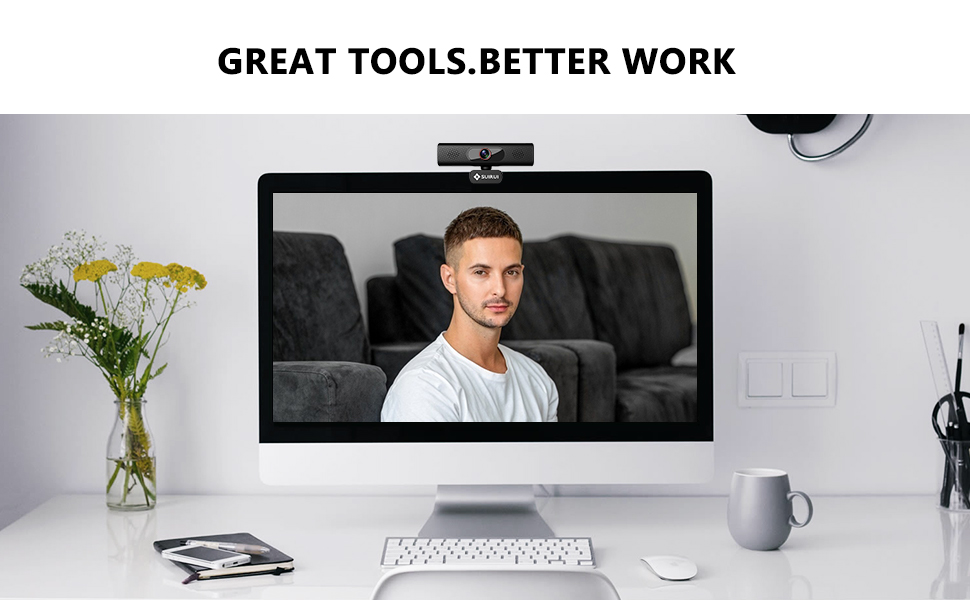
Image: The SUIRUI HD-19B Webkamera připojená k notebooku, ilustrující jednoduché nastavení typu plug-and-play.
Video: An official product video demonstrating the unboxing, features, and mounting of the SUIRUI HD-19B Webvačka.
4. Návod k obsluze
4.1 Video Quality and Angle
The webcam delivers Full HD 1080p video at 30 frames per second, ensuring clear and smooth visuals. Its 90-degree wide-angle lens captures a broad field of view, suitable for individual use or small group settings without distortion.

Image: A person engaged in a 1080p HD video call using the SUIRUI HD-19B webcam, highlighting clear image quality.
4.2 Automatic Low-Light Correction
The webcam features automatic low-light correction, which intelligently adjusts the image to ensure you are clearly visible even in dim lighting conditions or backlit environments. This feature optimizes brightness and contrast for the best possible video output.

Image: The SUIRUI HD-19B Webcam mounted on a monitor, demonstrating its low-light correction capabilities in a dimly lit room.
4.3 Built-in Noise-Reducing Microphone
Equipped with a built-in noise-reducing microphone, the webcam captures your voice clearly while minimizing ambient background noise. This ensures that your audio is crisp and understandable during conversations, streaming, or recordings.
Obrázek: Detailní záběr view of the SUIRUI HD-19B webcam, with graphics illustrating how its built-in microphone provides excellent sound by reducing environmental noise.
4.4 Adjustable Mounting and Rotation
The webcam features a versatile mounting clip that allows for secure placement on various screens. The base bracket offers 180-degree adjustment, and the camera itself can rotate 360 degrees, enabling you to find the optimal angle for your video feed.

Image: A hand adjusting the SUIRUI HD-19B webcam on a laptop screen, showcasing its firm mounting option and 360-degree rotation capability.
5. Kompatibilita
The SUIRUI HD-19B Webcam is broadly compatible with various operating systems and popular video communication platforms:
Operační systémy 5.1
- Windows® 7/8.1/10 or higher
- Mac OS® 10.10 nebo vyšší
- Linux (requires UVC support)
- Google™ Chromebook™ verze 29.0.1547.70 nebo vyšší
5.2 Podporované aplikace
- Přiblížení
- Microsoft Teams
- Skype pro firmy
- Google Hangouts
- Youtube
- Facebook Live

Image: The SUIRUI HD-19B Webcam displayed alongside logos of various operating systems and communication platforms it is compatible with.
6. Řešení problémů
If you encounter issues with your SUIRUI HD-19B Webvačky, podívejte se prosím na následující běžná řešení:
- WebKamera nebyla detekována:
- Ujistěte se, že je kabel USB bezpečně zapojený do obou webkameru a váš počítač.
- Zkuste zapojit webkamera do jiného portu USB.
- Restartujte počítač.
- Check your operating system's device manager (Windows) or system information (Mac) to see if the webkamera je uvedena.
- Žádné video/Černá obrazovka:
- Ověřte, že webcam is selected as the active video device in your application's settings.
- Close any other applications that might be using the webvačka.
- Ensure there is adequate lighting in your environment.
- Žádný zvuk/Špatná kvalita zvuku:
- Confirm that the SUIRUI HD-19B microphone is selected as the input device in your application's audio settings.
- Check your computer's sound settings to ensure the microphone is not muted and its volume is appropriately set.
- Speak clearly and ensure you are within a reasonable distance from the webvačka.
- Image Quality Issues (Blurry, Grainy):
- Zajistěte webcam lens is clean and free from dust or smudges.
- Check your application's video settings to ensure the resolution is set to 1080p (if available).
- Zajistěte dostatečné osvětlení.
7. Specifikace
| Funkce | Detail |
|---|---|
| Název modelu | HD-19B |
| Rozměry produktu | 5.26 x 2.13 x 2.31 palce |
| Hmotnost položky | 7 unce |
| Technologie připojení | USB |
| Rozlišení záznamu videa | 1080p |
| Technologie fotosenzoru | CMOS |
| Typ videokamery | Videokamera |
| Podporovaný formát zvuku | AAC, MP3, or PCM |
| Screen Size (for reference) | 2.7 palce |
| Datum první dostupnosti | 21. června 2021 |
8. Záruka a podpora
For warranty information and technical support, please refer to the documentation included with your product or visit the official SUIRUI webmísto. Uschovejte si doklad o koupi pro případ záručních reklamací.