
Zavedení
Welcome to the user manual for your Azumi V5+ 4G LTE Android Smartphone. This guide provides essential information on setting up, operating, maintaining, and troubleshooting your device. Please read this manual carefully to ensure optimal performance and longevity of your smartphone.
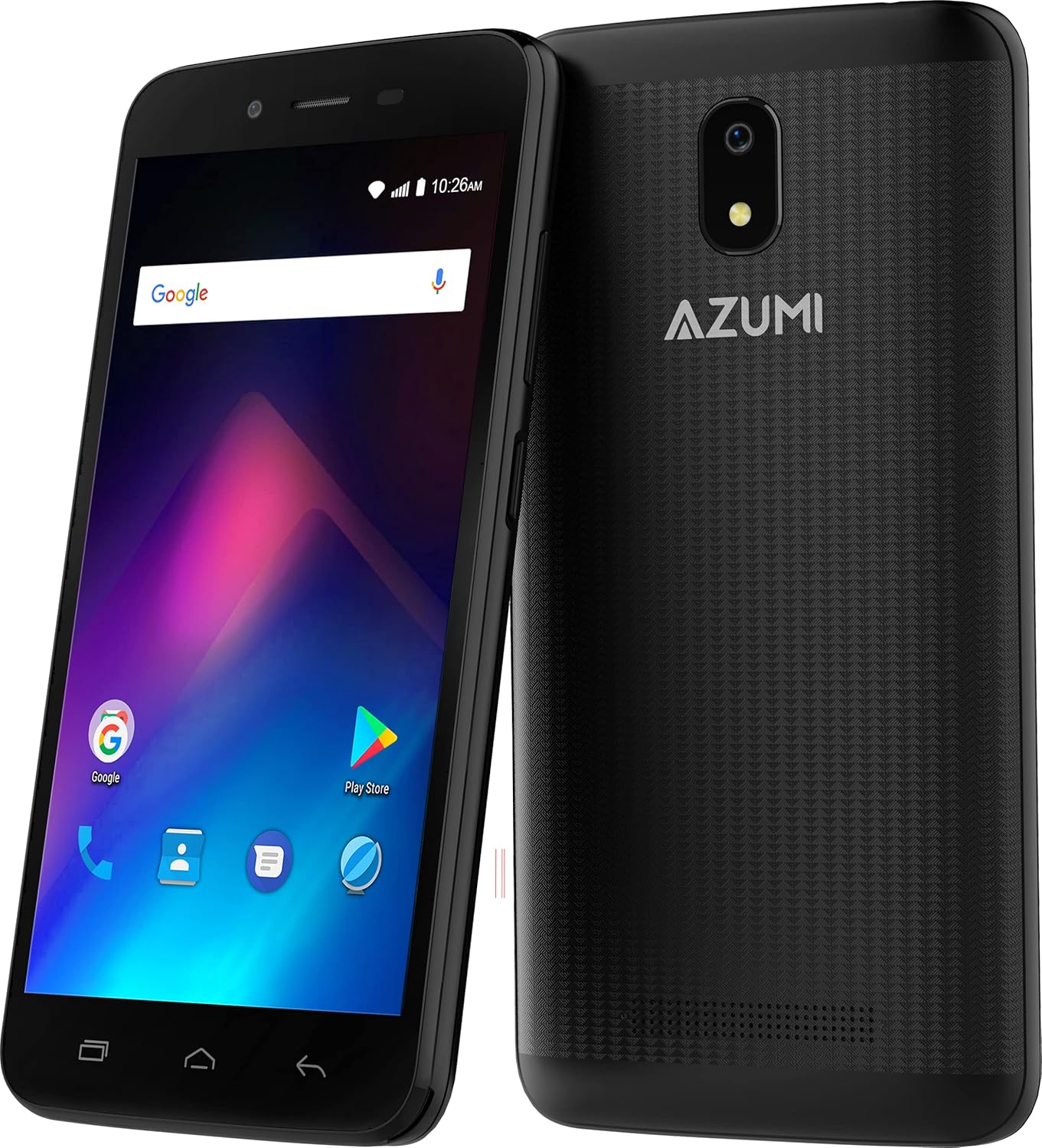
Obrázek: Přední a zadní strana view of the Azumi V5+ smartphone, showcasing its 5.0-inch screen and rear camera module.
1. Nastavení
1.1 Obsah balení
Než budete pokračovat, ujistěte se, že balení obsahuje všechny položky:
- Azumi V5+ Smartphone
- Battery (if removable)
- Nabíječka
- USB kabel
- Stručný průvodce (pokud je součástí dodávky)
1.2 Vložení SIM karty a baterie
- Úplně vypněte zařízení.
- Opatrně sejměte zadní kryt telefonu.
- If the battery is removable, insert the battery into its compartment, ensuring the contacts align.
- Locate the SIM card slot(s). Insert your SIM card(s) with the gold contacts facing down, following the diagram near the slot.
- Bezpečně nasaďte zadní kryt.

Obrázek: Vícenásobný views of the Azumi V5+ smartphone, illustrating its sides, top, and bottom, useful for identifying button and port locations.
1.3 Nabíjení baterie
Before first use, fully charge the smartphone battery.
- Connect the USB cable to the charger adapter.
- Zapojte nabíjecí adaptér do elektrické zásuvky.
- Connect the micro USB end of the cable to the charging port on your phone.
- Na obrazovce se zobrazí indikátor nabíjení.
1.4 Počáteční zapnutí a nastavení
- Stiskněte a podržte tlačítko Napájení, dokud se nerozsvítí obrazovka.
- Postupujte podle pokynů na obrazovce a vyberte jazyk, připojte se k Wi-Fi a nastavte si účet Google.
2. Ovládání smartphonu
2.1 Základní navigace
- Dotyková obrazovka: Klepnutím vyberete, přejetím prstem posouváte, přiblížením rozevřením prstů.
- Vypínač: Press to turn the screen on/off, press and hold to power off or restart.
- Tlačítka hlasitosti: Upravte hlasitost médií, hlasitost hovorů nebo hlasitost vyzvánění.
2.2 Volání a odesílání zpráv
- Volání: Otevřete aplikaci Telefon, vytočte číslo a klepněte na ikonu volání.
- Zprávy: Otevřete aplikaci Zprávy, klepněte na ikonu nové zprávy, zadejte příjemce a vaši zprávu.
2.3 Použití kamery
Your Azumi V5+ features an 8 MP main camera and a 5 MP front camera with LED flash.
- Otevřete aplikaci Fotoaparát.
- Zakomponujte svůj záběr.
- Klepnutím na tlačítko spouště pořídíte fotografii.
- Přepínejte mezi předním a zadním fotoaparátem pomocí ikony přepínače fotoaparátu.
2.4 Připojení k internetu
- Wi-Fi: Go to Settings > Network & internet > Wi-Fi, turn Wi-Fi on, and select your network.
- Mobilní data (4G LTE): Go to Settings > Network & internet > Mobile network, and ensure Mobile data is enabled.
2.5 App Management (Android Go)
The Azumi V5+ runs on Android Go, an optimized version of Android for entry-level devices.
- Stahování aplikací: Use the Google Play Store to download and install applications.
- Odinstalace aplikací: Press and hold an app icon on the home screen or app drawer, then drag it to "Uninstall". Alternatively, go to Settings > Apps & notifications.
3. Údržba
3.1 Čištění vašeho zařízení
K čištění obrazovky a těla telefonu používejte měkký hadřík, který nepouští vlákna. Nepoužívejte agresivní chemikálie ani abrazivní materiály.
3.2 Péče o baterii
- Vyhněte se extrémním teplotám.
- Do not overcharge the battery for extended periods.
- For optimal battery life, try to keep the charge between 20% and 80%.
- The Azumi V5+ has a 2000 mAh Lithium Ion battery.
3.3 Aktualizace softwaru
Periodically check for software updates to ensure your device has the latest features and security patches. Go to Settings > System > System update.
3.4 Správa úložiště
Your device comes with 32 GB of internal storage. To manage storage:
- Smažte nepotřebné aplikace a files.
- Move photos and videos to cloud storage or a computer.
- Clear cache data for apps regularly (Settings > Apps & notifications > [App Name] > Storage & cache > Clear cache).
4. Řešení problémů
4.1 Běžné problémy a řešení
| Problém | Řešení |
|---|---|
| Zařízení se nezapíná | Ujistěte se, že je baterie nabitá. Stiskněte a podržte tlačítko napájení po dobu alespoň 10–15 sekund. |
| Žádný síťový signál | Check if the SIM card is correctly inserted. Restart the phone. Verify mobile data is enabled in settings. |
| Aplikace padá nebo zamrzávají | Clear the app's cache (Settings > Apps & notifications > [App Name] > Storage & cache). Restart the device. |
| Pomalý výkon | Close unused apps. Clear cache. Check available storage. Restart the phone. |
4.2 Obnovení továrního nastavení
Pokud problémy přetrvávají, může být nutné provést obnovení továrního nastavení. Varování: Tímto se smažou všechna data v telefonu. Před pokračováním si zálohujte důležitá data.
- Přejděte do Nastavení > Systém > Možnosti resetování.
- Vyberte možnost „Vymazat všechna data (obnovení továrního nastavení)“.
- Potvrďte svou volbu.
5. Specifikace
| Funkce | Detail |
|---|---|
| Značka | Azumi |
| Název modelu | V5+ |
| Operační systém | Android Go |
| Velikost obrazovky | 5.0 palce (13 cm) |
| Procesor | Quadcore 1.3 GHz (Snapdragon) |
| BERAN | 1 GB |
| Interní úložiště | 32 GB |
| Zadní kamera | 8 MP s LED bleskem |
| Přední kamera | 5 MP |
| Kapacita baterie | Lithium-iontová kapacita 2000 mAh |
| Buněčná technologie | 4G LTE |
| Konektivita | Bluetooth, WiFi |
| Form Factor | Smartphone |
| Rozměry | 15.7 x 9.7 x 5.3 cm |
| Hmotnost | 301 g |
6. Záruka a podpora
Your Azumi V5+ smartphone is covered by a limited warranty. For detailed warranty information, terms, and conditions, please refer to the warranty card included in your product packaging or visit the official Azumi webmísto.
For technical support, frequently asked questions, or service inquiries, please visit the Azumi support page or contact their customer service.