
1. Úvod
This manual provides essential instructions for the safe and efficient operation, setup, and maintenance of your GBC AutoFeed+ 300M Micro-Cut Paper Shredder. Please read this manual thoroughly before using the shredder to ensure proper function and to prevent damage or injury. This shredder is designed for office use to securely dispose of confidential documents.

Obrázek 1.1: Přední strana view of the GBC AutoFeed+ 300M Micro-Cut Paper Shredder.
2. Bezpečnostní pokyny
Dodržujte následující bezpečnostní opatření, abyste snížili riziko požáru, úrazu elektrickým proudem nebo zranění:
- Udržujte ruce, vlasy a volné oblečení v dostatečné vzdálenosti od vstupního otvoru pro papír.
- Nedovolte dětem ani domácím zvířatům vstup do blízkosti drtiče.
- Odpojte drtič ze zásuvky, když jej nepoužíváte nebo před čištěním.
- Do not shred wet or adhesive materials, as this can cause jams or damage.
- Do not spray aerosols or flammable products into or near the shredder.
- Ujistěte se, že je drtič umístěn na stabilním a rovném povrchu.
- Do not attempt to service the shredder yourself. Refer to qualified service personnel.
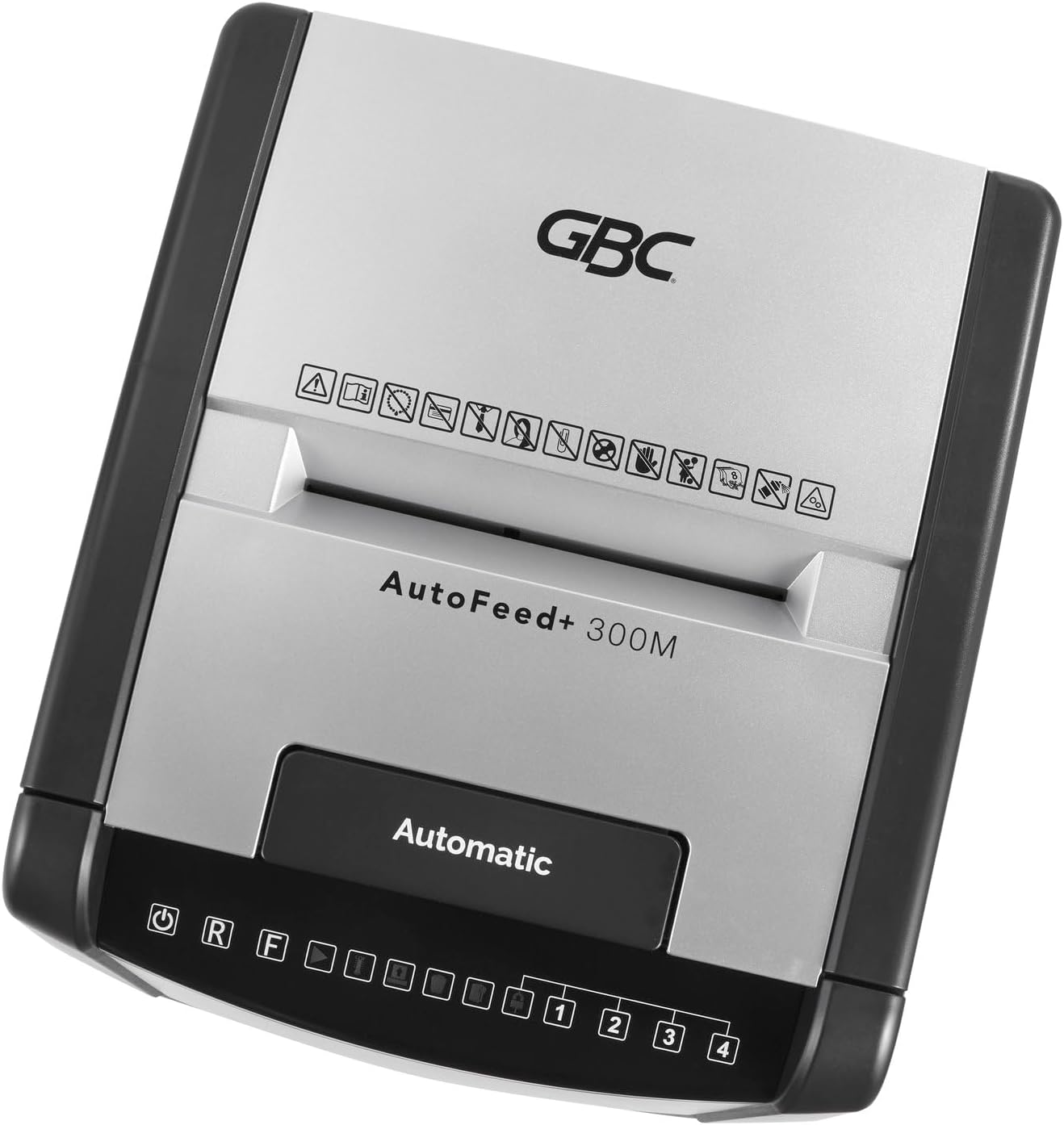
Obrázek 2.1: Nahoře view of the shredder control panel, showing safety warning icons.
3. Obsah balení
Ověřte, zda jsou v balení přítomny všechny položky:
- GBC AutoFeed+ 300M Shredder Unit
- Waste Bin (16 Gallon Capacity)
- Návod k použití (tento dokument)
4. Nastavení
- Unpack the shredder and remove all packaging materials.
- Place the shredder on a flat, stable surface. Ensure adequate space around the unit for ventilation.
- Insert the waste bin securely into the shredder cabinet. The shredder will not operate if the bin is not correctly seated.
- Připojte napájecí kabel do uzemněné elektrické zásuvky.
- Zapněte hlavní vypínač, který se obvykle nachází na zadní nebo boční straně jednotky.
5. Návod k obsluze
5.1. Auto-Feed Operation
The auto-feed feature allows for hands-free shredding of multiple sheets.
- Otevřete kryt automatického podavače.
- Stack up to 300 sheets of paper neatly into the auto-feed chamber. Ensure papers are free of folds or creases.
- Close the auto-feed tray cover. The shredder will automatically begin processing the documents.
- The shredder can process documents containing paper clips and staples in the auto-feed.

Image 5.1: Illustration of the auto-feed process: stacking papers, closing the lid, and the shredder operating.

Image 5.2: User placing a stack of documents into the auto-feed tray.
5.2. Manual Feed Operation
For smaller quantities of paper or credit cards, use the manual feed slot.
- Ensure the shredder is powered on.
- Do ručního podavače vložte až 8 listů papíru.
- For credit cards, insert one card at a time into the designated manual feed slot.
- The shredder will automatically detect the paper or card and begin shredding.

Image 5.3: Visual comparison of auto-feed (left) and manual feed (right) shredding options.
5.3. Security Level
This shredder produces micro-cut particles, offering P-5 level security. This ensures highly confidential information is securely destroyed.

Image 5.4: Illustration of micro-cut particle size (3/32" x 5/8") compared to a US quarter for P-5 security level.
6. Údržba
6.1. Vyprázdnění odpadkového koše
The shredder features a 16-gallon waste bin. Empty the bin regularly to prevent jams and ensure optimal performance. The shredder has a bin full sensor that will indicate when emptying is required.
- Turn off and unplug the shredder.
- Pull out the waste bin from the front of the unit.
- Zlikvidujte rozdrcený materiál.
- Odpadkový koš pevně zasuňte zpět, dokud nezacvakne na místo.

Image 6.1: The shredder with its 16-gallon waste bin pulled out, illustrating its capacity and dimensions.
6.2. Oiling the Shredder
Regular oiling of the shredder blades is crucial for maintaining performance and extending the life of the unit. Use GBC shredder oil or a compatible vegetable-based shredder oil.
- Naneste tenkou vrstvu oleje do skartovačky přes vstupní otvor pro papír.
- Run a few sheets of paper through the manual feed to distribute the oil.
- Perform this maintenance after every 30 minutes of continuous shredding or when emptying the waste bin.
7. Řešení problémů
| Problém | Možná příčina | Řešení |
|---|---|---|
| Skartovač se nespustí. | No power; waste bin not properly inserted; overheating. | Check power connection; ensure bin is fully inserted; allow shredder to cool down for 30-60 minutes. |
| Zaseknutý papír. | Too many sheets; paper folded or creased; non-shreddable material. | Use the reverse function (R button on control panel) to clear the jam. Reduce sheet count for future shredding. |
| Drtič se během provozu zastaví. | Overheating; waste bin full. | Allow shredder to cool down; empty the waste bin. |
8. Specifikace
- Model: WSM1757609
- Typ skartace: Micro-cut
- Úroveň zabezpečení: P-5
- Auto-Feed Capacity: Až 300 listů
- Kapacita ručního podávání: Až 8 listů
- Kapacita odpadkového koše: 16 galonů
- Nepřetržitá doba chodu: 60 minut
- Skartuje: Paper, paper clips, staples, credit cards (manual feed only)
- Rozměry (D x Š x V): 19 x 17 x 29 palce
- Hmotnost položky: 55.9 libry
- Výrobce: Značky ACCO
9. Záruka a podpora
For warranty information and customer support, please refer to the official GBC webnebo se obraťte na prodejce. Uschovejte si účtenku jako doklad o koupi pro případ reklamace.
GBC Official Webmísto: www.gbc.com