
Zavedení
Welcome to the Altec Lansing NanoBuds True Wireless Earbuds instruction manual. This guide provides essential information for setting up, operating, maintaining, and troubleshooting your new earbuds. Please read this manual thoroughly to ensure optimal performance and longevity of your device.

Image: The Altec Lansing NanoBuds True Wireless Earbuds shown with their charging case.
Co je v krabici
Your Altec Lansing NanoBuds package includes the following items:
- Altec Lansing NanoBuds True Wireless Earbuds (Left and Right)
- Bezdrátové nabíjecí pouzdro
- USB nabíjecí kabel
- Multiple sizes of ear tips for a customized fit
- Rychlý průvodce

Image: The NanoBuds earbuds displayed alongside their charging case.
Nastavení
1. Nabíjení sluchátek a pouzdra
Before first use, fully charge your NanoBuds and their charging case. Place the earbuds into the charging case. Connect the USB charging cable to the charging port on the case and plug the other end into a USB power source. The indicator lights on the case will show the charging status.

Image: NanoBuds seated in the charging case, with blue indicator lights illuminated, signifying charging status.
2. Párování Bluetooth
- Ujistěte se, že jsou sluchátka nabitá.
- Otevřete nabíjecí pouzdro. Sluchátka se automaticky přepnou do režimu párování, což bude signalizováno blikajícími světly.
- Na svém zařízení (chytrém telefonu, tabletu atd.) přejděte do nastavení Bluetooth a zapněte Bluetooth.
- Select "Altec NanoBuds" from the list of available devices.
- Po připojení hlasový pokyn potvrdí úspěšné spárování.
3. Dosažení bezpečného uchycení
For optimal sound quality and comfort, select the ear tips that best fit your ears. The NanoBuds feature Altec Lansing Helix wings for a secure fit, especially during active use. Gently insert each earbud into your ear canal and twist slightly to lock the Helix wing into place.

Obrázek: Detail view of the NanoBuds, highlighting the integrated Helix wings designed for a stable and secure fit in the ear.
Ovládání sluchátek
Dotykové ovládání
The NanoBuds feature intuitive touch controls on each earbud for managing audio playback and calls.
| Akce | Funkce |
|---|---|
| Jedno klepnutí (vlevo/vpravo) | Přehrát/Pozastavit hudbu, Přijmout/Ukončit hovor |
| Dvojité klepnutí (vpravo) | Další stopa |
| Dvojité klepnutí (vlevo) | Předchozí stopa |
| Trojité klepnutí (vlevo/vpravo) | Aktivujte hlasového asistenta |
| Stiskněte a podržte (2 sekundy) | Odmítnout hovor |
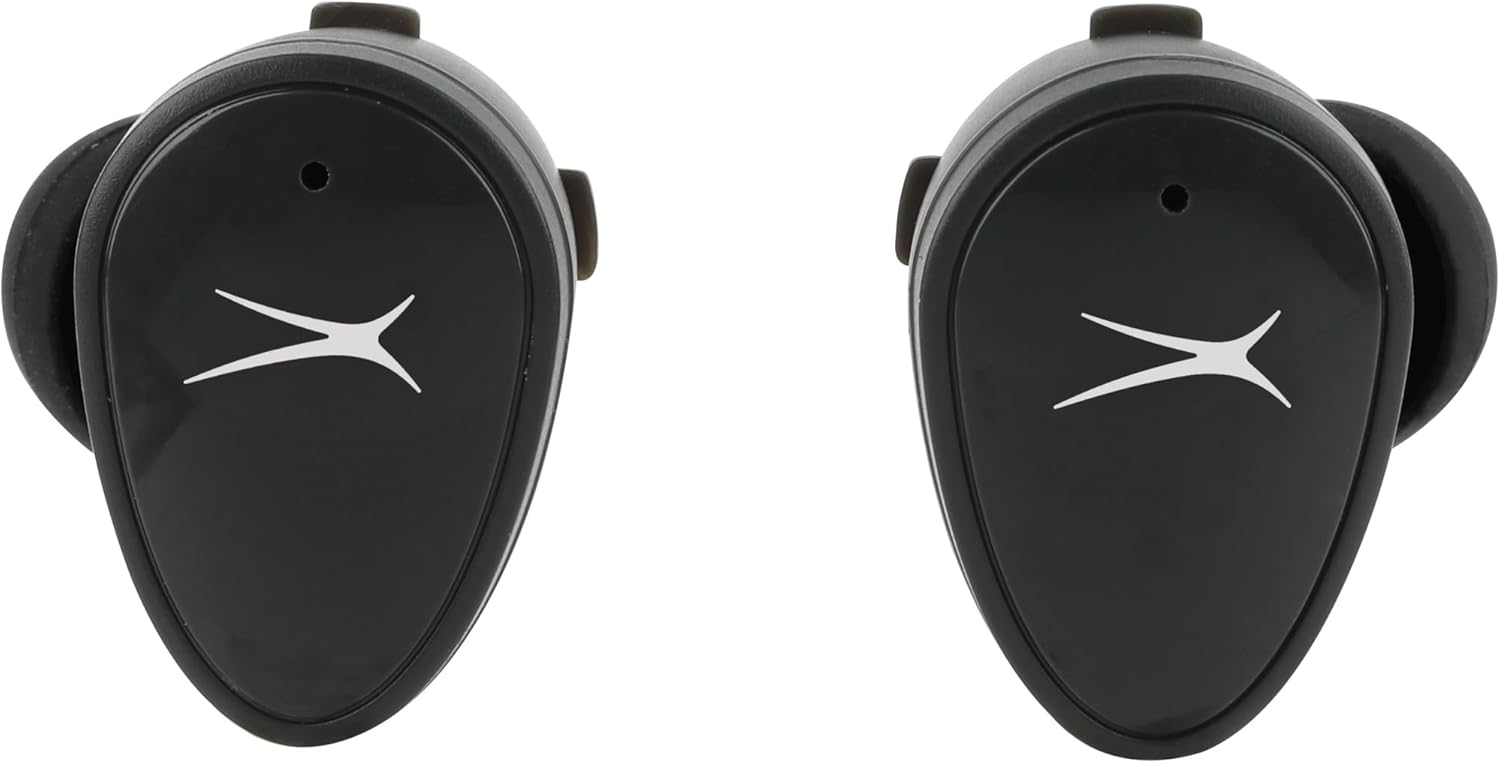
Obrázek: Přední strana view of the NanoBuds, indicating the touch-sensitive surface for controls.
Zapnutí/vypnutí
- Zapnutí: Sluchátka se automaticky zapnou po vyjmutí z nabíjecího pouzdra.
- Vypnout: Vložte sluchátka zpět do nabíjecího pouzdra, aby se automaticky vypnula a začala nabíjet.
Uskutečňování a přijímání hovorů
The NanoBuds feature dual microphones for clear calling. Use the touch controls as described above to manage your calls.
Údržba
Čištění
Regularly clean your earbuds and charging case to maintain performance. Use a soft, dry, lint-free cloth. Do not use harsh chemicals or abrasive materials. Ensure charging contacts are free of debris.
Voděodolnost (IPX4)
The NanoBuds are rated IPX4 water-resistant, meaning they are protected from splashing water from any direction. This makes them suitable for workouts and light rain. They are not designed for submersion in water.
Odstraňování problémů
If you encounter issues with your NanoBuds, try the following steps:
- Bez napájení: Ujistěte se, že jsou sluchátka a nabíjecí pouzdro plně nabité.
- Problémy s párováním: Make sure Bluetooth is enabled on your device and the earbuds are in pairing mode. Try forgetting the device in your phone's Bluetooth settings and re-pairing.
- Jedno sluchátko nefunguje: Vložte obě sluchátka zpět do nabíjecího pouzdra, zavřete víko, počkejte několik sekund, poté jej otevřete a zkuste to znovu. Ujistěte se, že jsou obě sluchátka nabitá.
- Špatná kvalita zvuku: Check the ear tip fit. Ensure there is no obstruction in the earbud's speaker mesh.
- No Audio During Calls: Confirm the NanoBuds are selected as the audio output device on your phone during a call.
- Resetovat: For persistent issues, consult the Altec Lansing support webkonkrétní pokyny k resetování pro váš model naleznete na webu.
Specifikace
| Funkce | Specifikace |
|---|---|
| Název modelu | NanoBuds Sport |
| Číslo modelu | MZX5200 |
| Technologie připojení | Bezdrátové připojení (Bluetooth 5.0) |
| Dosah Bluetooth | Až 15.24 metrů (50 stop) |
| Úroveň odolnosti proti vodě | IPX4 (voděodolný) |
| Výdrž baterie (sluchátka) | Až 5 hodin na jedno nabití |
| Celková doba přehrávání (s pouzdrem) | Up to 30 hours (4 additional charges from case) |
| Doba nabíjení | Approximately 5 hours (for full system charge) |
| Kontrola hluku | Pasivní potlačení hluku |
| Kontrolní metoda | Dotek |
| Frekvenční rozsah | 20Hz - 20,000Hz |
| Hmotnost | 5.3 unce |
Informace o záruce
Altec Lansing products are designed and manufactured to the highest quality standards. For detailed warranty information, including terms, conditions, and registration, please refer to the warranty card included with your product or visit the official Altec Lansing webUschovejte si doklad o koupi pro případ reklamace.
Zákaznická podpora
If you require further assistance or have questions not covered in this manual, please contact Altec Lansing customer support. You can find contact information, FAQs, and additional resources on the official Altec Lansing webmísto: www.alteclansing.com.