
1. Konec produktuview
The Amazon Fire TV 4-Series is a 4K UHD smart television designed for streaming content and integrating with the Fire TV ecosystem. This manual provides instructions for its setup, operation, and maintenance.

Obrázek 1.1: Přední strana view of the Amazon Fire TV 4-Series 55-inch smart TV.
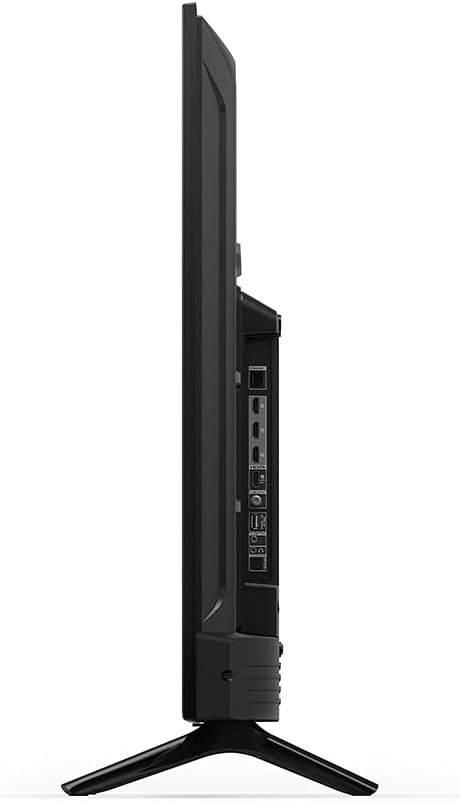
Obrázek 1.2: Strana view of the Amazon Fire TV 4-Series smart TV, illustrating its slim profile.
2. Nastavení
2.1 Vybalení a dodávané komponenty
Opatrně vyjměte všechny součásti z obalu. Zkontrolujte, zda jsou přítomny všechny níže uvedené položky:
- Fire TV 4-Series 55-inch Television
- Hlasové ovládání Fire TV Alexa
- Napájecí kabel
- 2 AAA baterie
- 4 Screws for TV Stand
- TV Stand (2 legs)
- Rychlý průvodce

Figure 2.1: Included components for the Fire TV 4-Series.
2.2 Připevnění televizního stojanu
- Umístěte televizor obrazovkou dolů na měkký, čistý povrch, abyste zabránili poškrábání.
- Zarovnejte každou nohu televizoru s odpovídajícími otvory pro šrouby na spodní straně televizoru.
- Secure each leg using the provided screws.
2.3 Montáž na stěnu (volitelné)
The TV supports VESA Wall Mount Standard 300 mm x 300 mm. Consult a professional for wall mounting to ensure proper installation and safety.

Obrázek 2.2: Zadní view of the Fire TV, indicating VESA mounting points.
2.4 Připojení zařízení
Connect external devices such as cable boxes, gaming consoles, or sound systems to the appropriate ports on the TV.

Obrázek 2.3: Detailní view vstupních a výstupních portů televizoru.
- HDMI porty: The TV features 3 HDMI 2.0 ports and 1 HDMI 2.1 port with eARC for high-definition audio and video connections.
- Ethernet: Připojte ethernetový kabel pro kabelové připojení k internetu.
- USB: Use the USB port for connecting compatible devices.
- Digitální optický audio výstup: Connect to an external audio receiver or soundbar.
- Kabel/Ant: Připojte anténu nebo vstup kabelové televize.
2.5 Zapnutí a počáteční nastavení
- Vložte 2 baterie AAA do hlasového ovladače Fire TV Alexa.
- Připojte napájecí kabel k televizoru a poté do elektrické zásuvky.
- Stiskněte tlačítko napájení na dálkovém ovladači nebo televizoru.
- Follow the on-screen instructions to complete the initial setup, including network connection (Wi-Fi or Ethernet) and Amazon account login.
3. Návod k obsluze
3.1 Using the Fire TV Alexa Voice Remote
The included remote allows navigation, content selection, and voice control.
- Navigace: Use the directional pad and select button to move through menus and make selections.
- Hlasové ovládání: Press and hold the Alexa button to issue voice commands for finding content, launching apps, controlling playback, or checking information like weather.
- IR Device Control: The remote can control power and volume on compatible IR-enabled devices such as soundbars and A/V receivers.
3.2 Accessing Content
The Fire TV OS provides access to a wide range of streaming services and applications.
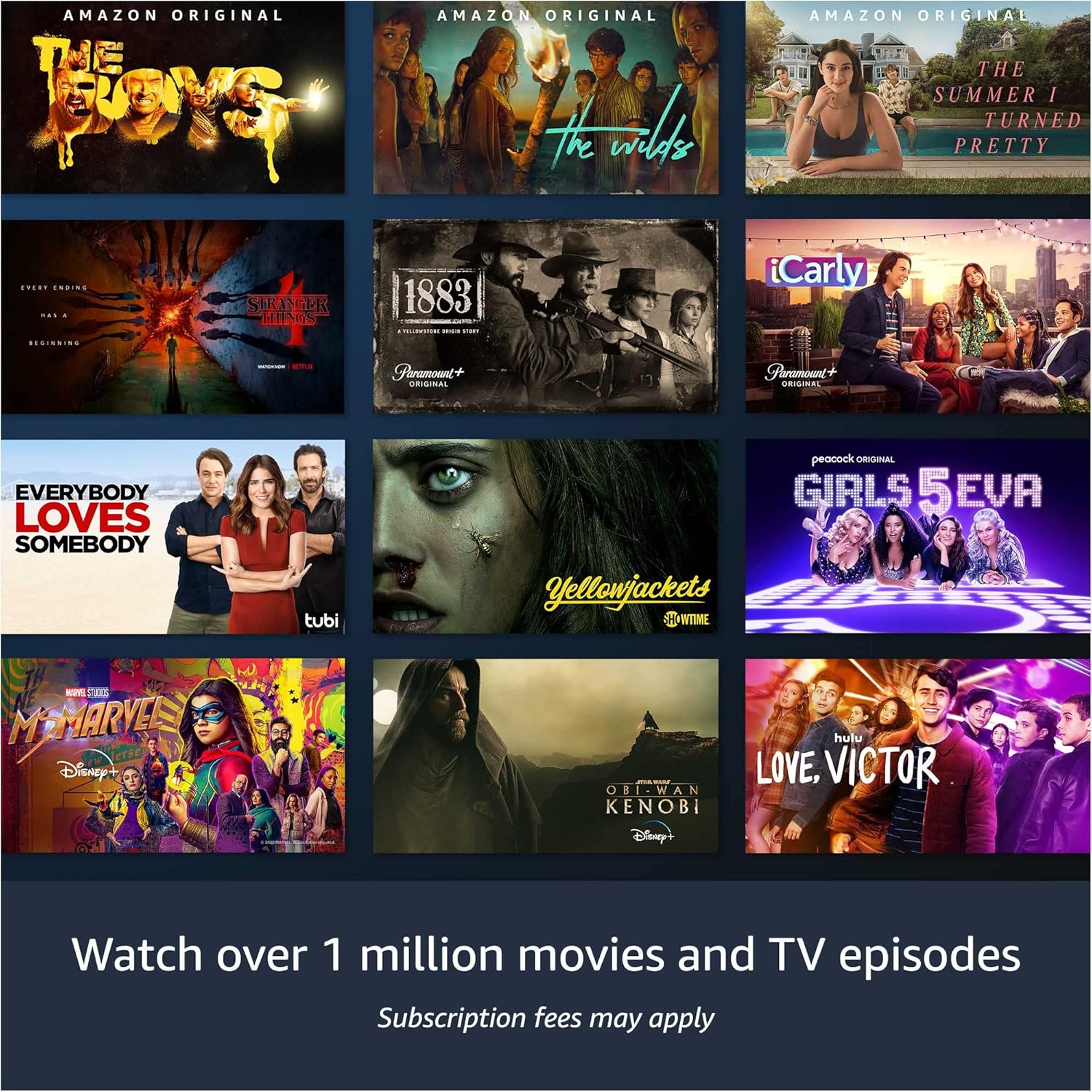
Obrázek 3.1: Přample of content available through the Fire TV interface.
- Streamovací služby: Access over 1 million movies and TV episodes through subscriptions to services like Netflix, Prime Video, and Disney+.
- Live and Free TV: Watch live television and free content.
- Gaming and Music: Play video games and stream music directly from the TV.
3.3 Funkce usnadnění přístupu
The Fire TV includes several accessibility features:
- HlasView Čtečka obrazovky: Provides audio feedback for navigation and on-screen elements.
- Zvětšovací program obrazovky: Allows users to zoom in and pan across the screen.
- Textový banner: Sloučí text na obrazovce do přizpůsobitelného banneru.
- Skryté titulky: Displays captions for compatible videos and TV shows.
- Popis zvuku: Provides verbal descriptions of on-screen actions and scenes for compatible content.
- Streamování zvuku přes Bluetooth: Supports audio streaming to select compatible Bluetooth hearing aids and devices, as well as Bluetooth headphones.
4. Údržba
4.1 Čištění televizoru
- Disconnect the TV from the power outlet before cleaning.
- K otření obrazovky a těla televizoru použijte měkký, suchý hadřík.
- Na odolné skvrny lehceamphadřík vodou. Nepoužívejte agresivní chemikálie ani abrazivní čisticí prostředky.
4.2 Aktualizace softwaru
The Fire TV OS regularly receives software security updates and feature enhancements. Ensure your TV is connected to the internet to receive these updates automatically. For more information, visit the 'Manage Your Content and Devices' section on the Amazon webmísto.
5. Řešení problémů
If you encounter issues with your Fire TV, consider the following general troubleshooting steps:
- Bez napájení: Ujistěte se, že je napájecí kabel bezpečně připojen k televizoru i k funkční zásuvce.
- Žádný obraz/zvuk: Verify that all HDMI and audio cables are correctly connected. Check the input source on the TV.
- Dálkové ovládání nereaguje: Vyměňte baterie AAA v dálkovém ovladači. Ujistěte se, že mezi dálkovým ovladačem a televizorem nejsou žádné překážky.
- Problémy s připojením k síti: Check your Wi-Fi router and internet connection. If using Ethernet, ensure the cable is properly connected.
- Softwarové závady: Restartujte televizor tak, že jej na 30 sekund odpojíte od elektrické zásuvky a poté jej znovu zapojíte.
For persistent issues or specific error messages, refer to the online support resources or contact Amazon customer support.
6. Specifikace
| Funkce | Specifikace |
|---|---|
| Číslo modelu | 4K55N400A |
| Velikost obrazovky | 55 palců (54.6 palce) viewschopný) |
| Rozlišení displeje | 3840 x 2160 (4K UHD) |
| Vysoký dynamický rozsah (HDR) | HDR 10, HLG |
| Typ podsvícení | Přímá LED |
| Obnovovací frekvence | 60 Hz |
| HDMI porty | 3 HDMI 2.0 + 1 HDMI 2.1 s eARC |
| Ethernetový port | 1 |
| USB port | 1 |
| Digitální optický audio výstup | 1 |
| Podpora zvuku | Dolby Digital Plus s průchodem zvuku kódovaného Dolby |
| Výkon zvuku | 8W + 8W |
| Operační systém | Operační systém Fire TV |
| Velikost produktu (bez stojanu) | 48.7” x 28.3” x 3.5” |
| Hmotnost (bez podstavce) | 25 lb |
| Standardní nástěnný držák VESA | 300 mm x 300 mm |
| Konektivita | Wi-Fi nebo Ethernet |
7. Informace o záruce
The Amazon Fire TV 4-Series 55-inch includes a 1-year limited warranty and service. This device, being a Like-New Amazon device, receives the same limited warranty as a new device. For detailed terms and conditions, please refer to the warranty documentation provided with your product or visit the Amazon webmísto.
8. Podpora a zdroje
For additional support, information, or to view the full user manual, please visit the Amazon Fire TV support pages online. You can also manage your content and devices for information specific to your Fire TV.
Software security updates are provided to ensure the continued performance and security of your device. Information regarding these updates can be found on the Amazon webmísto.