
1. Úvod
The Alesis Recital Grand is an 88-key digital piano designed to provide an authentic piano playing experience. It features graded hammer-action weighted keys and a selection of 16 realistic built-in sounds. This instrument is suitable for various skill levels, from beginners to advanced players, offering a comprehensive set of features for practice and performance. This manual provides detailed instructions for setting up, operating, and maintaining your Recital Grand digital piano.
2. Obsah balení
Verify that all items listed below are included in your package. If any items are missing or damaged, please contact Alesis support.
- Recital Grand Digital Piano
- Napájecí adaptér
- Hudební odpočinek
- Sustain pedál
- Karta ke stažení softwaru
- Uživatelská příručka (tento dokument)
- Bezpečnostní a záruční příručka

Image: The Alesis Recital Grand digital piano shown with its essential accessories: a sustain pedal, a music rest, and the power adapter. These components are crucial for the instrument's functionality and user convenience.
3. Nastavení
Follow these steps to set up your Alesis Recital Grand digital piano:
- Umístění: Place the digital piano on a stable, flat surface or a compatible keyboard stand. Ensure there is adequate space for playing and connecting cables.
- Hudební odpočinek: Vložte notový stojan do určeného slotu na horním panelu klavíru.
- Sustain pedál: Connect the included sustain pedal to the 'Sustain Pedal' input on the rear panel of the piano.
- Připojení napájení: Connect the power adapter to the 'DC 12V' input on the rear panel, then plug the adapter into a power outlet.
- Zapnutí: Press the Power button located on the top left of the control panel to turn on the instrument.
- Headphones/External Audio (Optional): For private practice, connect headphones to the 1/4" (6.35mm) or 1/8" (3.5mm) headphone outputs. For external amplification, connect the 1/4" (6.35mm) stereo outputs to an amplifier nebo mixážní pult.

Obrázek: Podrobný view of the rear panel connectivity options on the Alesis Recital Grand. This includes ports for USB, the sustain pedal, stereo 1/4-inch outputs, and an auxiliary input, illustrating how to connect various external devices.
4. Vlastnosti
The Alesis Recital Grand offers a range of features designed to enhance your playing experience:
- 88 Graded Hammer-Action Weighted Keys: Provides a realistic piano feel with heavier touch in the lower register and lighter touch in the upper register. Adjustable touch response allows customization.
- 16 Premium Multi-Sampled Voices: Includes Grand Piano, Electric Piano, Organ, Synthesizers, and more, offering a diverse sound palette.
- 128 Max Polyphony: Ensures that notes do not cut off prematurely, even when playing complex passages with sustain.
- 50W Micro-Array Speaker System: Custom-voiced speakers deliver clear, full, and realistic sound in any environment.
- 5 Adjustable Reverb FX: Adds depth and ambiance to your sound.
- Režim rozdělení: Divides the keyboard into two zones, allowing you to play different instrument tones with each hand simultaneously.
- Režim vrstvy: Stacks two different instrument tones to be played together with each key press.
- Režim lekce: Divides the keyboard into two zones with the same pitch and voice, ideal for student and teacher to play together.
- Režim záznamu: Allows you to record and playback your performances for review and practice.
- Konektivita: Stereo 1/4" (6.35mm) outputs, 1/4" (6.35mm) and 1/8" (3.5mm) headphone outputs, and USB-MIDI output for connection to computers or educational software.

Image: A user demonstrates the Alesis Recital Grand, emphasizing its 88 full-sized, graded hammer-action keys and the adjustable touch response feature, which provides a customizable playing feel.

Image: The control panel of the Alesis Recital Grand, illustrating the dedicated buttons for Split, Layer, Lesson, and Record modes. This image also highlights the integration with Melodics and Skoove for enhanced learning.
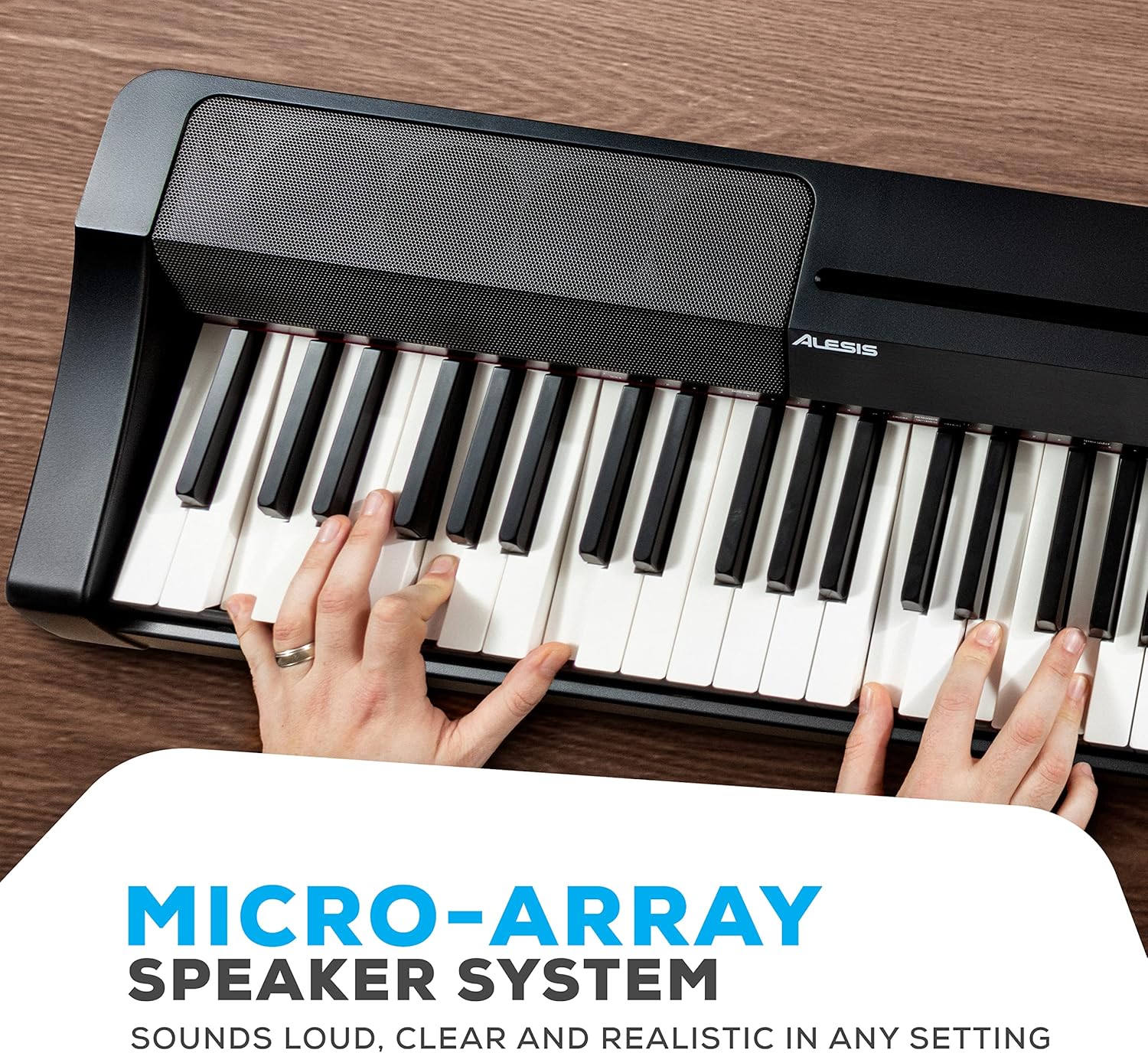
Obrázek: Podrobný view of the Alesis Recital Grand's micro-array speaker system, designed to deliver clear and powerful audio output.
5. Návod k obsluze
5.1 Zapnutí/vypnutí a hlasitost
- Moc: Stiskněte tlačítko Moc button to turn the piano on or off.
- Objem: Použijte Objem knob to adjust the overall output level of the piano.
5.2 Výběr hlasů
The Recital Grand features 16 built-in voices, accessible via dedicated buttons and combinations:
- Stiskněte tlačítko Klavír button to select the Grand Piano voice. Hold the Piano button to access the Dark Piano or Harpsichord variations.
- Stiskněte tlačítko Elektrické piano button to select the MK1/Suitcase Electric Piano voice. Hold the Electric Piano button to access the Wurlitzer or FM Piano variations.
- Similarly, use the Orgán, Struny, Syntha Bas buttons to select their primary voices and hold them for variations.
5.3 Split and Layer Modes
- Režim rozdělení: Stiskněte tlačítko Rozdělit button. The keyboard will be divided into two sections, each playing a different voice. The split point can be adjusted.
- Režim vrstvy: Stiskněte tlačítko Vrstva button. Two selected voices will sound simultaneously when a key is pressed.
5.4 Lesson and Record Modes
- Režim lekce: Stiskněte tlačítko Lekce button to activate. This mode is useful for teaching, as it duplicates the keyboard range.
- Režim záznamu: Stiskněte tlačítko Rec/Start/Stop button to begin recording your performance. Press it again to stop. Press the Hrát button to listen to your recorded track.
5.5 Účinky
- Reverb: Použijte Reverb button to cycle through and adjust the 5 available reverb effects.
Video: An official Alesis performance video demonstrating the sound and playability of the Recital Grand digital piano. This video showcases various voices and musical styles.
Video: An official Alesis demonstration video providing an overview of the Recital Grand's features and sound capabilities. This video highlights key aspects of the instrument's design and functionality.
6. Údržba
Proper care will ensure the longevity and optimal performance of your Alesis Recital Grand:
- Čištění: K otření povrchu klavíru použijte měkký, suchý hadřík. V případě odolné nečistoty použijte lehceamp Lze použít hadřík a poté suchý hadřík. Nepoužívejte abrazivní čisticí prostředky, rozpouštědla ani vosky.
- Čištění klíčů: Jemně otřete klávesy měkkým, lehceamp hadříkem. Nepoužívejte nadměrnou vlhkost.
- Skladování: When not in use, cover the piano with a dust cover to protect it from dust and debris. Avoid placing heavy objects on the keys or control panel.
- Prostředí: Keep the piano away from direct sunlight, heat sources, and areas with high humidity or extreme temperature changes.
- Přeprava: When moving the piano, ensure it is properly secured to prevent damage.
7. Řešení problémů
If you encounter issues with your Alesis Recital Grand, refer to the following common problems and solutions:
| Problém | Možná příčina | Řešení |
|---|---|---|
| Žádný zvuk | Příliš nízká hlasitost; připojena sluchátka; externí amplifier off/disconnected. | Increase volume knob; disconnect headphones; check external amppřipojení a napájení záchranného zařízení. |
| Klávesy nereagují nebo se dotýkají nekonzistentně | Touch sensitivity setting; dust/debris under keys. | Adjust touch sensitivity setting (refer to full user manual); gently clean keys. |
| Zkreslený zvuk | Volume too high; incorrect audio cable connection; faulty speakers/headphones. | Lower volume; ensure audio cables are correctly connected; test with different headphones/speakers. |
| MIDI nefunguje | Incorrect USB-MIDI connection; driver issues; software settings. | Ensure USB cable is securely connected; install necessary drivers; check MIDI settings in your software. |
For more detailed troubleshooting or issues not listed here, please refer to the full User Manual (PDF) available on the Alesis webwebu nebo kontaktujte zákaznickou podporu Alesis.
8. Specifikace
Below are the technical specifications for the Alesis Recital Grand digital piano:
- Značka: Alesis
- Název modelu: Recitál Grand
- Počet klíčů: 88
- Typ klíče: Klavírní kladívková mechanika s kladívkovou mechanikou
- hlasy: 16 Premium Multi-Sampled Voices
- Polyfonie: 128 Max
- Efekty: 5 Adjustable Reverb FX
- Systém reproduktorů: 50W Micro-Array
- Konektivita: Stereo 1/4" (6.35mm) Outputs, 1/4" (6.35mm) Headphone Jack, 1/8" (3.5mm) Headphone Jack, USB-MIDI Output, Sustain Pedal Input, Power Adapter Input
- Zdroj napájení: Elektrický kabel (12V DC)
- Rozměry (D x Š x V): 9.65" x 57.87" x 15.55" (24.5 cm x 147 cm x 39.5 cm)
- Hmotnost položky: 12.8 kilogramů (28.2 liber)
- Barva: Černý
- Úroveň dovedností: Beginner to Professional

Image: A diagram illustrating the physical dimensions of the Alesis Recital Grand digital piano, including its length, width, and height.
9. Záruka a podpora
9.1 Informace o záruce
The Alesis Recital Grand digital piano comes with a 1letá záruka výrobce. This warranty covers defects in materials and workmanship under normal use. Please retain your proof of purchase for warranty claims. For full details regarding warranty terms and conditions, refer to the Safety & Warranty Manual included in your package or visit the official Alesis webmísto.
9.2 Zákaznická podpora
For technical assistance, product inquiries, or warranty service, please contact Alesis customer support through their official website. You can typically find support contact information, FAQs, and additional resources at www.alesis.com/support.
Additionally, a comprehensive User Manual (PDF) is available for download from the Alesis website, providing more in-depth information on all features and functions.