
1. Úvod
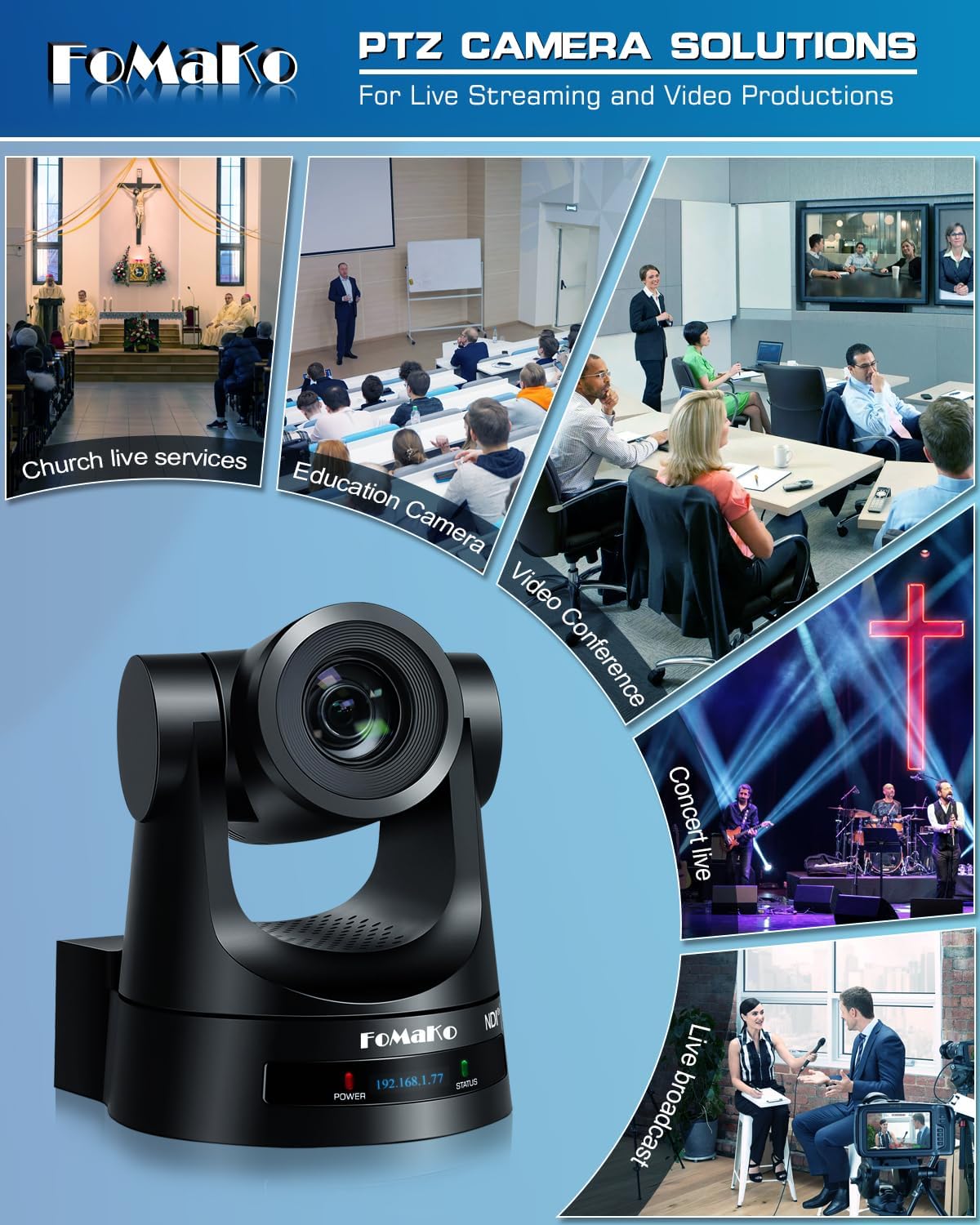
This manual provides detailed instructions for the installation, operation, and maintenance of your FoMaKo NDI PTZ Camera KN20A Pro. This camera features AI auto-tracking, 20x optical zoom, and multiple output interfaces including HDMI, 3G-SDI, IP, NDI, and USB3.0. It is designed for professional video production and live streaming in various environments such as churches, educational institutions, and event venues.
2. Co je v krabici
Ověřte, zda jsou v balení přítomny všechny položky:
- FoMaKo AI Tracking NDI PTZ Camera (20x optical zoom)
- IR dálkový ovladač
- Nástěnný držák
- Stropní držák
- USB kabel
- Napájecí adaptér (12V 2A)
- Uživatelská příručka (tento dokument)

Image 2.1: FoMaKo NDI PTZ Camera KN20A Pro and its standard accessories.
3. Vlastnosti produktuview
- Official NDI 6 & NDI HX3 Certification: Ensures stable and high-quality video transmission, even with limited bandwidth.
- 20x optický zoom: Provides clear, detailed images from a distance.
- Advanced AI Auto-Tracking (Gen 3): Offers customizable tracking modes, sensitivity, and target switching.
- Více rozhraní pro video výstup: Simultaneous 3G-SDI, HDMI, LAN/Ethernet, and USB3.0 for versatile connectivity.
- Podpora napájení přes Ethernet (PoE): Zjednodušuje instalaci díky napájení a přenosu dat prostřednictvím jediného ethernetového kabelu.
- Efficient Video Encoding: Supports H.264/H.265 for fluent motion video under various bandwidth conditions.
- Výkon při slabém osvětlení: High SNR CMOS combined with 2D & 3D noise reduction for clear images in challenging lighting.
- Precise Gear Transmission Structure: Ensures accurate preset positioning and enhanced durability compared to belt-driven systems.
- Více způsobů ovládání: Includes IR remote, dedicated PTZ controller, web interface, OBS/vMix PTZ plugins, and StreamDeck compatibility.

Image 3.1: Visual representation of the camera's core features.
4. Nastavení
4.1 Fyzická instalace
The FoMaKo NDI PTZ Camera supports three primary installation methods:
- Montáž na stěnu: Securely attach the camera to a vertical surface using the provided wall mount bracket.
- Držák na stativ: Mount the camera on a standard tripod for portable or temporary setups.
- Držák na strop: Install the camera inverted on a ceiling using the provided ceiling bracket. The camera automatically adjusts its image and control orientation when mounted upside down.

Obrázek 4.1: Příkladamples of camera installation methods.
4.2 Připojení
Connect the camera to your system using the appropriate ports on the rear panel:
- Výstup 3G-SDI: For professional video transmission over coaxial cable.
- HDMI výstup: For direct connection to displays or video switchers.
- USB3.0 výstup: For direct connection to a computer for live streaming or recording.
- LAN/Ethernet Port: For IP streaming (NDI, RTSP, RTMP, SRT), control (VISCA over IP), and PoE power.
- RS232/RS485: For serial control using a PTZ controller.
- Linkový vstup: 3.5mm audio vstup.
- DC 12V: Power input if not using PoE.
Obrázek 4.2: Připojení na zadním panelu.
4.3 Konfigurace sítě
For IP-based control and streaming, configure the camera's network settings. This can typically be done via the camera's web interface or on-screen display (OSD) menu.
- DHCP: Enable DHCP for automatic IP address assignment or disable it to set a static IP.
- IP Address, Subnet Mask, Gateway: Manually configure these settings if DHCP is disabled.
Přístup k fotoaparátu web rozhraní zadáním jeho IP adresy do a web browser. The default IP address is often printed on the camera or can be found using an NDI discovery tool.

Image 4.3: Network settings interface.
5. Návod k obsluze
5.1 Základní ovládací prvky
The camera can be controlled using the IR remote, a dedicated PTZ controller, or the web rozhraní.
- Posun/naklonění/přiblížení: Use the joystick on a PTZ controller or directional buttons on the IR remote/web rozhraní pro nastavení fotoaparátu view.
- Nastavení rychlosti: Pan, tilt, and zoom speeds can be adjusted to achieve smooth camera movements. Preset speed is also adjustable.
- Soustředit: The camera features fast auto-focus. Manual focus adjustment is also available.
5.2 Automatické sledování pomocí umělé inteligence
The third-generation AI auto-tracking system allows the camera to automatically follow a designated subject.
- Aktivace: Press the F2 button on the IR remote control to activate automatic tracking.
- Target Switching: Press the F4 button on the IR remote to switch between detected tracking targets.
- Přizpůsobení: Adjust tracking modes, sensitivity, figure size, AI-track speed, horizontal tracking only, character position, and lost target action via the camera's settings menu or web rozhraní.

Image 5.1: AI Tracking Gen 3 settings and capabilities.
5.3 předvoleb
The camera supports up to 255 preset positions, allowing quick recall of specific camera angles and zoom levels. Ten presets can be accessed directly via the IR remote control.
- Nastavení předvoleb: Umístěte kameru do požadované polohy view, then use the remote or controller to save the preset. Refer to the detailed manual for specific steps.
- Vyvolání předvoleb: Use the preset buttons on the remote or controller to move the camera to a saved position.
6. Údržba
To ensure optimal performance and longevity of your FoMaKo NDI PTZ Camera, follow these maintenance guidelines:
- Čištění: K čištění těla fotoaparátu používejte měkký, suchý hadřík. Na objektiv použijte speciální hadřík a roztok na čištění objektivů. Nepoužívejte abrazivní materiály ani agresivní chemikálie.
- Prostředí: Fotoaparát používejte a skladujte v čistém a suchém prostředí, mimo dosah extrémních teplot, vlhkosti a přímého slunečního záření.
- Aktualizace firmwaru: Periodically check the FoMaKo webweb s aktualizacemi firmwaru, abyste zajistili, že váš fotoaparát bude mít nejnovější funkce a vylepšení výkonu.
- Správa kabelů: Ujistěte se, že všechny kabely jsou bezpečně připojeny a nejsou pod napětím, aby nedošlo k poškození portů nebo kabelů.
7. Řešení problémů
Pokud narazíte na problémy s fotoaparátem, postupujte podle následujících běžných kroků pro řešení problémů:
- Bez napájení: Ensure the power adapter is correctly connected or that your PoE switch is providing power if using PoE. Check power indicators on the camera.
- Žádný video výstup: Verify all video cables (HDMI, SDI, USB, Ethernet) are securely connected. Check input selections on your display or switcher. Ensure the camera is powered on.
- Žádné síťové připojení: Confirm Ethernet cable connection. Check network settings (IP address, subnet mask, gateway) in the camera's web interface. Ensure the camera and controlling device are on the same network segment.
- Ovládání PTZ nereaguje: Check remote control batteries. Ensure the camera is receiving IR signals or that the network/serial control connection is active. Verify the correct camera ID is selected on the controller.
- Problémy s automatickým sledováním: Ensure AI auto-tracking is enabled (F2 on remote). Check tracking sensitivity and other settings in the menu. Ensure the subject is clearly visible and within the camera's tracking range.
- Problémy s kvalitou obrázku: Check lighting conditions. Ensure lens is clean. Adjust exposure and white balance settings if necessary.
For more detailed troubleshooting or issues not covered here, please refer to the full user manual PDF available online or contact FoMaKo customer support.
8. Specifikace
| Funkce | Specifikace |
|---|---|
| Název značky | FoMaKo |
| Číslo modelu | KN20A |
| Hmotnost položky | 2.64 libry |
| Rozměry produktu | 5.63 x 6.93 x 6.65 palce |
| Barva | Černý |
| Speciální funkce | AI tracking NDI PTZ Camera |
| Optický zoom | 20x |
| Rozlišení záznamu videa | 1080p |
| Režimy fotografování | Automatický |
| Typ řízení expozice | Automatický |
| Konektivita | 3G-SDI, HDMI, IP (NDI 6 & NDI HX3), USB3.0, RS232, RS485, PoE |
9. Záruka a podpora
FoMaKo is committed to providing excellent customer service and product reliability.
- Záruka: Produkt zahrnuje dvouletou omezenou záruku.
- Záruka vrácení peněz: A 30-Day No-Questions-Asked Money-Back Guarantee is provided for risk-free purchase.
- Online školení: Free online training is available to help users get started easily.
- Odborná pomoc: 24/7 expert assistance is available, with responses typically within 24 hours. Please include your Order ID when contacting support.
- Vzdálená pomoc: Remote assistance for setup can be provided if necessary.
- Doživotní technická podpora: Enjoy lifetime customer technical support for your product.

Image 9.1: FoMaKo customer support and warranty information.