
1. Úvod
Thank you for choosing the USHINING 3G Flip Phone, Model SC6531E. This phone is specifically designed for seniors, featuring large buttons, clear displays, and enhanced audio for ease of use. It includes essential functions such as an SOS emergency call button, FM radio, and a flashlight, making it a reliable communication device. This manual provides detailed instructions on how to set up, operate, and maintain your new phone.

Image 1.1: The USHINING 3G Flip Phone shown with its charging dock.
2. Bezpečnostní informace
Please read this section carefully before using your phone to ensure safe and proper operation. Keep this manual for future reference.
- Bezpečnost baterie: Use only approved batteries and chargers. Do not short-circuit, puncture, or disassemble the battery. Keep away from flammable and explosive materials during charging.
- Ochrana sluchu: Avoid prolonged exposure to high volume levels when using headphones or the loudspeaker.
- Bezpečnost jízdy: Nepoužívejte telefon za jízdy. Vždy upřednostňujte bezpečnost silničního provozu.
- Lékařské přístroje: Dodržujte bezpečnou vzdálenost mezi telefonem a zdravotnickými zařízeními, jako jsou kardiostimulátory, abyste zabránili rušení.
- Likvidace: Dispose of the phone and battery according to local regulations. Do not dispose of in household waste.

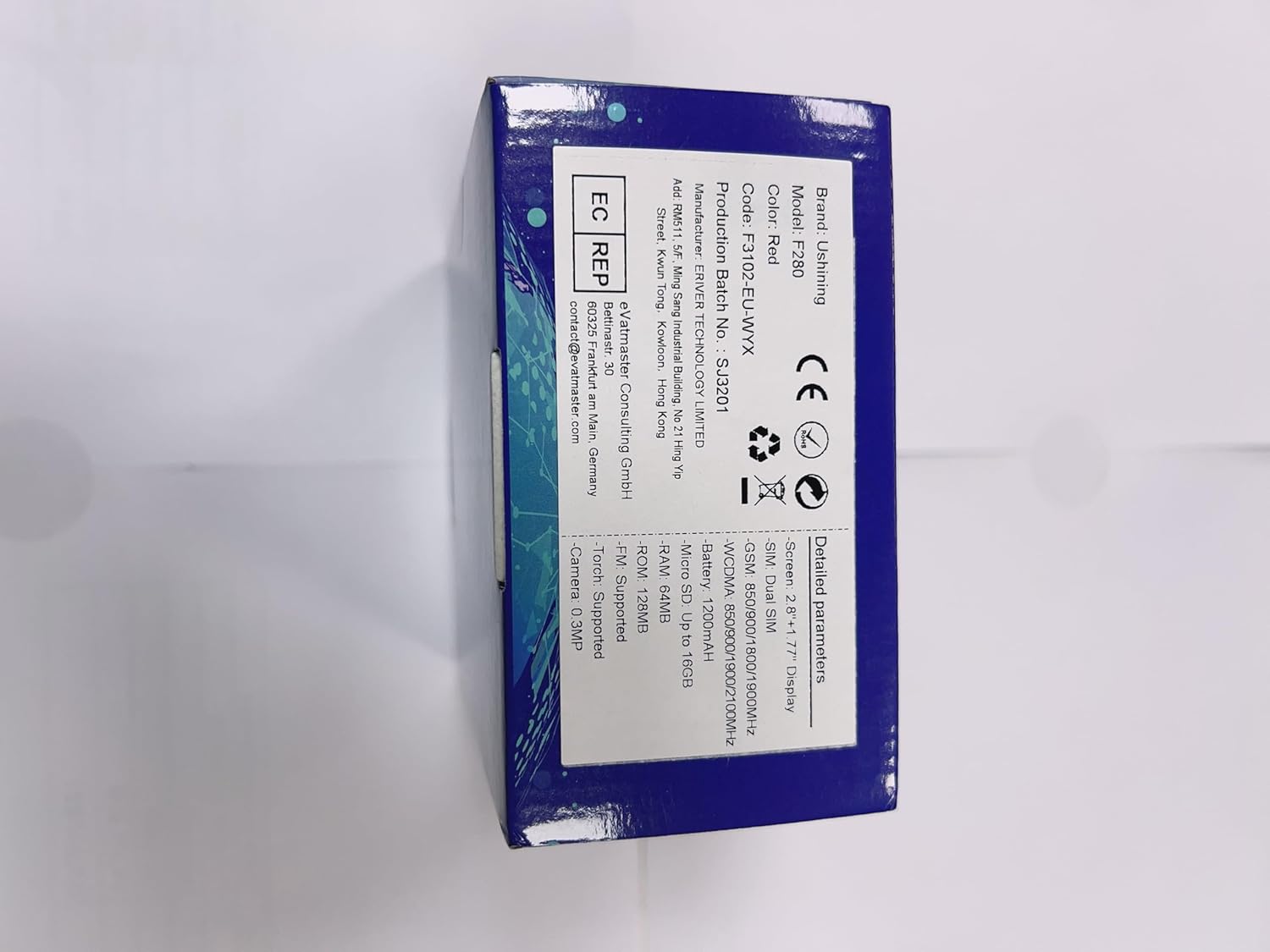
Image 2.1: Product packaging showing warning labels, including battery safety information.
3. Obsah balení
Po vybalení zkontrolujte obsah balení:
- USHINING 3G Flip Phone (Model SC6531E)
- Nabíjecí dok
- USB nabíjecí kabel
- Lithium-iontová baterie 1200 mAh
- Uživatelská příručka (tento dokument)

Obrázek 3.1: Přední a boční strana views of the USHINING flip phone, illustrating its design.
4. Nastavení
4.1. Vložení SIM karty (kart) a baterie
- Otevřete zadní kryt telefonu jemným vypáčením ze zářezu.
- Pokud je přítomna, vyjměte baterii.
- Locate the SIM card slot(s). This phone supports Dual SIM. Insert your SIM card(s) with the gold contacts facing down, ensuring they are correctly seated.
- Vložte lithium-iontovou baterii s kapacitou 1200 mAh do jejího prostoru a zarovnejte kontakty.
- Nasaďte zadní kryt zpět, dokud bezpečně nezacvakne na místo.
4.2. Nabíjení telefonu
Before first use, fully charge the phone. The phone can be charged using the included charging dock or directly via the USB cable.
- Používání nabíjecího doku: Connect the USB cable to the charging dock and then to a power adapter (not included) or a USB port. Place the phone into the charging dock, ensuring it sits firmly. The charging indicator on the phone will light up.
- Přímé nabíjení: Connect the USB cable directly to the phone's charging port and then to a power adapter or USB port.


Image 4.1: Illustrations of the phone being charged via its convenient charging dock.
4.3. Powering On/Off and Initial Setup
- Zapnutí: Stiskněte a podržte tlačítko Napájení/Ukončení hovoru (červené tlačítko), dokud se obrazovka nerozsvítí.
- Vypnout: Stiskněte a podržte tlačítko Napájení/Ukončení hovoru, dokud se nezobrazí možnosti vypnutí, poté vyberte „Vypnout“.
- Výběr jazyka: Upon first power-on, you may be prompted to select your preferred language. The phone supports Spanish, English, French, Italian, and German.
5. Návod k obsluze
5.1 Základní funkce volání
- Uskutečnění hovoru: Dial the number using the keypad and press the Call button (green button).
- Přijetí hovoru: Když telefon zvoní, stiskněte tlačítko Volat (zelené tlačítko).
- Ukončení hovoru: Press the End Call button (red button).
- Nastavení hlasitosti: Use the side volume keys during a call or in standby mode to adjust the earpiece or ringtone volume.
5.2. Funkce nouzového volání SOS
The SOS button is a critical safety feature, allowing you to quickly contact pre-set emergency numbers.
- Nastavení tísňových čísel: Navigate to the SOS settings in the phone's menu. You can set up to 5 family numbers or emergency contacts.
- Aktivace SOS: In an emergency, press and hold the dedicated SOS button on the back of the phone for a few seconds. The phone will automatically dial the pre-set numbers in sequence until one answers. It will also send an emergency SMS to these contacts.


Image 5.1: Visual representation of the SOS emergency call function and its contact setup.
5.3. Klíčové vlastnosti a funkce
The USHINING flip phone includes several useful features:
- Large Buttons and Display: Designed for easy dialing and viewing, with large fonts and menu icons.
- Enhanced Speakers: Provides clear and loud audio for calls and multimedia.
- FM rádio: Listen to your favorite radio stations. Access via the main menu.
- Svítilna: A built-in LED torch for convenience. Activate it via a dedicated button or menu option.
- Fotoaparát: Capture simple photos. Access the camera from the main menu.
- Rychlé vytáčení: Assign frequently called numbers to specific keys (M1, M2, or number keys 2-9) for quick dialing.
- Calendar & Alarm Clock: Spravujte svůj rozvrh a nastavujte si připomenutí.
- Černá listina/bílá listina: Manage incoming calls by blocking unwanted numbers or allowing only specific contacts.
- Hearing Aids Compatible: Designed to reduce interference with hearing aids.


Obrázek 5.2: Konecview of the phone's various features and the flashlight in action.


Image 5.3: The phone's FM radio function and its enhanced audio quality for clear listening.
6. Údržba
- Čištění: K čištění povrchu telefonu používejte měkký, suchý hadřík. Nepoužívejte tekuté čisticí prostředky ani aerosoly.
- Skladování: Telefon skladujte na chladném a suchém místě mimo dosah přímého slunečního záření a extrémních teplot.
- Péče o baterie: To prolong battery life, avoid fully discharging the battery frequently. Charge the phone regularly, especially if not used for extended periods.
- Vyhněte se kapkám: While durable, avoid dropping the phone to prevent damage to the screen or internal components.
7. Řešení problémů
If you encounter issues with your phone, please refer to the following common solutions:
| Problém | Možná příčina | Řešení |
|---|---|---|
| Telefon se nezapne. | Baterie je slabá nebo není správně vložena. | Nabijte baterii. Ujistěte se, že je baterie správně vložena. |
| Nelze uskutečňovat ani přijímat hovory. | Žádná SIM karta, SIM karta není aktivní nebo je mimo dosah sítě. | Ujistěte se, že je SIM karta vložena a aktivní. Zkontrolujte sílu signálu sítě. Kontaktujte svého poskytovatele služeb. |
| Špatná kvalita hovoru. | Weak signal, environmental interference. | Move to an area with better signal. Avoid obstacles. |
| Baterie se rychle vybíjí. | Časté používání, aplikace na pozadí nebo vybitá baterie. | Reduce screen brightness, close unused applications. If battery is old, consider replacement. |
| Funkce SOS nefunguje. | SOS numbers not set, or no credit/signal. | Verify SOS numbers are correctly set in settings. Ensure sufficient credit and network signal. |
8. Specifikace
| Funkce | Detail |
|---|---|
| Značka | USHINING |
| Číslo modelu | SC6531E |
| Operační systém | Nucleus OS |
| Velikost obrazovky | 2.8 Inches (main), 1.77 Inches (sub-screen) |
| Rezoluce | 480 x 800 |
| Buněčná technologie | 3G |
| Konektivita | USB |
| Kapacita baterie | 1200 mAh Lithium-ion |
| Doba hovoru | Až 300 minut |
| Pohotovostní doba | Až 200 hodin |
| Velikost RAM | 32 MB |
| Kapacita paměti | 16 GB (rozšiřitelná) |
| Podpora SIM | Duální SIM |
| Podporované jazyky | Spanish, English, French, Italian, German |
| Barva | Pomerančový |
9. Záruka a podpora
USHINING products are designed for reliability and performance. For warranty information, please refer to the warranty card included in your product packaging or contact your point of purchase. For technical support or further assistance, please visit the official USHINING webnebo kontaktujte jejich zákaznický servis.
Note: Information regarding software updates and spare parts availability was not provided at the time of this manual's creation.