
1. Úvod
Děkuji za nákupasing the QFX PBX-8080 Portable Bluetooth Speaker. This manual provides important information regarding the setup, operation, and maintenance of your device. Please read it thoroughly before use and retain it for future reference.
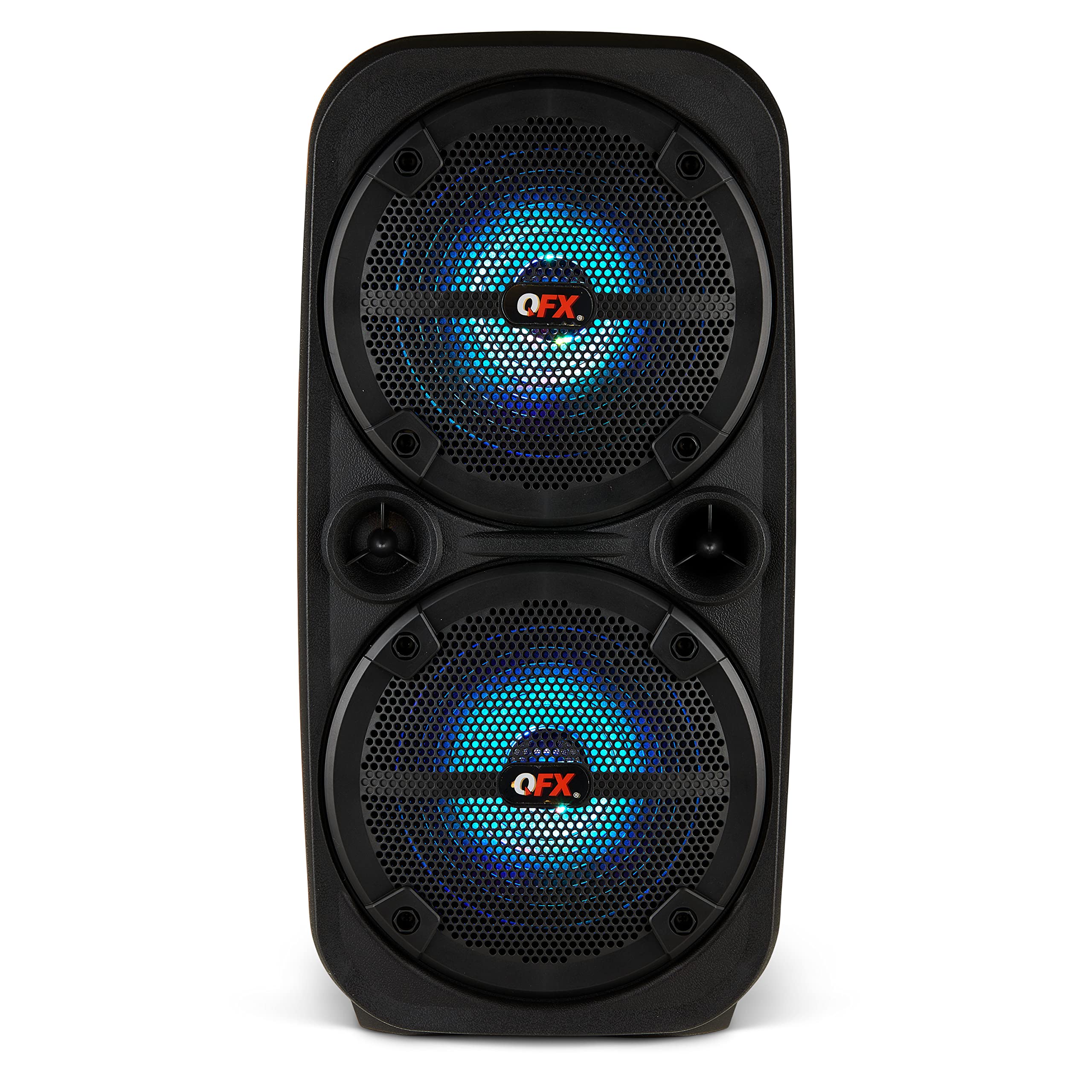
Obrázek 1.1: Přední strana view of the QFX PBX-8080 Portable Bluetooth Speaker. This image displays the speaker's robust design, featuring two 8-inch woofers, a central control panel, and illuminated LED party lights, indicating its readiness for use.
2. Bezpečnostní pokyny
- Přečtěte si pokyny: Před použitím výrobku si přečtěte všechny bezpečnostní a provozní pokyny.
- Uschovejte pokyny: Uschovejte bezpečnostní a provozní pokyny pro budoucí použití.
- Dbejte varování: Dodržujte všechna varování na výrobku a v návodu k obsluze.
- Postupujte podle pokynů: Dodržujte všechny pokyny k obsluze a použití.
- Voda a vlhkost: Nepoužívejte toto zařízení v blízkosti vody.
- Čištění: Čistěte pouze suchým hadříkem.
- Větrání: Nezakrývejte žádné větrací otvory. Nainstalujte v souladu s pokyny výrobce.
- Teplo: Neinstalujte v blízkosti zdrojů tepla, jako jsou radiátory, tepelné regulátory, kamna nebo jiná zařízení (včetně amplifikátory), které produkují teplo.
- Ochrana napájecího kabelu: Chraňte napájecí kabel před šlapáním nebo přiskřípnutím, zejména u zástrček, zásuvek a v místě, kde vychází z přístroje.
- Přílohy: Používejte pouze nástavce/příslušenství specifikované výrobcem.
- Blesk: Odpojte toto zařízení během bouřky s blesky nebo když se delší dobu nepoužívá.
- Servis: Veškeré opravy svěřte kvalifikovanému servisnímu personálu. Servis je nutný, pokud bylo zařízení jakýmkoli způsobem poškozeno, například je poškozen napájecí kabel nebo zástrčka, pokud do zařízení vnikla tekutina nebo do něj spadly předměty, zařízení bylo vystaveno dešti nebo vlhkosti, nefunguje normálně. , nebo byla vypuštěna.
3. Obsah balení
Zaškrtněte prosím políčko u následujících položek:
- QFX PBX-8080 Portable Bluetooth Speaker
- USB nabíjecí kabel
- Návod k použití (tento dokument)
4. Konec produktuview
The QFX PBX-8080 is a versatile portable speaker designed for powerful audio output and various connectivity options. It features dual 8-inch woofers, LED party lights, and multiple input methods.
Klíčové komponenty:
- Dva 8palcové basové reproduktory: For powerful bass and clear audio.
- Ovládací panel: Located on the top or front, featuring buttons for power, mode selection, volume, playback control, and LED light control.
- LED světla na párty: Integrated lights that synchronize with music or can be set to various patterns.
- Vstupní porty: USB, Aux-in (3.5mm), Microphone input.
- Nabíjecí port: Pro připojení nabíjecího kabelu USB.
- Rukojeti: Pro snadnou přenositelnost.
5. Nastavení
5.1 Nabíjení reproduktoru
- Najděte nabíjecí port na reproduktoru.
- Připojte dodaný nabíjecí kabel USB k nabíjecímu portu reproduktoru.
- Druhý konec kabelu USB připojte ke kompatibilnímu napájecímu adaptéru USB (není součástí balení) nebo k napájenému portu USB.
- The charging indicator light (if present) will illuminate, typically red, during charging.
- Once fully charged, the indicator light may change color (e.g., turn off or turn green). A full charge typically takes several hours.
- The speaker supports "Charge & Play," allowing you to use it while it is charging.
5.2 Zapnutí/vypnutí
- To power on the speaker, press and hold the Power button (usually marked with ⏻ or "POWER") for a few seconds until you hear an audible prompt or see the display/LEDs light up.
- Chcete-li reproduktor vypnout, znovu stiskněte a podržte tlačítko napájení, dokud se nevypne.
6. Návod k obsluze
6.1 Párování Bluetooth
- Ensure the speaker is powered on and in Bluetooth mode. If not, press the "MODE" button until "Bluetooth" or "BT" is displayed/announced. The Bluetooth indicator will typically flash, indicating it's in pairing mode.
- Na svém mobilním zařízení (chytrém telefonu, tabletu atd.) povolte Bluetooth a vyhledejte dostupná zařízení.
- Select "QFX PBX-8080" from the list of found devices.
- Once paired, the speaker will emit an audible confirmation, and the Bluetooth indicator light will stop flashing and remain solid.
- Nyní můžete přehrávat zvuk ze zařízení přes reproduktor.
6.2 Funkce True Wireless Stereo (TWS)
The TWS function allows you to connect two PBX-8080 speakers wirelessly for a stereo sound experience.
- Ensure both PBX-8080 speakers are powered on and in Bluetooth mode, but ne connected to any device.
- On one of the speakers, press and hold the "TWS" button (or a similar button, refer to speaker markings) for a few seconds.
- The speakers will attempt to connect to each other. Once connected, you will hear a confirmation tone.
- Now, connect your mobile device to one of the paired PBX-8080 speakers via Bluetooth (as described in section 6.1). Both speakers will play audio in stereo.
6.3 LED párty světel
The PBX-8080 features dynamic LED party lights. Use the "LIGHT" button (or similar) on the control panel to cycle through different light modes or to turn the lights off.
6.4 Vstup pro mikrofon
- Connect a wired microphone (not included) to the "MIC IN" jack on the speaker.
- Adjust the microphone volume using the dedicated "MIC VOL" knob or buttons on the control panel.
- You can use the microphone while playing music from other sources.
6.5 Aux vstup
- Connect an external audio device (e.g., MP3 player, laptop) to the "AUX IN" jack using a 3.5mm audio cable (not included).
- Press the "MODE" button on the speaker until "AUX" mode is selected.
- Control playback and volume from your connected device or the speaker's main volume control.
6.6 USB vstup
- Vložte USB flash disk (s audio soubory MP3) files) into the "USB" port.
- The speaker will automatically switch to USB mode and begin playing music from the drive. If not, press the "MODE" button to select "USB" mode.
- Pro správu hudby použijte ovládací prvky přehrávání (Přehrát/Pozastavit, Další/Předchozí skladba) na reproduktoru.
6.7 FM rádio
- Press the "MODE" button until "FM" radio mode is selected.
- Press the "PLAY/PAUSE" button (or a dedicated scan button) to automatically scan and save available FM radio stations.
- Use the "NEXT/PREVIOUS" buttons to navigate between saved stations.
- Pro lepší příjem se ujistěte, že je reproduktor v otevřeném prostoru.
7. Údržba
- Čištění: K čištění vnější strany reproduktoru používejte měkký, suchý hadřík. Nepoužívejte abrazivní čisticí prostředky, vosky ani rozpouštědla.
- Skladování: Pokud reproduktor delší dobu nepoužíváte, skladujte jej na chladném a suchém místě, mimo dosah přímého slunečního záření a extrémních teplot.
- Péče o baterie: Chcete-li prodloužit životnost baterie, vyvarujte se častého úplného vybíjení. Reproduktor pravidelně nabíjejte, i když jej nepoužíváte, aby se baterie udržela v dobrém stavu.
- Vyhněte se vodě: This speaker is not waterproof. Keep it away from water and moisture to prevent damage.
8. Řešení problémů
| Problém | Možné řešení |
|---|---|
| Reproduktor se nezapne. |
|
| Z reproduktoru nevychází žádný zvuk. |
|
| Párování Bluetooth selhalo. |
|
| Příjem FM rádia je špatný. |
|
9. Specifikace
| Funkce | Detail |
|---|---|
| Název modelu | PBX-8080 |
| Značka | QFX |
| Typ reproduktoru | Woofer (2 x 8-inch) |
| Technologie připojení | Bluetooth |
| Speciální funkce | Bluetooth, True Wireless Stereo (TWS), LED Party Lights, Microphone Input, Aux Input, USB Input, FM Radio, Rechargeable, Handles |
| Režim zvukového výstupu | Stereo |
| Zdroj napájení | Corded Electric (for charging), Rechargeable Battery |
| Hmotnost položky | 5.73 liber (2.6 kg) |
| Rozměry jednotky (ŠxHxV) | 9.65 x 7.36 x 19.69 palce (přibližně) |
| UPC | 606540039670 |
10. Záruka a podpora
QFX products are designed and manufactured to the highest quality standards. For specific warranty information, please refer to the warranty card included with your purchase or visit the official QFX website. If you encounter any issues or require technical assistance, please contact QFX customer support.
Zákaznická podpora QFX:
- Nejnovější informace o podpoře naleznete na Obchod QFX na Amazonu or the official QFX webmísto.