
Zavedení
Thank you for choosing the Casio CSN 316 Calculator. This manual provides essential information to help you get the most out of your device, including setup instructions, operational guidance, maintenance tips, and troubleshooting solutions. Please read this manual thoroughly before using the calculator and keep it for future reference.
Konec produktuview
The Casio CSN 316 is a reliable 12-digit calculator designed for everyday use. It features dual power sources, ensuring consistent performance in various environments. Its clear LCD display makes calculations easy to read.
Klíčové vlastnosti:
- 12-digit display capacity
- Dual power (Solar and Battery)
- Přehledný LCD displej
- Standard arithmetic functions
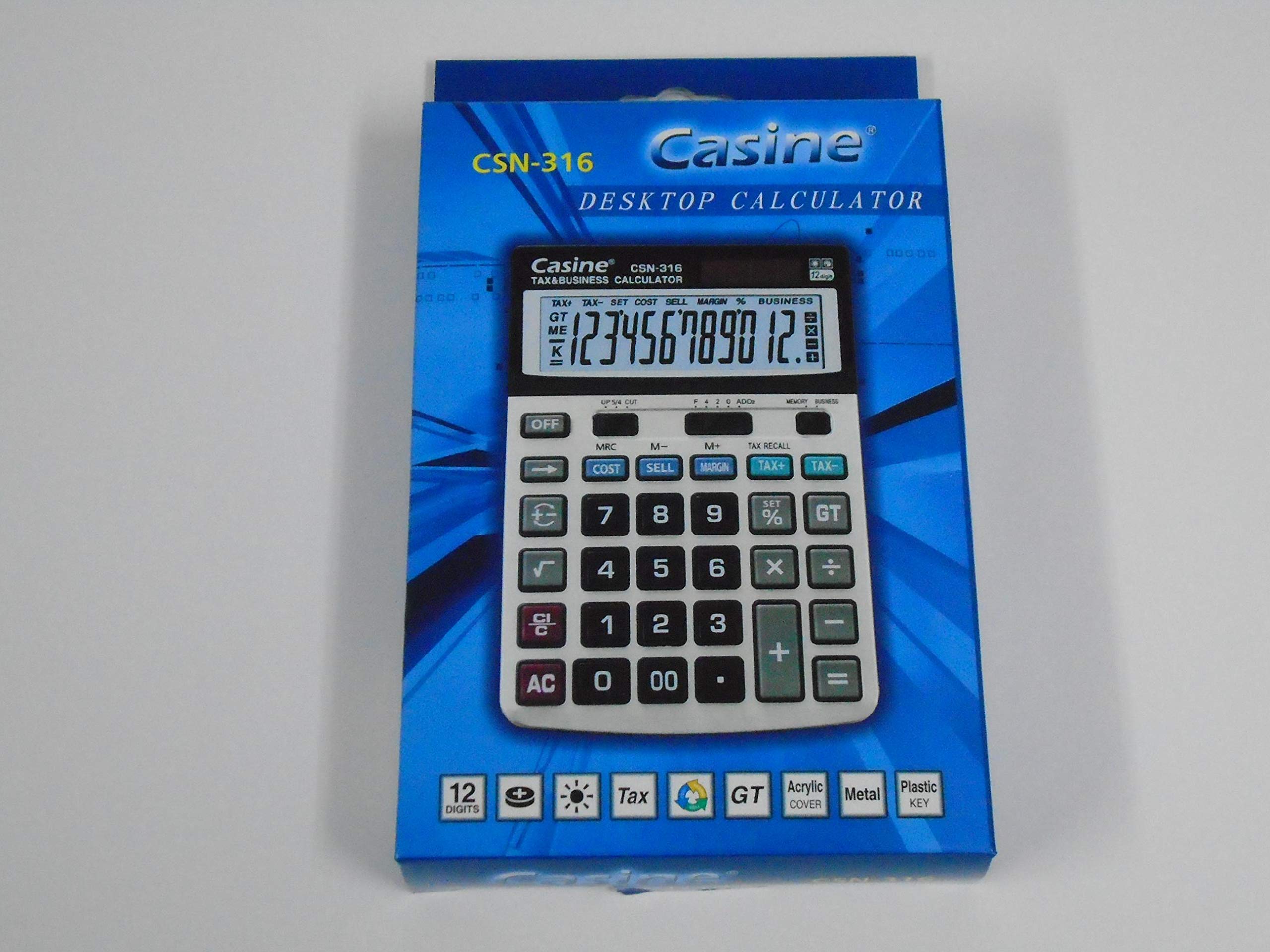
Obrázek 1: Přední view of the Casio CSN 316 Calculator, showing the 12-digit LCD display and key layout.
Nastavení
1. Zdroj napájení
The Casio CSN 316 calculator operates on dual power: solar power and battery power. Under sufficient lighting, the calculator will primarily use solar power. In low light conditions, it will automatically switch to battery power.
2. Instalace/výměna baterie
- Ujistěte se, že je kalkulačka vypnutá.
- Najděte kryt přihrádky na baterie na zadní straně kalkulačky.
- Using a small screwdriver, carefully remove the screw(s) securing the battery compartment cover.
- Odstraňte kryt.
- Insert a new battery (type specified in Specifications section) with the correct polarity (+/-) as indicated inside the compartment.
- Nasaďte kryt prostoru pro baterie a zajistěte jej šroubem (šrouby).
Poznámka: Použité baterie zlikvidujte v souladu s místními předpisy.
Návod k obsluze
Základní výpočty
- Doplnění (+): Zadejte první číslo a stiskněte +, zadejte druhé číslo a stiskněte =.
- Odečítání (-): Zadejte první číslo a stiskněte -, zadejte druhé číslo a stiskněte =.
- Násobení (×): Zadejte první číslo a stiskněte ×, zadejte druhé číslo a stiskněte =.
- Dělení (÷): Zadejte první číslo a stiskněte ÷, zadejte druhé číslo a stiskněte =.
Clearing Entries
- Stiskněte AC (All Clear) to clear all entries and reset the calculator.
- Stiskněte CE (Clear Entry) to clear the last entered number without affecting previous calculations.
Paměťové funkce
- M+: Přičte zobrazenou hodnotu do paměti.
- M-: Odečte zobrazenou hodnotu z paměti.
- MR: Recalls the value stored in memory to the display.
- MC: Clears the memory.
Údržba
Čištění
To clean your calculator, wipe it gently with a soft, dry cloth. Do not use abrasive cleaners, solvents, or spray directly onto the calculator, as this may damage the display or internal components.
Skladování
Store the calculator in a cool, dry place away from direct sunlight and extreme temperatures. Avoid placing heavy objects on top of the calculator.
Odstraňování problémů
| Problém | Možná příčina | Řešení |
|---|---|---|
| Displej je prázdný nebo tmavý. | Nedostatek světla pro solární napájení nebo slabá baterie. | Move to a brighter area or replace the battery. |
| Nesprávné výsledky výpočtu. | Incorrect key input or previous calculation not cleared. | Stiskněte AC to clear all and re-enter the calculation carefully. |
| Klávesy nereagují. | Calculator may be frozen or battery is completely drained. | Replace the battery. If problem persists, contact customer support. |
Specifikace
- Značka: Casio
- Název modelu: CSN 316
- Typ displeje: LCD
- Počet číslic: 12
- Zdroj napájení: Dual Power (Solar and Battery Powered)
- Číslo dílu výrobce: 2724633395248.0
- ASIN: B091BPDPC4
- První dostupné datum: 30. března 2021
Záruka a podpora
For detailed warranty information, please refer to the warranty card included with your product packaging or visit the official Casio website. If you require further assistance or have questions not covered in this manual, please contact Casio customer support through their official channels.
Kontaktní informace na podporu často najdete na stránkách výrobce webmísto: www.casio.com