
Zavedení
This manual provides instructions for the YOSUN Universal Remote Control, model AKB72915239. This remote is designed to be compatible with a wide range of LG LCD and LED Smart TVs, offering a direct replacement for many original LG remote models. It aims to provide essential functions for controlling your LG television.
The remote control operates using infrared technology and requires two AAA batteries (not included) for power. It is designed for ease of use, typically requiring no complex programming or setup for basic television functions.
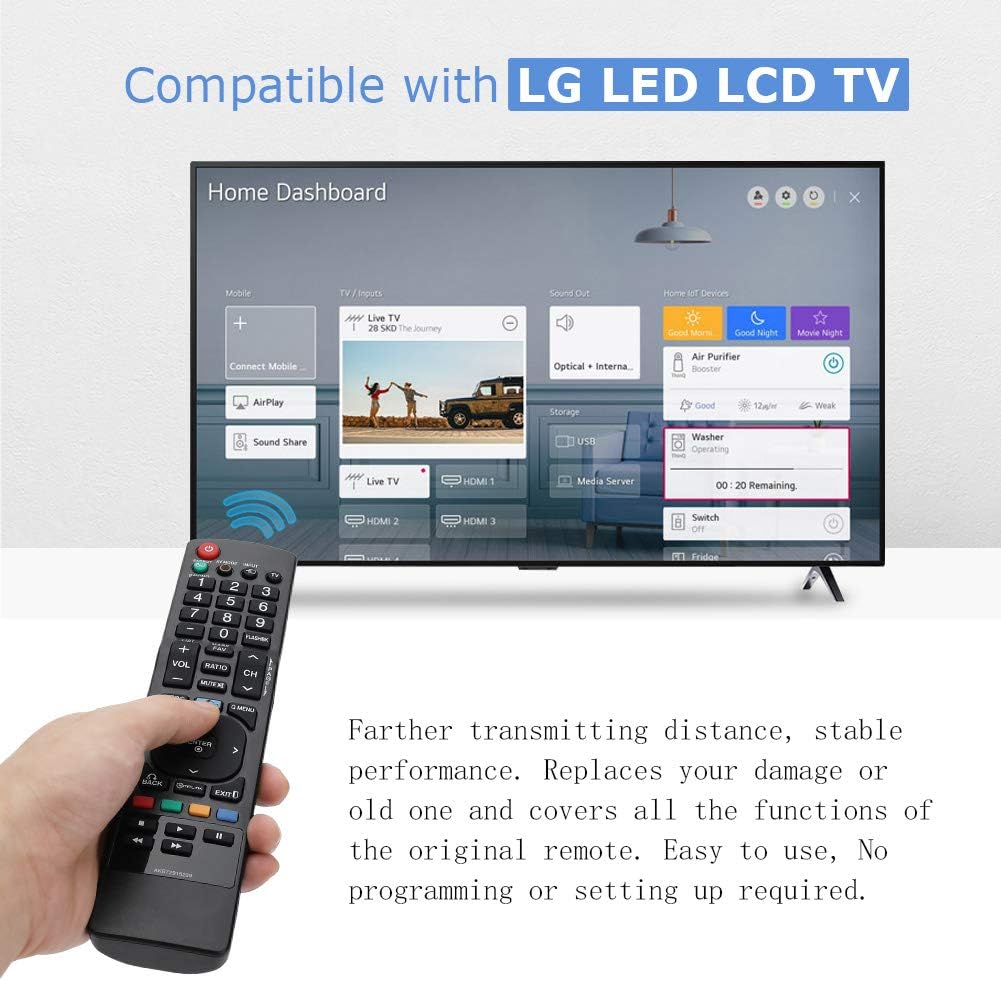
Image: The YOSUN remote control being held, with an LG Smart TV displaying its home dashboard, illustrating the remote's compatibility and function.
Kompatibilita
The YOSUN Universal Remote Control is compatible with various LG LCD and LED Smart TV models. It is designed to replace many original LG remote controls. For specific compatibility, refer to the list of compatible original LG remote model numbers provided below.
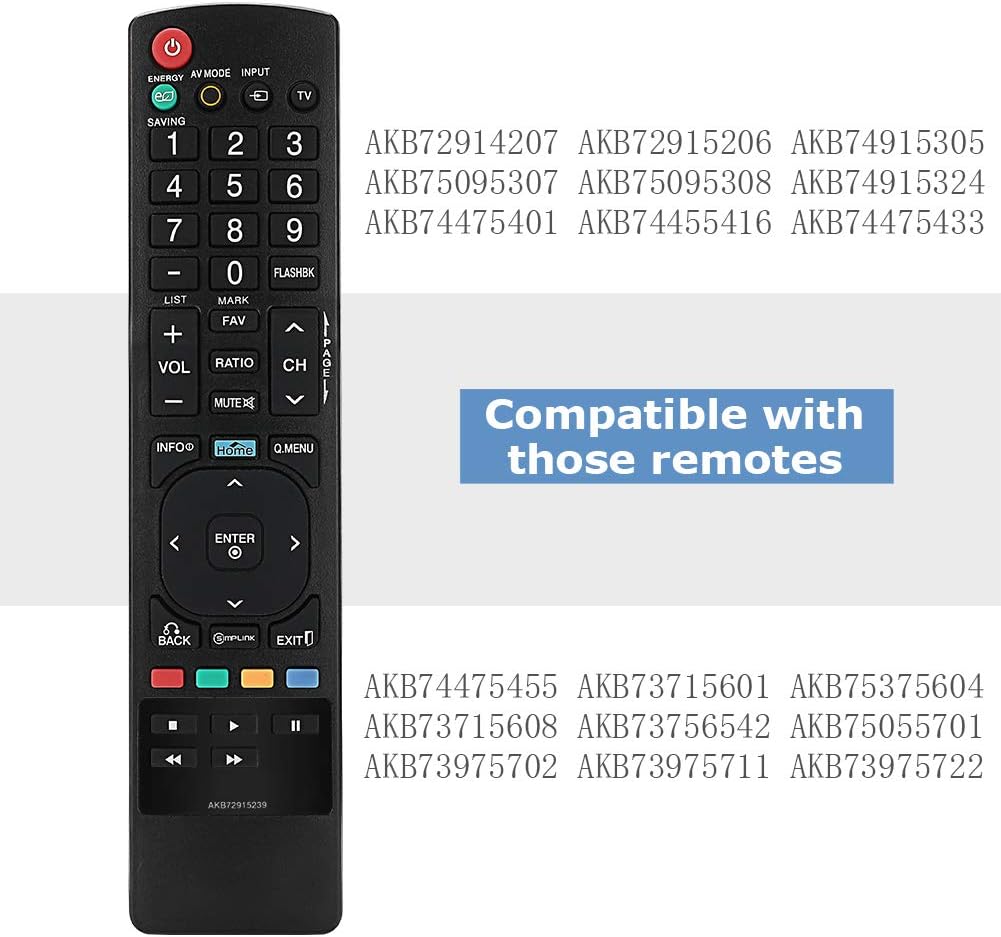
Image: The YOSUN remote control displaying a list of LG remote model numbers it is compatible with, such as AKB72914207, AKB72915206, AKB74915305, AKB75095307, AKB75095308, AKB74915324, AKB74475401, AKB74455416, AKB74475433, AKB74475455, AKB73715601, AKB75375604, AKB73715608, AKB73756542, AKB75055701, AKB73975702, AKB73975711, and AKB73975722.
Nastavení
This remote control is designed for immediate use with compatible LG televisions. No programming or complex setup procedures are typically required.
- Nainstalujte baterie: Open the battery compartment on the back of the remote control. Insert two AAA batteries, ensuring correct polarity (+ and -). Close the battery compartment securely.
- Zapnutí televizoru: Point the remote control towards your LG television and press the MOC button. The television should respond.
- Testovací funkce: Test basic functions such as volume control (VOL+/-), channel change (CH+/-), and input selection (INPUT).
If the remote does not function immediately, ensure the batteries are correctly installed and have sufficient charge. Verify that the remote's infrared emitter is not obstructed and that there is a clear line of sight to the TV's IR receiver.

Image: The YOSUN remote control highlighting its plug-and-play nature, indicating no programming or setup is required for operation.
Návod k obsluze
The YOSUN Universal Remote Control provides standard functions for controlling your LG television. Below is a general guide to its buttons and their primary uses.

Image: A person using the YOSUN remote control to operate an LG Smart TV, demonstrating typical usage scenarios.
Funkce tlačítek

Obrázek: Podrobný view of the YOSUN remote control, illustrating the layout and labels of each button, along with their corresponding functions.
- MOC: Zapíná nebo vypíná televizi.
- ÚSPORA ENERGIE: Activates or deactivates the TV's energy-saving mode to reduce power consumption.
- AV REŽIM: Switches between various picture and sound modes such as Cinema/THX, Game, or Sport mode.
- VSTUP: Selects the input source (e.g., HDMI 1, HDMI 2, AV).
- TV: Selects the TV mode directly.
- Číselná tlačítka (0-9): Přímý výběr kanálů.
- FLASHBK: Alternates between the last two channels viewvyd.
- SEZNAM: Accesses the saved channels list.
- VOL +/-: Upravuje úroveň hlasitosti.
- CH +/-: Změní kanály.
- FAV: Accesses your favorite channel list.
- ZTLUMIT: Ztlumí nebo zapne zvuk televizoru.
- INFO: Displays information on the TV screen.
- DOMOV: Press to access the LG Home dashboard. Hold down to access your most recently used apps and notifications. Note: On some Smart TV models, this button may function as a settings button rather than directly opening the Smart TV home screen.
- Q.MENU: Opens a list of quick menu options for frequently used functions.
- Navigační tlačítka (nahoru, dolů, vlevo, vpravo, ENTER): Procházení nabídek a potvrzování výběrů.
- ZADNÍ: Returns to the previous step or menu.
- JEDNODUCHÉ: Controls external devices connected to your LG TV via HDMI. This enables control of devices like Blu-ray players or soundbars using the TV remote.
- EXIT: Ukončí aktuální menu nebo aplikaci.
- Color Buttons (RED, GREEN, YELLOW, BLUE): Shortcut keys for interactive functions, often context-dependent within menus or applications.
- Playback Controls (Rewind, Play, Fast Forward, Stop, Pause): Ovládání přehrávání médií.
Údržba
To ensure optimal performance and longevity of your YOSUN Universal Remote Control, follow these maintenance guidelines:
- Výměna baterie: When the remote's performance degrades or it stops responding, replace the batteries. Use two new AAA batteries. Ensure correct polarity when inserting.
- Čištění: Dálkový ovladač otřete měkkým, suchým hadříkem. V případě odolné nečistoty použijte lehceamp Lze použít hadřík, ale dbejte na to, aby se do dálkového ovladače nedostala vlhkost. Nepoužívejte abrazivní čisticí prostředky ani rozpouštědla.
- Skladování: Dálkový ovladač skladujte na suchém místě, mimo dosah přímého slunečního záření a extrémních teplot. Pokud dálkový ovladač nebudete delší dobu používat, vyjměte z něj baterie, abyste zabránili jejich vytečení.
- Zacházení: Zabraňte pádu dálkového ovladače nebo jeho vystavování silným nárazům, mohlo by dojít k poškození vnitřních součástí.

Obrázek: Zadní strana view of the YOSUN remote control with the battery cover removed, illustrating the compartment for two AAA batteries.
Odstraňování problémů
If you encounter issues with your YOSUN Universal Remote Control, refer to the following troubleshooting steps:
- Dálkové ovládání nereaguje:
- Zkontrolujte, zda jsou baterie vloženy správně se správnou polaritou.
- Vyměňte staré baterie za nové baterie typu AAA.
- Ensure there is a clear line of sight between the remote and the TV's infrared receiver. Remove any obstructions.
- Ujistěte se, že dálkový ovladač míří přímo na televizor.
- Tlačítka nefungují:
- If only specific buttons are not working, try cleaning the remote as described in the Maintenance section.
- Ensure the remote is not wet or damaged.
- "HOME" Button Does Not Open Smart TV Dashboard:
- On some LG Smart TV models, the "HOME" button on this universal remote may function as a "Settings" button or a different menu access, rather than directly opening the Smart TV's main application dashboard. This is a characteristic of some universal remote designs and not a defect.
- Refer to your TV's original remote or on-screen menus to access the Smart TV dashboard if this function is critical.
- Omezený rozsah:
- Ujistěte se, že jsou baterie čerstvé.
- Remove any objects blocking the remote's signal path to the TV.
- The maximum effective range is approximately 8 meters (26 feet).
Specifikace
| Značka | YOSUN |
| Číslo modelu | AKB72915239 |
| Kompatibilní zařízení | LG LCD TV, LG LED Smart TVs |
| Technologie připojení | Infračervený (IR) |
| Počet tlačítek | 44 |
| Maximální dosah | 8 metru (přibližně 26 stopy) |
| Typ baterie | AAA |
| Počet požadovaných baterií | 2 |
Záruka a podpora
Information regarding specific warranty terms or direct customer support for the YOSUN Universal Remote Control is not provided in this manual. For warranty claims or technical assistance, please refer to the retailer or platform where the product was purchased, or consult the manufacturer's official webmísto, pokud je k dispozici.