
Cuifati Cuifati5itkbwygfm-03
Cuifati Battery Monitor User Manual
Model: Cuifati5itkbwygfm-03
Konec produktuview
The Cuifati Battery Monitor is designed to accurately display the percentage of battery capacity and voltage for various battery types, including lead-acid, lithium, and lithium iron batteries. Its compact and waterproof design makes it suitable for use in vehicles, RVs, and marine applications.

Obrázek: Přední a zadní strana view of the Cuifati Battery Monitor, showing the display and the 12-84V input label on the back.
Obsah balení
- 1 x Cuifati Battery Display Unit
- 1 x Connecting Line
Specifikace
| Funkce | Detail |
|---|---|
| Typ položky | Displej elektřiny |
| Materiál | PCB/HTN |
| Rozsah zobrazení | 8-100V |
| Kompatibilní typy baterií | Lead-acid battery, Lithium battery, Lithium iron battery (user configurable) |
| Použitelné svtage | 12-84V |
| Provozní teplota | -10 ℃ až 50 ℃ |
| Rozměry (D x Š x V) | Approx. 6.1 x 3.3 x 1.3 cm / 2.4 x 1.3 x 0.5 inch |
| Hmotnost | Přibl. 20 g |
| Vodotěsná funkce | PVC film surface for waterproof use |

Image: The battery monitor with its dimensions (6.1cm / 2.4inch length, 3.3cm / 1.3inch width, 1.3cm / 0.5inch thickness) clearly labeled.
Nastavení
Setting up the Cuifati Battery Monitor is designed to be simple and efficient, typically taking only a few seconds.
- Připojte kabeláž: Use the provided connecting line to wire the battery monitor to your battery system. Ensure correct polarity (red wire for positive, black wire for negative) to avoid damage. The monitor is compatible with 12-84V systems.
- Montáž: Choose a suitable location for mounting the display unit. Its compact size allows for flexible placement in vehicles, RVs, or marine environments.
- Počáteční zapnutí: Once connected, the display will power on and show the current battery capacity percentage a svtage.

Image: The battery monitor connected with its red and black wires, illustrating the simple setup process.
Návod k obsluze
The battery monitor provides real-time information about your battery's status.
- Zobrazení na displeji: The display accurately shows the battery capacity as a percentage and the current voltage. This allows for an intuitive understanding of your battery's charge status.
- Display On/Off Feature: The unit is equipped with a switch that allows the display to be turned off. When the display is off, no power is consumed by the unit, helping to conserve battery life.
- Battery Type Configuration: The monitor can be configured by the user to accurately read different battery types, including lead-acid, lithium, and lithium iron batteries. Refer to the device's internal settings or manufacturer's specific instructions for detailed configuration steps if needed.

Image: The battery monitor display showing "Battery capacity / Voltage" and a reading of "49%". This image highlights the display's ability to be turned off to save power.
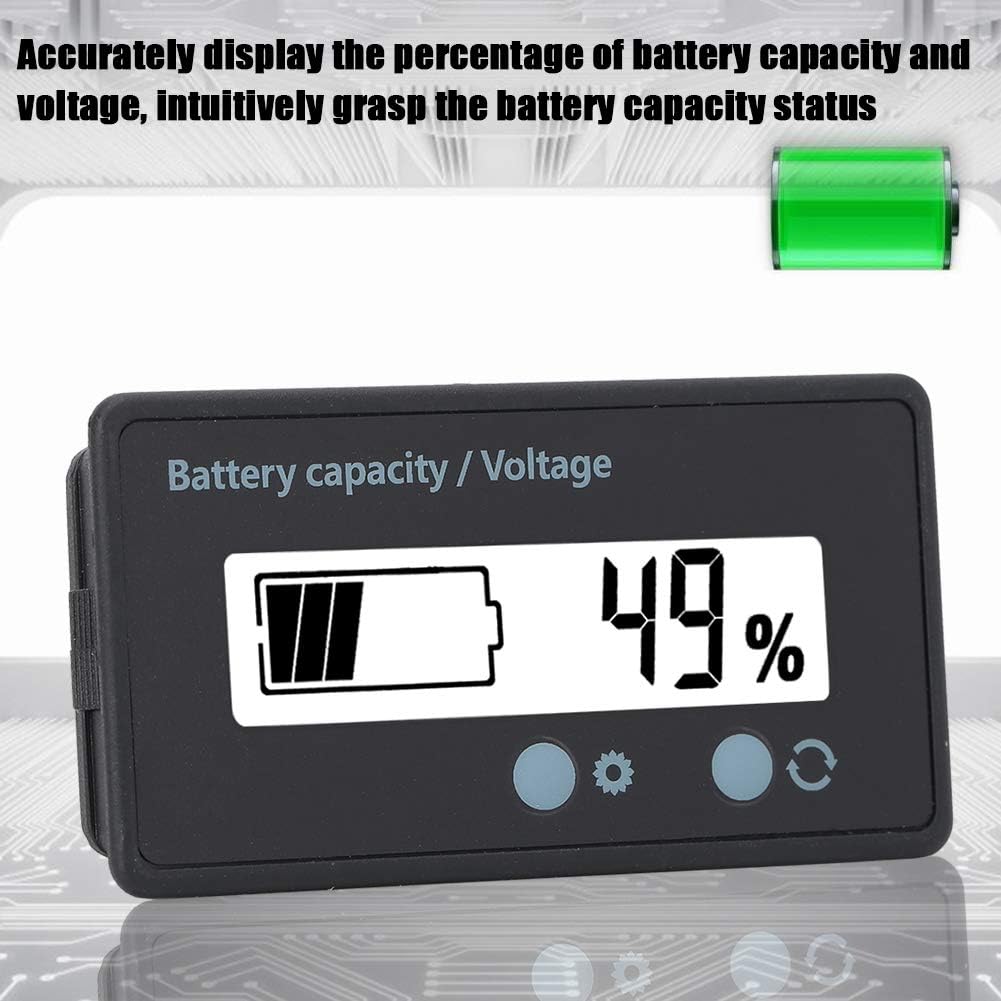
Image: The battery monitor displaying battery capacity and voltage, emphasizing its accuracy in providing real-time battery status.
Údržba
The Cuifati Battery Monitor is designed for durability and minimal maintenance.
- Čištění: Otřete displej a casing s měkkým, damp cloth. Avoid using abrasive cleaners or solvents that could damage the PVC film or casing.
- Voděodolnost: The PVC film surface provides waterproof protection. While designed for use in environments where it may encounter moisture, avoid submerging the unit.
- Kontrola připojení: Periodically inspect the connecting wires and terminals to ensure they are secure and free from corrosion.

Image: The battery monitor shown in a setting with water droplets, illustrating its waterproof PVC film surface for confident use in various conditions.
Odstraňování problémů
If you encounter issues with your Cuifati Battery Monitor, consider the following common troubleshooting steps:
- Bez displeje/napájení:
- Ensure the connecting wires are securely attached to the battery and the monitor.
- Ověřte, že objem baterietage is within the applicable range (12-84V).
- Check for any blown fuses in the power circuit, if applicable.
- Nepřesná čtení:
- Confirm that the battery type configuration on the monitor matches your actual battery (lead-acid, lithium, lithium iron).
- Ensure the battery itself is functioning correctly and providing a stable voltage.
- Blikání displeje:
- Zkontrolujte uvolněné spoje.
- Ensure the operating temperature is within the specified range (-10℃ to 50℃).
Pokud problémy přetrvávají i po vyzkoušení těchto kroků, obraťte se na zákaznickou podporu s žádostí o další pomoc.
Záruka a podpora
For warranty information or technical support regarding your Cuifati Battery Monitor, please refer to the product packaging or contact the manufacturer directly through their official channels. Keep your purchase receipt as proof of purchase for any warranty claims.
Můžete navštívit Cuifati Store on Amazon pro více informací a možnosti kontaktu.
Ask a question about this manual
Ask about setup, troubleshooting, compatibility, parts, safety, or missing instructions. Manuals+ will review the question and use this page’s manual context to help answer it.