
OnePlus GM1917
Návod k obsluze smartphonu OnePlus 7 Pro Dual SIM (model GM1917)
Your comprehensive guide to the OnePlus 7 Pro
1. Úvod
The OnePlus 7 Pro (Model GM1917) is a high-performance smartphone designed to deliver a smooth and immersive user experience. It features a 6.67-inch Fluid AMOLED display with a 90 Hz refresh rate and QHD+ resolution, offering exceptional clarity and fluidity. The device is equipped with a versatile camera system, including a 48 MP main camera, an ultra-wide-angle lens, and 3x optical zoom, enhanced by smart scene recognition and Nightscape 2.0 technology. This manual provides essential information for setting up, operating, and maintaining your OnePlus 7 Pro.

Obrázek 1: Přední strana view of the OnePlus 7 Pro smartphone.
2. Počáteční nastavení
2.1. Obsah balení
Než budete pokračovat, ujistěte se, že máte v balení všechny položky:
- OnePlus 7 Pro Smartphone (Model GM1917)
- Napájecí adaptér
- Kabel USB typu C
- Nástroj pro vysunutí SIM karty
- Rychlý průvodce
- Bezpečnostní informace
2.2. Vkládání SIM karet
- Vyhledejte držák SIM karty na boku zařízení.
- Insert the SIM ejector tool into the small hole on the tray and press firmly until the tray ejects.
- Place your Nano-SIM cards into the tray with the gold contacts facing down. The OnePlus 7 Pro supports Dual SIM functionality.
- Opatrně vložte zásobník zpět do zařízení.
2.3. Zapnutí a počáteční konfigurace
- Press and hold the Power button (located on the right side) until the OnePlus logo appears.
- Postupujte podle pokynů na obrazovce a vyberte jazyk, připojte se k síti Wi-Fi a nastavte si účet Google.
- You will be guided through setting up security features such as fingerprint unlock and face unlock.
3. Operating Your OnePlus 7 Pro
3.1. Funkce displeje
The OnePlus 7 Pro features a 6.67-inch Fluid AMOLED display with a QHD+ resolution (2560 x 1440 pixels) and a 90 Hz refresh rate. This combination provides incredibly smooth scrolling, fluid animations, and vibrant colors. Adjust display settings such as brightness, color mode, and refresh rate (if applicable) in the Settings menu under 'Display'.
3.2. Výkon a úložiště
Powered by a Qualcomm Snapdragon 855 processor and 6GB of RAM, the OnePlus 7 Pro delivers robust performance for multitasking, gaming, and demanding applications. The device comes with 128GB of internal storage, providing ampprostor pro aplikace, fotografie a videa.
3.3. Navigace
Your device offers various navigation options, including traditional on-screen navigation buttons or gesture navigation. These can be customized in the Settings menu under 'Buttons & gestures'.
4. Kamerový systém
The OnePlus 7 Pro is equipped with a triple rear camera setup and a unique pop-up front camera.
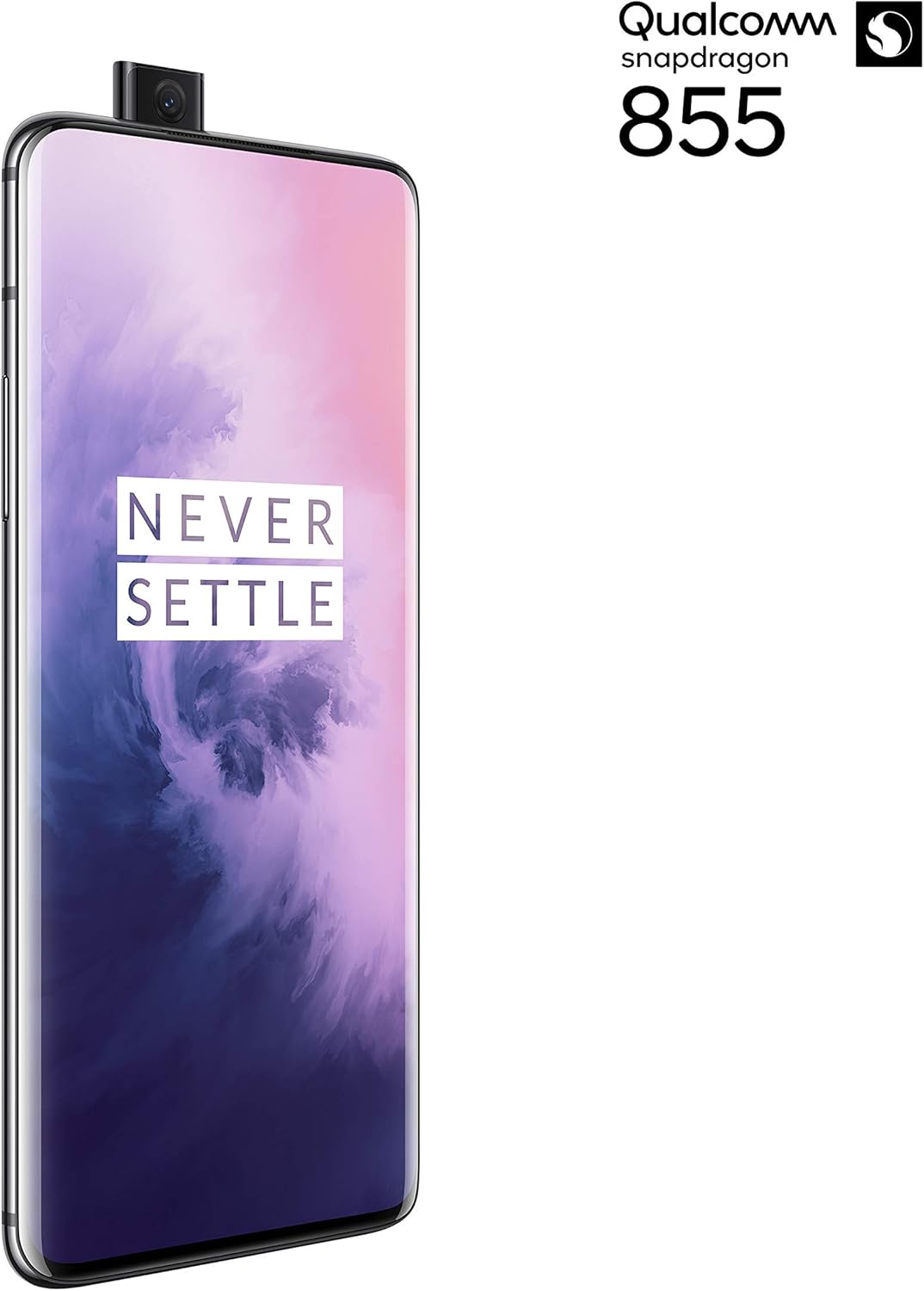
Obrázek 2: Přední strana view of the OnePlus 7 Pro with its pop-up selfie camera.
4.1. Zadní kamery
- Hlavní fotoaparát: 48 MP sensor for high-resolution photos.
- Ultraširokoúhlý objektiv: Zachycuje širší pole view, ideální pro krajinářské a skupinové snímky.
- Teleobjektiv: Offers 3x optical zoom for clear, detailed shots from a distance.
4.2. Přední kamera
The device features a motorized pop-up front camera, ensuring an uninterrupted full-screen display. This camera is designed for high-quality selfies and video calls.
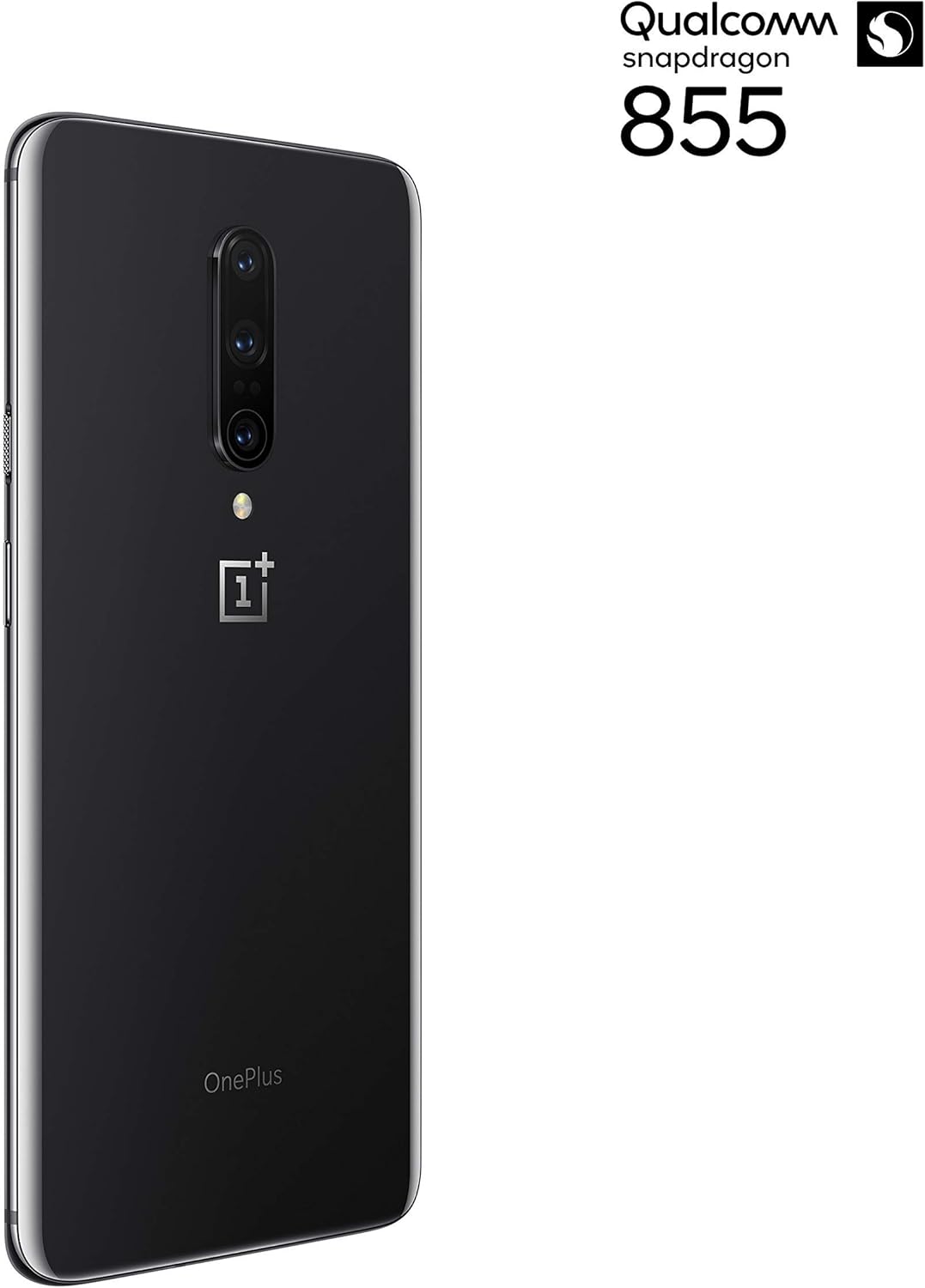
Obrázek 3: Zadní view of the OnePlus 7 Pro highlighting the triple camera module.
4.3. Režimy fotoaparátu
Prozkoumejte různé režimy fotoaparátu a vylepšete si své fotografie:
- Fotografie: Standardní režim pro každodenní snímky.
- Portrét: Vytváří efekt hloubky ostrosti a rozmazává pozadí.
- Nightscape 2.0: Optimizes photos taken in low-light conditions for brighter and clearer results.
- Pro režim: Nabízí manuální ovládání nastavení, jako je ISO, rychlost závěrky a vyvážení bílé.
- Video: Records high-quality videos.
5. Baterie a nabíjení
The OnePlus 7 Pro is equipped with a 4000 mAh battery, designed to provide extended usage. It supports Warp Charge technology for rapid charging.
5.1. Nabíjení zařízení
To charge your device, connect the provided USB Type-C cable to the phone's charging port and the power adapter. Plug the adapter into a wall outlet. For optimal charging speed, use only the official OnePlus Warp Charge adapter and cable.
5.2. Optimalizace baterie
Pro maximalizaci životnosti baterie zvažte následující:
- Upravte jas obrazovky.
- V případě potřeby povolte režim úspory baterie.
- Zavřete nepoužívané aplikace běžící na pozadí.
- Omezte využití dat na pozadí pro určité aplikace.
6. Technické specifikace
| Funkce | Specifikace |
|---|---|
| Číslo modelu | GM1917 |
| Zobrazit | 6.67-inch Fluid AMOLED, QHD+ (2560 x 1440), 90 Hz |
| Procesor | Qualcomm Snapdragon 855 |
| BERAN | 6 GB |
| Interní úložiště | 128 GB |
| Zadní kamera | 48 MP Main, Ultra-Wide, 3x Optical Zoom Telephoto |
| Přední kamera | Pop-up Selfie Camera |
| Kapacita baterie | 4000 XNUMX mAh |
| Operační systém | Android |
| Konektivita | Wi-Fi, 4G LTE (AT&T, Verizon, T-Mobile compatible) |
| Typ SIM | Dual Nano-SIM |
7. Řešení problémů
If you encounter issues with your OnePlus 7 Pro, try the following steps:
- Zařízení nereaguje: Press and hold the Power button for approximately 10 seconds to force restart the device.
- Problémy s aplikací: Clear the cache and data for the problematic app in Settings > Apps > [App Name] > Storage. If the issue persists, uninstall and reinstall the app.
- Síťové připojení: Zapnutí a vypnutí režimu Letadlo. Restartujte zařízení. Zkontrolujte vložení SIM karty.
- Vybíjení baterie: Review 'Battery Usage' in Settings to identify apps consuming excessive power. Reduce screen brightness and disable unnecessary features.
- Softwarové závady: Ensure your device's software is up to date via Settings > System > System updates.
- Obnovení továrního nastavení: Jako poslední možnost můžete provést obnovení továrního nastavení (Nastavení > Systém > Možnosti obnovení > Vymazat všechna data). Varování: Tímto smažete všechna data v zařízení. Před pokračováním si zálohujte důležité informace.
8. Péče a údržba
To ensure the longevity and optimal performance of your OnePlus 7 Pro:
- Udržujte zařízení čisté měkkým hadříkem, který nepouští vlákna. Vyhněte se agresivním chemikáliím.
- Chraňte obrazovku ochrannou fólií a používejte ochranné pouzdro.
- Nevystavujte zařízení extrémním teplotám, přímému slunečnímu záření nebo vlhkosti.
- Regularly back up your data to a cloud service or external storage.
- Install software updates to benefit from the latest features and security enhancements.
9. Záruka a podpora
For information regarding warranty coverage, technical support, or service, please refer to the documentation provided with your purchase or visit the official OnePlus support website. As this is a renewed product, specific warranty terms may vary; please consult your seller for details on their renewed product warranty and return policy.
Ask a question about this manual
Ask about setup, troubleshooting, compatibility, parts, safety, or missing instructions. Manuals+ will review the question and use this page’s manual context to help answer it.