
1. Úvod
The EARISE Vigorowl T65 is a portable PA system designed for both indoor and outdoor use, featuring powerful audio output, Bluetooth connectivity, and wireless microphones. This manual provides comprehensive instructions for setting up, operating, and maintaining your T65 PA system to ensure optimal performance and longevity.
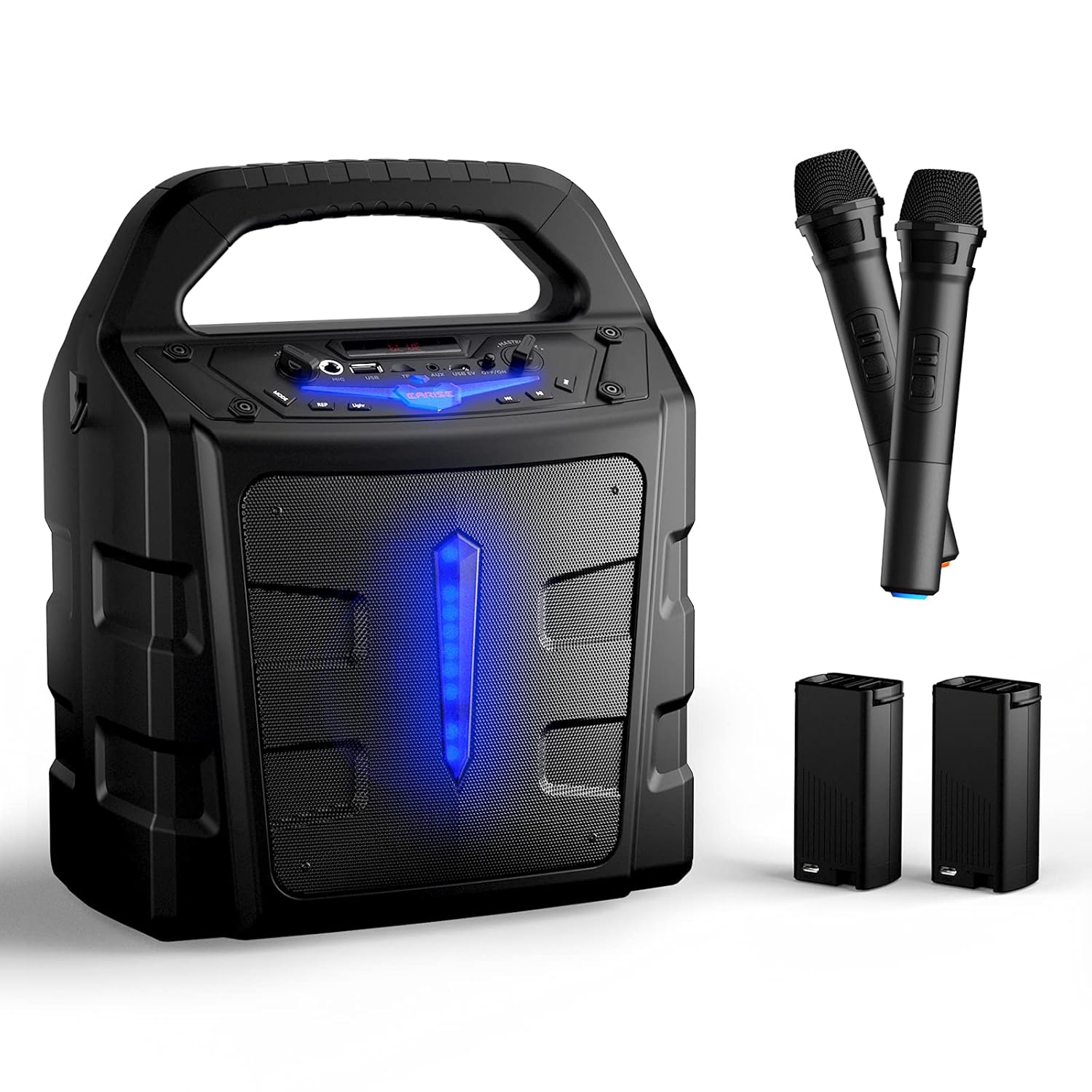
2. Co je v krabici
Po vybalení zkontrolujte obsah balení, abyste se ujistili, že jsou přítomny všechny položky:
- 1 x T65 PA reproduktor
- 2 x Wireless Microphones (Batteries not included for microphones)
- 2 x externí Li-ion baterie
- 1 x USB Charging Cable (Adaptér není součástí dodávky)
- 1 x Uživatelská příručka

3. Konec produktuview
Familiarize yourself with the various controls and ports on your T65 PA system:

- Hlavní ovládání hlasitosti: Upravuje celkovou úroveň zvukového výstupu.
- Vypínač: Zapíná nebo vypíná jednotku.
- USB 5V Input Port: Pro nabíjení jednotky.
- AUX vstup: 3.5mm audio vstup pro externí zařízení.
- Slot na kartu TF: For playing audio from a TF (Micro SD) card.
- USB Flash Slot: Pro přehrávání zvuku z USB flash disku.
- Vstup mikrofonu: 6.35mm vstup pro drátové mikrofony.
- Ovládání hlasitosti mikrofonu: Adjusts the volume of the microphones independently.
- Tlačítko režimu: Přepíná mezi režimy Bluetooth, FM rádio, AUX, USB a TF karta.
- Světelné tlačítko: Ovládá světelné efekty LED.
- REP (Repeat) Button: Opakuje aktuální skladbu nebo seznam skladeb.
- Tlačítko Předchozí skladba: Přeskočí na předchozí skladbu.
- Tlačítko Přehrát/Pozastavit: Přehraje nebo pozastaví aktuální skladbu.
- Tlačítko Další skladba: Přeskočí na další skladbu.
4. Nastavení
4.1 Nabíjení jednotky
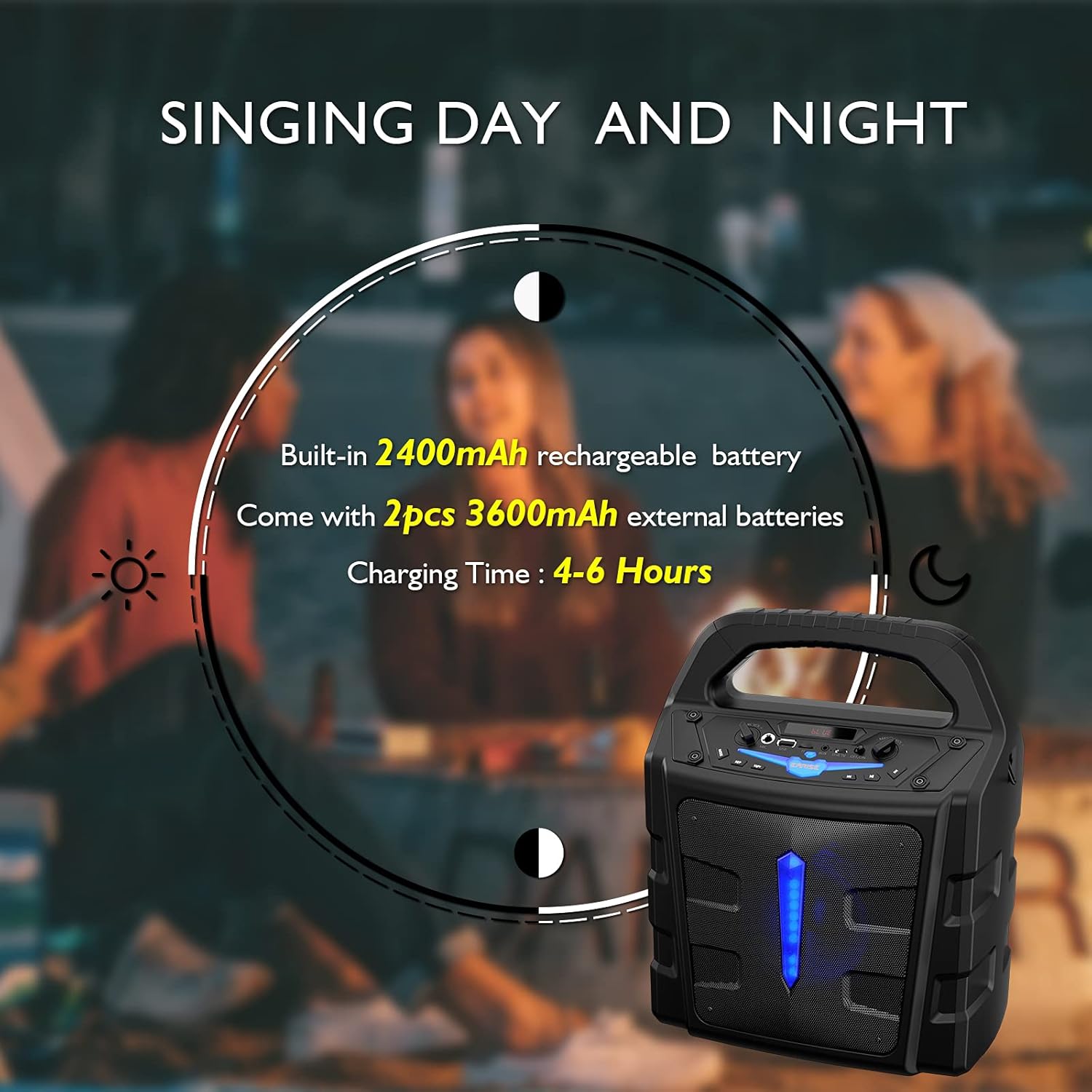
The T65 PA system comes with a built-in 2400mAh Li-ion battery and two external 3600mAh Li-ion batteries. Before first use, it is recommended to fully charge the unit.
- Connect the provided USB charging cable to the USB 5V input port on the T65.
- Connect the other end of the USB cable to a standard USB power adapter (not included) or a powered USB port.
- Rozsvítí se kontrolka nabíjení. Úplné nabití obvykle trvá 4–6 hodiny.
4.2 Battery Installation (Wireless Microphones)
The wireless microphones require 2 x AA batteries each (not included). To install:
- Unscrew the bottom part of the microphone handle.
- Vložte dvě baterie typu AA a dbejte na správnou polaritu (+/-).
- Spodní část pevně přišroubujte.
5. Návod k obsluze
5.1 Zapnutí/vypnutí
Stiskněte a podržte Vypínač napájení button on the control panel to turn the unit ON or OFF.
5.2 Připojení Bluetooth
Připojení mobilního zařízení přes Bluetooth:
- Turn on the T65 PA system. It will automatically enter Bluetooth pairing mode, indicated by a flashing 'BLUE' on the display.
- Enable Bluetooth on your mobile device (smartphone, tablet, PC, laptop).
- Hledat available devices and select "EARISE T65" from the list.
- Once connected, the 'BLUE' indicator will stop flashing, and you can play audio from your device through the T65.

5.3 Používání mikrofonů
The T65 comes with two wireless microphones for karaoke or public speaking. You can also connect a wired microphone to the 'Mic In' port.
- Turn on the wireless microphones using their respective ON/OFF switches. They will automatically pair with the T65 unit.
- Upravte hlasitost mikrofonu pomocí Ovládání hlasitosti mikrofonu knob on the T65 control panel.
- Adjust the overall sound level using the Hlavní ovládání hlasitosti.


5.4 Přehrávání z USB/TF karty
Insert a USB flash drive or TF (Micro SD) card (up to 32GB) into the respective slot. The unit will automatically switch to USB/TF mode and begin playing compatible audio files.
- Použijte Předchozí skladba, Přehrát/Pozastavita Další píseň tlačítka pro ovládání přehrávání.
- Stiskněte tlačítko REP button to cycle through repeat modes (e.g., repeat one, repeat all).
5.5 Vstup AUX
Připojte externí audio zařízení (např. MP3 přehrávač, CD přehrávač) k Vstup AUX port using a 3.5mm audio cable. Press the Režim tlačítko, dokud se nezobrazí „AUX“.
5.6 Režim rádia FM
Stiskněte tlačítko Režim button repeatedly until 'FM' is displayed. The unit will enter FM radio mode.
- Stiskněte a podržte Přehrát/Pozastavit tlačítko pro automatické prohledávání a ukládání dostupných FM stanic.
- Použijte Předchozí skladba a Další píseň tlačítka pro navigaci mezi uloženými stanicemi.
5.7 Světelné efekty
Stiskněte tlačítko Světlo button to toggle the LED light effects on the front panel.
6. Údržba
- Čištění: K čištění vnější strany jednotky používejte měkký, suchý hadřík. Nepoužívejte abrazivní čisticí prostředky ani rozpouštědla.
- Péče o baterie: To prolong battery life, fully charge the unit before long periods of storage. If storing for extended periods, recharge every 3 months.
- Skladování: Přístroj skladujte na chladném a suchém místě mimo dosah přímého slunečního záření a extrémních teplot.
- Vystavení vodě: This unit is not waterproof. Avoid exposure to rain, splashes, or high humidity.
7. Řešení problémů
If you encounter any issues with your T65 PA system, please refer to the following table for common problems and solutions:
| Problém | Možná příčina | Řešení |
|---|---|---|
| Žádná síla | Baterie je vybitá. | Charge the unit using the USB charging cable. |
| Žádný zvukový výstup | Hlasitost je příliš nízká nebo ztlumená. Nesprávný režim zadávání. | Increase Master Volume. Press Mode button to select correct input (Bluetooth, AUX, USB, TF, FM). |
| Mikrofony nefungují | Microphone batteries are low or incorrectly installed. Microphone is off. Mic Volume is too low. | Replace AA batteries in microphones, ensuring correct polarity. Turn on microphone power switch. Increase Mic Volume Control. |
| Bluetooth se nepřipojuje | Unit is not in Bluetooth mode. Device is too far. Interference. | Press Mode button until 'BLUE' is displayed. Ensure device is within 10 meters. Move away from other electronic devices. |
| Špatný příjem FM rádia | Slabý signál. | Přemístěte jednotku do oblasti s lepším příjmem. Znovu spusťte automatické skenování. |
8. Specifikace
Detailed technical specifications for the EARISE Vigorowl T65 Portable PA System:
| Funkce | Specifikace |
|---|---|
| Špičkový výstupní výkon | 30W |
| R.Frequency | 90Hz-20KHz |
| Vestavěná Li-ion baterie | 3.7V / 2400mAh |
| External Li-ion Battery | 2ks 3.7V / 3600mAh |
| Pohonná jednotka | 5.25" 3Ω |
| Poměr S/N | ≥60 dB |
| DC vstup | USB 5V |
| Napájení | AC 100-240V |
| Rozměry (D x Š x V) | 280 mm x 200 mm x 340 mm (11" x 7.9" x 13.4") |
| Hmotnost položky | 2.72 kg |
| Technologie připojení | Bluetooth, USB |
| Kompatibilní zařízení | iPhone, smartphone, tablet, PC |
| Podporovaný typ média | Micro SD, USB |
9. Záruka a podpora
For warranty information or technical support, please refer to the contact details provided with your purchase documentation or visit the official EARISE webUschovejte si účtenku jako doklad o koupi pro případné reklamace.