
1. Úvod
Thank you for choosing the HBN Digital Timer Plug. This device is designed to automatically control the power supply to your indoor appliances, helping you save energy and enhance convenience. It features weekly programming with up to 8 ON/OFF programs per day and a random function for added security. Please read this manual carefully before use to ensure proper operation and safety.
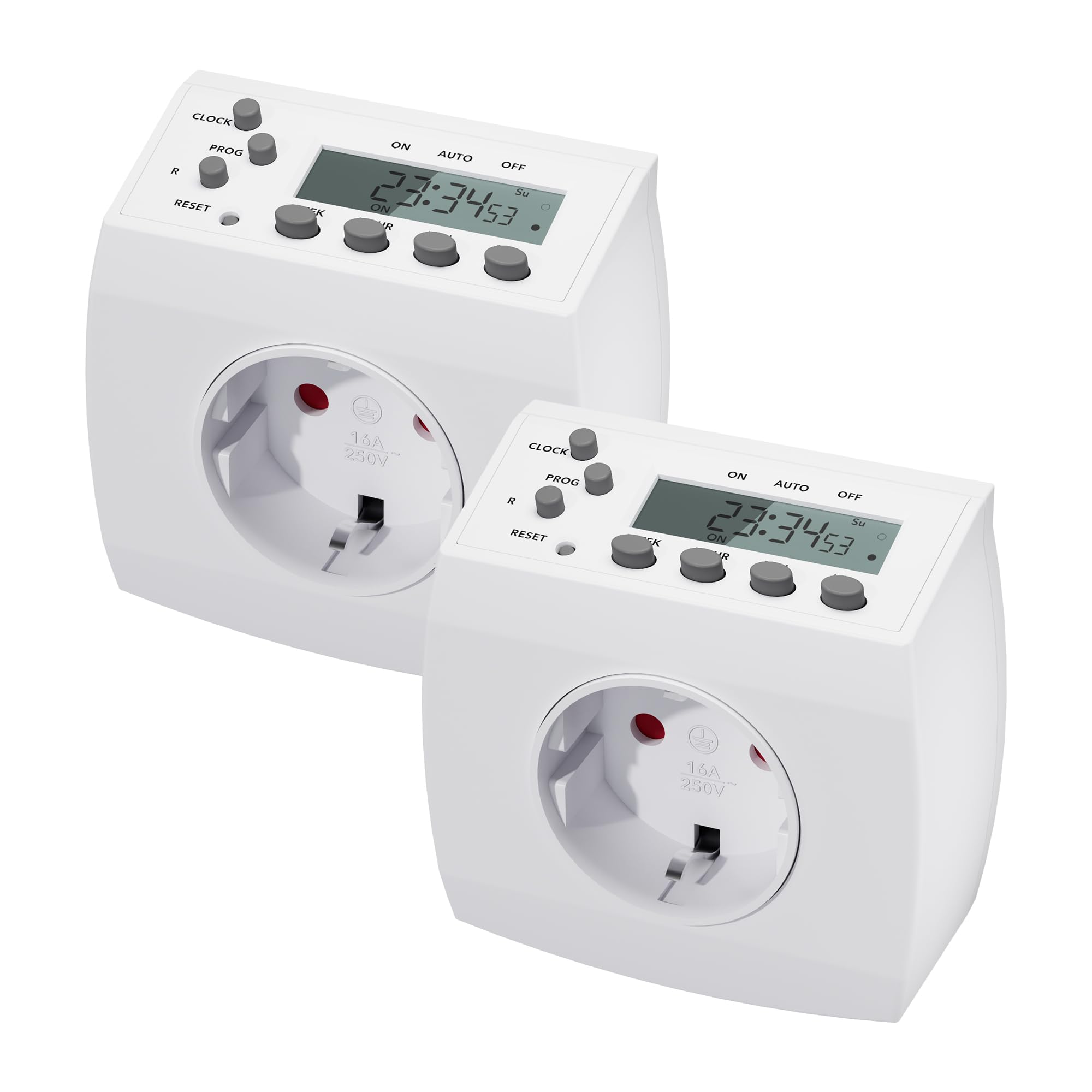
Image 1.1: HBN Digital Timer Plug in use with a coffee machine, highlighting key features.
2. Bezpečnostní pokyny
- Pouze k použití v interiéru. Nevystavujte vlhkosti ani extrémním teplotám.
- Nepřekračujte maximální zatížení 16 A / 3680 W.
- Ensure the timer is fully inserted into the wall socket.
- Do not connect multiple timers in series.
- Před čištěním vždy odpojte časovač ze zásuvky.
- Uchovávejte mimo dosah dětí.
3. Konec produktuview
3.1 Součásti a displej
The HBN Digital Timer Plug features a clear LCD display and intuitive buttons for easy programming. The device is compact and designed for discreet integration into your home.

Obrázek 3.1: Přední a boční strana view of the timer, highlighting buttons and display.
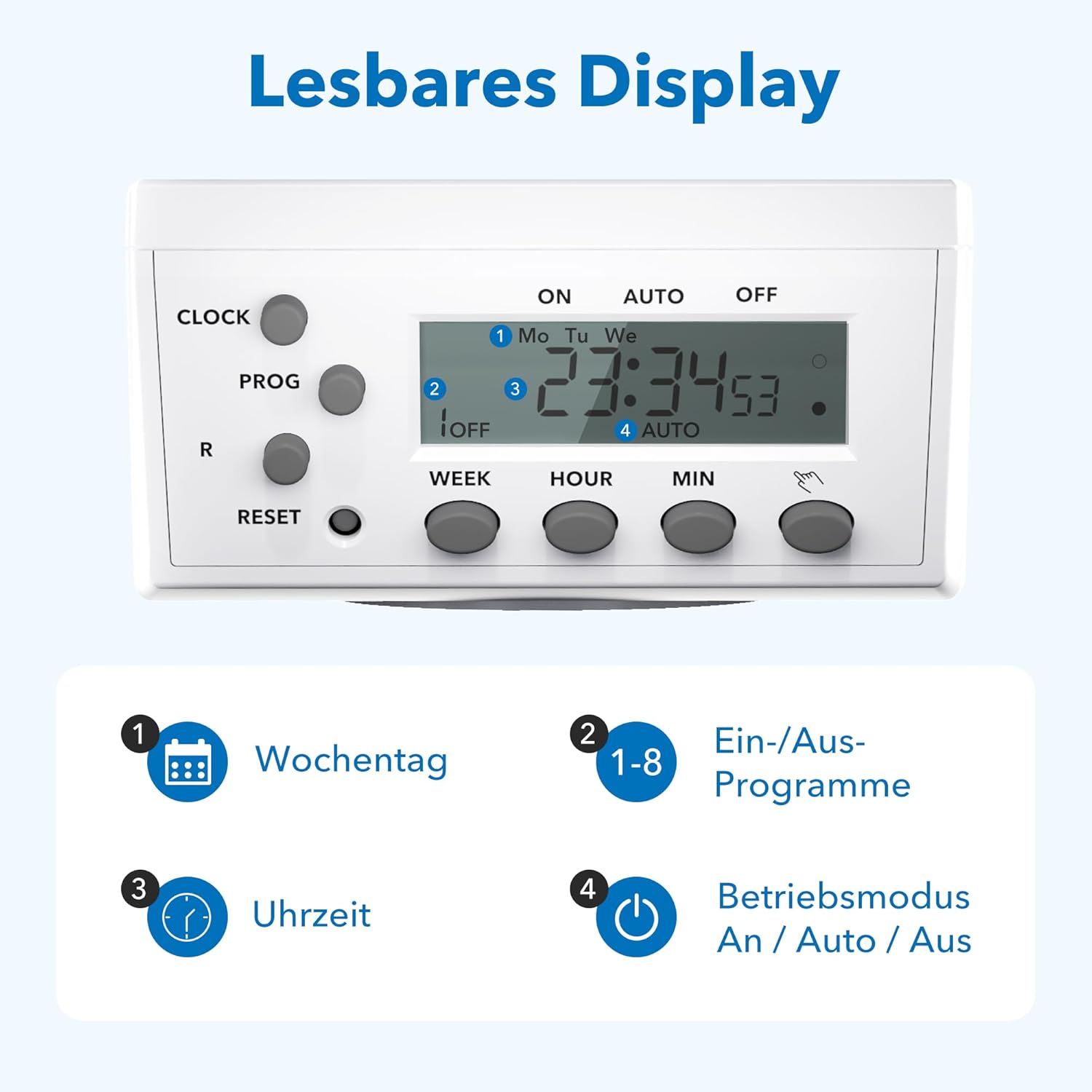
Obrázek 3.2: Detailní view of the readable display, showing weekday, program, time, and mode indicators.
3.2 Technical Data and Dimensions

Image 3.3: Technical specifications and dimensions of the timer.
- Rozměry: Přibližně 7.5 cm x 7.5 cm x 8 cm
- Max. Programs: 8 programů ZAP/VYP denně
- Weekly Combinations: 15 different weekly settings
- Max. Zatížení: 3680 W / 16 A.
- Min. Switching Time: 1 minuta
- Vlastnosti: Manual ON/OFF, Summer/Winter time, Power failure memory
4. Nastavení
4.1 Počáteční nastavení a nabíjení
- Plug the timer into a wall socket for at least 30 minutes to charge the internal battery. This battery maintains settings during power outages.
- Stiskněte tlačítko RESETOVAT button with a pointed object (e.g., a pen tip) to clear all previous settings. The display will show "0:00" and all segments will flash.
4.2 Nastavení aktuálního času
- Stiskněte tlačítko HODINY tlačítko a podržte ho.
- Při držení HODINY, stiskněte tlačítko TÝDEN button repeatedly to select the current day of the week (Mo, Tu, We, Th, Fr, Sa, Su).
- Při držení HODINY, stiskněte tlačítko HODINA opakovaným stisknutím tlačítka nastavte aktuální hodinu (0–23).
- Při držení HODINY, stiskněte tlačítko MIN opakovaným stisknutím tlačítka nastavte aktuální minutu (0–59).
- Uvolněte HODINY tlačítko. Aktuální čas je nyní nastaven.
5. Návod k obsluze
5.1 Programování časů ZAP/VYP
Časovač umožňuje až 8 programů ZAP/VYP. Každý program lze nastavit na konkrétní dny nebo jejich kombinace.
- Stiskněte tlačítko PROG button once. The display will show "1 ON" and the time will flash.
- Stiskněte TÝDEN to select the desired day(s) for the first ON program. Options include individual days, weekdays, weekends, or all days.
- Stiskněte HODINA a MIN pro nastavení požadovaného času zapnutí.
- Stiskněte PROG again. The display will show "1 OFF" and the time will flash.
- Stiskněte TÝDEN to select the desired day(s) for the first OFF program (usually the same as the ON program).
- Stiskněte HODINA a MIN pro nastavení požadovaného času VYPNUTÍ.
- Repeat steps 1-6 for programs 2 through 8.
- Po nastavení všech požadovaných programů stiskněte tlačítko HODINY tlačítko pro návrat k zobrazení aktuálního času.
5.2 Ruční ovládání (ZAP/AUTO/VYP)
Stiskněte tlačítko MANUÁL button (often labeled with a hand icon or similar) to cycle through the operating modes:
- NA: Připojený spotřebič zůstane trvale ZAPNUTÝ a přepíše všechny programy.
- AUTO: The timer will operate according to the programmed ON/OFF times.
- OFF: Připojený spotřebič zůstane trvale VYPNUTÝ, čímž přepíše všechny programy.
5.3 Náhodná funkce
The random function can simulate presence in your home by turning appliances ON and OFF at irregular intervals, typically between 6:00 PM and 6:00 AM. This feature is useful for deterring potential intruders when you are away.
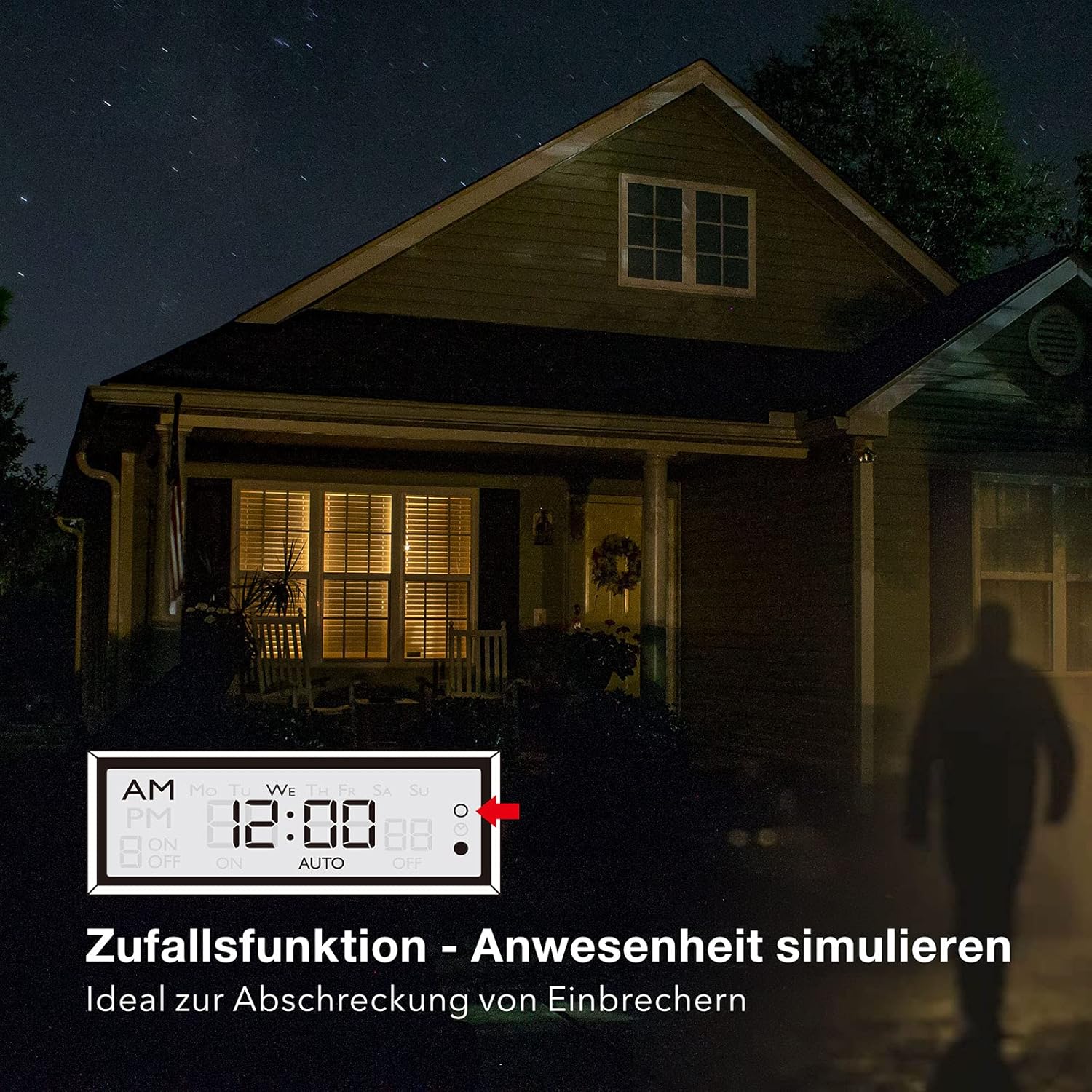
Image 5.1: Random function simulating presence for security.
- Chcete-li aktivovat funkci náhodného přehrávání, stiskněte tlačítko R (Random) button. The display will show "R" or a similar indicator.
- Pro deaktivaci stiskněte tlačítko R znovu tlačítko.
6. Údržba
The HBN Digital Timer Plug requires minimal maintenance.
- Ensure the timer is unplugged from the power outlet before cleaning.
- Vnější povrch otřete měkkým, suchým hadříkem. Nepoužívejte abrazivní čisticí prostředky ani rozpouštědla.
- Pokud se nepoužívá, skladujte na chladném a suchém místě.

Image 6.1: The timer operates silently, suitable for bedrooms.

Image 6.2: Versatile applications for the HBN Digital Timer Plug.
7. Řešení problémů
- Displej je prázdný: Ensure the timer is plugged into a live socket. If it has been unplugged for a long time, the internal battery might be depleted. Plug it in for 30 minutes to charge.
- Spotřebič se nezapíná/nevypíná podle programu:
- Check if the timer is in "AUTO" mode.
- Verify that the ON/OFF programs are set correctly for the desired days and times.
- Ensure the appliance itself is switched ON.
- Check if the random function is accidentally activated.
- Timer is unresponsive: Stiskněte tlačítko RESETOVAT button with a pointed object to restore factory settings. You will need to reprogram the time and schedules.
8. Specifikace
| Specifikace | Hodnota |
|---|---|
| Číslo modelu | 2xBND-50/SG3-VC |
| svtage | 230V~50Hz |
| Max. Proud | 16(3)A |
| Max. Moc | 3680W |
| Počet programů | 8 programů ZAP/VYP |
| Minimální doba nastavení | 1 minut |
| Barva | Bílý |
| Hmotnost produktu | 150 gramů |
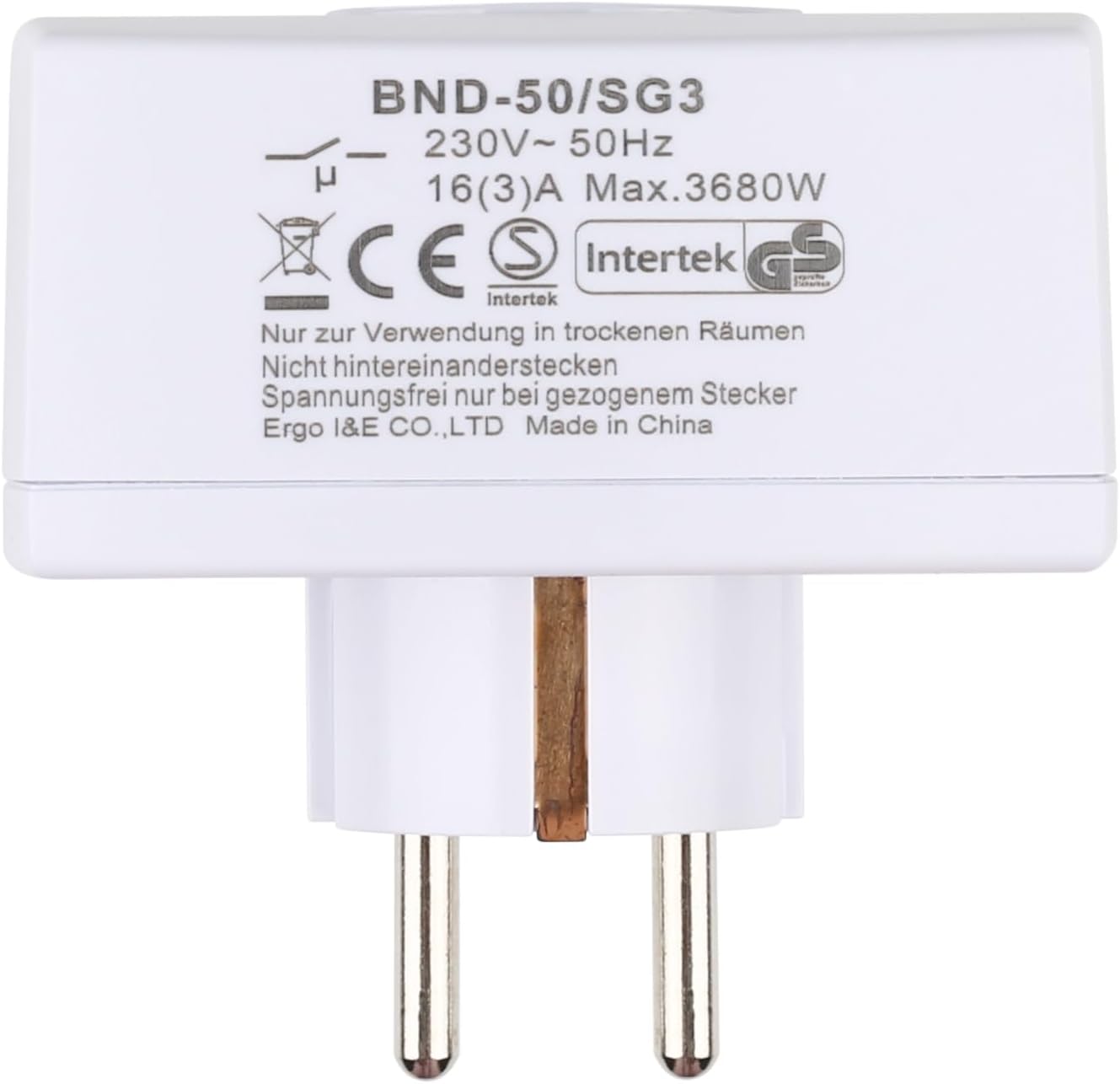
Obrázek 8.1: Zadní strana view of the timer with electrical specifications and certifications.
9. Záruka a podpora
HBN products are designed for reliability and performance. For warranty information or technical support, please refer to the contact details provided with your purchase or visit the official HBN webwebu. Uschovejte si účtenku jako doklad o koupi.