
LIECTROUX C30B
LIECTROUX C30B Hybrid Robot Vacuum and Mop User Manual
Model: C30B
1. Úvod
Thank you for choosing the LIECTROUX C30B Hybrid Robot Vacuum and Mop. This intelligent cleaning device is designed to simplify your home maintenance with its advanced features, including dynamic navigation, powerful 4KPA suction, and versatile 2-in-1 vacuuming and mopping capabilities. It integrates seamlessly with smart home systems like Amazon Alexa and Google Assistant for convenient control. Please read this manual thoroughly before operating the device to ensure proper use and maintenance.

Figure 1.1: LIECTROUX C30B Robot Vacuum and Mop with its accompanying mobile application interface and the interchangeable dustbin/water tank.
2. Důležité bezpečnostní pokyny
Abyste snížili riziko zranění nebo poškození, pečlivě si přečtěte tyto bezpečnostní pokyny a uschovejte si je pro budoucí použití. Tento spotřebič je určen pouze pro domácí použití.
- Nepoužívejte robota v prostředí s otevřeným ohněm nebo křehkými předměty.
- Ensure all power cords, small objects, and loose items are cleared from the floor before operation to prevent entanglement.
- Do not allow children or pets to play with the robot. Supervise children when the robot is in use.
- Use only the original charging dock and power adapter provided by the manufacturer.
- Nepoužívejte robota k vysávání velkých nečistot, kapalin nebo hořících/kouřících materiálů.
- Pravidelně čistěte kartáče a senzory, abyste zachovali optimální výkon.
- Do not immerse the robot or its electronic components in water.
- If the robot is not used for a long period, fully charge it and store it in a cool, dry place.
3. Obsah balení
Po vybalení ověřte, zda jsou všechny součásti přítomny a v dobrém stavu.
- Robot Host (Main Unit)
- Nabíjecí stanice
- Dálkové ovládání (baterie nejsou součástí balení)
- Napájecí adaptér
- Nádrž na vodu
- Popelnice
- Nástroj na čištění
- HEPA Filters (2x)
- Boční kartáče (4x)
- Mopping Pads (2x)
- Návod k použití
- Průvodce instalací aplikace
4. Konec produktuview
Familiarize yourself with the main components of your LIECTROUX C30B robot vacuum.
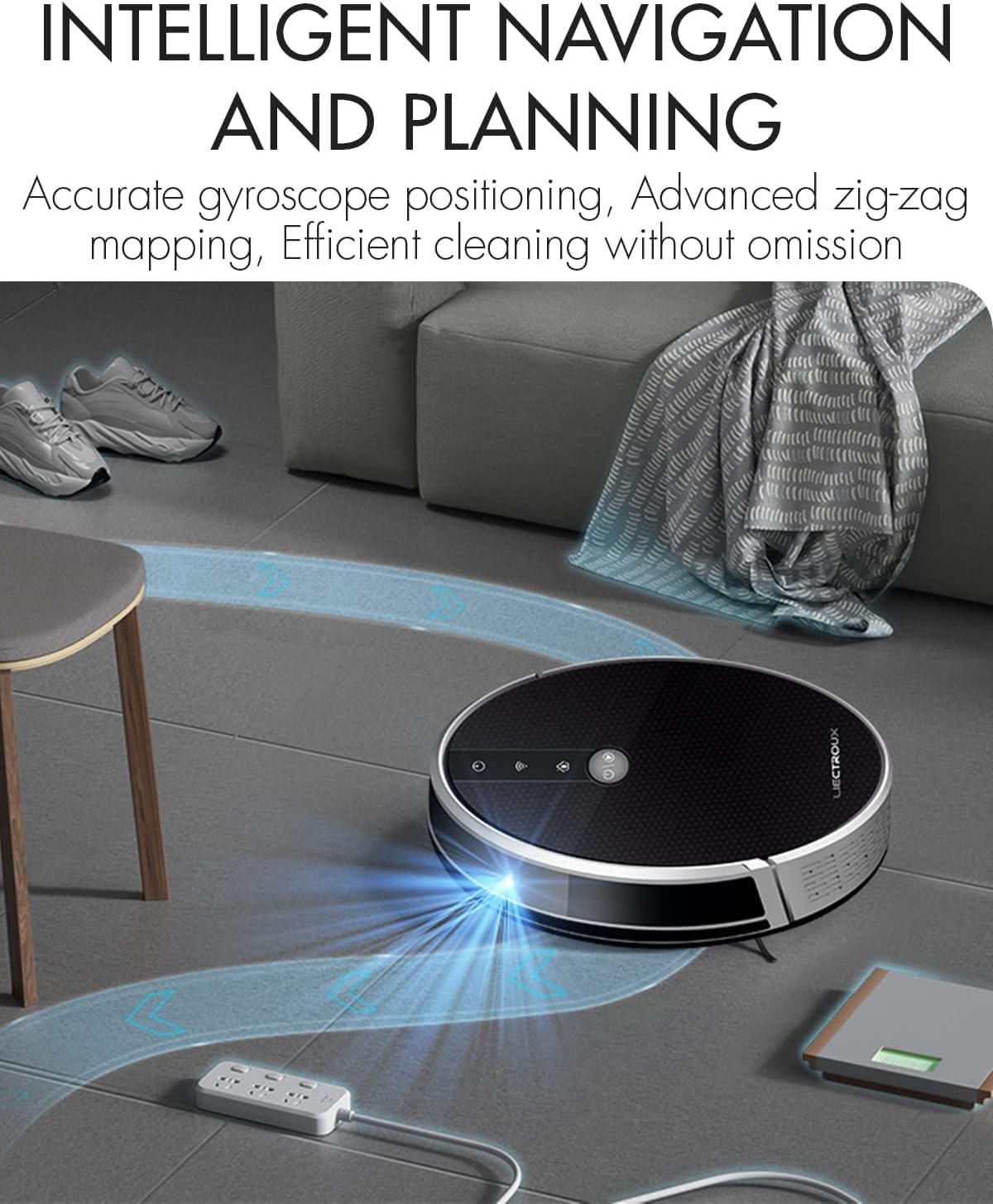
Figure 4.1: The robot vacuum utilizing its intelligent navigation system to plan and execute efficient cleaning paths, ensuring thorough coverage of your home.
4.1. Klíčové vlastnosti
- Gyroscope Smart Navigation: Detects the entire house and builds a real-time cleaning roadmap for efficient, room-to-room cleaning.
- Super Suction & 2-in-1 Functionality: Equipped with a NIDEC brushless motor and V-shaped floating central brush for deep cleaning. Interchangeable 600ml dustbin and water tank allow for simultaneous vacuuming and mopping.
- Štíhlý design těla: At 7.4 cm (2.9 inches) thin, it can easily clean under furniture and hard-to-reach areas.
- Senzory proti pádu: Integrated infrared sensors detect obstacles and prevent falls from stairs or ledges.
- Tichý provoz: Designed to operate at a low noise level (45 dB), minimizing disturbance.
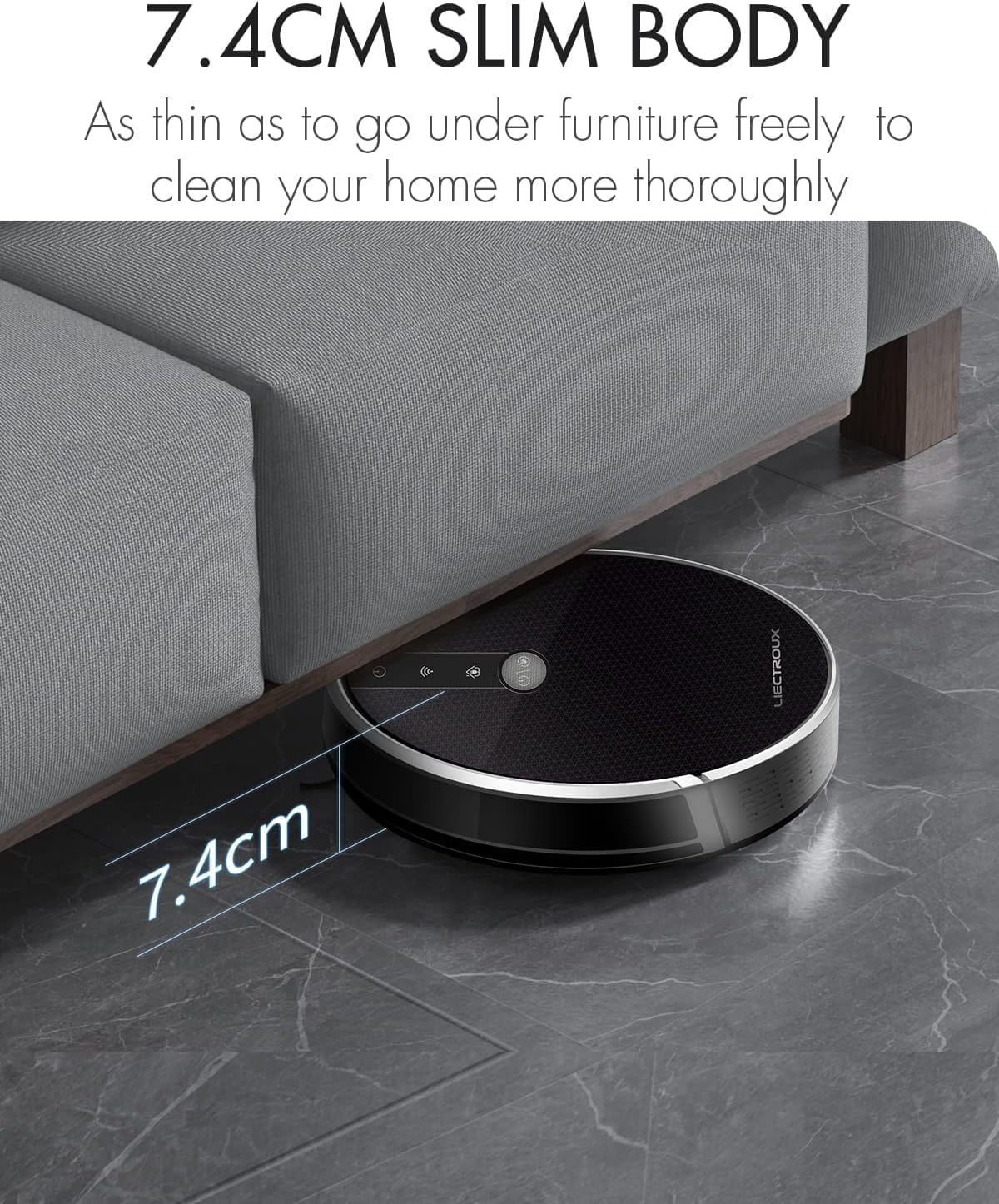
Figure 4.2: The robot's ultra-slim 7.4 cm body allows it to effortlessly clean under low-lying furniture, ensuring no dust or debris is left behind.
5. Nastavení
5.1. Nabíjení robota
- Place the charging station against a wall in an open, uncluttered area. Ensure there is at least 1 meter (3.3 feet) of clear space on both sides and 2 meters (6.6 feet) in front of the station.
- Connect the power adapter to the charging station and plug the other end into a wall outlet.
- Place the robot onto the charging station, ensuring the charging contacts align. The robot will automatically begin charging. A full charge takes approximately 4-5 hours.
- For initial use, it is recommended to fully charge the robot before its first cleaning cycle.
5.2. Instalace bočních kartáčů
Attach the side brushes by pressing them onto the square posts at the bottom of the robot until they click into place. Ensure the left (L) and right (R) brushes are installed on the correct sides.
5.3. Installing Dustbin or Water Tank
The LIECTROUX C30B comes with an interchangeable dustbin and water tank. Choose the appropriate container for your cleaning needs.
- Pro vysávání: Insert the dustbin into the designated slot at the rear of the robot until it locks securely.
- Pro vytírání: Fill the water tank with clean water (do not use detergents or harsh chemicals). Attach a mopping pad to the bottom of the water tank. Insert the water tank into the designated slot at the rear of the robot until it locks securely.
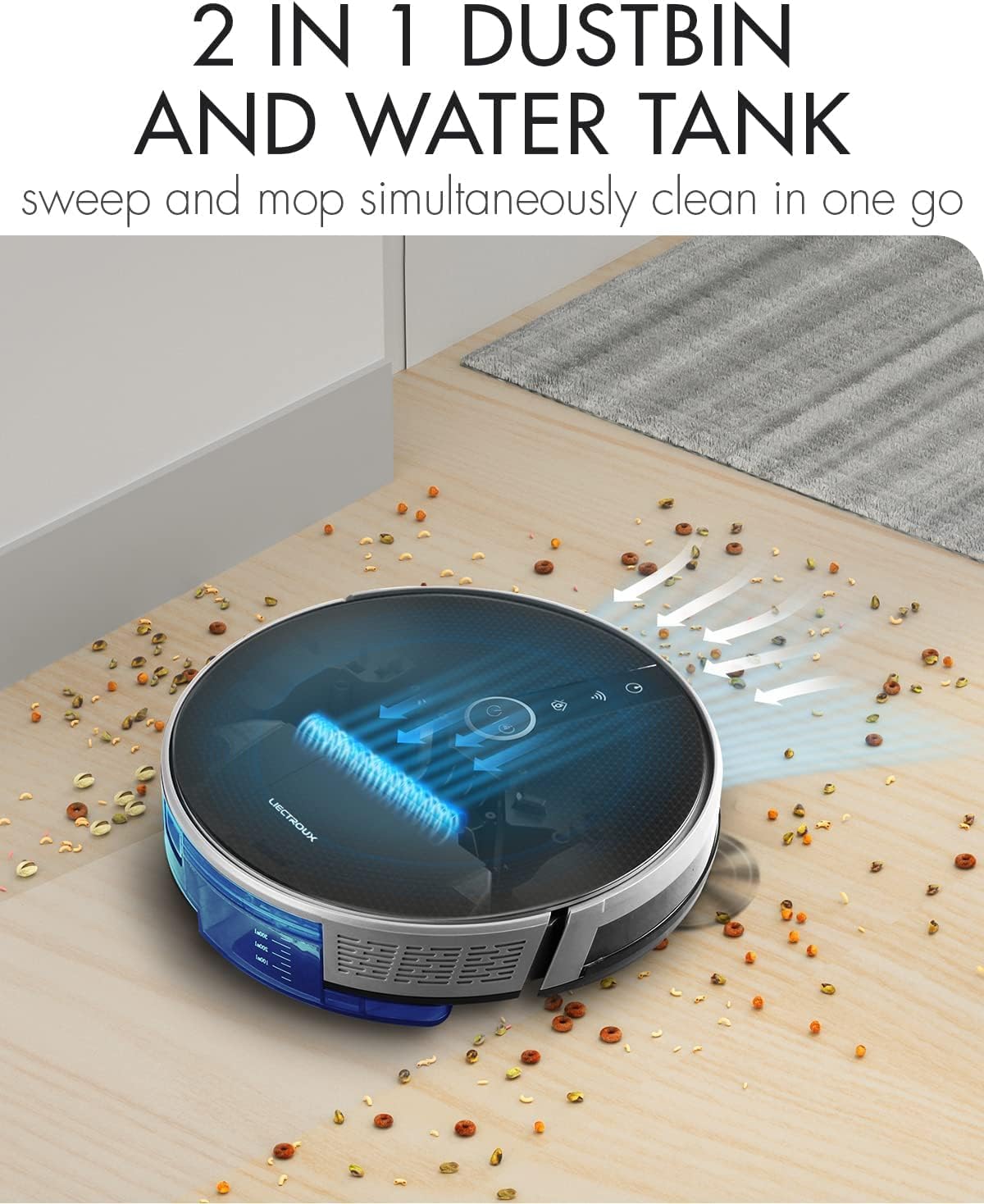
Figure 5.1: The robot's innovative 2-in-1 design allows for easy switching between the dustbin for vacuuming and the water tank for mopping, enabling simultaneous sweep and mop functions.
5.4. Instalace a připojení aplikace
The LIECTROUX C30B can be controlled via the Tuya Smart app. It also supports voice control through Amazon Alexa and Google Assistant.
- Download the "Tuya Smart" app from the App Store (iOS) or Google Play Store (Android).
- Zaregistrujte si účet a přihlaste se.
- Ujistěte se, že je váš robot nabitý a zapnutý.
- In the app, tap "+" to add a device. Select "Small Home Appliance" > "Robot Vacuum".
- Postupujte podle pokynů na obrazovce a připojte robota k domácí síti Wi-Fi (pouze 2.4 GHz).
- Po připojení můžete robota ovládat, plánovat úklid a sledovat jeho stav pomocí chytrého telefonu.

Figure 5.2: The mobile application provides comprehensive remote control, allowing users to manage cleaning modes, schedules, and monitor the robot's status from anywhere.
6. Návod k obsluze
6.1. Režimy čištění
The LIECTROUX C30B offers 6 cleaning modes to suit various needs:
- Automatické čištění: The robot intelligently plans its route to clean the entire area.
- Režim mopování: When the water tank is installed, the robot will perform wet mopping.
- Úklid jednolůžkových pokojů: Cleans a specific room. Close the door to confine the robot to that area.
- Čištění hran: Robot čistí podél zdí a hran nábytku.
- Bodové čištění: Soustředí čištění na specifické znečištěné místo ve spirálovitém vzoru.
- Plánované čištění: Nastavte si přes aplikaci konkrétní časy, kdy má robot automaticky spustit úklid.
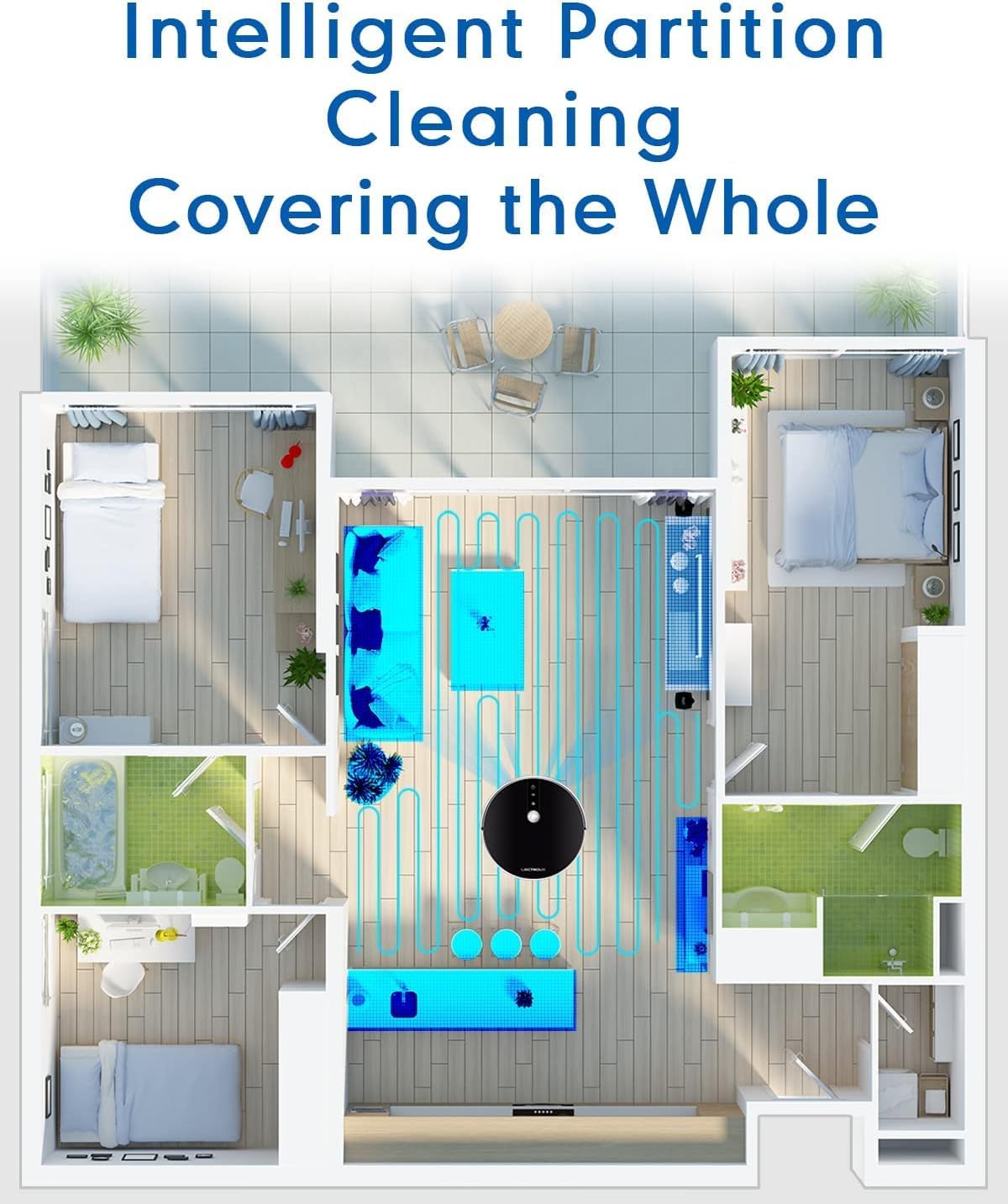
Figure 6.1: The robot's intelligent partition cleaning capability allows it to map and clean different areas of your home systematically, ensuring comprehensive coverage.
6.2. Spuštění/pozastavení čištění
- Na robotovi: Press the power button on the robot's top panel to start or pause cleaning.
- Používání dálkového ovládání: Use the "Auto Clean" button on the remote control.
- Přes aplikaci: Use the "Start" or "Pause" buttons within the Tuya Smart app.
6.3. Voice Control (Alexa/Google Assistant)
Once connected to the Tuya Smart app, you can link your robot to Amazon Alexa or Google Assistant for voice commands.
- Enable the "Tuya Smart" skill in your Alexa or Google Home app.
- Propojte svůj účet Tuya Smart.
- Objevte zařízení.
- Nyní můžete použít příkazy jako například:
- "Alexa, start cleaning the robot vacuum."
- "Hey Google, tell the robot vacuum to go back to charging."
- "Alexa, stop the robot vacuum."

Figure 6.2: The robot vacuum seamlessly integrates with smart home assistants like Amazon Alexa and Google Assistant, allowing for convenient voice-activated control of cleaning tasks.
7. Údržba
Pravidelná údržba je klíčová pro optimální výkon a dlouhou životnost vašeho robotického vysavače.
7.1. Vyprázdnění popelnice
Empty the dustbin after each use or when the "Dustbin Full" indicator appears on the app.
- Stiskněte tlačítko pro uvolnění prachového koše a vytáhněte prachový koš.
- Otevřete víko popelnice a vysypte její obsah do odpadkového koše.
- Clean the dustbin with the provided cleaning tool or a soft cloth. It can also be rinsed with water, but ensure it is completely dry before re-installing.
7.2. Čištění filtrů
Clean the HEPA filter and sponge filter weekly. Replace HEPA filters every 3-6 months, depending on usage.
- Odstraňte popelnici.
- Take out the HEPA filter and sponge filter.
- Tap the filters gently to remove dust. Do not wash HEPA filters with water.
- Rinse the sponge filter with water if necessary, and ensure it is completely dry before re-installing.
7.3. Čištění hlavního kartáče a bočních kartáčů
Clean the main brush and side brushes weekly to remove tangled hair and debris.
- Hlavní kartáč: Flip the robot over. Press the release tabs on the brush guard to remove it. Lift out the main brush. Use the cleaning tool to cut and remove any tangled hair. Reinstall the brush and guard.
- Boční kartáče: Gently pull the side brushes off their posts. Remove any hair or debris. If brushes are worn, replace them.
7.4. Cleaning Water Tank and Mopping Pads
Po každém vytírání:
- Vyprázdněte zbývající vodu z nádrže.
- Remove the mopping pad and rinse it thoroughly with water. Allow it to air dry completely.
- Clean the water tank interior if necessary.
7.5. Čištění senzorů a nabíjecích kontaktů
Wipe the sensors and charging contacts regularly with a clean, dry cloth to ensure proper function.
- Senzory proti pádu: Located on the bottom of the robot.
- Nástěnné senzory: Located on the front bumper.
- Kontakty pro nabíjení: On the bottom of the robot and on the charging station.

Figure 7.1: The robot is equipped with anti-drop sensors that detect changes in elevation, such as stairs, preventing it from falling and ensuring safe operation.
8. Řešení problémů
Pokud se s robotickým vysavačem setkáte s problémy, podívejte se do níže uvedené tabulky, kde najdete běžné problémy a jejich řešení.
| Problém | Možná příčina | Řešení |
|---|---|---|
| Robot se nezapne. | Slabá baterie nebo není nabitá. | Place the robot on the charging station and ensure it is fully charged. |
| Robot se často zasekává. | Překážky, zamotané kartáče nebo znečištěné senzory. | Clear obstacles from the cleaning path. Clean main brush, side brushes, and all sensors. |
| Špatný čisticí výkon. | Plný zásobník na prach, ucpaný filtr nebo opotřebované kartáče. | Empty dustbin. Clean/replace filters. Clean/replace brushes. |
| Robot se nevrací do nabíjecí stanice. | Charging station obstructed or out of range. Dirty charging contacts. | Ensure charging station is in an open area. Clean charging contacts on both robot and station. |
| Problémy s připojením k aplikaci. | Incorrect Wi-Fi password, 5GHz network, or robot too far from router. | Ensure you are using a 2.4GHz Wi-Fi network. Re-enter Wi-Fi password. Move robot closer to router. Restart robot and router. |
Pokud problém přetrvává i po vyzkoušení těchto řešení, kontaktujte zákaznickou podporu.
9. Technické specifikace
| Funkce | Specifikace |
|---|---|
| Číslo modelu | C30B |
| Značka | LIECTROUX |
| Rozměry (D x Š x V) | 33 x 33 x 7.4 cm (13 x 13 x 2.9 palce) |
| Hmotnost | 2.7 kg (5.95 lb) |
| Moc | 28 wattů |
| svtage | 14.4 voltů |
| Typ baterie | Lithium-iontová (2500 mAh) |
| Úroveň hluku | 45 dB |
| Kapacita popelnice | 0.6 litrů |
| Typ filtru | HEPA |
| Doporučení pro povrch | Tvrdé podlahy, koberce |
| Typ ovládání | App Control, Voice Control (Alexa, Google Assistant), Remote Control |
| Doba běhu | 100-120 minutes (approx. 170-220 sq meters) |
10. Záruka a podpora
The LIECTROUX C30B Hybrid Robot Vacuum and Mop comes with a 24-month professional warranty od data nákupu. Tato záruka se vztahuje na výrobní vady a poruchy při běžném používání.
10.1. Výjimky ze záruky
Záruka se nevztahuje na:
- Škody způsobené nesprávným použitím, nedbalostí nebo nehodou.
- Normal wear and tear of consumable parts (e.g., brushes, filters, mopping pads).
- Poškození způsobené neoprávněnými opravami nebo úpravami.
- Škody způsobené vnějšími faktory, jako jsou přepětí nebo přírodní katastrofy.
10.2. Zákaznická podpora
For technical assistance, warranty claims, or general inquiries, please contact LIECTROUX customer support through the retailer where you purchased the product or visit the official LIECTROUX webstránky pro kontaktní informace.
Please have your model number (C30B) and proof of purchase ready when contacting support.
Ask a question about this manual
Ask about setup, troubleshooting, compatibility, parts, safety, or missing instructions. Manuals+ will review the question and use this page’s manual context to help answer it.