
1. Úvod
This manual provides detailed instructions for the setup, operation, and maintenance of your USHINING BF-N11 HD Webcam. This device is designed to enhance your video communication experience with features such as high-definition video, an integrated ring light, and a noise-reducing microphone. Please read this manual thoroughly before using the product.
2. Obsah balení
Ověřte, zda jsou v balení obsaženy všechny níže uvedené položky:
- USHINING BF-N11 HD Webvačka
- Ochrana osobních údajů
- USB kabel (integrovaný)
- Uživatelská příručka (tento dokument)
3. Vlastnosti produktu
The USHINING BF-N11 HD Webcam offers a range of features for optimal performance:
- Video v plném HD rozlišení 1080p: Delivers clear and sharp video quality.
- Integrated Ring Light: Provides adjustable illumination with three brightness levels (Low, Medium, High) to improve video quality in various lighting conditions.
- Ochrana osobních údajů: A physical cover to ensure privacy when the webkamera se nepoužívá.
- Built-in Dual Noise-Reducing Microphone: Captures clear audio by minimizing background noise.
- Plug & Play USB připojení: Easy setup without the need for additional drivers.
- Široká kompatibilita: Supports Windows XP, Mac OS 10.6, Android 5.0, and various video conferencing software like Zoom, Skype, Facetime, and Teams.
- 90-Degree Wide-Angle Lens: Zachycuje široké pole view, suitable for group calls.
- Flexibilní montáž: Features a clip that allows for secure placement on monitors, laptops, or flat surfaces, with 360-degree rotation and 15-degree tilt adjustment.
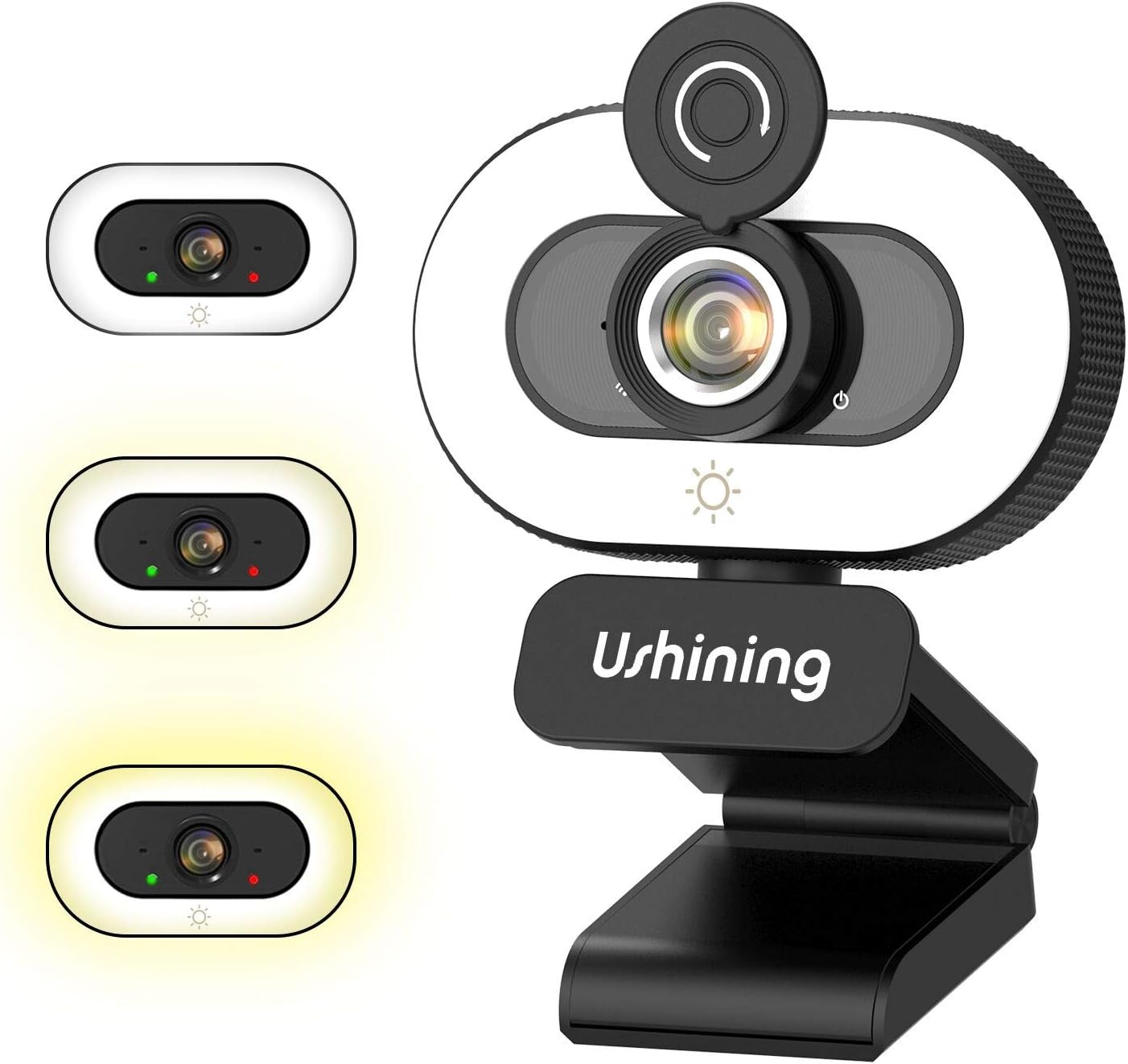
Image 1: USHINING BF-N11 HD Webcam with its integrated ring light and privacy cover.

Obrázek 2: Konecview of key features including adjustable ring light, security & privacy, internal noise reduction mic, USB plug & play, human face optimization, wide compatibility, and Full HD 1080P resolution.

Image 3: Demonstrates the three adjustable brightness levels (Low, Medium, High) of the integrated ring light, controlled by a touch sensor.

Image 4: Illustrates the difference between 720P and 1080P video clarity, highlighting the Full HD capability of the webvačka.

Image 5: Shows the webcam in use during a video conference, emphasizing the built-in dual noise-reducing microphone for clear audio.

Image 6: Demonstrates the 90-degree wide-angle view and flexible mounting options, including 360-degree rotation and 15-degree tilt.

Image 7: Illustrates the function of the privacy cover, protecting against surveillance and privacy leaks.

Image 8: Displays the wide compatibility of the webcam with various software and operating systems, including Windows XP, Mac OS 10.6, and Android 5.0.
4. Pokyny k nastavení
Follow these steps to set up your USHINING BF-N11 HD Webvačka:
- Montáž Webvačka:
- Open the flexible clip base.
- Umístěte webcam on top of your computer monitor or laptop screen, ensuring the front of the webcam faces you.
- Adjust the clip to securely rest on the back of your monitor or laptop. The webcam can also be placed on a flat surface.
- Upravte úhel webcam as needed. It supports 360-degree horizontal rotation and 15-degree vertical tilt.
- Připojení k vašemu počítači:
- Plug the integrated USB cable into an available USB port on your computer.
- The webcam is plug-and-play, meaning your operating system (Windows, macOS, Android) should automatically detect and install the necessary drivers. This may take a few moments.
- Po instalaci, webcam will be ready for use with your preferred video conferencing or recording software.
5. Návod k obsluze
Using your USHINING BF-N11 HD Webkamera je jednoduchá:
- Using the Ring Light:
- The webcam features an integrated ring light. To turn it on or adjust its brightness, gently touch the light icon sensor located on the front of the webcam, below the lens.
- Each touch will cycle through the three brightness levels: Low, Medium, High, and Off.
- Používání krytu soukromí:
- To ensure privacy, slide the physical privacy cover over the webobjektiv fotoaparátu, když se nepoužívá.
- Slide it back to expose the lens when you need to use the camera.
- Výběrem Webkamera a mikrofon:
- In your video conferencing software (e.g., Zoom, Skype, Microsoft Teams, Facetime), navigate to the audio and video settings.
- Select "USHINING BF-N11 Webcam" as your video input device.
- Select "USHINING BF-N11 Microphone" (or similar name) as your audio input device.
6. Údržba
Správná údržba zajistí dlouhou životnost a optimální výkon vašeho webvačka:
- Čištění objektivu: Použijte měkký hadřík bez žmolků, speciálně určený pro optické čočky, a jemně jej otřete. webcam lens. Avoid abrasive materials or harsh chemicals.
- Čištění těla: Otřete tělo webkameru měkkým, suchým hadříkem. V případě potřeby lehce otřeteamp Lze použít hadřík, ale dbejte na to, aby se do zařízení nedostala vlhkost.
- Ukládání: Pokud se přístroj delší dobu nepoužívá, uložte jej webcam in a clean, dry place. Use the privacy cover to protect the lens from dust and scratches.
- Vyhněte se extrémním podmínkám: Nevystavujte webVystavujte extrémním teplotám, vlhkosti nebo přímému slunečnímu záření.
7. Řešení problémů
If you encounter issues with your USHINING BF-N11 HD Webvačky, viz následující běžné problémy a jejich řešení:
| Problém | Možné řešení |
|---|---|
| WebPočítač nedetekoval kameru. |
|
| No video output or black screen. |
|
| Microphone not working or poor audio quality. |
|
| Ring light not turning on or adjusting. |
|
8. Specifikace
| Funkce | Detail |
|---|---|
| Značka | USHINING |
| Číslo modelu | BF-N11 |
| Rozlišení záznamu videa | 1080p |
| Technologie připojení | USB |
| Mikrofon | Built-in Dual Noise-Reducing Microphone |
| Prstencové světlo | Integrated, 3 Adjustable Brightness Levels |
| Typ objektivu | Přiblížení |
| Pole View | 90 stupňů širokoúhlý |
| Otáčení | 360 stupňů horizontálně |
| Náklon | 15 stupňů vertikálně |
| Barva | Černá, bílá |
| Hmotnost položky | 5.7 unce |
| Rozměry balení | 4.53 x 3.35 x 2.36 palce |
| Form Factor | Přenosný počítač |
| Zahrnuté komponenty | Privacy Cover, USB Cable |
9. Záruka a podpora
For warranty information and technical support, please refer to the official USHINING website or contact their customer service directly. Details regarding warranty periods and support channels are typically provided with your purchase documentation or on the manufacturer's product page.
For further assistance, you may visit the USHINING support page or contact their customer service team.