
1. Úvod
This manual provides detailed instructions for the proper use and maintenance of your USHINING W380S 3G Unlocked Senior Flip Phone. Designed for ease of use, this phone features large buttons, a clear display, and essential functions including an SOS emergency button and a charging cradle. Please read this manual thoroughly before operating your device.
2. Obsah balení
Ověřte, zda jsou všechny níže uvedené položky součástí balení. Pokud některé položky chybí nebo jsou poškozené, kontaktujte zákaznickou podporu.
- USHINING W380S Flip Phone
- Nabíjecí kolébka
- Charging Cord (Micro USB)
- Uživatelská příručka
- Battery (Nokia BL-5C compatible)
- Adaptér SIM karty
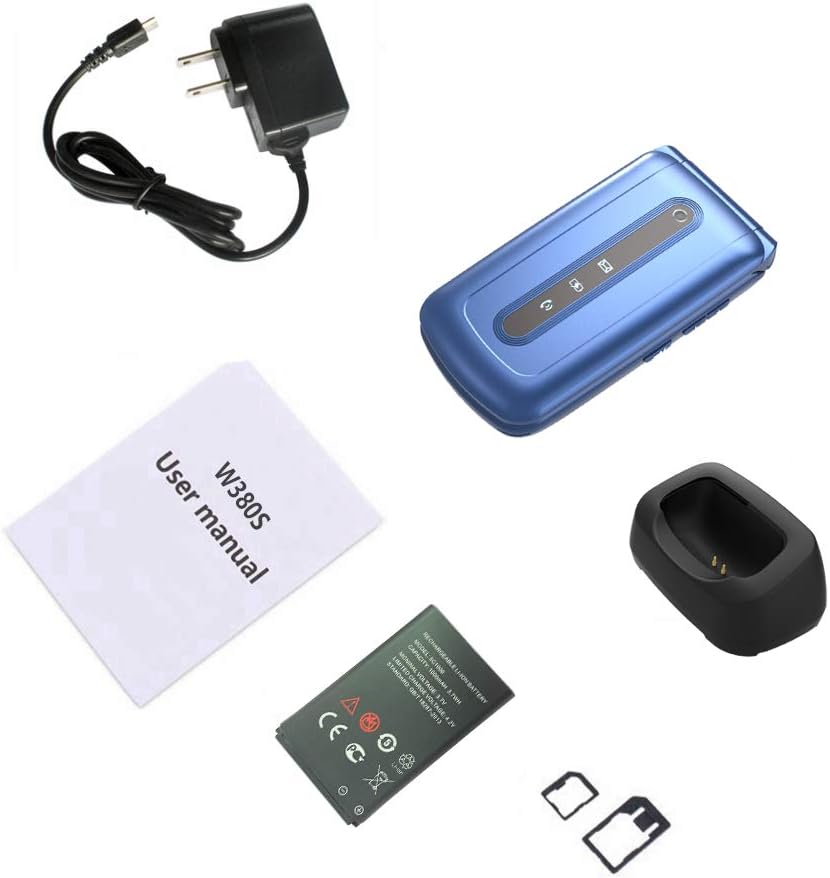
Image: Contents of the USHINING W380S package, including the flip phone, charging cradle, charging cord, user manual, battery, and SIM card adapter.
3. Telefonovatview
Familiarize yourself with the key components and features of your USHINING W380S flip phone.
- Velká tlačítka: Navrženo pro snadné vytáčení a navigaci.
- Large Icon Display: Ensures clear visibility of menu options and text.
- SOS tlačítko: Nachází se na zadní straně pro nouzová volání.
- Nabíjecí kolébka: Simplifies charging by placing the phone in the dock.
- Vysoce kvalitní reproduktor: Provides loud and clear audio for calls.
- Dual LED Torch: Integrated flashlight for convenience.

Image: The USHINING W380S flip phone shown in its charging cradle and a separate view of the phone's rear, highlighting the SOS button.

Image: The USHINING W380S flip phone open, displaying large icons on the screen and large, easy-to-press buttons on the keypad.
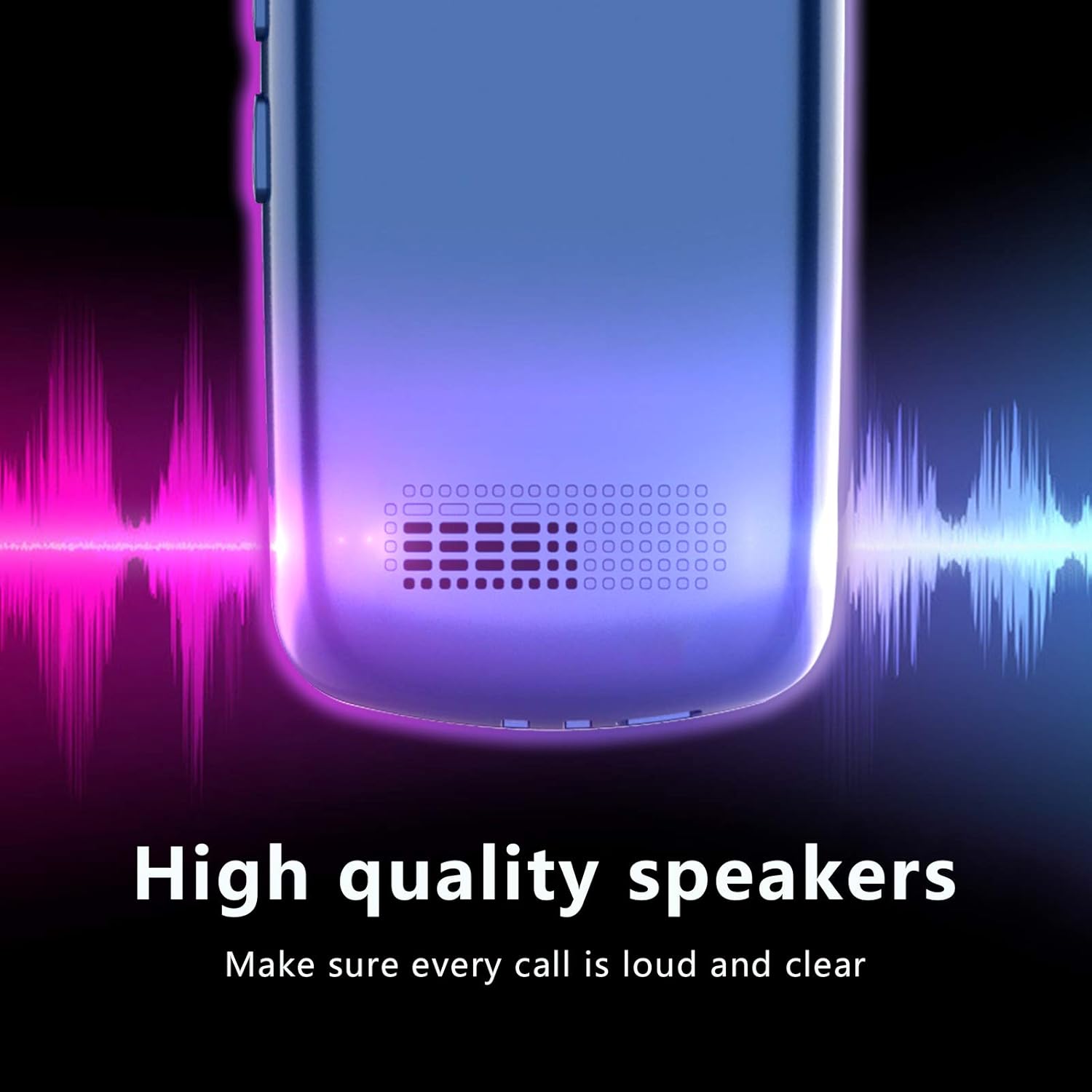
Obrázek: Detailní záběr view of the USHINING W380S phone's speaker grille, emphasizing its high-quality audio output.
4. Nastavení
4.1 Instalace baterie
- Jemným vypáčením od zářezu sejměte zadní kryt telefonu.
- Insert the battery into the compartment, ensuring the gold contacts align with the phone's terminals.
- Nasaďte zpět zadní kryt a pevně jej zatlačte, dokud nezacvakne na místo.
4.2 Instalace SIM karty
Important Note for 3G SIM Card Activation:
Since this is a 3G phone and many carriers have stopped activating new SIM cards for 3G devices, please do not activate a new SIM card directly on this phone. When purchasing a new SIM card, provide the IMEI number of an older phone or any other compatible phone to get the SIM card activated. Once activated, you can then insert the SIM card into your USHINING W380S phone. It will automatically connect to the carrier's network after turning on.
- Ujistěte se, že je telefon vypnutý a baterie je vyjmuta.
- Locate the SIM card slot(s) beneath the battery compartment. This phone supports a standard size SIM card.
- Insert the activated standard SIM card into the designated slot with the gold contacts facing down and the cut corner aligned correctly.
4.3 Instalace karty Micro SD (volitelné)
To expand storage for photos or contacts, you can install a Micro SD card (up to 32GB, not included).
- Ujistěte se, že je telefon vypnutý a baterie je vyjmuta.
- Vyhledejte slot pro kartu Micro SD vedle slotu pro kartu SIM.
- Vložte kartu Micro SD do slotu, dokud nezacvakne na místo.
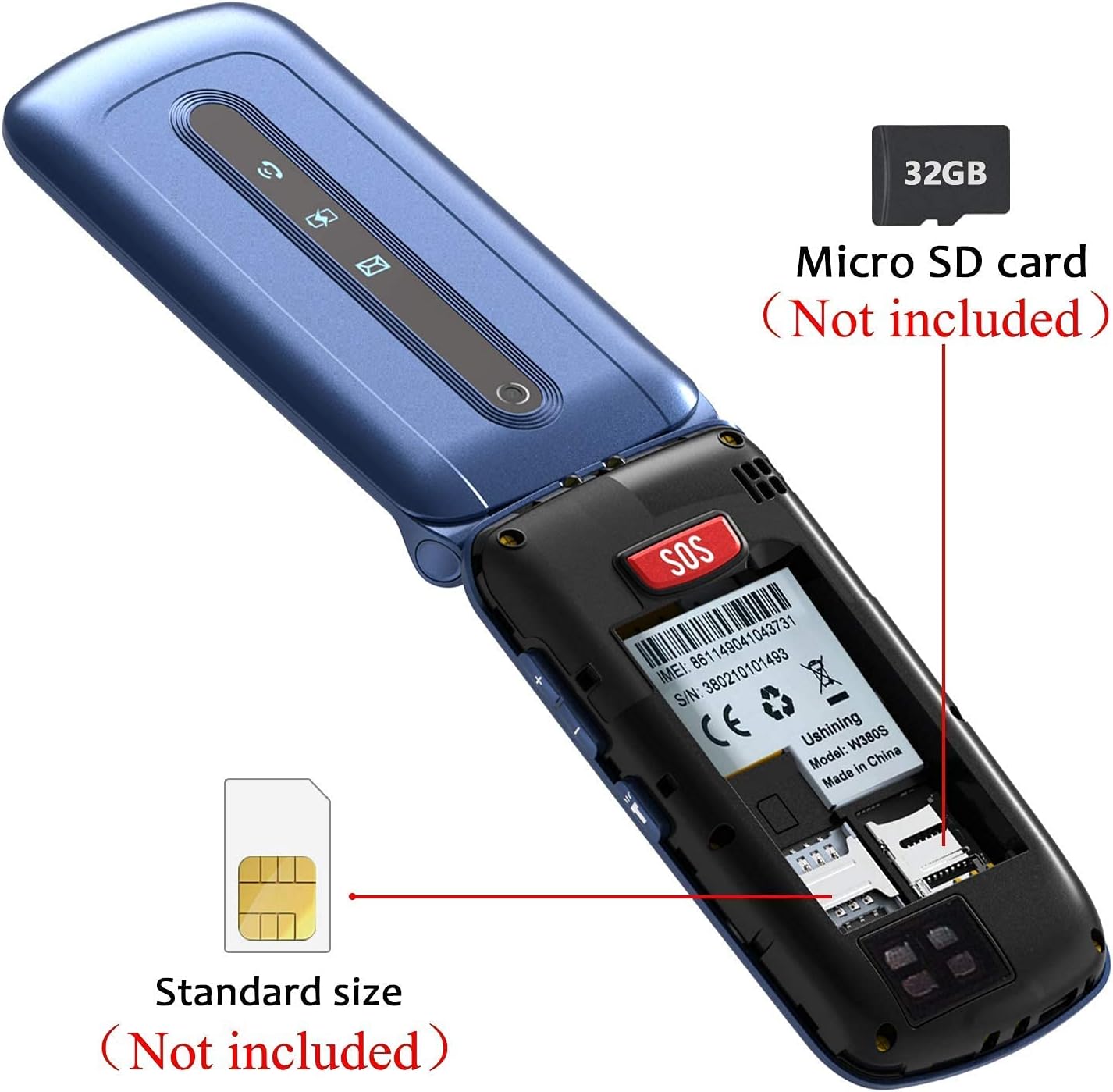
Obrázek: Interní view of the USHINING W380S flip phone, showing the slots for a standard SIM card and a Micro SD card.

Image: A graphic emphasizing the important instruction for activating a new SIM card for the 3G phone, advising against direct activation on the device.
4.4 Nabíjení telefonu
You can charge your phone using the included charging cradle or directly via the Micro USB port.
- Používání nabíjecí kolébky: Connect the charging cord to the cradle and a power adapter. Place the phone into the cradle, ensuring it sits securely and the charging indicator appears on the screen.
- Přímé nabíjení: Connect the charging cord directly to the Micro USB port on the side of the phone and to a power adapter.
4.5 Zapnutí/vypnutí
- Zapnutí: Stiskněte a podržte červené tlačítko „Ukončit hovor“, dokud se obrazovka nerozsvítí.
- Vypnutí: Stiskněte a podržte červené tlačítko „Ukončit hovor“, dokud se nezobrazí možnosti vypnutí, poté vyberte „Vypnout“.
5. Návod k obsluze
5.1 Uskutečňování a přijímání hovorů
- Chcete-li zavolat: Zadejte telefonní číslo pomocí klávesnice a stiskněte zelené tlačítko „Volat“.
- Chcete-li přijmout hovor: Press the green 'Call' button when the phone rings.
- Ukončení hovoru: Stiskněte červené tlačítko „Ukončit hovor“.
5.2 Odesílání a přijímání zpráv
- Přejděte do nabídky „Zprávy“.
- Vyberte „Napsat zprávu“ pro napsání nové SMS zprávy.
- Zadejte číslo příjemce a vaši zprávu a poté ji odešlete.
- New messages will appear in your inbox.
5.3 Funkce nouzového volání SOS
Tlačítko SOS umožňuje rychlé kontaktování přednastavených tísňových čísel.
- Go to 'Settings' > 'SOS Settings' to configure up to 5 emergency contacts.
- In an emergency, press and hold the red SOS button on the back of the phone.
- The phone will automatically dial the emergency contacts in sequence until one answers. It will also send an emergency SMS to these contacts.

Image: A diagram illustrating the SOS emergency call function, showing the SOS button on the phone and how it connects to pre-set family numbers and first aid contacts.
5.4 Rychlá volba
Assign frequently called numbers to speed dial keys (M1, M2, M3).
- Přejděte do nabídky „Nastavení“ > „Rychlá volba“.
- Select M1, M2, or M3 and assign a contact from your phonebook or enter a new number.
- To use, press and hold the assigned speed dial key.
5.5 Telefonní seznam
Store and manage your contacts.
- Přejděte do nabídky „Telefonní seznam“.
- Select 'Add New Contact' to save a name and number.
- Můžete také upravovat nebo mazat stávající kontakty.
5.6 Fotoaparát
The phone includes a basic camera for capturing photos.
- Přístup k fotoaparátu z hlavní nabídky.
- Point the camera at your subject and press the 'OK' button to take a photo.
- Photos are saved to the phone's memory or the Micro SD card if installed.
5.7 Torch/Flashlight
Activate the dual LED torch for illumination.
- The torch can typically be activated by a dedicated side button or through the 'Tools' menu.

Image: The USHINING W380S flip phone held in a hand, with its dual LED torch emitting light.
5.8 Základní nastavení
Customize your phone's behavior through the 'Settings' menu.
- Jazyk: Změňte jazyk zobrazení.
- Čas a datum: Nastavte aktuální čas a datum.
- Objem: Adjust ringtone, call, and media volumes.
- Zobrazit: Modify backlight time, contrast, etc.
6. Údržba
To ensure the longevity and optimal performance of your USHINING W380S phone, follow these maintenance guidelines:
- Udržujte telefon suchý. Vlhkost může poškodit elektronické obvody.
- Vyhněte se extrémním teplotám. Vysoké teploty mohou zkrátit životnost elektronických zařízení a poškodit baterie.
- K čištění telefonu nepoužívejte agresivní chemikálie, čisticí rozpouštědla ani silné čisticí prostředky. Otřete jej měkkým,amp tkanina.
- Handle the phone gently. Dropping, knocking, or shaking it can damage internal components.
- Do not attempt to disassemble the phone. This will void the warranty and can cause damage.
7. Řešení problémů
Pokud narazíte na problémy s telefonem, podívejte se na následující běžné problémy a jejich řešení:
| Problém | Možné řešení |
|---|---|
| Telefon se nezapne. | Ensure the battery is correctly installed and charged. Connect to the charger for at least 30 minutes. |
| Nelze uskutečňovat ani přijímat hovory. | Check if the SIM card is properly inserted and activated. Verify network signal strength. Contact your carrier if necessary. |
| Během hovorů není slyšet žádný zvuk. | Check the call volume settings. Ensure the speaker is not blocked. |
| Baterie se rychle vybíjí. | Reduce screen brightness, close unused applications, or consider replacing an old battery. |
| Tlačítko SOS nefunguje. | Verify that emergency contacts are correctly set up in the SOS settings. Ensure the phone has network coverage. |
Pokud problém přetrvává, kontaktujte prosím zákaznickou podporu pro další pomoc.
8. Specifikace
Key technical specifications for the USHINING W380S flip phone:
- Model: W380S
- Rozměry: 4.09 x 2.11 x 0.75 palce
- Hmotnost položky: 8.8 unce
- BERAN: 64 MB
- ROM: 128 MB
- Velikost displeje: 2.4 palce
- Rozlišení displeje: 240 x 320
- Technologie bezdrátové komunikace: Bluetooth, Cellular (3G WCDMA: 850/1900MHz; 2G GSM: 850/1900 mHz)
- Technologie připojení: Bluetooth, Micro USB
- Kapacita baterie: 1000 miliamp hodiny
- Rozšiřitelná paměť: Micro SD karta až 32 GB (není součástí balení)
- Fotoaparát: Zadní
- Vstup lidského rozhraní: Tlačítka, Číselník
9. Záruka a podpora
For warranty information and customer support, please refer to the documentation included with your purchase or contact USHINING customer service. Keep your purchase receipt as proof of purchase for warranty claims.
For inquiries, you may visit the USHINING store page on Amazon and use the 'Ask a question' feature to send an email. Customer support typically responds within 24 hours.