
1. Konec produktuview
The Lexar E32C is a versatile 64GB USB 3.2 Gen 1 flash drive designed for seamless data transfer between various devices. It features dual connectors, USB-A and USB-C, making it compatible with both older and newer hardware, including Android smartphones, tablets, laptops, and PCs. Its compact, swivel design and durable metal casing ensure portability and protection for your data.
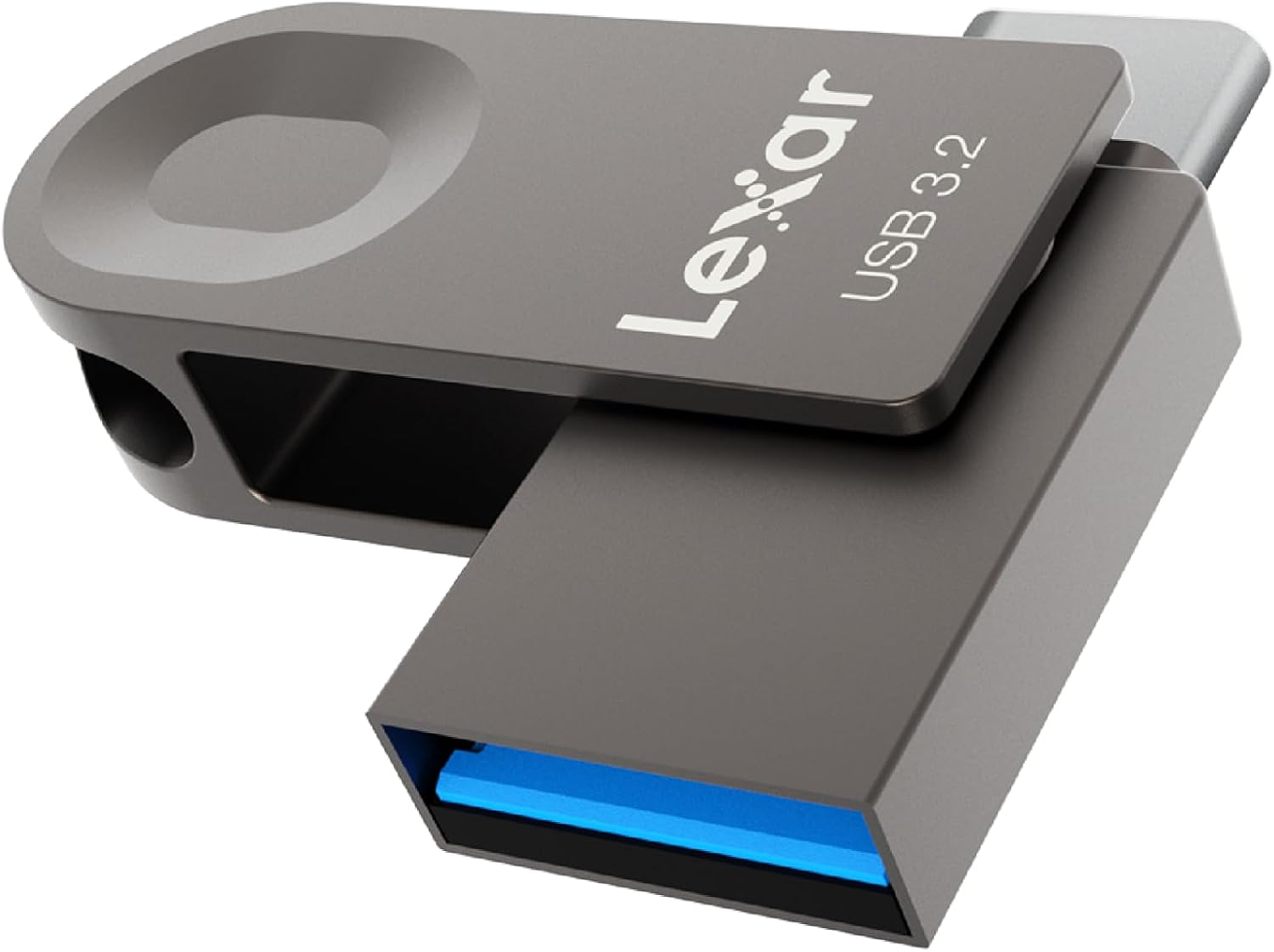
Image 1.1: The Lexar E32C dual-connector USB flash drive.
Video 1.1: Overview of the Lexar USB 3.2 Gen 1 Flash Drive with USB-A and USB-C connectors, highlighting its features and use cases.
2. Pokyny k nastavení
The Lexar E32C flash drive is designed for plug-and-play functionality, requiring no software installation for basic data transfer. Simply connect it to a compatible device.
2.1 Connecting to USB-A Devices
To connect to a device with a standard USB-A port (e.g., most laptops, desktop PCs, older smart TVs), ensure the USB-A connector is exposed. Insert the USB-A connector firmly into the device's USB-A port. The device should automatically recognize the flash drive.
2.2 Connecting to USB-C Devices
To connect to a device with a USB-C port (e.g., modern smartphones, tablets, newer laptops), swivel the drive to expose the USB-C connector. Insert the USB-C connector firmly into the device's USB-C port. The device should automatically recognize the flash drive.

Image 2.1: The Lexar E32C features both USB-A and USB-C connectors for broad compatibility.
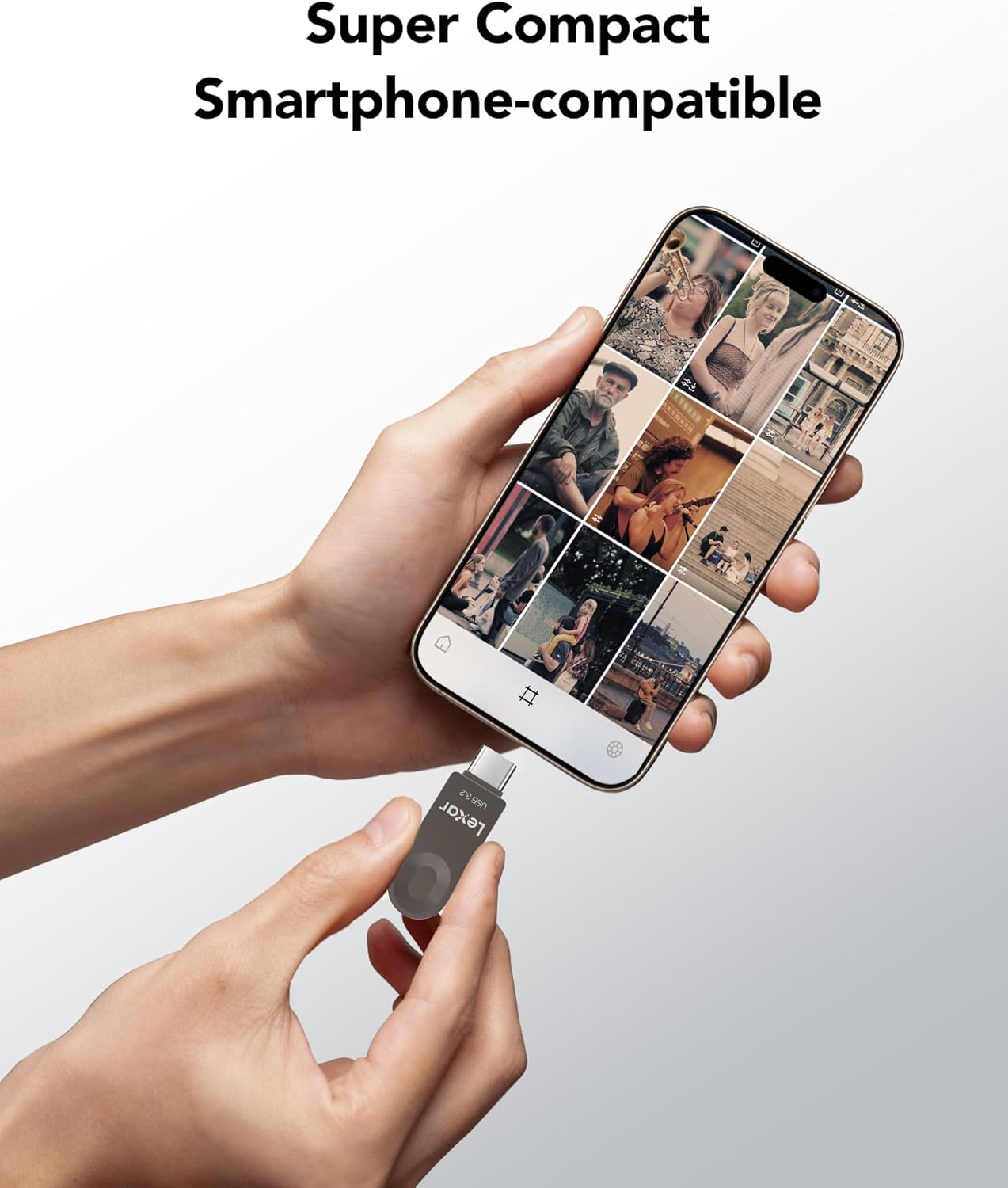
Image 2.2: The compact design allows for easy connection to smartphones and other portable devices.
3. Návod k obsluze
3.1 Přenos dat
Once connected, the Lexar E32C will appear as a removable storage device on your computer or mobile device. You can then drag and drop files to and from the drive, or use your device's file management system to copy, move, or delete files.
- Rychlost čtení: Up to 100MB/s (actual speed may vary based on host device and environment).
- Rychlost zápisu: Up to 30MB/s (actual speed may vary based on host device and environment).

Image 3.1: The drive offers fast read and write speeds for efficient data handling.
3.2 Kompatibilita zařízení
The drive is compatible with a wide range of operating systems and devices:
- Operační systémy: Windows 7/8/10/Vista/XP/Unix/2000/ME/NT, Linux, Mac OS X 10.5 or above.
- Zařízení: Android smartphones and tablets with USB Type-C or On-The-Go (OTG) feature, laptops, and PCs with USB-A or USB-C ports.

Image 3.2: The Lexar E32C provides plug-and-play convenience across multiple platforms.
4. Údržba a trvanlivost
The Lexar E32C is built with a durable zinc alloy casing and features a 360° swivel design to protect the connectors when not in use. It incorporates several protective technologies to safeguard your data:
- Nárazuvzdorné: Resists damage from accidental drops.
- Vodotěsný (IPX7): Protected against immersion in water up to 1 meter for 30 minutes.
- Temperature Proof: Operates reliably in temperatures from 0°C to 60°C and stores safely from -20°C to 85°C.
- Rentgenový důkaz: Bezpečné pro bezpečnostní skenery na letištích.
- Magnetic Proof: Resists magnetic interference.
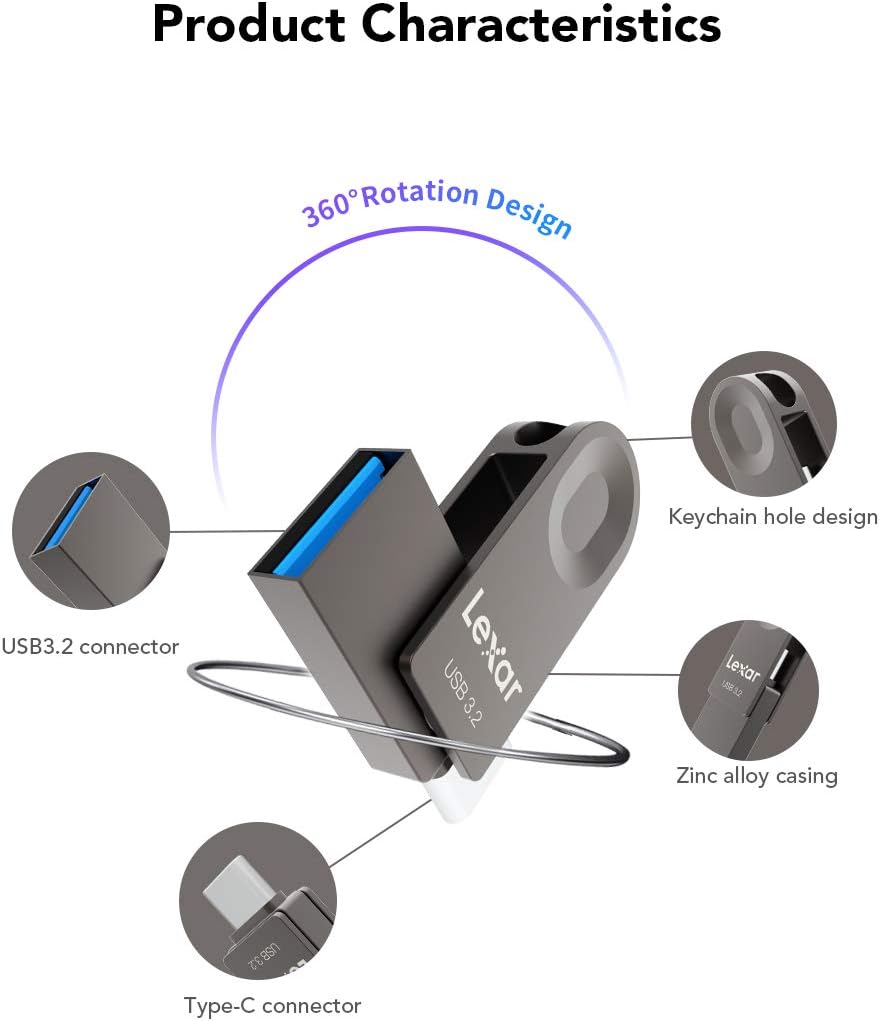
Image 4.1: The swivel design protects the connectors, and a keychain hole enhances portability.
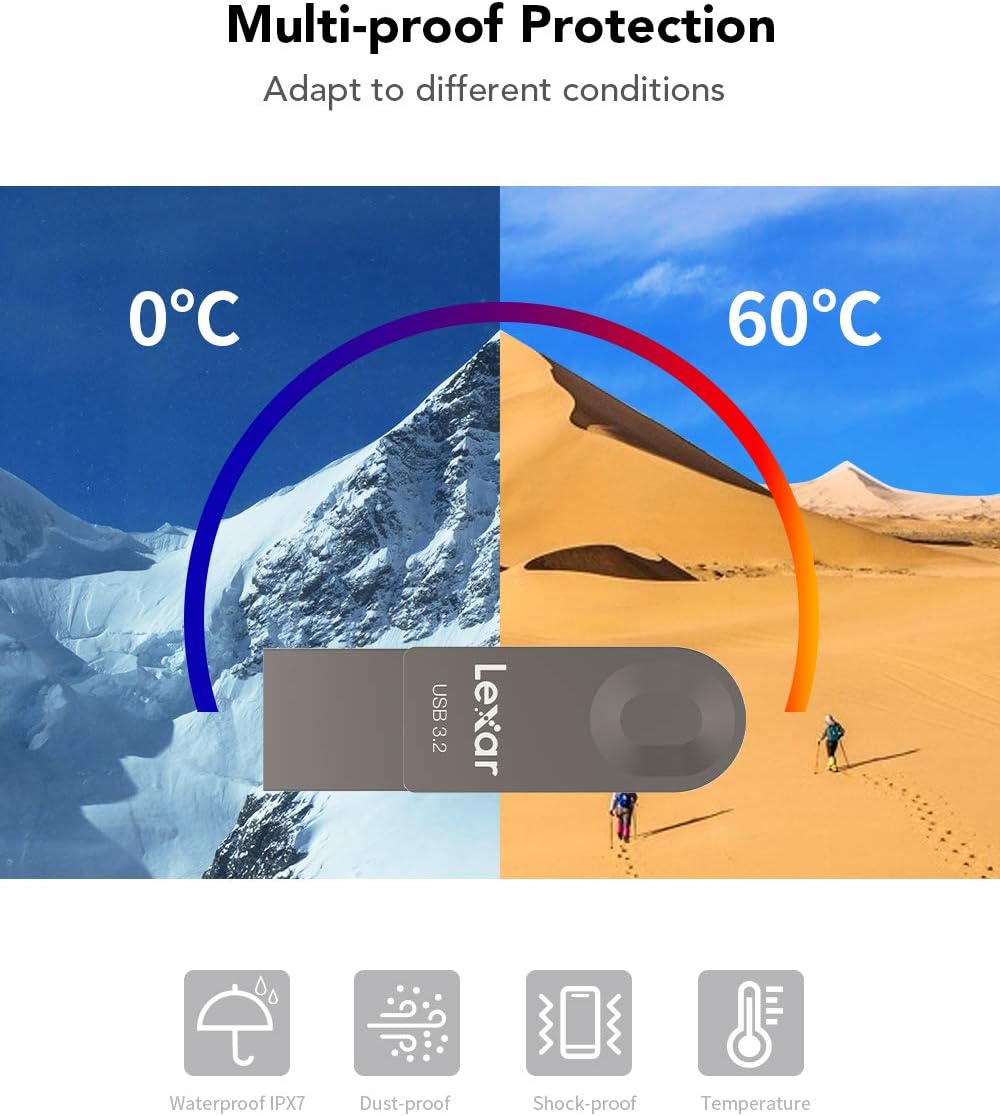
Image 4.2: The drive is designed to withstand various environmental challenges.
5. Řešení problémů
- Disk nebyl rozpoznán:
- Ujistěte se, že je disk zcela zasunut do portu USB.
- Zkuste na svém zařízení jiný USB port.
- Test the drive on another compatible device to rule out device-specific issues.
- For USB-C connections, verify that your device's USB-C port supports data transfer and is not solely for charging. Some specific device designs (e.g., certain car stereos) may have port depths or configurations that prevent full engagement of the USB-C connector.
- Restartujte počítač nebo zařízení.
- Pomalé rychlosti přenosu dat:
- Ensure you are using a USB 3.0 or USB 3.2 Gen 1 compatible port on your device. Connecting to a USB 2.0 port will result in slower speeds.
- The actual speed can be affected by file velikost, file type, and the performance of the host device.
- Vyhněte se spouštění více náročných aplikací během velkých file převody.
- Files Not Appearing:
- Zkontrolujte si zařízení file průzkumník popř file manažer.
- Zajistěte files are not hidden.
- Verify the drive is not corrupted by running a disk check utility on your computer.
6. Specifikace
| Funkce | Detail |
|---|---|
| Název modelu | LJDE32C064G-BNQEU |
| Kapacita paměti | 64 GB |
| Hardwarové rozhraní | USB 3.2 Gen 1 |
| Technologie připojení | USB typu A, USB typu C |
| Rychlost čtení | Až 100 XNUMX MB/s |
| Rozměry produktu (DxŠxV) | 1.59 x 0.48 x 0.1 palce (40.5 x 12.2 x 7.2 mm) |
| Hmotnost položky | 0.282 unce (8 g) |
| Provozní teplota | 0° C - 60° C |
| Skladovací teplota | -20° C - 85° C |
| Speciální funkce | Crush Resistant, Lightweight, Magnetic Proof, Shockproof, Water Resistant (IPX7) |
| Barva | Titan |

Image 6.1: Detailed dimensions of the Lexar E32C flash drive.

Image 6.2: Approximate storage capacities for various media types on Lexar E32C drives.
7. Záruka a podpora
Lexar is a global brand in memory solutions, committed to providing efficient, secure, and dependable storage products. For detailed warranty information, technical support, and product registration, please visit the official Lexar webmísto.
Lexar also offers optional data recovery plans for enhanced protection of your valuable data. These plans can be purchased separately and provide services for recovering lost or corrupted files.

Image 7.1: Lexar - Live For The Memory.