

Obraz: EARISE D51 speaker banner highlighting its compact size and powerful sound.
Zavedení
Děkuji za nákupasing the EARISE D51 Portable Wireless Bluetooth Speaker. This manual provides essential information for setting up, operating, and maintaining your speaker. Please read it thoroughly before use to ensure optimal performance and longevity of your device.
Obsah balení
Ověřte, zda jsou v balení přítomny všechny položky:
- EARISE D51 Bluetooth Speaker
- Nabíjecí kabel
- Uživatelská příručka
- (Optional: Microphone, if included with your specific purchase)
Konec produktuview
Seznamte se s komponenty a ovládacími prvky reproduktoru.

Obraz: Nahoru view of the EARISE D51 speaker showing the control panel with numbered buttons.
- Mode/Light Button: Press to switch between input modes (Bluetooth, FM Radio, TF Card, USB, AUX). Long press to change or turn off LED light modes.
- Předchozí stopa/tlačítko snížení hlasitosti: Krátké stisknutí pro předchozí skladbu. Dlouhé stisknutí pro snížení hlasitosti.
- Tlačítko Přehrát/Pozastavit/TWS: Press to play or pause audio. Long press to initiate TWS (True Wireless Stereo) pairing.
- Další stopa/tlačítko zvýšení hlasitosti: Krátkým stisknutím přejdete na další skladbu. Dlouhým stisknutím zvýšíte hlasitost.

Obraz: Přední view of the EARISE D51 speaker with icons highlighting its features: TF Card slot, TWS Function, Bluetooth 5.0, USB port, FM Radio, and Microphone input.

Obraz: A hand holding the EARISE D51 speaker, illustrating its portable size and dimensions (5.9 in x 4.3 in x 7 in).
Nastavení
1. Nabíjení reproduktoru
Before first use, fully charge the speaker. Connect the provided charging cable to the speaker's charging port and a compatible USB power adapter (not included). The charging indicator will illuminate during charging and turn off when fully charged.
2. Zapnutí/vypnutí
To power on the speaker, press and hold the Power button (usually integrated with the Mode/Light button or a separate switch). Repeat to power off.
3. Párování Bluetooth
- Turn on the EARISE D51 speaker. It will automatically enter Bluetooth pairing mode, indicated by a flashing LED light.
- Na svém zařízení (chytrém telefonu, tabletu atd.) povolte Bluetooth a vyhledejte dostupná zařízení.
- Select "D51" from the list of devices.
- Po připojení reproduktor vydá zvukové potvrzení a LED kontrolka přestane blikat.
Video: This video demonstrates the EARISE D51 Portable Bluetooth Speaker with RGB Lights, showcasing its various light modes and sound. It provides a visual guide to the speaker's appearance and functionality.
4. Párování s True Wireless Stereo (TWS) (volitelné)
To achieve a stereo sound experience, you can pair two EARISE D51 speakers together:
- Ensure both D51 speakers are powered on and not connected to any Bluetooth device.
- On one speaker (this will be the primary speaker), long press the Přehrát/Pozastavit/TWS button until you hear a confirmation tone.
- Dva reproduktory se automaticky propojí. Po propojení uslyšíte další potvrzovací tón.
- Now, connect your device to the primary speaker via Bluetooth as described in "Bluetooth Pairing" above. The audio will play in stereo through both speakers.
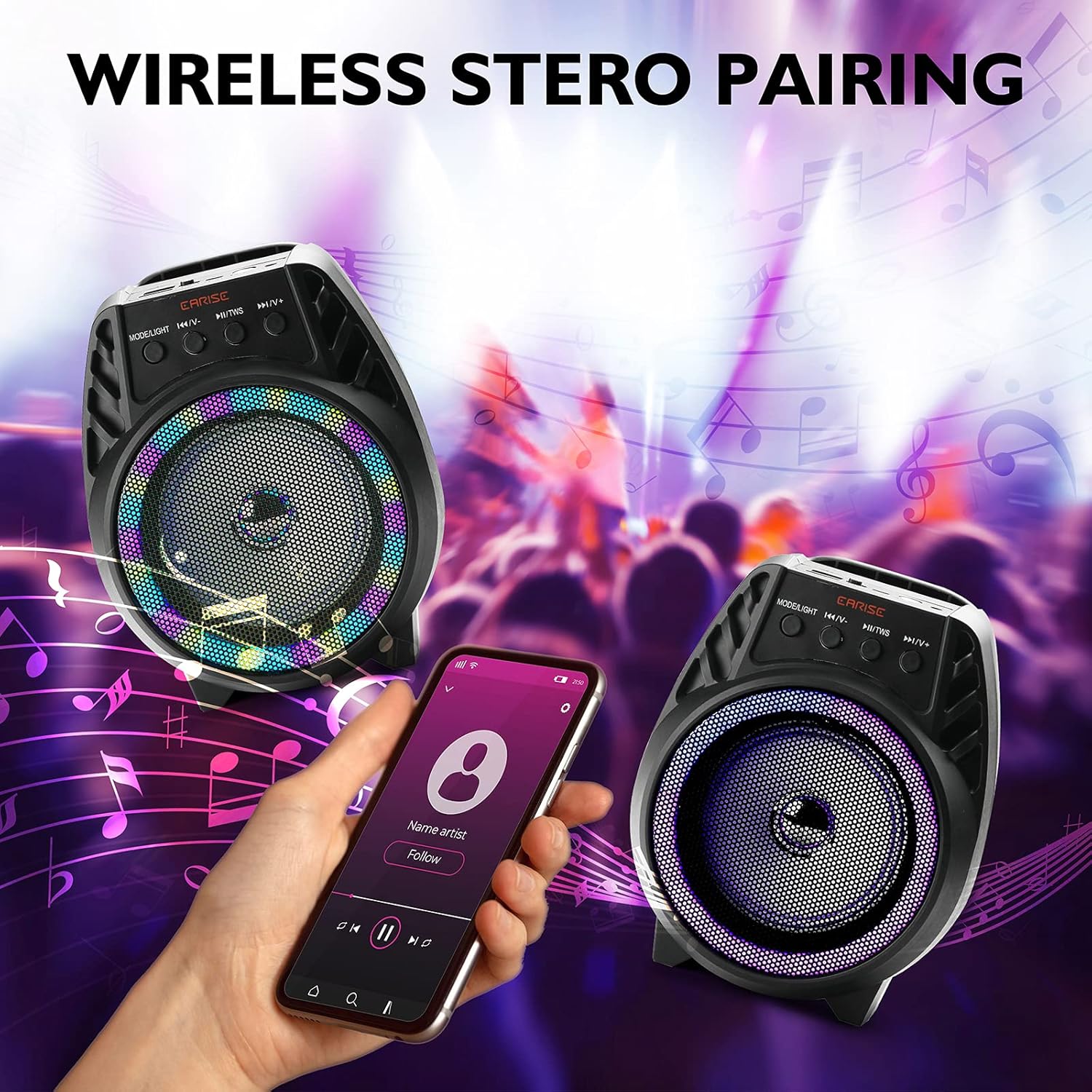
Obraz: Two EARISE D51 speakers positioned for wireless stereo pairing, with a smartphone displaying music playback, illustrating the TWS feature.
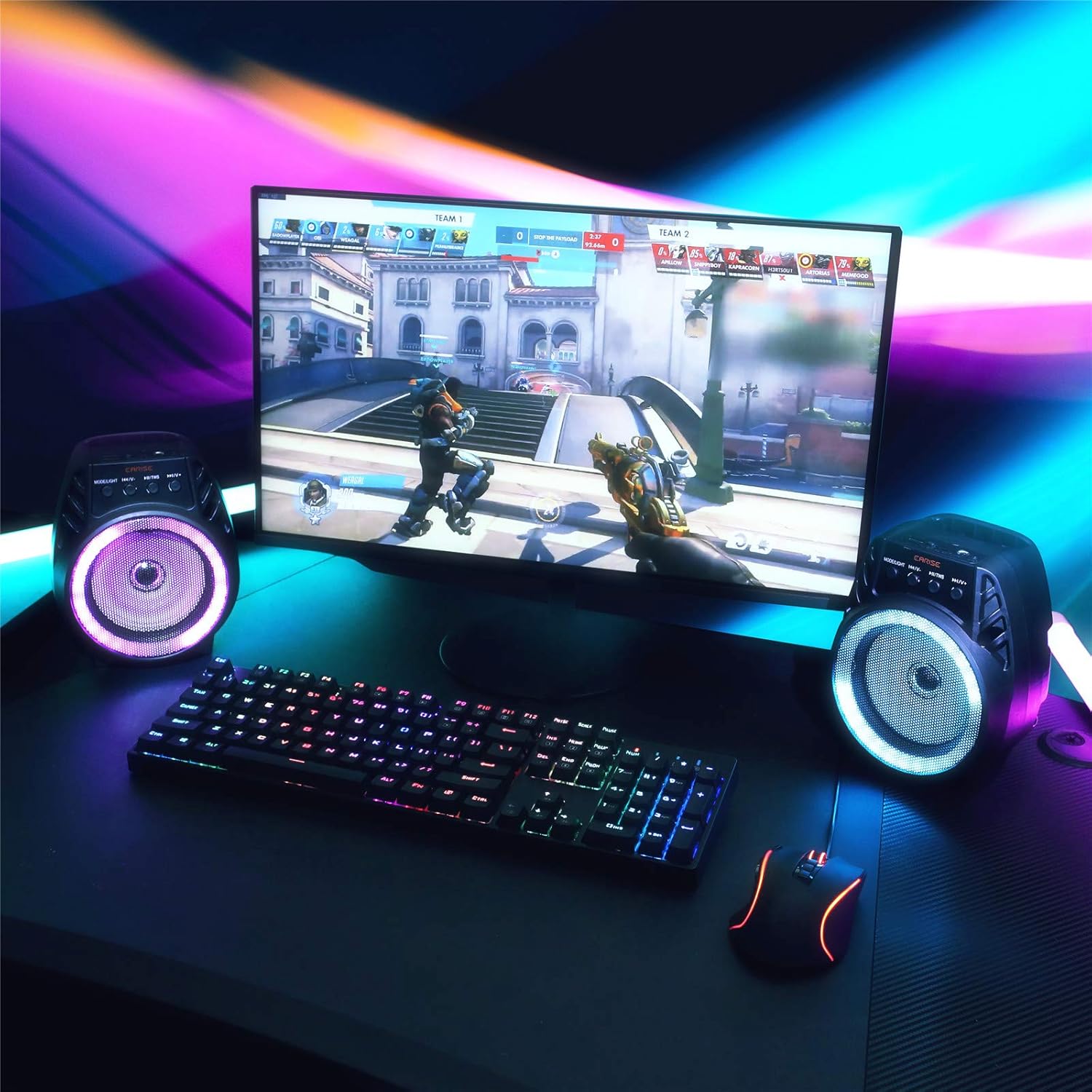
Obraz: Two EARISE D51 speakers set up on a desk next to a laptop, demonstrating the True Wireless Stereo (TWS) pairing for an enhanced audio experience.
Návod k obsluze
1. Changing Playback Modes
Stiskněte tlačítko Režim/Světlo button (1) repeatedly to cycle through available input modes: Bluetooth, FM Radio, TF Card, USB, and AUX.
2. Adjusting Volume and Tracks
- Zvýšit hlasitost: Dlouze stiskněte Další stopa / zvýšení hlasitosti tlačítko (4).
- Snížit hlasitost: Dlouze stiskněte Předchozí skladba / snížení hlasitosti tlačítko (2).
- Další skladba: Krátce stiskněte Další stopa / zvýšení hlasitosti tlačítko (4).
- Předchozí skladba: Krátce stiskněte Předchozí skladba / snížení hlasitosti tlačítko (2).
- Přehrát/pozastavit: Krátce stiskněte Přehrát/Pozastavit/TWS tlačítko (3).
3. Using FM Radio
In FM Radio mode, short press the Přehrát/Pozastavit/TWS button (3) to auto-scan and save available radio stations. Use the Předchozí skladba / snížení hlasitosti (2) a Další stopa / zvýšení hlasitosti (4) buttons to navigate between saved stations.
4. Přehrávání z TF karty a USB
Insert a TF card or USB drive with MP3 audio filedo příslušného slotu. Reproduktor se automaticky přepne do odpovídajícího režimu a spustí přehrávání.
5. Vstup AUX
Connect an external audio device using a 3.5mm AUX cable (not included) to the AUX port. Switch the speaker to AUX mode using the Režim/Světlo tlačítko (1).
6. Režimy LED osvětlení
The EARISE D51 features multiple RGB light modes. Long press the Režim/Světlo button (1) to cycle through different light patterns or to turn the lights off.

Obraz: The EARISE D51 speaker emitting a bright purple RGB light, highlighting its visual effects.
Video: This video showcases the EARISE D51 Bluetooth Speaker's various RGB light modes and how they synchronize with music, providing a dynamic visual experience.
Údržba
- Reproduktor čistěte měkkým, suchým hadříkem. Nepoužívejte abrazivní čisticí prostředky ani rozpouštědla.
- Chraňte reproduktor před vodou, vlhkostí a extrémními teplotami.
- Pokud reproduktor nepoužíváte, skladujte jej na chladném a suchém místě.
- Vyvarujte se pádu reproduktoru nebo jej nevystavujte silným nárazům.
Odstraňování problémů
| Problém | Možná příčina | Řešení |
|---|---|---|
| Reproduktor se nezapne. | Slabá baterie. | Plně nabijte reproduktor. |
| Nelze spárovat přes Bluetooth. | Bluetooth not enabled on device; speaker too far; speaker already connected to another device. | Ensure Bluetooth is on and the speaker is in pairing mode. Move speaker closer to device. Disconnect from other devices. |
| Žádný zvuk. | Příliš nízká hlasitost; vybrán nesprávný režim; zařízení nepřehrává. | Increase volume on both speaker and device. Ensure correct input mode is selected. Check if the audio source is playing. |
| Párování TWS selhalo. | Reproduktory již připojené k jiným zařízením; nesprávný postup párování. | Ensure both speakers are disconnected from all devices before initiating TWS pairing. Follow TWS pairing steps carefully. |
Specifikace
| Název modelu: | D51 |
| Značka: | EARISE |
| Typ reproduktoru: | Prostorový zvuk |
| Speciální funkce: | Přenosný |
| Technologie připojení: | Pomocný, Bluetooth, USB |
| Bezdrátová komunikace: | Bluetooth |
| Velikost reproduktoru: | 4 palce |
| Maximální výstupní výkon reproduktoru: | 5 wattů |
| Zdroj napájení: | Napájení z baterie |
| Režim výstupu zvuku: | Stereo |
| Rozměry produktu: | 6 x 4 x 5 palce |
| Hmotnost položky: | 1.3 libry |
| Zahrnuté komponenty: | LED světla |
| Je voděodolný: | Falešný |
| Způsob ovládání: | App |
Bezpečnostní informace
Přečtěte si prosím a dodržujte tyto bezpečnostní pokyny:
- Nevystavujte reproduktor extrémním teplotám, přímému slunečnímu záření ani vysoké vlhkosti.
- Avoid using the speaker near water or in wet conditions, as it is not waterproof.
- Reproduktor nerozebírejte, neopravujte ani neupravujte sami. V případě jakýchkoli oprav se obraťte na kvalifikovaný servisní personál.
- Udržujte reproduktor mimo dosah dětí a domácích zvířat.
- Používejte pouze dodaný nabíjecí kabel nebo jeho certifikovaný ekvivalent.
- Reproduktor a jeho baterii zlikvidujte zodpovědně v souladu s místními předpisy.
Záruka a podpora
The EARISE D51 Bluetooth Speaker comes with a limited warranty. Please refer to the warranty card included in your package for specific terms and conditions. For technical support or customer service, please contact EARISE customer support through their official webnebo kontaktní informace poskytnuté při nákupu.
For more information, visit the official EARISE webmísto: www.earise.com